Huawei Smart Watches on Noon UAE: payment method — coupon troubleshooting
If you’re facing a “Noon UAE coupon not working” error while trying to use a Huawei payment method on a smart watch, this guide will show you clear steps to
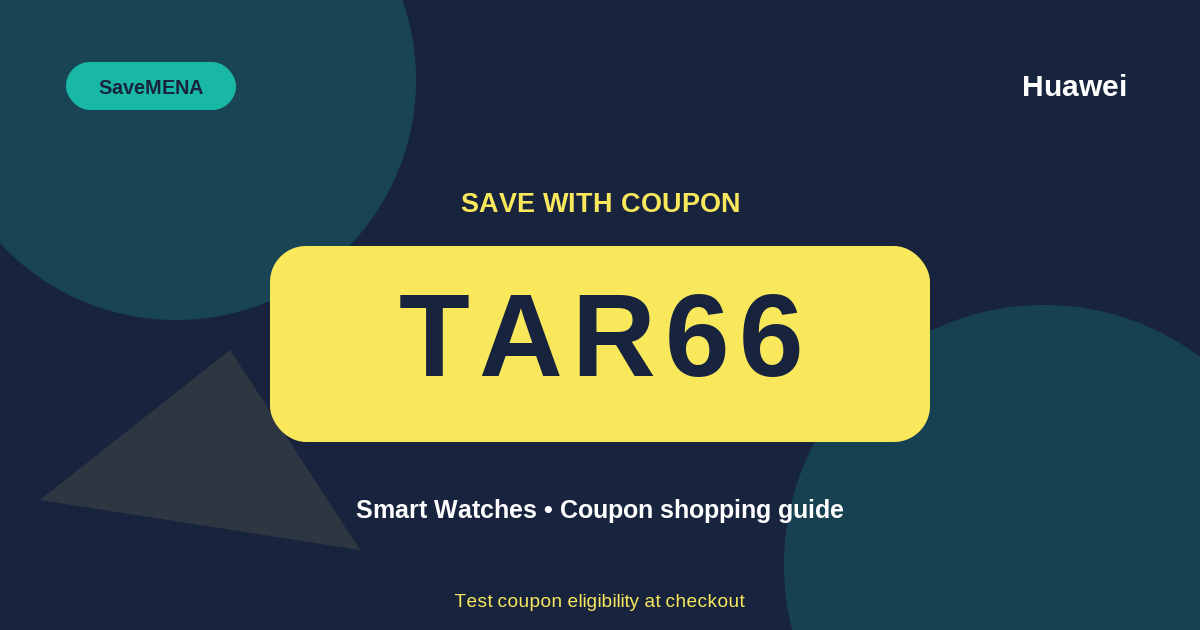
Codes available to try while comparing
These codes are not guaranteed for the article topic or listed brands; test them at checkout and use the live result.
1. Understanding How Noon Processes Coupon Codes
When you enter a coupon code at Noon, the platform first matches the code against its database for any active promotions. For the TAR66 code, Noon checks the code’s validity, its application rules, and the purchasing history of the shopper’s account. The supermarket style matching ensures the code is linked to eligible items, but it often hinges on the chosen payment method before the final verification. A mismatch or an unsupported payment channel can cause a temporary “coupon not working” notice, even though the code itself is legitimate.
After validating the code, Noon moves to the cart summary stage where it re‑evaluates eligibility against the selected items and payment method. If you’re buying a Huawei smart watch, the system regards it as a tech device but may still flag the coupon if the payment method is not listed as supported. Knowing that the coupon's functionality can be sensitive to the payment channel helps you avoid common pitfalls during checkout.
2. Confirming Smart Watch Eligibility for the Coupon
Before attempting a purchase, verify that the Huawei smart watch you’re the coupon code is listed as eligible for the TAR66 offer. Noon’s product pages typically offer a “Coupon Available” badge next to compatible items, though this is not always guaranteed. Scroll to the product description to find any mention of promotional constraints; if none appear, the item remains a wildcard and the coupon may still apply.
Even if the smart watch is marked as eligible, ensure you are not inadvertently selecting a customization or accessory bundle that could be excluded from the promotion. Certain accessories or extended warranty options might trigger a different eligibility set that stops the code from applying, regardless of your payment method choice.
3. Verifying Huawei Payment Method Acceptance on Noon
Noon supports a variety of payment methods, but not all of them are listed for every category. Huawei's payment integration must be explicitly included in Noon’s payment options for the transaction to go forward. On the checkout page, confirm that “Huawei Payment” is present and that you have a verified wallet or credit line linked to your Noon account.
Check for any pending verification steps. Some payment methods require a secondary confirmation, such as a one‑time code sent to your phone, before they can process a discount-enabled sale. If your Huawei wallet shows “pending” or “unverified,” the coupon will often fail to apply, prompting the “coupon not working” alert.
4. Common Triggers That Disable Coupon Usage
The most frequent reasons a coupon appears inactive include typographical errors, such as entering “TAR66” instead of “TAR66” in all caps. Noon’s system is case sensitive, meaning even a minor mismatch will block the code. Double‑checking the exact capitalization before submission can save you from a frustrating error message.
Another common issue arises when the cart contains items that trigger a minimum purchase requirement invisible to the shopper. If the Huawei smart watch alone does not meet the minimum threshold, even though it’s an eligible item, the coupon will automatically disable. Sometimes this threshold is topped up by accessories, so consider adding a small accessory if it remains within your budget and earns the coupon.
5. Step‑by‑Step Troubleshooting Checklist
Begin by clearing your browser cache and cookies, then reload the Noon app or website. Once your cart contains the Huawei smart watch, navigate to the “Coupon” field and enter TAR66 in all caps. Hit “apply” and observe whether the discount icon appears in the order summary. If it still flags as not working, proceed to the payment section.
At the payment selection stage, click through each listed option until you find “Huawei Payment.” Confirm that the balance or credit limit is sufficient for the watch’s price. If a verification prompt appears, complete it. Re‑enter the coupon after payment selection to ensure that Noon re‑validates the code against the updated transaction data.
6. Trying Alternative Payment Methods When the Coupon Fails
Should the voucher remain blocked after confirming Huawei payment acceptance, switch to a generic payment method like JumiaPay or a debit card. This action often triggers a different validation path, allowing the DAO’s coupon system to refresh its eligibility checks.
In many cases, the coupon’s activation depends on the wallet’s active status. A standard payment method may offer a smoother pathway for Noon’s discount engine, thereby restoring the coupon’s effect. After switching, remember to return to the “Coupon” field and reapply TAR66 to confirm its activation.
7. When and How to Contact Noon Support
If all troubleshooting steps are exhausted yet the coupon still refuses application, it’s time to reach out to Noon’s customer assistance. Prepare your order details, screenshot of the error, and the exact coupon code. The support portal typically promises a response within 24 hours, and it will provide a definitive reason—whether a system glitch, a temporary restriction, or a pending account update.
Provide the support team with your view of the payment method, specifically noting the Huawei integration, and ask if the payment channel could be limiting coupon validation. A representative may offer to manually apply the discount for you or suggest a workaround such as a temporary payment method aligned with the coupon’s policy.
8. Key Takeaways for UAE Smart Watch Shoppers
Successfully applying a Noon UAE coupon is a layered process where the payment method, product eligibility, and coupon code entry all intersect. By ensuring your Huawei wallet is verified, entering TAR66 accurately, and opting for compatible payment channels, you can minimize the “coupon not working” barrier for your smart watch purchase.
Should the process still stall, systematically switch payment methods and contact Noon’s support with precise evidence. Armed with these practical steps, UAE shoppers can confidently leverage Noon’s offers and enjoy their new Huawei smart watch without unnecessary delay or hidden fees.
Related SaveMENA pages
Related articles
Official sources to check
Frequently asked questions
What should I do if the TAR66 coupon is still not applying after verifying my Huawei payment method?
Double‑check the exact case‑sensitive spelling, clear your browser cache, and try re‑applying the code. If it still fails, consider using a different payment method like JumiaPay or a credit card, then reapply the coupon. If the problem persists, contact Noon support for assistance.
Can I add another item to my cart to meet a minimum purchase requirement?
Yes, adding a small accessory or similar product can sometimes help meet unseen minimum spend thresholds.A coupon is not guaranteed; verify its result at the retailer checkout.
Is it safe to switch to another payment method just to unlock a coupon?
Using an alternative payment method remains secure within Noon’s payment infrastructure. However, always check that the alternatives are approved payment options and that your personal financial details stay protected.
Will the coupon work if I complete the purchase via the Noon app instead of the website?
Both channels usually support coupon processing, but the app often provides a cleaner interface. Try applying the coupon within the mobile app; if it still fails, revert to the web version and verify each step carefully.