Samsung TVs on Noon UAE: payment method — coupon troubleshooting
If you’ve found that a Noon UAE coupon isn’t applying when you try to buy a Samsung TV, you’re not alone.
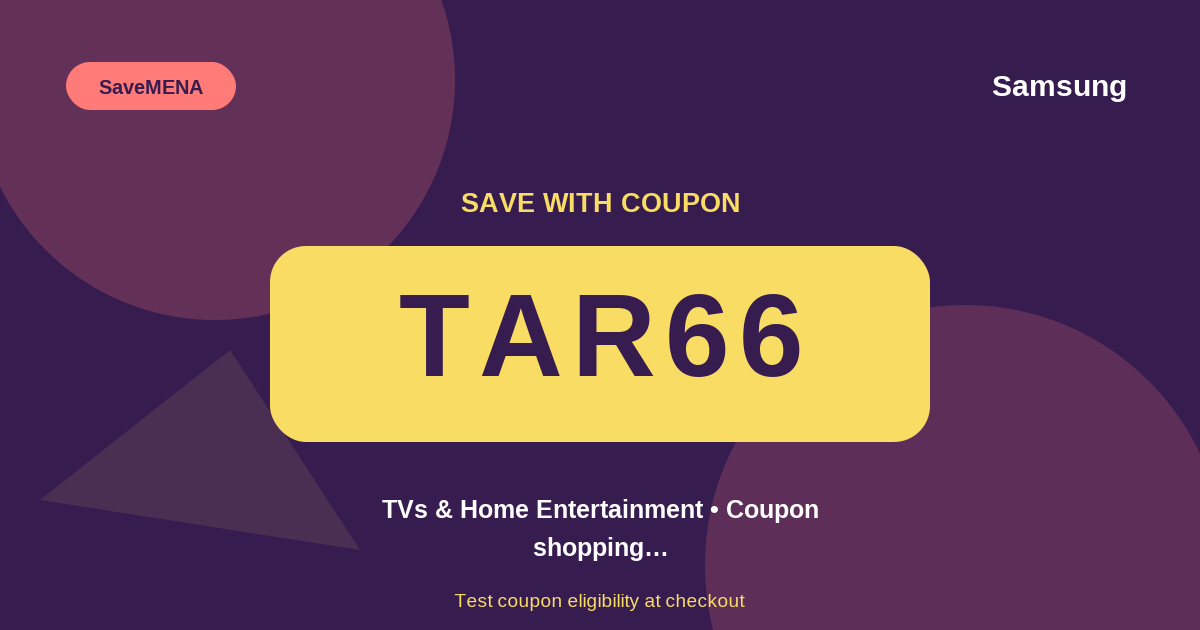
Codes available to try while comparing
These codes are not guaranteed for the article topic or listed brands; test them at checkout and use the live result.
Understanding the Coupon Mechanism on Noon
Noon’s coupon system is designed to apply automatically when a valid code is entered at checkout. The platform checks the code against a set of criteria—such as product category, brand, cart total, or user status—before deducting the discount. If the code does not satisfy all conditions, the system will display a generic error message without naming the specific rule that failed. Therefore, the first place to look when a code fails is the list of eligibility rules stored behind the scenes on Noon’s server, which cannot be accessed directly by the shopper.
Because these eligibility rules are proprietary, the best approach is to cross‑reference the information that Noon typically displays near the promo‑code field. Look for any warnings or benefits listed for Samsung商品 or general TV categories. If the product or brand is not explicitly mentioned as eligible, the coupon will not function, regardless of whether you enter the code correctly. This procedural check eliminates many false alarms before you begin troubleshooting further.
Checking Eligibility for Samsung TVs
Even if Noon displays Samsung TVs in the catalog, a coupon may still be invalid if it’s restricted to specific product lines or SKUs. The simplest way to confirm eligibility is to use the category filtering tool on the product page and locate the exact model you intend to purchase. Note the exact brand and model number, as Noon’s coupon engine matches these details precisely before applying any discount.
Once you have the model, revisit the coupon’s promotion details (usually found in the “Deals” or “Coupons” section). If the coupon advertises a general application to all TVs, it typically will not mention brand restrictions. In that case, the Samsung TV should qualify. If the coupon’s description does mention “Samsung” or “TV” explicitly, make sure the qualifier matches the product’s exact title in Noon’s system; a discrepancy in wording can cause the engine to reject the code, even though it appears eligible at a glance.
Validating the TAR66 Coupon Before Checkout
Before you add a Samsung TV to your cart, type the code TAR66 into the promo‑code box on the catalog page and observe any immediate feedback. A successful entry will either reduce the displayed price or show a confirmation message. If the system responds with an error, pay close attention to the wording: “code not valid for this product” or “code expired.” These messages give clues as to why the coupon is not applying and help you avoid false assumptions at checkout.
If the code appears accepted but you still see the full price at checkout, double‑check any hidden fees or delivery charges that may be added during the final payment step. Coupon percentages are calculated only on the base price; additional fees can override the discount amount, prompting Noon to revert to the standard total. In such situations, the coupon itself is working, but the projected discount is nullified once the full transaction price is computed.
Common Payment Method Errors on Noon
Noon’s payment engine processes transactions through a limited set of methods, including credit/debit cards, wallets, and bank transfers. Some coupon codes inadvertently trigger payment restrictions if the selected method fails to meet the card’s issuing bank’s security parameters. For instance, a card flagged as “high-value” may trigger an additional verification step that Noon’s system misinterprets as a coupon failure, causing the discount to be skipped.
To avoid this, confirm that your card’s billing address matches the details on the card itself, and ensure your card is activated for online use in the UAE. If you’re using a prepaid or virtual card, check whether Noon’s system accepts that type for large‑value purchases. Many card issuers require a regular credit or debit card to process high‑price electronics such as Samsung TVs; failing to meet this requirement can prevent the coupon from applying, even though the code is valid.
Capturing Delivery and Shipping Costs
Noon calculates delivery fees separately from the unit price of a Samsung TV. These fees can vary by delivery location, size of the item, and urgency (standard vs express). Since coupons typically only apply to the product price, any delivery fee added after coupon application can reverse a discount if the final total dips below the coupon’s internal threshold.
Be proactive by reviewing the “Delivery and Handling” section just before confirming payment. If you see a high delivery charge, consider waiting for a promotional free‑delivery period or choosing a pickup option if available.A coupon is not guaranteed; verify its result at the retailer checkout.
Avoiding Hidden Charges When Using Credit Cards
Certain credit card issuers impose processing fees for specific transaction types, such as cross‑border purchases or large electronic items. Noon’s checkout system may not reveal these fees until the payment stage, which might again revert a coupon discount. To preclude hidden fees, check your card’s terms or use a no‑fee card for paying the total after the coupon has been applied.
Additionally, some issuers enforce a daily transaction limit or flag unusual spend patterns. If Noon flags your purchase as suspicious, it can trigger an automatic rollback, in which case the coupon would not be reflected. Contact your bank to confirm that your credit card is cleared for high‑value, online purchases in the UAE before initiating the transaction, thus ensuring that the coupon code stays in place.
Alternative Payment Options for Samsung TV Purchases
If your primary card continues to deny the coupon discount, Noon offers alternative payment methods such as Apple Pay, Google Pay, or installment plans. These options can bypass the strict compatibility checks imposed on standard credit cards, allowing the coupon to apply normally. However, each method has its own verification process and may carry its own fee structure.
When selecting an alternative, confirm that the chosen method is supported for the specific SKU of your Samsung TV. Some installment plans restrict eligibility to certain devices or total amounts. In practice, moving to a method with fewer restrictions can resolve coupon inactivity while still delivering a fair payment experience.A coupon is not guaranteed; verify its result at the retailer checkout.
Final Verification and Taking Advantage of the Coupon
Once you’ve confirmed product eligibility, validated the TAR66 code, and ensured your payment method aligns with Noon’s requirements, proceed to checkout one last time. At the order summary stage, the coupon field should display your discount alongside the product price, and the total amount should reflect the deduction. If the coupon still does not appear, note the exact error message and contact Noon’s customer service for clarification.
Keep a copy of your order confirmation or receipt, which will show whether the coupon was successfully applied. This record can be useful for future reference or if you wish to report a recurring issue. By systematically checking each stage—from product eligibility to payment compatibility—you’ll have a clear path to resolving coupon failures and enjoying your Samsung TV purchase on Noon with confidence.
Related SaveMENA pages
Related articles
Official sources to check
Frequently asked questions
Why does Noon show “coupon not valid” even though I entered TAR66 correctly?
Common reasons include product ineligibility, a mismatch between exact product naming, and payment method restrictions. Double‑check that the Samsung TV you’re buying matches the coupon’s brand and category, and confirm your card is authorized for online high‑value purchases in the UAE.
A coupon is not guaranteed; verify its result at the retailer checkout.
Changing to methods like Apple Pay or a no‑fee card can bypass some card restrictions, but they are still subject to Noon’s coupon eligibility rules. The coupon will work only if the product and cart satisfy all internal criteria.
What should I do if delivery fees negate my coupon discount?
Check the “Delivery and Handling” section before finalizing payment. If the fee exceeds the coupon’s value, consider waiting for a free‑delivery promotion or selecting a pickup option so the discount remains visible.
Can I apply the same coupon to multiple Samsung TV models?
Noon’s coupon engine applies each code to a single order. If you wish to purchase multiple models, you must use the coupon once per transaction, as each purchase requires the code to be re‑entered and verified.