Calvin Klein Watches on Noon UAE: payment method — coupon troubleshooting · TAR64
The most frequent culprits behind a non‑working coupon on Noon are restrictions set by the coupon issuer.
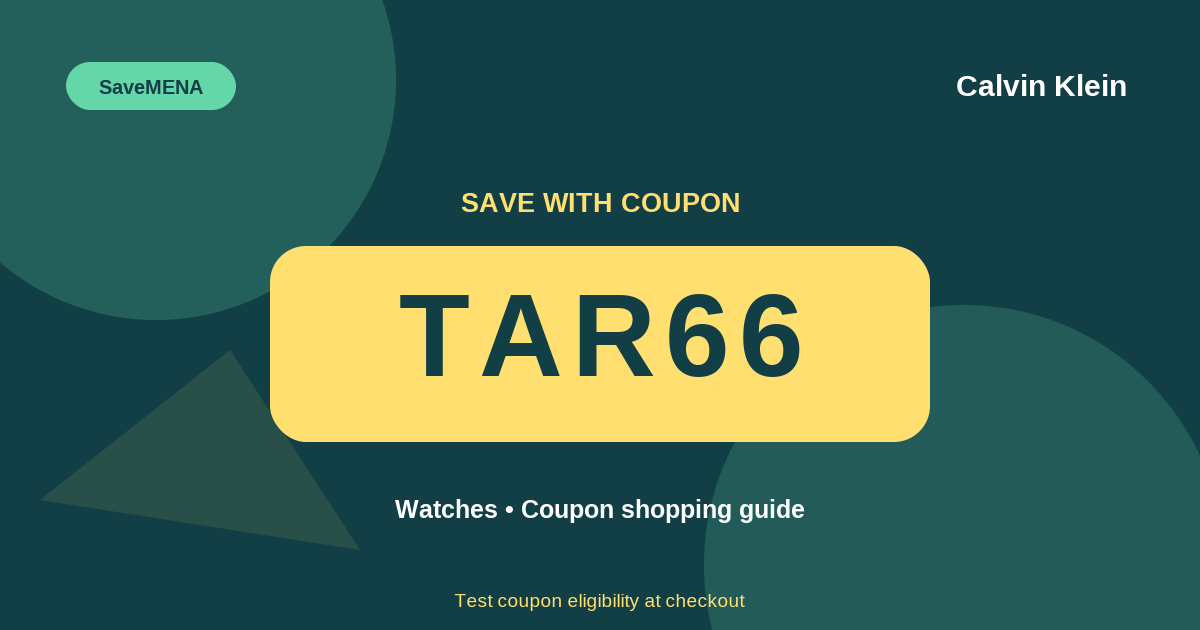
Codes available to try while comparing
These codes are not guaranteed for the article topic or listed brands; test them at checkout and use the live result.
2. Common Reasons a Noon UAE Coupon Becomes Inactive
The most frequent culprits behind a non‑working coupon on Noon are restrictions set by the coupon issuer. These can include product exclusions, region lock‑outs, or a minimum spend that is not met. For instance, a general discount might be valid only on watches priced above a certain threshold, or it may exclude high‑price luxury items like Calvin Klein Timepieces. Checking the coupon description—or asking Noon support for clarification—helps you quickly rule these scenarios out.
Secondly, inventory flooding and cart changes can invalidate a coupon. If the item you selected drops out of stock between adding it to the cart and checking out, the coupon’s applicability is recalculated. This is independent of the payment method but can combine with it if Noon’s algorithm ties the two together for certain offers. In practice, ensuring your lock‑step of product, price, and payment method is consistent at every step is key to halting an unexpected coupon deactivation.
3. Checking Your Payment Method Compatibility
Before you even touch the coupon field, confirm that the payment method you plan to use is accepted for the type of discount you’re pursuing. If you’re using a debit card from a UAE bank, verify whether Noon lists it under supported cards for coupon redemption. Cards issued abroad or by non‑UAE banks sometimes trigger an “improper payment method” flag. In such cases, opting for the UAE‑issued credit card or a local wallet can resolve the mismatch.
Most payment options on Noon—including credit cards, debit cards, and digital wallets—display a small icon next to the coupon usage note. This icon is a silent indicator that certain discounts are locked to specific payment modes. If you see a “Plus Secure” shield or a similar symbol absent in your checkout, it often signals that your current method is not compatible with the coupon’s rule set. Verify by checking the card’s country of issuance, ending digits, and balance, then cross‑reference those details with Noon’s publicly listed eligible payment instruments.
4. Step‑by‑Step Troubleshooting: From Cart to Checkout
Begin by reviewing each line item in your cart. Ensure that the Calvin Klein watch’s model, price, and any optional accessories exactly match the eligibility criteria listed for the coupon. Remove or add items until the cart’s total is stable. Once the cart reflects the correct items, head to the coupon entry field and type “TAR64” precisely, including capitalization, and hit apply.
If the coupon fails to apply, challenge the payment method: switch to a different card in your Noon wallet, or request a new card number if your current card is dormant. In many cases, simply refreshing the page or clearing the checkout cache suffices to reset the validation engine. If the coupon still won’t accept, scroll to the “Payment” section on the left sidebar of the checkout page and verify the card you have selected. Inquire whether Noon’s help docs or FAQs mention any known incompatibilities for that specific card brand or issuer.
5. Leveraging Alternative Payment Options for Noon
When conventional cards fail to unlock a coupon, Noon’s alternative payment options can be a lifeline. One common alternative is the Noon Wallet, a prepaid digital envelope that accepts UAE‑based bank transfers. Wallet payments are often exempt from the restrictions that block credit‑card coupons. Additionally, Noon occasionally supports Apple Pay or Google Pay in the UAE; these can be used if the coupon’s provider explicitly lists “digital wallet” among accepted methods.
Another avenue is using the Noon merchant pickup payment option, which lets you pay with cash at a local store. Though this method may not qualify for the same coupon restrictions, it does bypass the digitized validation.A coupon is not guaranteed; verify its result at the retailer checkout. Balancing the trade‑off between convenience and coupon eligibility is essential when payment alternatives become your primary recourse.
6. Overcoming Technical Glitches: Browser, App, and Network Tips
Technical hiccups often masquerade as payment method incompatibilities. Browser extensions that block cookies or scripts can interfere with Noon’s ability to recognize your payment instrument’s details. Disable ad blockers or clear your browser cache, then reload the checkout page to ensure the validation routine runs unhindered.
If you’re using the Noon mobile app, app‑level bugs or outdated versions can stall coupon application on checkout.A coupon is not guaranteed; verify its result at the retailer checkout. For mobile users, ensuring that the device’s time and locale settings are correctly set to UAE time zone can also eliminate false payment method rejections.
7. Confirming the Coupon's Effect at Checkout
After successfully applying “TAR64,” look for a clear label beside the subtotal showing a discount line item. Noon will dismantle the coupon code into an amount deducted from the total before tax. Confirm that the line reads exactly “Discount – TAR64” and that the final payable amount reflects this subtraction. This is your only definitive proof that the coupon has engaged, independent of possible hidden service fees.
Use your chosen payment method in full: connect the card, insert the card’s pin, or complete the digital wallet handshake. Observe the payment processor’s confirmation screen; any red warning or notification related to the coupon should appear here as well. If the payment screen notes a “coupon not applicable” or “payment method mismatch” flag, retrace your earlier steps: check card eligibility, re‑enter the code, or switch to an alternative payment agent. Once the payment gateway indicates a successful transaction and the order confirmation page lists your coupon, the redeem voyage is complete.
8. When All Else Fails: Contacting Noon Support
If all troubleshooting steps conclude with the coupon still inert, and no applicable payment method is leaving the system in a grey state, the next step is to notify Noon’s customer service. Use the chat function, email, or call option found in the app’s “Help” section. Provide them the exact coupon code “TAR64,” the watch SKU, and a screenshot that shows the coupon attempt and error message. This data equips the support agent to investigate backend restrictions and possibly manually approve the discount.
Bear in mind, though, that Noon’s support does not modify coupon terms; they can only explain why an issue persists or propose a suitable alternative like a store credit, voucher, or temporary courtesy discount. When describing your payment method to the agent, mention whether you’re using a debit or credit card, a digital wallet, or an alternative payment path. The clarity of this detail will dramatically speed up the resolution or escalation process.
Related SaveMENA pages
Related articles
Official sources to check
Frequently asked questions
What should I do if Noon keeps saying my coupon is not applicable, even though I’m sure the code is correct?
If the code is typed correctly, double‑check that your cart’s items and total meet the coupon’s eligibility. Confirm the payment method you plan to use is listed among the accepted options. If both checks pass, try clearing your browser cache or switching to a different device; if the problem persists, contact Noon support with the code and your cart details.
Can I use a foreign‑issued card with the TAR64 coupon?
Coupon eligibility often ties to the issuer’s country. Noon’s system flags non‑UAE cards as incompatible with certain promotional codes. If you’re using a foreign card, switch to an UAE‑issued debit or credit card, or use an alternative payment method such as Noon Wallet for best results.
Will switching to a digital wallet resolve the coupon issue?
Digital wallets can bypass the card‑based restrictions that stringently apply to coupons. Because wallets are treated as a separate payment channel, the coupon may be processed correctly. Ensure your wallet is funded and linked to a UAE‑based account before attempting again.
Is it possible that Noon’s system is temporarily down or experiencing a bug?
Yes. During peak sales events or system maintenance, validation engines may lag. If you see repeated errors, wait a short time and try again. Checking Noon’s status page or reaching out to customer support can confirm whether an outage is affecting coupon application.