Watches on Noon UAE: payment method — coupon troubleshooting
When you click “Apply” on your Noon UAE coupon and nothing changes, you might think the code is dead.
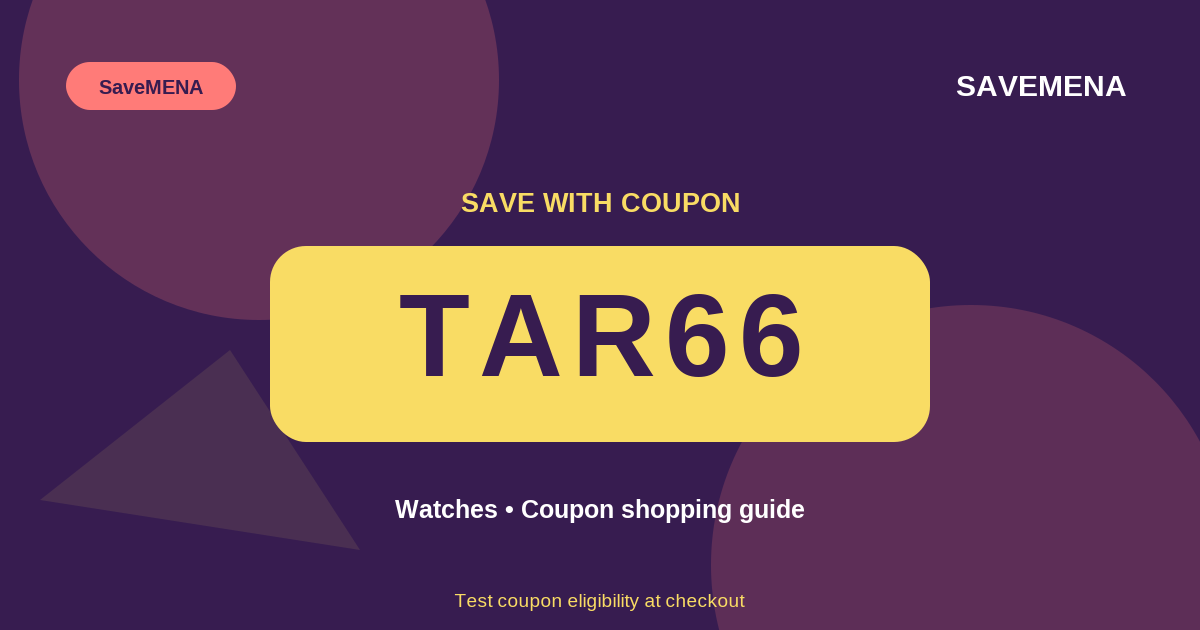
Codes available to try while comparing
These codes are not guaranteed for the article topic or listed brands; test them at checkout and use the live result.
1. Cross‑Check the Code Entry
Begin by ensuring the coupon code, TAR66, is typed correctly. Any deviation—missing a digit, swapping a letter, or inadvertently adding a space—will invalidate the code. Noon’s system verifies the code exactly as entered; it is case‑sensitive and does not accept similar looking characters. Confirm that the code field displays “TAR66” with no leading or trailing spaces before proceeding.
After confirming the characters, press the “Apply” button again. The page should refresh to show the discount applied to the cart subtotal. If the discount still does not appear, move on to payment‑specific checks, because the code itself was accepted at this point. Such a scenario suggests that the issue is not purely theatrical typing but related to the payment method used during checkout.
2. Match Payment Method with Coupon Rules
Coupon terms on Noon are often tied to specific payment options. Although the exact rule for TAR66 isn’t published, many coupons only apply when the payment is made through instant debit, credit, or digital wallets that support full‑value transactions. Check that your chosen payment method falls within this umbrella. Some cards may be flagged for security reasons, restricting promotional codes from applying.
To verify compatibility, open the payment options list on the order summary page. If your selected method is highlighted in red or greyed out, it likely limits coupon applicability. In that case, select an alternative that carries a “No discount restriction” badge, or switch to a native Noon credit option if available.
3. Understand the Buy‑Now‑Pay‑Later Limitation
Buy‑Now‑Pay‑Later (BNPL) services such as Tabby or PayLater are increasingly popular in UAE e‑commerce. However, many coupon codes disregard these deferred payments to preserve financing revenue. When you choose a BNPL plan, Noon often bypasses the discount engine, leaving your cart without TAR66 applied.
To detect this, review the checkout screen for a BNPL toggle. If BTYN is selected, switch back to a standard instant payment method like Visa or Mastercard. After the change, reload the cart; the coupon should re‑evaluate and apply if the code itself is still valid.
4. Borrow the Coupon on a Credit Card
If you originally attempted to pay with an NFC or Apple Pay token, the coupon may not propagate through NFC encryption layers. Try transferring the payment to a physical or virtual credit card associated with your Noon wallet.A coupon is not guaranteed; verify its result at the retailer checkout.
When you complete the swipe or enter the credit card number, the system stamps the payment reference. A successful authorization often triggers a renegotiation of the cart value, allowing the the coupon code discount to surface. If the discount still does not appear, proceed to cart verification.
5. Examine Cart Details for Approved Promotions
During checkout, Noon lists all active promotions beneath the “Apply Promotion” field. Open the full list and scroll through the filters. If TAR66 is absent or in a disabled state, it indicates a systemic block—often due to ineligible item categories, tax brackets, or regional restrictions.
If the watch you selected carries a special designer label or is part of a limited‑edition bundle, the system may have flagged it as non‑eligible for general coupons. In such instances, you must either remove the exclusive item or seek a different coupon that names the category explicitly.
6. Contact Noon Assistance for Verification
When troubleshooting subsists beyond the UI, locating Noon’s customer support can confirm if TAR66 is still active and whether your payment method aligns with coupon conditions. Use the “Help” button on the order page to initiate a chat. Provide the order ID and the exact error screen to expedite the solution.
Note that support may need to validate your card details remotely. Make sure you have the card’s last four digits handy. Once verified, Noon can often apply the discount manually or provide a corrected coupon code that bypasses the current restriction.
7. Keep a Record of Payment Receipt
Even before the coupon shows, acquire a receipt preview by scrolling to the bottom of the cart screen. Noon typically displays a “See Order Summary” view which includes the raw fee breakdown. A missing discount will appear here. Save this screenshot for reference should the cancellation or dispute arise.
Having a documented receipt allows you to prove that the coupon was applied at a specific instant, before the payment method push. In rare cases, Noon’s post‑payment adjustments might trigger a mismatch which you can correct by initiating a refund or contacting support with the record.
8. Final Checkout Check and Backup Options
Now revisit the final checkout page one more time. Confirm that TAR66 displays as a discount under the subtotal. If the code still fails, evaluate backup options: try removing the watch and re‑adding it to ensure no hidden bundle restrictions interfere. Reload the page after each change.
If all else fails, consider an alternative coupon or listing. While TAR66 may not work with your current payment setup, that doesn’t rule out future usability. Keep an eye on Noon’s promotional calendar or sign up for a newsletter to receive fresh coupons that honor a broader set of payment methods.
Related SaveMENA pages
Related articles
Official sources to check
Frequently asked questions
Why does the Noon UAE coupon not work with my Apple Pay?
The issue often stems from the payment method’s encrypted tokenization, which may bypass the storefront’s discount engine. Switching to a direct credit or debit card typically resolves the problem.
Can I combine TAR66 with another discount or voucher?
Coupons on Noon usually cannot be stacked. Once TAR66 is applied, any other promotional code will be disabled. Verify this on the promotion list during checkout.
How do I know if my watch is eligible for the coupon?
Check the cart’s “Applied Promotions” section for a disabled indicator. If the watch is part of a limited edition or premium line, it may be flagged as ineligible.
What should I do if the coupon applies then disappears after payment?
Contact Noon support immediately with your transaction ID. A post‑payment mismatch can trigger a manual adjustment by the customer service team.