Dell Computer Accessories on Noon UAE: price changes — coupon troubleshooting
Noon UAE coupon not working Computer Accessories Dell rechecking after a price change: When a Dell computer accessory’s price shifts on Noon UAE, the corresponding
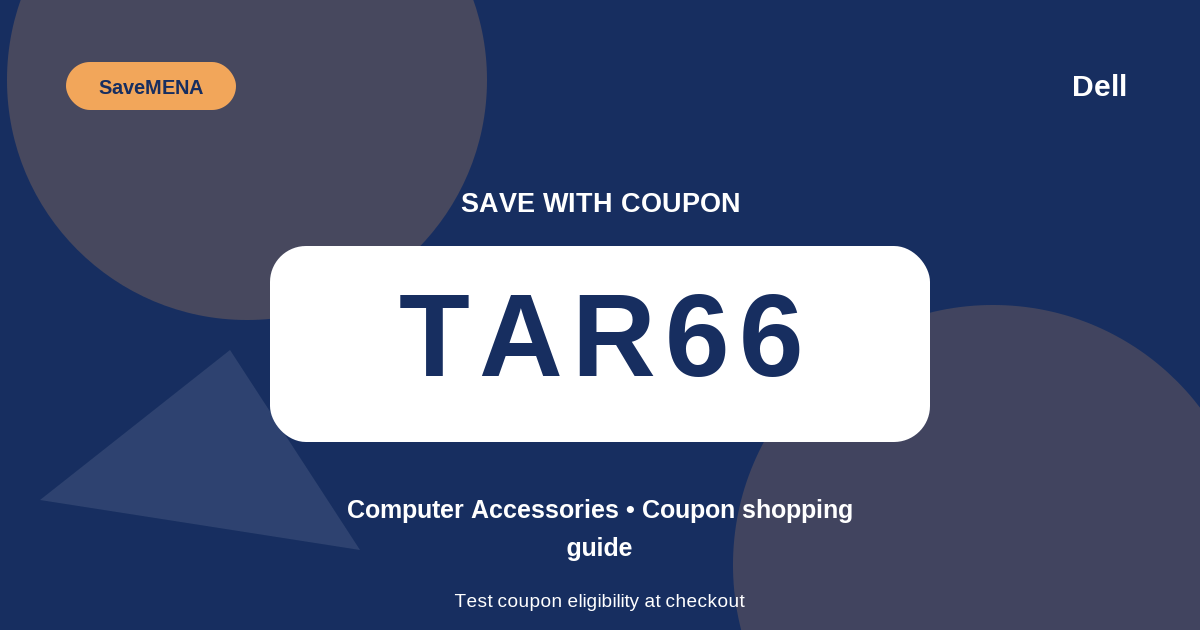
Codes available to try while comparing
These codes are not guaranteed for the article topic or listed brands; test them at checkout and use the live result.
1. Understanding the Trigger: Price Changes & Coupon Eligibility
When Noon UAE adjusts the price of a Dell keyboard or mouse, the new price may affect the coupon’s eligibility thresholds. Many coupons are linked to a minimum spend or a specific price range. After a price change, the previously eligible product can slip below the threshold, causing the code to appear inactive. Swap back to the original price in the cart’s product details to see whether eligibility is restored.
Pause and note the item’s current price vs the one that was at coupon activation time. If the difference is minimal, the coupon might still work; however, if it falls below a required minimum, the code will be rejected at checkout. Seeing this upfront saves the frustration of on‑the‑fly corrections.
2. Confirming the Product Variant and Seller Consistency
Coupons often activate for a specific product variant or seller. If Noon displays a Dell accessory from a different seller or an alternate SKU, the coupon could be blocked. Use the “Compare” button in the product listing to make sure you’re viewing the exact variant that the coupon the coupon code.
Check that the seller handling the order is among those that support “TAR66.” If the product is sourced from another market or a virtual store that doesn’t honour the coupon, the discount will not apply. Consistency in both variant and seller is essential for the code to function.
3. Verifying Cart Total Against Coupon Thresholds
Inspect the cart summary to confirm that the subtotal + all applicable fees meet the coupon’s requirement. If you have a volume discount already applied, it may alter the final total in a way that voids the coupon. Look for a line item indicating “Coupon applied” – if it’s missing, the subtotal might be below the threshold.
Some coupons witness subtle changes after a price update. If the cart total drops by a few dirhams, the discount may no longer be eligible. In this case, either add an additional item or reach the threshold manually before the coupon can be re‑validated.
4. Clearing Browser Cache and Cookie Conflicts
Browser data can persist old pricing or discount information, causing a mismatch during checkout. Clear your cache, cookies, and site data specifically for Noon UAE. On most browsers, this option is found under Settings > Privacy & Security > Clear Browsing Data. Choose “Cookies and other site data” and “Cached images and files” while keeping saved passwords.
After clearing, reload Noon, add the Dell accessory again, and re‑enter “TAR66.” A fresh connection prevents the browser from serving outdated coupon states that might have been stored locally.
5. Reapplying the Code during the Final Checkout
Once the cart reflects the updated price, proceed to checkout. Locate the “Coupon code” field on the payment page, usually just beside the total. Input “TAR66” and hit “Apply.” Make sure not to press the button multiple times; the site often generates a single response for each attempt.
If the coupon is accepted, a visible discount will appear in the payment summary. If it’s rejected, cross‑check that the code spelling is exact: all caps, no blanks, no extra characters. A single mistake can lead to the same error.
6. Checking for System‑Wide Coupon Exceptions
Noon may temporarily disable certain coupons due to technical updates or new policy changes. Look for any banner on the checkout page that says “Coupon temporarily unavailable.” While this isn’t caused by a price change, it’s worth noting if the “TAR66” code fails despite all other checks.
In such cases, download the Noon app or refresh the page after a short waiting period. Sometimes the system automatically reinstates the code after a few minutes of downtime.
7. Using the Mobile App vs Desktop: Platform Differences
Coupons can behave differently across platforms. The Noon mobile app may parse and apply discount codes faster than the desktop site. If you’re on a laptop and the coupon fails, download the Noon app, log in, and attempt the code again. The mobile version often bypasses certain performance quirks of the desktop version.
Conversely, if you’re already using the app and the coupon won’t work, switch to a desktop browser. Some checkout flows are more sensitive to mobile device settings.
8. Contacting Support: Escalating After All Checks
If every step above fails, contact Noon’s customer support through the app or website chat. Provide them the product name, current price, and the coupon code “TAR66.” Support can verify system logs to determine whether the coupon is currently active for that article.
When you reach out, ask for a direct confirmation on whether the discount can apply after the price update. The response will give you a definitive answer and may point you to an alternate promo if available.
Related SaveMENA pages
Related articles
Official sources to check
Frequently asked questions
Why does my Noon UAE coupon not apply after a price change?
Price adjustments can shift the product below a coupon’s minimum spend or alter seller eligibility. It’s a common trigger for coupon failure, especially with dynamic pricing on heavy‑traffic items.
Can I use the same coupon across multiple Dell accessories?
Only if each item’s price meets the coupon’s eligibility criteria and the seller supports it. A mixed‑product cart may still trigger a “minimum spend” requirement.
What if the coupon works on the app but not on the website?
Platform‑specific implementations can differ. The app may process checkout steps more seamlessly, whereas the website might require additional cache or cookie clearance.
How do I know if the coupon is truly invalid?
After trying the coupon consistently and noting error messages, contact Noon support. They can confirm activation status and provide an official explanation or alternate promotion.