Puma Shoes on Noon UAE: price changes — coupon troubleshooting
Begin by reviewing the exact price tag on the Puma shoe listing before adding the item to your cart. This is crucial because price changes often happen after you
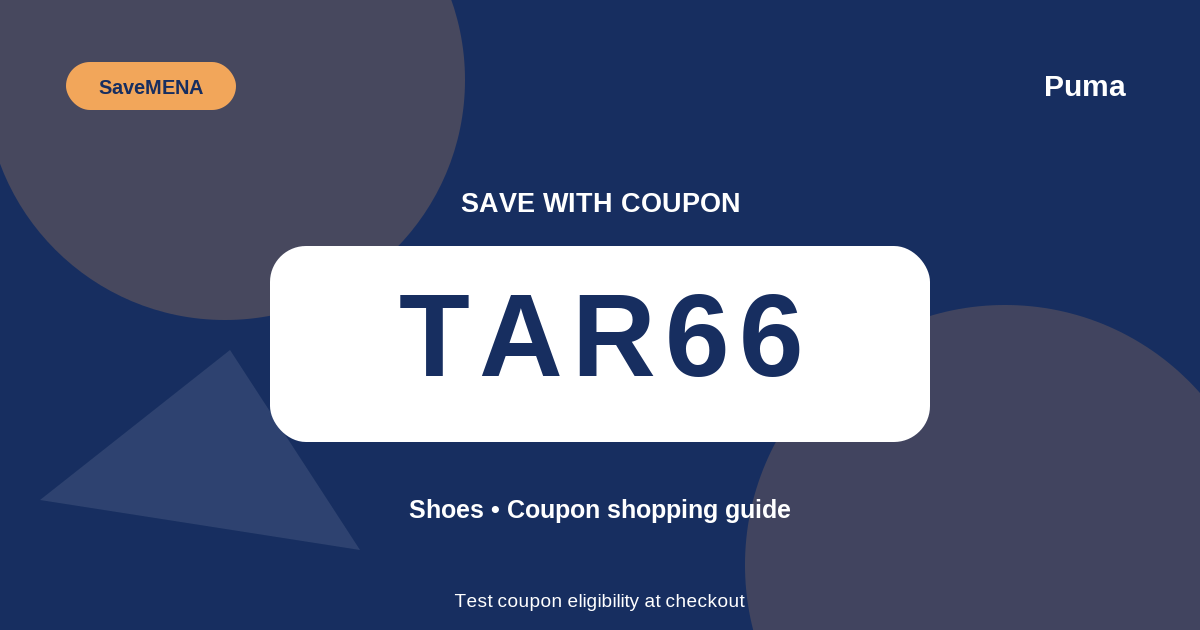
Codes available to try while comparing
These codes are not guaranteed for the article topic or listed brands; test them at checkout and use the live result.
Inspect Current Shoe Listing Price
Begin by reviewing the exact price tag on the Puma shoe listing before adding the item to your cart. This is crucial because price changes often happen after you view a coupon’s terms. Take screenshot or note the displayed amount, ensuring you’re looking at the correct size and color variant. If the price is higher than you expected, the coupon may no longer be applicable until the offer expires or the price reverts. This helps you determine whether the discount issue stems from a sale ending or a misapplied code. Recording the initial price gives you a baseline to compare later steps in the checkout process.
When you confirm the price, also check for any sale badges or discount labels beside it. These indicators show if the product is themselves already discounted, which sometimes means coupon codes are disallowed on already-reduced items. If a readonly badge says “Sale” or “the discount shown at checkout off,” the site might prevent further coupon usage. By noting this, you can decide to purchase at the off‑price or await a price drop to re‑apply the coupon. This first check keeps your expectations realistic before you engage deeper with the code application.
Confirm Coupon Eligibility on the Product Page
On the top or bottom of the product detail, look for any coupon eligibility information. Terms such as “Valid on selected items,” “Discount code available” or “TAR66 can be applied” usually appear. These statements indicate the site’s internal logic about coupon application. If the product page explicitly states “TAR66 not applicable,” you can skip trying the code and adjust your cart instead. This prevents wasting time. If no such statement exists, the code may still qualify but you need to test it during checkout to confirm.
Additionally, search for size or color restriction notes. Many coupons specify that they apply only to standard variants or exclude certain models. For example, a classic Puma running shoe might be on sale but the coupon might not cover “Limited Edition” versions. By cross‑referencing the variant you intend to buy with the eligibility text, you avoid applying a code that will fail later. Typos or outdated notes can mislead, so combine this scan with a quick search within the platform’s help center for the code name to confirm the current status.
Add the Item to Cart Before Applying the Coupon
Place the Puma shoe in your cart while still in the product view. This permits the platform to lock in the variant details and associated price before any coupon code is tried. After adding, refresh the cart page to ensure the items are listed correctly. If the cart shows a brief error or resizes, return to the product page to re‑add it in case the system misread the variant. Having the item locked in establishes the base price upon which any coupon will be calculated.
Do not apply the coupon at the product page; use the cart or checkout area instead. Checkout repositories are deliberately built to verify discount conditions against the cart’s contents. By waiting until the cart, you eliminate the chance that a site‑side script might reject the code because the product wasn’t yet confirmed within the cart’s established session. This step is essential, especially when Noon’s dynamic pricing can shift after you deeply explore the listing.
Apply TAR66 Coupon and Observe Cart Totals
Navigate to the cart or checkout page and locate the coupon entry field. Type the code TAR66 exactly as shown—case-sensitive and without spaces—and press apply. Observe the change in the total amount. If the discount appears, note the reduced figure and confirm that it applied to the exact shoe variant. If the total remains unchanged, look for an error message that explains why the code didn’t work. Common messages mention “code invalid” or “not applicable to this item.”
If the code did not apply, double‑check that you used the latest version of the code. Occasionally, coupons expire or are temporarily paused in Noon’s inventory. Even a seemingly correct formula can be “inactive” for a short window. In this situation, postpone adding the product to a wish list and re‑attempt the code after a few hours. Many sellers refresh promotional machinery daily, so a brief pause may resurrect the coupon’s applicability.
Re‑evaluate After a Possible Price Fluctuation
Price changes are common when Noon updates its listing or adjusts sales for inventory reasons. If the coupon didn’t apply initially, softly navigate back to the product listing and cross‑check the price displayed. It may be lower now due to a sudden discount. Return to your cart, which should update automatically to reflect the new price. Then re‑apply the TAR66 code. This re‑checking following a price change often unlocks previously inaccessible discounts.
When you redo the application step, monitor whether the coupon now affects the total. If it does, you can confirm that the coupon was initially rejected because the original price was outside its qualifying threshold. Note that excessive price shifts can also trigger expiration of discount codes tied to a specific price point. This explains why coupon usage after a price change can sometimes render “code not working” status. Tracking these shifts gives you an insight into why coupons sometimes fail.
Verify Cart Summary for Hidden Fees
Before proceeding to checkout, double‑check the cart’s fee summary. Platforms like Noon often add small processing or logistics fees that appear after any coupon is applied. Ensure the net discount from TAR66 is reflected and that the fee section shows no erroneous charges that could nullify the benefit. If a fee is applied, read the description—some fees apply only when coupons reduce the amount below certain thresholds. This can influence how the final payment differs from your expectation.
Use the “View details” or “Itemized list” views for clarity. If you see an unexpected charge, you can adjust your cart size or apply a different code. Test by removing the shoe and re‑adding it to the cart to reset any accumulated fees. By fully verifying all hidden charges a step before checkout, you avoid surprises on the payment screen that could push you to think the coupon failed.
Confirm Final Checkout Eligibility
Proceed to the checkout screen and verify that the total payable amount reflects the Sarat portion of your discount and any additional fees. This screen is your last checkpoint with all conditional logic applied by Noon’s backend. It will show the final amount including shipping, taxes, and any minimum spend reductions. If TAR66 is not reflected here, the code is once again rejected, likely for the same reasons noted earlier—price mismatch, ineligibility, or expired coupon.
At this point, you can either attempt the coupon one more time if the price has revised, switch to another active coupon offered by Noon, or opt to purchase at full price without discount if the item is essential. The crucial factor is transparency: the checkout screen is the authoritative source for final payment. If anything appears off, flag it for customer support or you can adjust the cart. This step ensures you finalize only when you’re fully certain of the final cost.
Reach out to Noon Support for Persistent Issues
If all previous steps yield no discount, contacting Noon’s customer service becomes necessary. Compile the relevant details: product SKUs, variant, price at the time of adding to cart, the code used, and any error messages displayed. A clear record expedites the support team’s ability to identify the cause—whether a routing error, inventory mismatch, or backend bug. Even if SaveMENA is independent, their suggested approach guides you to correctly contact Noon’s official support channels.
When you report the issue, request that Noon confirm whether TAR66 applies to your specific Puma shoe variant and why it may currently be failing. Keep an eye on support responses—resolution times can vary from 24 hours to a few business days. While waiting, consider alternative deals or coupons, but use this channel as the final shoring point for coupon-related troubles.
Related SaveMENA pages
Related articles
Official sources to check
Frequently asked questions
How can I confirm that TAR66 is valid for my Puma shoes?
Check the product page for any eligibility notes and ensure the shoe variant you wish to buy is listed under “Valid Items.” If unclear, try applying the code in your cart; if it fails, the coupon likely does not cover that specific variant.
What should I do if the price of the shoe drops after I added it to my cart?
Return to the cart page, which should automatically update to the new price. Re‑apply the code TAR66. Sometimes discounts re‑activate when the price meets the required threshold after a change.
Does the discount apply only during certain times of day or specific dates?
No fixed time limits are provided, but coupon availability can change with Noon’s dynamic pricing. If you’re unable to apply TAR66, consider waiting a few hours or days, as coupons may refresh daily.
Are there extra fees that could negate the savings from the coupon?
Check the cart summary for processing or logistics fees. Some charges only appear if the discounted amount falls below a minimum threshold, which could offset or nullify the coupon’s benefit. Verify all hidden fees before finalizing payment.