Samsung Tablets on Noon UAE: seller comparison — coupon troubleshooting
Noon UAE coupon not working Tablets Samsung seller comparison: If a Noon UAE coupon appears not working for tablets, tackling the issue without guessing starts with
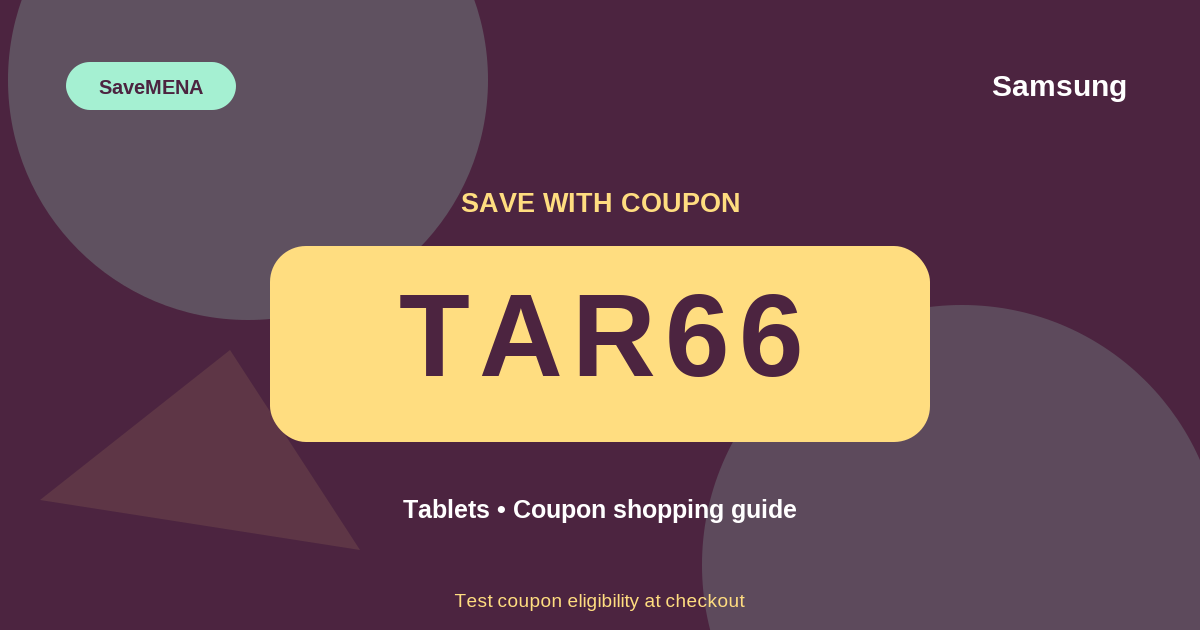
Codes available to try while comparing
These codes are not guaranteed for the article topic or listed brands; test them at checkout and use the live result.
Verify Coupon Eligibility on the Tablet Listings
To troubleshoot a coupon without guessing, begin by inspecting each tablet listing for explicit coupon eligibility badges or notes. Some sellers tag their products with discount eligibility, while others rely on the general coupon rule that applies platform-wide. Look for any text such as “Coupon applicable” or “Includes coupon” near the price or description. If a listing lacks that indication, the coupon may not apply even though you are using the correct code. This quick check can save you from years of frustration and guide you toward the right seller.
Next, confirm that the tablet’s category is indeed “Tablets” and not a sub‑category like “Accessories” or “Smartphones.” The code applies only to items that match the coupon’s scope, which typically aligns with the main product group. Checking the category breadcrumb ensures you are not unknowingly trying a coupon on an unrelated item. This verification step is crucial before you move to compare sellers and avoid repeated failed attempts.
Compare Seller Offerings for Samsung Tablets
Once you know the coupon might apply, evaluate each seller offering the same Samsung tablet. Seller comparison is the cornerstone of maximizing savings—different sellers can have varying stock, handling fees, and return policies. Create a simple list of top sellers, noting their shipping costs, quality assurance messages, and any available reviews. Pay special attention to whether a seller explicitly states coupon compatibility each time you hover over the ‘Apply coupon’ button. If one seller updates its settings, the coupon could start working, making this step essential.
After listing the sellers, rank them based on their overall value proposition. Consider how quickly they ship from the UAE, their responsiveness to queries, and the transparency of their warranty terms. A seller that offers free return shipping or a longer warranty often offers more value than a seemingly cheaper price. This analysis helps you decide whether to pair the coupon with a particular seller or switch entirely if the code refuses to apply for a specific source.
Check Cart Total Before Applying TAR66
Most coupon engines evaluate eligibility based on the cart subtotal before taxes and shipping. When a coupon does not seem to work, it’s useful to verify whether your current cart total meets any implicit threshold. Within the tablet's page, you can add or remove items to see if the ‘Apply coupon’ button remains inactive. If adding a spare accessory pushes the total above a hidden minimum, the coupon might start working, indicating that the original total was below the required amount.
Additionally, some sellers require a minimum purchase per item for coupons to trigger. Compare the minimum spend needed for each seller by toggling the quantity or viewing the ‘Buy’ option. This granular check ensures you understand why a coupon may or may not apply and allows you to rearrange your cart strategically. Understanding these thresholds means you can construct a checkout that satisfies both the coupon and the seller’s conditions.
Understand the Timing of Coupon Application
Lists often change in real-time, and coupon availability can shift as inventory loads. If a coupon fails on one attempt but works on another, the timing of your navigation can be the difference. Observe whether the ‘Apply coupon’ button only activates after you have refreshed the page or after you have selected a specific tablet variant. Occasionally, the code loads its eligibility only after the product is added to cart and the cart system refreshes.
Keeping a record of when the coupon works or fails helps diagnose if the issue is temporal. Some sellers lock coupons after a certain date or in response to backend updates. If you notice the code fails specifically at checkout but not in the product page, it may indicate a system delay. Documenting this pattern allows you to plan smarter—perhaps waiting a few minutes before re‑entering the code, or rehearsing a quick refresh to help the coupon engine sync.
Analyze Seller Return and Warranty Policies
During a coupon hiccup, examine whether return policies or warranty terms impact coupon eligibility. Sellers with more stringent returns or limited warranties might restrict coupon usage to discourage promotions on high‑risk products. Some sellers identify themselves with badges that correspond to retailer validation, but they typically do not guarantee coupon applicability. By checking the return policy details, you can gauge the seller’s openness to running promotional codes at all.
Contrast sellers that offer cookie‑based returns or a longer warranty period with those that provide minimal or conditional returns. When you identify a seller with flexible return terms, the coupon is more likely to pass through the application logic. This comparison helps you decide whether the trade‑off between price, coupon, and after‑sale support is worthwhile, especially if the coupon is essential for your budget plans.
Inspect Delivery Fees for Each Seller
Sometimes, delivery fees add unexpected costs that can push the total past a threshold where the coupon no longer applies. To troubleshoot, examine the delivery fee listed for each Samsung tablet seller. Sellers often display a default shipping cost that may vary from free to a small per‑item charge. Some deliver free for first‑time buyers or for high‑value purchases, but not for discounted items.
Make a side‑by‑side comparison of each seller’s delivery charges while noting if those fees change after applying the coupon. For instance, a seller might offer a $0 delivery charge only when the items total a certain amount pre‑coupon. If the coupon reduces the item price, the post‑coupon amount could fall below that threshold, resulting in a higher fee. Calculating this impact ensures you are not surprised at checkout and you decide whether to shuffle sellers for maximum savings.
Cross‑Check Minimum Spend Constraints
Although not always publicized, sellers may impose minimum spend requirements independent of the coupon. When the ‘Apply coupon’ button remains inactive, the cart might be below this threshold, even if the coupon itself has no such condition. To test this, add a small, inexpensive accessory common to most Samsung tablets and observe whether the coupon activates. If it does, the lack of minimum spend is a likely culprit.
Conversely, if the coupon still does not apply after adding the accessory, other constraints are at play: possibly a per‑seller restriction or a global platform rule. Taking notes of these outcomes and mapping them to each seller allows you to create a decision matrix that tells you where the coupon can truly operate and where you must pick a different seller entirely.
Confirm Coupon Application at Checkout
At the final stage, a checkpoint appears where the entered coupon code is tested against the current cart. If the application finishes with a “code invalid” message, you should double‑check the exact text. A minor typographical error, such as an extra space or an uppercase/lowercase mismatch, can lead to a failure. Removing any trailing spaces and ensuring the code reads exactly “TAR66” can sometimes resolve the issue.
In rare cases, the checkout engine might refresh and display a new rule set after the application attempt, especially if inventory changes occur close to payment. If this happens, you can retry entering the coupon after the page reloads. Keeping a screenshot or a note of the error message can also help when contacting Noon support or the seller’s customer service, should you decide to request clarification. The final confirmation at checkout is the last verification that the coupon will affect your payable total.
Related SaveMENA pages
Related articles
Official sources to check
Frequently asked questions
Why does the TAR66 coupon not work for some Samsung tablets on Noon?
There could be multiple reasons: the tablet may belong to a seller that has disabled coupon usage, the coupon might require a minimum cart total that isn’t met, or the coupon may not be applicable to that specific product category. Checking eligibility on the listing, comparing sellers, and ensuring the cart sum meets thresholds are good starting points.
Can I apply the TAR66 coupon to a cart containing multiple sellers?
Coupon application rules vary by seller. If your cart includes items from more than one seller, some coupons apply only to a single seller’s portion or are prohibited entirely. Verify each seller’s coupon policy before adding items from multiple sources to avoid failed attempts.
Are delivery fees affected when the coupon is applied?
Delivery fees can change after a coupon alters the item price, especially if the seller’s free shipping threshold is tied to a pre‑coupon total. It’s prudent to review the final delivery charge after the coupon apply step to see if it remains the same or increases.
What should I do if the coupon code fails at checkout despite meeting all conditions?
When the coupon persists in failing, gather any error messages or screenshots, then contact Noon customer support or the seller’s support team. They can confirm whether the coupon is active for that seller or if any back‑end restrictions prevent its use.