Logitech Gaming on Noon UAE: seller context — coupon troubleshooting · TAR92
Every gamer in the UAE knows that finding the right deal can turn a typical gaming setup into a dream corner of pure performance.
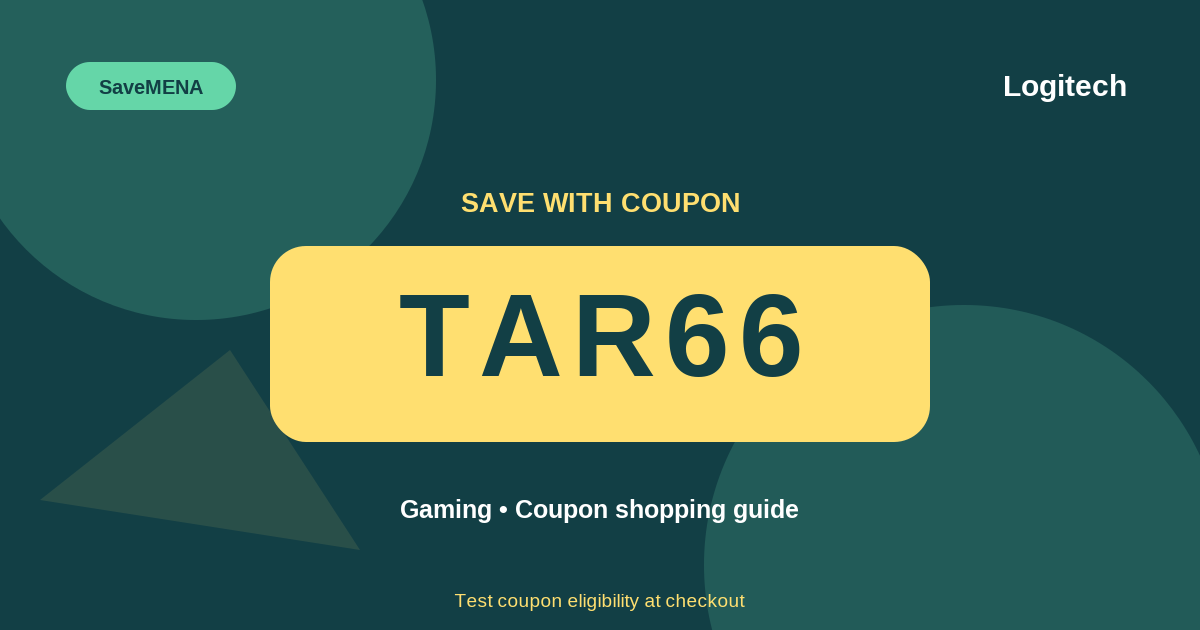
Codes available to try while comparing
These codes are not guaranteed for the article topic or listed brands; test them at checkout and use the live result.
1. Identify Why the Coupon Fails Right From the Start
The first clue most shoppers overlook is that a coupon that doesn’t fire can be due to a simple mismatch—like applying a promotional code meant for a different category, or even a typo in the copy‑paste process. In the “Noon UAE coupon not working Gaming Logitech seller context,” your first action is to double‑check that the code TAR92 appears exactly as shown at the top of the Noon Deals page and that you are logged into the same account you use for gaming purchases. Any deviation, even an extra space, will halt the discount engine before it evaluates the rest of your selection.
Next, look for any quick informational banners that pop up after you enter the coupon. Noon often shows a brief note next to the code field indicating whether the offer is still active, if there’s a limit on how many can be used per order, or if it’s tied to a particular seller. In the gaming context, a code that appears “valid” at the top of the site might only apply if you are buying from the Logitech seller, not from a third‑party vendor, so you need to confirm the seller ID of every item in the cart before proceeding.
2. Verify the Coupon’s Eligibility Requirements
Even though the coupon is “available to try,” the code TAR92 may still have certain prerequisites that need to be satisfied before it activates. In the gaming segment, Noon may enforce a minimum purchase amount or restrict the code to items priced within a particular range. Checking the coupon’s eligibility requirements involves going to the Noon Coupon Center, locating TAR92, and reading the conditions printed beside that entry. Pay close attention to any mention of category alignment—gaming peripherals, keyboards, mouses, or headsets—because mismatching with a non‑gaming product will block the code.
If the coupon’s terms are not publicly spelled out, you may need to push the code into a test cart. Add one Logitech gaming keyboard to the cart, apply TAR92, and review the cart summary. A sudden “Coupon invalid” message indicates that either the selector requirements are not met or that the specific product SKU is excluded under the terms. This quick test helps you avoid multiple failed attempts that waste time at checkout.
3. Ensure Product-Category Alignment for Gaming Gear
In the context of gaming products, the category on Noon (such as “PC Gaming Keyboards” or “Gaming Mice”) must match the class that the coupon covers. A Logitech headset listed under “Headphones” or “Audio Accessories” might not qualify if TAR92 applies strictly to “Gaming Peripherals.” Therefore, you must check the category label on the product page before adding it to the cart. The listing usually displays the category under the product title, and it may also include brand tags that help you confirm it’s part of the Logitech gaming lineup.
Another subtlety is the model type. Even within Logitech, certain models may be marketed as “gaming” while others are standard office accessories. Many coupons are designed to differentiate between high‑end gaming rigs and lower‑tier consumer devices. Look for tags such as “Pro” or “G” series on the page—these are typically flagged as gaming models. If TAR92 is promotional for a “G Pro” series mouse, adding an ordinary Logitech M100 bookmark will not trigger the discount.
4. Confirm the Seller: Logitech on Noon
A lot of shipping, warranty, and discount rules hinge on the seller behind the product listing. Noon feeds items from official Logitech sellers, third‑party merchants, and even used gear vendors. To verify the seller, scroll to the product page’s “Seller” section. The official Logitech store will usually display “Logged from Logitech” and a verified seller badge. If the code TAR92 is aimed at the official Logitech channel, using a third‑party listing may block the coupon even if the item is in the same category.
If the Logitech seller is a reseller, check the reseller’s policy in their store bio or acceptance notes. Some resellers have specific partial‑qualifiers for coupons, meaning only certain product lines are eligible on their store. Cross‑reference your cart items with the permissible SKU list if available, or contact the seller via the Noon chat interface to confirm coupon coverage. The seller context is essential because Noon’s discount engine checks “product × seller” pairs before allowing a code.
5. Navigate the Cart and Checkout Workflow Correctly
Once you’ve confirmed that the coupon is technically eligible, add the Logitech item(s) to the cart and proceed to the “Review Order” screen. The Noon cart page typically shows a coupon input field alongside shipping details. Enter TAR92 here and submit. If the coupon registers, you will see an adjustment line counting down the discount value. If it doesn’t, the system will present a gentle “This coupon either expired or doesn’t apply to your cart” error, which indicates a mismatch or missing pre‑condition.
In some cases, Noon may require clearing “Applications” before re‑applying the code. If an earlier coupon was already in use, the system might block a new code until the previous one is removed. Deduct any other applied coupons or apply the tiered‑discount plan after removing the conflicting one. After re‑applying TAR92, observe whether the cart total updates immediately. If it still remains unchanged and the error persists, the problem likely lies outside of coupon mechanics and requires deeper troubleshooting.
6. Common Technical Glitches and How to Fix Them
A recurring hitch is browser cache interference. Cached data can prevent the most recent coupon rules from pulling through, especially if Noon updates its coupon database overnight. Clearing your browser cache or using an incognito tab is a quick fix. Similarly, disabling browser extensions—particularly ad blockers or cookie managers—can prevent the coupon script from executing against the page.
Another glitch involves session integrity. After logging into Noon, if your session becomes stale (for instance, by opening a new tab or after a prolonged pause), the coupon might no longer associate with your current cart.A coupon is not guaranteed; verify its result at the retailer checkout. If these steps do not rectify the issue, restarting the device can resolve underlying network latency that hinders coupon validation.
7. Alternate Strategies When the Coupon Is Unresponsive
If the direct application of TAR92 consistently fails, consider purchasing the item as a “single item with coupon” request. Some sellers will honor the discount manually upon receiving a request via the “Request to add a coupon” button before finalizing checkout. Reach out to the Logitech seller through the Noon app to confirm they can apply the coupon off‑record.
Another angle is checking for store‑wide promotions that overlap with the coupon’s benefit. Logitech may have an ongoing “Buy One, Get One Free” or “Free Shipping” by default for UAE customers. Even if the coupon does not activate, you may still secure a discount or free shipping, which means you’re still moving forward with a cost saving, albeit of a different type.A coupon is not guaranteed; verify its result at the retailer checkout.
8. When All Else Fails: Escalate to Noon Support
If after all the checks the coupon remains inert, the next logical step is to contact Noon’s customer support. The chat or email route is straightforward; open a ticket describing the bill of items, the code TAR92, and the full cart snapshot. Indicate that the coupon appears valid online but not on the checkout page. Specificity will expedite their investigation and often leads to either a manual application on your order or a clarification of why the coupon is not accepted.
Meanwhile, keep your order open or save the order details so you can quickly proceed once the issue is clarified. While waiting for customer support clarification, you may also consider shopping at a different retailer if your gaming build timeline is tight. Nonetheless, following the escalation path gives you a safety net for recovering the intended discount and ensures the Discord of a malfunctioning coupon does not derail your gaming upgrade.
Related SaveMENA pages
Related articles
Official sources to check
Frequently asked questions
How do I check if TAR92 is still active on Noon UAE?
You can verify the code’s status in Noon’s Coupon Center or by entering it into the cart and seeing if it accepts it without error. If the code appears inactive, Noon’s system will display a brief message near the coupon field. This is the fastest way to confirm activity without waiting for support.
What if the coupon works for some Logitech models but not others?
Coupon eligibility sometimes depends on the specific model number or product line. Logs such as “G Pro” or “G Pro Wireless” may be accepted while consumer models might not. Check the product titles or compare their SKUs to see if they match the promo’s specified coverage.
Can I combine TAR92 with a free-Shipping offer?
Coupon rules determine whether other offers stack. Some coupons exclude additional promotions; others allow multiple benefits. In Noon’s cart summary, check if the “Free Shipping” banner appears after applying TAR92. If it doesn’t, the peak times may indicate they do not stack.
Who should I call if the coupon is universally rejected?
Use Noon’s in‑app chat or help center to open a ticket. Describe the steps you’ve taken, the product details, and the coupon. Provide screenshots if possible. The support team can then verify the issue on their end or direct you to a manual discount application.