Nike Men’s Fashion on Noon UAE: seller context — coupon troubleshooting · TAR92
If you’re frustrated because your Noon UAE coupon isn’t working for a Men’s Fashion Nike product, here’s exactly what you can do.
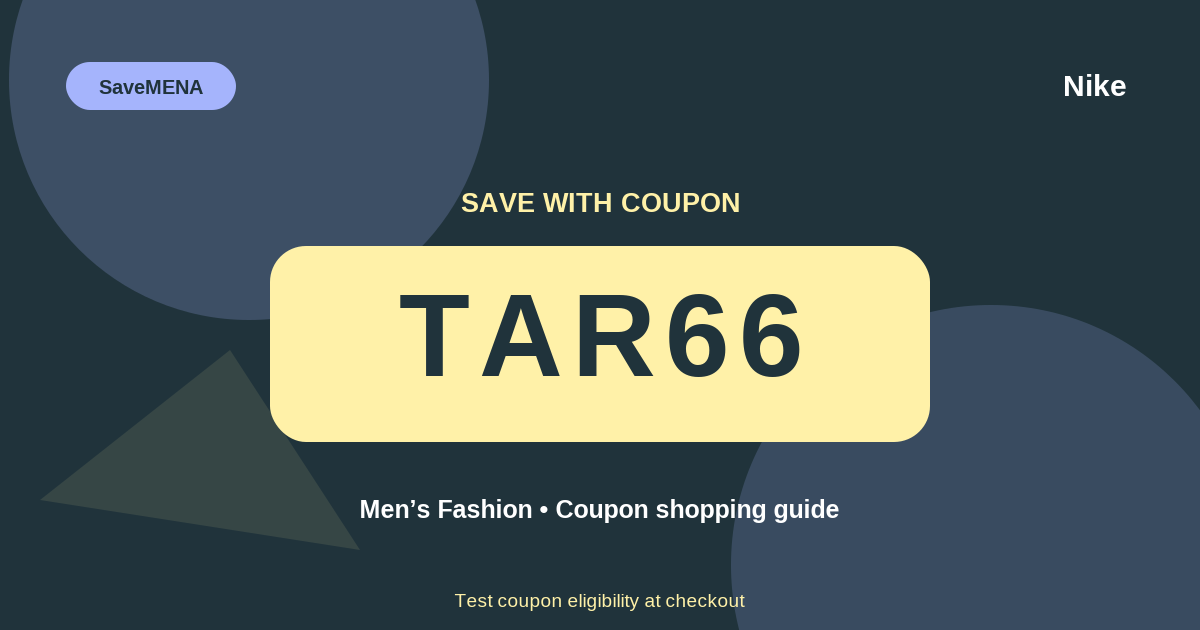
Codes available to try while comparing
These codes are not guaranteed for the article topic or listed brands; test them at checkout and use the live result.
Understanding the Coupon Landscape on Noon UAE
Noon’s coupon system is a flexible tool, but it only activates when every underlying rule is satisfied. The first checkpoint is confirming the coupon’s availability in your region and for your intended category—Men’s Fashion. When a coupon is listed as “available to try,” it means the code is functional in general scenarios. However, for a specific seller or brand, the manufacturer may impose brand or SKU exclusions that affect activation. Checking Noon’s help center for general coupon guidelines clarifies these foundational policies.
In the context of Nike products, the seller’s listing page also indicates whether the item is supported by the coupon. Barcodes, SKU codes and seller IDs matter; some Nike SKUs are sourced by exclusive partners who may not be included in the coupon’s eligibility matrix. Making a note of the seller’s name, store rating and reputation helps the shopper avoid confusion over everyday validity versus negotiated restrictions.
Identifying the Nike Seller and Product Listings
Locate the Nike listing by searching for the exact model or by navigating the Men’s Fashion > Shoes or Apparel category. The seller’s name appears beneath the product title and above the price. When the seller name is associated with “Nike Official Store” or a well‑rated third‑party vendor, those are the cases where coupon support is most consistent.A coupon is not guaranteed; verify its result at the retailer checkout.
If the product is a “Nike‑branded” item sold by a reseller, the label on the listing will indicate “Sale by Nike.” In many scenarios, the coupon code TAR92 may not activate on reseller listings even if it works on Nike’s official store. In such cases, it is wise to verify this distinction on the product page before moving items into the cart, as this can be a hidden barrier for coupon activation.
Applying the TAR92 Code Before Cart Addition
The recommended sequence is to apply the coupon code early—directly in the “Apply coupon” field on the product page before adding the item to the cart. This pre‑cart approach lets Noon present an immediate redirection or warning, saving the shopper time versus discovering the failure after cart addition. When you type “TAR92,” the interface will immediately test the code against the current item and seller.
If the code is accepted at this point, a green tick will appear and a message will display stating “Coupon applied.” You can then add the product, and the discount provision will remain active until the coupon’s rule‑specific limitations (such as threshold or delivery vouching) are violated. If the code shows “invalid” or “cannot be used,” take a moment to read the error message, which often suggests possible reasons—seller mismatch, low cart value, or delivery location restrictions.
Checking Cart Values and Applicable Thresholds
Even when the coupon applies at product level, checkout can override it if the final payable total does not meet the minimum spend required by the coupon. For example, if the TAR92 code demands a cart value of AED 100 or above and your selected Nike item is priced lower, the coupon will be inactivated at the payment step. Confirming the cart value before proceeding to payment ensures you meet the threshold without the need for later adjustment.
Adding a second item or increasing the quantity can help meet a higher threshold—this is a common tactic. Note that If you then pick more expensive Nike shoes or apparel, the coupon may still not activate if the product’s price is out of scope. Carefully reviewing the “Discounts & Offers” page can clarify whether the coupon works on selected SKUs or is limited to a particular sub‑catalog.
Navigating Potential Delivery Fee Surprises
Delivery fees and extra charges are a silent cause of coupon failure. When a coupon covers the item price but not the delivery fee, the subtotal after discount may still fall short of the required threshold. Noon typically includes a “delivery fee” next to the shipping option in the cart. Verify whether the “apply coupon” field explicitly states that delivery costs are excluded, as many codes only apply to the product cost.
If the delivery fee is high relative to the cart value, adding a small, inexpensive item that uses the same shipping corridor can balance out the total. Adjusting the delivery method (for instance, selecting standard rather than express) may reduce the fee and keep the cart above the threshold, thus keeping the coupon active.
Common Reasons for Coupon Denial
Instead of guessing, systematically check the most frequent denial sources. First, confirm that the selected Nike SKU is not on a “coupon disabled” list displayed on the product page. Second, verify that you are logged into your Noon account—guest checkout may restrict access to certain coupons. Third, keep the coupon code as entered; extra spaces or typographic errors easily trigger a failure.
Another useful check is to see whether the coupon’s limitations intersect with your payment method. For instance, some coupons only apply to credit/debit card payments, not to NoonPay or Wallet balances. Reviewing the payment options beforehand, and perhaps attempting a test purchase with a small order, helps confirm the feasibility of the coupon.
Confirming Payment Method Compatibility
While Noon does not explicitly group coupons by payment method, practical experience reports that some discount codes hinge on using a particular payment type. If you attempt to pay with a digital wallet and notice a coupon deactivation, switch to a credit or debit card to see if the discount remains. Conversely, a card that triggers a higher processing fee might push the total above the threshold, enabling the coupon.
If the coupon fails post‑payment method selection, tailor the payment option to match the lower fee structure. It’s prudent to cross‑check the Terms of Use in the coupon details for any mention of payment restrictions. When these details are ambiguous, contacting Noon customer support or the seller’s chat window can clarify the payment low‑level requirement.
Final Verification at Checkout
Before finalizing the order, read every line in the final order summary. The the coupon code line that shows the converted coupon amount must be visible. If the coupon field goes blank or shows “N/A,” the code was not accepted at that point. Double‑check the “Discount” section to confirm the discount applied against the item price.
If the coupon still fails by this stage, especially after making all the adjustments above, most efficient path is to reach out to Noon's helpdesk via the live chat or support tickets. When contacting, provide the exact dancer ID, product SKU, and the code “TAR92.” This helps them verify your purchase context and decide whether a manual override or additional support is required.
Related SaveMENA pages
Related articles
Official sources to check
Frequently asked questions
What does it mean if the coupon “TAR92” is disabled on a Nike product?
It indicates that the product SKU is excluded from the coupon’s eligibility list, likely due to brand or partner constraints. The coupon will only activate on products that match the seller’s inclusion criteria.
Can I use the same coupon on multiple Nike items in one order?
Yes, if all items belong to the coupon’s eligible set and the combined cart meets the threshold. Note that the coupon must remain valid for every product added before checkout.
Will applying the coupon after adding items to the cart cause it to disappear?
It’s possible if the cart total falls below the required threshold or if the seller changes after item shift. Applying early on the product page reduces the risk of deactivation.
Should I verify my account’s email before using the coupon?
A coupon is not guaranteed; verify its result at the retailer checkout. A guest checkout may limit coupon usage in certain circumstances.