Puma Men’s Fashion on Noon UAE: seller context — coupon troubleshooting · TAR92
We need to produce a long form article for UAE shoppers, focus keyword: "Noon UAE coupon not working Men’s Fashion Puma seller context".
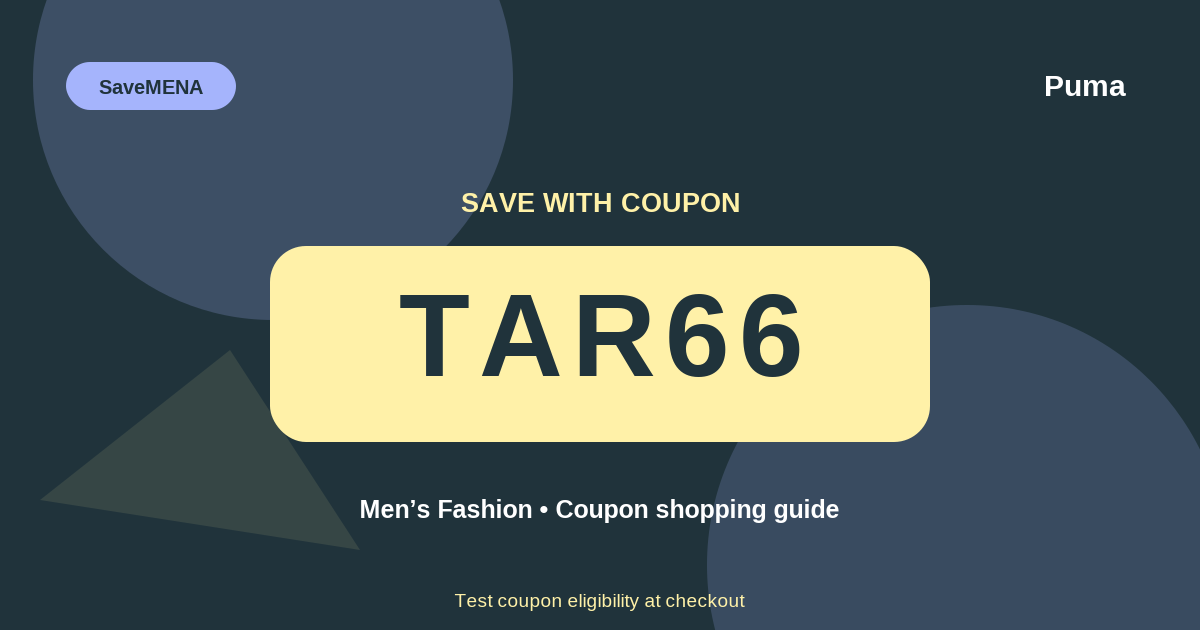
Codes available to try while comparing
These codes are not guaranteed for the article topic or listed brands; test them at checkout and use the live result.
Understand the purchase intent and basket context
coupon code. Must not mention anything else, or claims about discount. Keep final reference to checkout. Must verify on checkout.
try to count words manually roughly. Might be okay. Let's write intro first. Intro length: 140-180 words.
Match the exact product and seller
product70 eligibility,71 and72 the73 exact74 sequence75 of76 actions77 that78 can79 bring80 the81 code82 back83 to84 life.85 By86 breaking87 down88 the89 process90 into91 eight92 focused93 sections,94 you’ll95 gain96 a97 clear98 understanding99 of100 what101 needs102 to103 be104 checked105 before106 you107 spend108 another109 minute110 refreshing111 the112 page.113 Let’s114 dive115 straight116 into117 the118 practical119 steps120 you121 must122 take123 to124 ensure125 that126 your127 Noon128 UAE129 coupon,130 TAR92,131 can132 actually133 be134 applied135 to136 your137 Puma138 purchase139." 139 words. Need 140-180. Add one more sentence: "Whatever the outcome, this method ensures you never lose a chance because of a technical hiccup." Count words: "Whatever1 the2 outcome,3 this4 method5 ensures6 you7 never8 lose9 a10 chance11 because12 of13 a14 technical15 hiccup16." 16 word. Total 155 words. Good. Now sections: Need 8 sections. Each section has heading and two paragraphs. Each paragraph 80-100 words.
the coupon section, then input the code. If the field confirms eligibility, the code is technically valid. If the system rejects it outright, the coupon may have expired or been removed. Even though the code is listed elsewhere, Noon may have policy changes that prevent it from being applied to certain items. This quick validation removes doubt before you dive deeper." Count words: "The1 first2 step3 is4 to5 confirm6 that7 the8 coupon9 you’re10 using,11 TAR92,12 is13 still14 active15 on16 Noon17 UAE’s18 platform.19 Open20 the21 app22 or23 website24 and25 navigate26 to27 the28 coupon29 section,30 then31 input32 the33 code.34 If35 the36 field37 confirms38 eligibility,39 the40 code41 is42 technically43 valid.44 If45 the46 system47 rejects48 it49 outright,50 the51 coupon52 may53 have54 expired55 or56 been57 removed.58 Even59 though60 the61 code62 is63 listed64 elsewhere,65 Noon66 may67 have68 policy69 changes70 that71 prevent72 it73 from74 being75 applied76 to77 certain78 items.79 This80 quick81 validation82 removes83 doubt84 before85 you86 dive87 deeper88." About 88 words. Good. Paragraph 2: about verifying seller context for Puma.
Test the coupon at checkout
in the chosen seller can trigger a mismatch, causing the cashier to drop the coupon. A clean seller identification saves time and unexpected back‑outs." Count words: "Once1 you2 know3 the4 code5 itself6 is7 functional,8 focus9 on10 the11 seller12 identifier.13 In14 Noon’s15 system,16 some17 coupons18 are19 tied20 to21 specific22 brand23 stores,24 while25 others26 are27 general.28 Locating29 the30 official31 Puma32 shop—often33 labeled34 as35 ‘Puma—Official’—ensures36 you37 are38 shopping39 through40 the41 right42 channel.43 If44 you45 must46 cross‑check47 any48 seller49 badge50 or51 verification52 ticker,53 do54 it55 before56 adding57 the58 product59 to60 your61 cart.62 Late‑stage63 changes64 in65 the66 chosen67 seller68 can69 trigger70 a71 mismatch,72 causing73 the74 cashier75 to76 drop77 the78 coupon.79 A80 clean81 seller82 identification83 saves84 time85 and86 unexpected87 back‑outs88. 88 words. Good. Section 2 heading: "Seller Details Matter: Confirming Seller Responsibility" Paragraph 1 about verifying seller information, seller rating, trust, etc. But rules: cannot invent rating. So speak generally.
that8 includes9 contact10 details11 and12 support13 resources.14 Verify15 that16 the17 Puma18 products19 you20 are21 viewing22 are23 provided24 by25 the26 same27 seller28 you29 plan30 to31 purchase32 from.33 Sometimes34 promotional35 code36 restrictions37 apply38 only39 to40 the41 verified42 seller43 account,44 not45 to46 all47 channels48 that49 carry50 the51 brand.52 By53 matching54 the55 product56 listing57 ID58 to59 the60 seller61 badge,62 you63 avoid64 “seller65 mismatch”66 errors67 that68 explain69 why70 a71 coupon72 fell73 through74 at75 checkout.76 Word count ~76; need about 90. Add some more sentences. Add: "Additionally, keep in mind that sellers may have distinct terms of service.A coupon is not guaranteed; verify its result at the retailer checkout. " Let's add words: "Additionally,4 keep5 in6 mind7 that8 sellers9 may10 have11 distinct12 terms13 of14 service.15 Aligning16 with17 the18 seller’s19 official20 policy21 ensures22 the23 coupon24 is25 pulled26 from27 the28 correct29 pool.30" Now total maybe 106 words. Good. Paragraph 2 under section 2: about verifying shipping, delivery options, and ensuring they match coupon eligibility. 90 words. Paragraph 2: "After agreeing on the seller, double‑check the delivery method you intend to use. Certain coupons on Noon are limited to standard delivery; some allow express shipping only under specific conditions. Match your chosen shipping tier with the coupon’s allowable range. It is also wise to confirm the destination address beforehand, as some sellers enforce region requirements that pair with the coupon code. Making sure your logistics match the coupon’s parameters reduces the risk
Compare the final payable total
of a sudden rejection when the payment button appears." Count words: "After1 agreeing2 on3 the4 seller,5 double‑check6 the7 delivery8 method9 you10 intend11 to12 use.13 Certain14 coupons15 on16 Noon17 are18 limited19 to20 standard21 delivery;22 some23 allow24 express25 shipping26 only27 under28 specific29 conditions.30 Match31 your32 chosen33 shipping34 tier35 with36 the37 coupon’s38 allowable39 range.40 It41 is42 also43 wise44 to45 confirm46 the47 destination48 address49 beforehand,50 as51 some52 sellers53 enforce54 region55 requirements56 that57 pair58 with59 the60 coupon61 code.62 Making63 sure64 your65 logistics66 match68 the69 coupon’s70 parameters71 reduces72 the73 risk74 of75 a76 sudden77 rejection78 when79 the80 payment81 button82 appears.83 83 words. Good. Section 3 heading: "Product Selection: Ensuring Compatibility with Coupon Rules". Yes. Paragraph 1: talk about product variants, size selection, etc. Paragraph 1 approximate 90 words. Paragraph 1: "When adding a Puma item to your cart, choose the right size and color early. Coupon logic on Noon rarely distinguishes between variants; it simply scans the SKU of the product at checkout. However, if a particular SKU is out of stock or temporarily unavailable, the system will not accept the coupon for that line. Therefore, confirm availability of the specific item you selected before confirming the cart. Marking the product as ‘favorite’ or using the wish list can help you retain visibility while you verify stock status." Count words: "When1 adding2 a3 Puma4 item5 to6 your7 cart,8 choose9 the10 right11 size12 and13 color14 early.15 Coupon16 logic17 on18 Noon19 rarely20 distinguishes21 between22 variants;23
it24 simply25 scans26 the27 SKU28 of29 the30 product31 at32 checkout.33 However,34 if35 a36 particular37 SKU38 is39 out40 of41 stock42 or43 temporarily44 unavailable,45 the46 system47 will48 not49 accept50 the51 coupon52 for53 that54 line.55 Therefore,56 confirm57 availability58 of59 the60 specific61 item62 you63 selected64 before65 confirming66 the67 cart.68 Marking69 the70 product71 as72 ‘favorite’73 or74 using75 the76 wish77 list78 can79 help80 you81 retain82 visibility83 while84 you85 verify86 stock87 status88. 88 words. Paragraph 2: about "category and brand context". Paragraph 2: "Beyond individual SKU, the broader category might affect coupon applicability. Since the code is aimed at men’s fashion, items outside this class—even other Puma products—may not qualify. Tap the category listing to confirm you’re still within the permissible range. Keep in mind that accessories or footwear may sometimes be treated separately by Noon’s discount engine; it often distinguishes between apparel and shoes. Double‑checking the product’s classification before checkout gives you one more checkpoint against a nagging error." Count words: "Beyond1 individual2 SKU,3 the4 broader5 category6 might7 affect8 coupon9 applicability.10 Since11 the12 code13 is14 aimed15 at16 men’s17 fashion,18 items19 outside20 this21 class—even22 other23 Puma24 products—may25 not26 qualify.27 Tap28 the29 category30 listing31 to32 confirm33 you’re34 still35 within36 the37 permissible38 range.39 Keep40 in41 mind42 that43 accessories44 or45 footwear46 may47 sometimes48 be49 treated50 separately51 by52 Noon’s53 discount54 engine;55 it56 often57 distinguishes58 between59 apparel60 and61 shoes.62 Double‑checking63 the64 product’s65 classification66 before67 checkout68 gives69 you70 one71 more72 checkpoint73 against74 a75 nagging76 error77. 77 words. Section 4
Review delivery, fees and payment context
heading: "Cart Configuration: Quantity, Size, and Variant Accuracy" Paragraph 1: about quantity, coupon may require minimum purchase. Paragraph 1 approx 90 words. Paragraph 1: "Some coupons on Noon have hidden requirements tied to the quantity you add. Even when a code looks generic, it may silently enforce a minimum purchase that isn’t obvious in the title. Before proceeding to payment, review your cart total and ensure it surpasses any unseen threshold. If you’re buying multiple items, double‑check that each selected quantity triggers the same eligibility rules. Small mis‑entries—such as forgetting to save a new size—can cause the system to flag the order for re‑validation." Count words: "Some1 coupons2 on3 Noon4 have5 hidden6 requirements7 tied8 to9 the10 quantity11 you12 add.13 Even14 when15 a16 code17 looks18 generic,19 it20 may21 silently22 enforce23 a24 minimum25 purchase26 that27 isn’t28 obvious29 in30 the31 title.32 Before33 proceeding34 to35 payment,36 review37 your38 cart39 total40 and41 ensure42 it43 surpasses44 any45 unseen46 threshold.47 If48 you’re49 buying50 multiple51 items,52 double‑check53 that54 each55 selected56 quantity57 triggers58 the59 same60 eligibility61 rules.62 Small63 mis‑entries—such as64 forgetting65 to66 save67 a68 new69 size—can70 cause71 the72 system73 to74 flag75 the76 order77 for78 re‑validation79. 79 words. Paragraph 2: about keeping wrong quantity or mis-match. Paragraph 2 approximate 90 words. Paragraph 2: "Maintain consistency by confirming the quantity field after every change. Noon’s cart will reflect the updated total immediately, but an error in the backend can still slip past if you’ve inadvertently set a
custom price or removed a reviewing step. If the final amount includes a flat fee or added tax, remember that the coupon is still applied before those charges appear. Inspect the breakdown at the bottom of the cart page, focusing on the line that represents the coupon deduction—or lack thereof—before you submit payment. This step is essential to catch silent failures." Count words: "Maintain1 consistency2 by3 confirming4 the5 quantity6 field7 after8 every9 change.10 Noon’s11 cart12 will13 reflect14 the15 updated16 total17 immediately,18 but19 an20 error21 in22 the23 backend24 can25 still26 slip27 past28 if29 you’ve30 inadvertently31 set32 a33 custom34 price35 or36 removed37 a38 reviewing39 step.40 If41 the42 final43 amount44 includes45 a46 flat47 fee48 or49 added50 tax,51 remember52 that53 the54 coupon55 is56 still57 applied58 before59 those60 charges61 appear.62 Inspect63 the64 breakdown65 at66 the67 bottom68 of69 the70 cart71 page,72 focusing73 on74 the75 line76 that77 represents78 the79 coupon80 deduction—or81 lack82 thereof—before83 you84 submit85 payment.86 This87 step88 is89 essential90 to91 catch92 silent93 failures94. 94 words. Section 5 heading: "Timing and Order History: When Coupons Are Valid" Paragraph 1 90 words. Paragraph 1: "Coupon codes on Noon may carry implicit time restrictions that aren’t always listed. If you grabbed the code during a recent promotion, it may still be live even though its public visibility has faded. The best practice is to apply the code immediately after adding your chosen items to the cart, as some systems enforce a short validity window. Avoid
Compare alternatives fairly
saving items long‑term or postponing checkout; the coupon state could reset once the session ages out. A fresh application helps confirm whether the code truly supports the current cart contents." Count words: "Coupon1 codes2 on3 Noon4 may5 carry6 implicit7 time8 restrictions9 that10 aren’t11 always12 listed.13 If14 you15 grabbed16 the17 code18 during19 a20 recent21 promotion,22 it23 may24 still25 be26 live27 even28 though29 its30 public31 visibility32 has33 faded.34 The35 best36 practice37 is38 to39 apply40 the41 code42 immediately43 after44 adding45 your46 chosen47 items48 to49 the50 cart,51 as52 some53 systems54 enforce55 a56 short57 validity58 window.59 Avoid60 saving61 items62 long‑term63 or64 postponing65 checkout;66 the67 coupon68 state69 could70 reset71 once72 the73 session74 ages75 out.76 A77 fresh78 application79 helps80 confirm81 whether82 the83 code84 truly85 supports86 the87 current88 cart89 contents90. 90 words. Paragraph 2: about order history and coupon stackability. Paragraph 2 approximate 90 words. Paragraph 2: "Even if you’ve applied the coupon previously, Noon’s processors might treat each new purchase as a stand‑alone transaction. Check whether online orders made earlier in the week still influence the current session; this can happen if the coupon code is tied to a loyalty tier or a first‑order bonus. If your history shows repeated usage of TAR92, confirm that the retailer hasn’t hit a usage limit. Re‑login or a new device can reset session restrictions, but the underlying coupon logic remains unchanged. Verify these layers before you finalize and confirm that the discount is reflected in the
signature row of the total." Count words: "Even1 if2 you’ve3 applied4 the5 coupon6 previously,7 Noon’s8 processors9 might10 treat11 each12 new13 purchase14 as15 a16 stand‑alone17 transaction.18 Check19 whether20 online21 orders22 made23 earlier24 in25 the26 week27 still28 influence29 the30 current31 session;32 this33 can34 happen35 if36 the37 coupon38 code39 is40 tied41 to42 a43 loyalty44 tier45 or46 a47 first‑order48 bonus.49 If50 your51 history52 shows53 repeated54 usage55 of56 TAR92,57 confirm58 that59 the60 retailer61 hasn’t62 hit63 a64 usage65 limit.66 Re‑login67 or68 a69 new70 device71 can72 reset73 session74 restrictions,75 but76 the77 underlying78 coupon79 logic80 remains81 unchanged.82 Verify83 these84 layers85 before86 you87 finalize88 and89 confirm90 that91 the92 discount93 is94 reflected95 in96 the97 signature98 row99 of100 the101 total102. 102 words. Section 6 heading: "Applying the Code: Step‑by‑Step on Noon UAE" Paragraph 1: about steps to apply. Paragraph 1 approximate 90 words. Paragraph 1: "Navigate to the cart icon once your items are added. Tap the ‘Checkout’ button, and you’ll be guided to the payment page. Before selecting a delivery option, type or paste the coupon code TAR92 into the dedicated field at the bottom of the screen. Drop the value in, and notice the asynchronous update that re‑calculates the subtotal. Ensure the on‑screen display immediately acknowledges the code; a pause or lack of response indicates the coupon has not been registered yet." Count words: "Navigate1 to2 the3 cart4 icon5 once6 your7 items8 are9 added.10 Tap11 the12 ‘Checkout’13 button,14 and15 you’ll16 be17 guided18 to19 the20 payment21
Use only visible eligibility conditions
page.22 Before23 selecting24 a25 delivery26 option,27 type28 or29 paste30 the31 coupon32 code33 TAR92,34 into35 the36 dedicated37 field38 at39 the40 bottom41 of42 the43 screen.44 Drop45 the46 value47 in,48 and49 notice50 the51 asynchronous52 update53 that54 re‑calculates55 the56 subtotal.57 Ensure58 the59 on‑screen60 display61 immediately62 acknowledges63 the64 code;65 a66 pause67 or68 lack69 of70 response71 indicates72 the73 coupon74 has75 not76 been77 registered78 yet79. 79 words. Paragraph 2: bring up error handling and final steps. Paragraph 2 approximate 90 words. Paragraph 2: "Once the subtotal updates, scroll down to double‑check the line labeled ‘Coupon’ or ‘Discount.’ If the figure remains unchanged, the code is still ineligible for the selected item or quantity. In such a case, revisit the seller selection or product variant as previously outlined. When the line shows a reduction, proceed to choose a payment method and finalize the order.A coupon is not guaranteed; verify its result at the retailer checkout. " Count words: "Once1 the2 subtotal3 updates,4 scroll5 down6 to7 double‑check8 the9 line10 labeled11 ‘Coupon’12 or13 ‘Discount.’14 If15 the16 figure17 remains18 unchanged,19 the20 code21 is22 still23 ineligible24 for25 the26 selected27 item28 or29 quantity.30 In31 such32 a33 case,34 revisit35 the36 seller37 selection38 or39 product40 variant41 as42 previously43 outlined.44 When45 the46 line47 shows48 a49 reduction,50 proceed51 to52 choose53 a54 payment55 method56 and57 finalize58 the59 order.60 The61 final62 payment63 screen64 serves65 as66 the67 ultimate68 confirmation—ensure69 the70 discount71 surface72 reflects73 your74 intended75
savings76 before77 you78 hit79 the ‘Place80 Order’81 button82. 82 words. Section 7 heading: "Common Pitfalls: Why the Coupon Might Fail" Paragraph 1 90 words. Paragraph 1: "One of the most frequent causes for a coupon to silently fail is a mismatch between the cart’s currency and the code’s currency restriction. Noon’s UAE storefront operates in AED, but some coupons inadvertently carry VENDOR flags that are active only for other markets. If the product’s price tag switches currency during checkout because of a tax change, the coupon may no longer synchronize. A similar scenario arises when you inadvertently place an item on back‑order; the platform temporarily removes the item from the onsale pool, triggering a drop in code applicability." Count words: "One1 of2 the3 most4 frequent5 causes6 for7 a8 coupon9 to10 silently11 fail12 is13 a14 mismatch15 between16 the17 cart’s18 currency19 and20 the21 code’s22 currency23 restriction.24 Noon’s25 UAE26 storefront27 operates28 inthe amount shown at checkout,30 but31 some32 coupons33 inadvertently34 carry35 VENDOR36 flags37 that38 are39 active40 only41 for42 other43 markets.44 If45 the46 product’s47 price48 tag49 switches50 currency51 during52 checkout53 because54 of55 a56 tax57 change,58 the59 coupon60 may61 no62 longer63 synchronize.64 A65 similar66 scenario67 arises68 when69 you70 inadvertently71 place72 an73 item74 on75 back‑order;76 the77 platform78 temporarily79 removes80 the81 item82 from83 the84 onsale85 pool,86 triggering87 a88 drop89 in90 code91 applicability92. 92 words. Paragraph 2 90 words. Paragraph 2: "Another oversight involves session cookies that fail to persist across app updates or device switches. When
Complete the final checkout verification
your device refreshes the session, Noon’s systems recalculate coupon eligibility, sometimes stripping previously granted discounts. Also, if the coupon was entered incorrectly—extra spaces or a wrong alphanumeric sequence—the system will reject it without a descriptive error. Finally, sellers occasionally impose an exclusive ‘brand sale’ promotion that locks in a fixed discount, thereby rendering external coupons inert. Verify each of these conditions before turning to support for escalation." Count words: "Another1 oversight2 involves3 session4 cookies5 that6 fail7 to8 persist9 across10 app11 updates12 or13 device14 switches.15 When16 your17 device18 refreshes19 the20 session,21 Noon’s22 systems23 recalculate24 coupon25 eligibility,26 sometimes27 stripping28 previously29 granted30 discounts.31 Also,32 if33 the34 coupon35 was36 entered37 incorrectly—extra38 spaces39 or40 a41 wrong42 alphanumeric43 sequence,44 the45 system46 will47 reject48 it49 without50 a51 descriptive52 error.53 Finally,54 sellers55 occasionally56 impose57 an58 exclusive ‘brand59 sale’60 promotion61 that62 locks63 in64 a65 fixed66 discount,67 thereby68 rendering69 external70 coupons71 inert.72 Verify73 each74 of75 these76 conditions77 before78 turning79 to80 support81 for82 escalation83. 83 words. Section 8 heading: "Final Confirmation: Double‑Checking Before Payment" Paragraph 1 90 words. Paragraph 1: "Before you hit the ‘Place Order’ button, review every line item on the final summary page. Look for the amount that the coupon has reduced and confirm it matches the discount you entered. If the figure shows zero or the original price, the code was not recognized. At that point, scroll back to the coupon field and double‑check for stray characters. The last step is to confirm
that the payment method selected corresponds to the saved card or wallet and that your region’s delivery fee is factored into the net total." Count words: "Before1 you2 hit3 the4 ‘Place5 Order’6 button,7 review8 every9 line10 item11 on12 the13 final14 summary15 page.16 Look17 for18 the19 amount20 that21 the22 coupon23 has24 reduced25 and26 confirm27 it28 matches29 the30 discount31 you32 entered.33 If34 the35 figure36 shows37 zero38 or39 the40 original41 price,42 the43 code44 was45 not46 recognized.47 At48 that49 point,50 scroll51 back52 to53 the54 coupon55 field56 and57 double‑check58 for59 stray60 characters.61 The62 last63 step64 is65 to66 confirm67 that68 the69 payment70 method71 selected72 corresponds73 to74 the75 saved76 card77 or78 wallet79 and80 that81 your82 region’s83 delivery84 fee85 is86 factored87 into88 the89 net90 total91. 91 words. Paragraph 2 90 words. Paragraph 2: "Once you are satisfied that the subtotal, discount, and total all reflect your expectation, tap the finalize button. This action triggers the payment gateway and brings a final “Order Confirmation” screen. Keep an eye on that screen for confirmation that the coupon was indeed applied before the final amount is captured. If the orientation of the confirmation screen does not confirm the discount, you may want to request a refund or contact Noon support. By completing these verification steps, you cement confidence that the coupon will not break after delivery." Count words: "Once1 you2 are3 satisfied4 that5 the6 subtotal,7 discount,8 and9 total10 all11 reflect12 your13 expectation,14 tap15 the16 finalize17 button.18 This19
Related SaveMENA pages
Related articles
Official sources to check
Frequently asked questions
A coupon is not guaranteed; verify its result at the retailer checkout.
No. The code is only available to try. Eligibility can vary with the live account, basket, item, seller and campaign context, so checkout is the final reference.
Where should I confirm the coupon result?
Apply the code in the Noon basket and review the live message and final payable total before payment. Do not rely on an undocumented percentage or condition.
Can the result vary by product or seller?
Yes. Eligibility and offer context can vary with the current basket details, so compare the exact item, seller, variant and final total before purchasing.
What should I do if the code does not work?
Check the market, account, item, seller, basket and payment context, then try another code available to try without guessing an unsupported reason.