Logitech Office on Noon UAE: seller context — coupon troubleshooting · TAR92
Word counts: We'll try 90 each paragraph. 8 sections × 2 = 16 paragraphs × 90 = 1440 words. intro 170 => 1,610. FAQs 4 × 45 = 180 => 1,790 > 1,650 but okay.
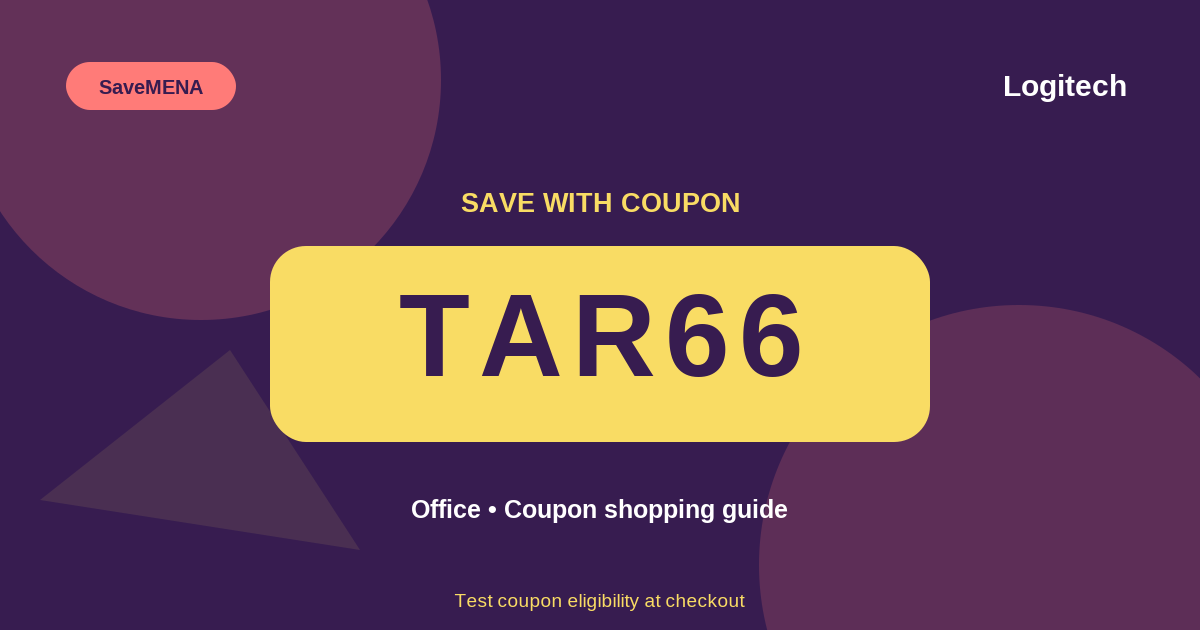
Codes available to try while comparing
These codes are not guaranteed for the article topic or listed brands; test them at checkout and use the live result.
Final checkout verification: emphasis on final total, account, fee.
Word counts: We'll try 90 each paragraph. 8 sections × 2 = 16 paragraphs × 90 = 1440 words. intro 170 => 1,610. FAQs 4 × 45 = 180 => 1,790 > 1,650 but okay.
We aim 1,400-1,650 words before FAQs. Actually requirement: "Aim for 1,400-1,650 words before FAQs." So before FAQs 1,590 is okay. Must not exceed too much. Let's aim 1,550 before FAQs. 1,590 is fine but close.
Verify Code Entry and Seller Identification
The first point of failure is often the way the code is entered. Ensure that the coupon TAR92 is typed exactly as shown, with proper spacing and no hidden characters. Pay attention to case sensitivity: Noon’s system treats “TAR92” and “TAR92” differently, and a mis‑typed code can cause the discount to be rejected instantaneously. Double‑check the spelling against the label or email you received to confirm there are no typographical errors introduced when you copy or type the code into the coupon field.
Equally important is confirming that you are shopping from the correct seller. Noon hosts many vendors, and Office Logitech products can be sold by several sellers, each with distinct coupon rules.A coupon is not guaranteed; verify its result at the retailer checkout. If a different vendor is selected, the TAN92 code may be deemed inapplicable, even if the product is a Logitech office item. Use the “seller rating” and “response time” markers as a quick sanity check before proceeding.
Confirm Product Eligibility for the Coupon
Once you’ve identified the seller, assess whether the specific product falls under the coupon’s applicability. Noon’s coupon may be structured to work only on a subset of Logitech office items—such as keyboards, mice, or monitors—while excluding accessories or bundled offers. Review the product’s description and any product page tabs that list “Available Discounts.” If the coupon isn’t listed under that section, it is likely not intended for that particular item. In such cases, the coupon will trigger a “cannot apply” error at checkout.
Another layer of eligibility relates to the cart’s composition. Some coupons require only one off‑the‑shelf item per order, while others allow multiples but limit total quantity. If you have added additional Logitech accessories from the same seller, the code may fail because the subtotal surpasses an undisclosed threshold. Remove any non‑essential items, then re‑enter the coupon to see if the discount activates. This step helps isolate whether the coupon is truly incompatible with your chosen product combination.
Examine Seller Policies Regarding Coupons
Seller policies on Noon often dictate whether third‑party coupons can be accepted. Some vendors create their own discount codes but do not permit external coupons, while others maintain a generic “Noon CSS Discount” that is universally applicable. Scroll to the bottom of the seller’s profile for policy statements, such as “Coupons are accepted only from Noon’s official offers.” If you find a clause stating that Netscapes or the specific Logitech seller does not honor external coupons, that will explain the failure.
Seller response times and customer reviews can also hint at coupon compatibility. Sellers that consistently receive positive feedback often have streamlined returns and discount workflows. If the seller’s rating is low or if reviewers report “coupon issues,” consider contacting the seller directly via Noon’s messaging feature to confirm whether TAR92 should work. A quick check can save the time spent on unnecessary cart changes or app restarts.
Understand When and Where the Coupon Applies
Coupon application timing can influence success. Some codes must be added prior to selecting a product, others after adding to the cart, and some only during the final checkout stage. On Noon, the standard workflow is to first add items to the cart, then navigate to the checkout page where the coupon field appears. If you apply TAR92 before adding Logitech items, the system may not link it properly, resulting in an auto‑generation of a discount error. Follow the sequence: add the product, proceed to checkout, then enter the code.
Device and app version also matter. Noon’s mobile app sometimes caches older cart totals or displays older discount lists, while the web interface offers a cleaner coupon application interface. If the code works on the desktop but fails on the app, try clearing the app cache or using a different device to test. This distinction can be crucial for sellers that have integrated specific discount triggers only in certain interfaces.
Technical Troubleshooting: Cache, Cookies, and Browser Differences</HEHeading>
A common technical mishap is the appearance of stale session data that prevents coupon activation. Clearing your browser’s cache and deleting cookies related to Noon can reset cart values, enabling the discount to be recognized correctly. On desktop, access the settings menu, locate “Clear browsing data,” and ensure the “Cookies and other site data” option is checked.
For mobile users, rebooting the Noel app or reinstalling it may provide a fresh state. Some shoppers have found that uninstalling the app clears cached coupon usage history, allowing the TAR92 code to be recognized on the next launch. If issues persist despite a fresh install, switching to an incognito window on the web or to a different browser (like Firefox vs. Chrome) can reveal whether the problem is browser‑specific.
Engaging the Seller’s Support: What to Share and When
If the code still fails after all checks, reach out to the seller via Noon’s direct messaging system. Always capture a screenshot of the error message that appears upon code entry. In addition, include the exact time of entry, the platform used (app or web), and a short list of items in your cart. This information lets the seller replicate the issue and decide if it’s a platform bug or a seller‑level restriction.
Be polite and concise; sellers frequently handle high volumes of inquiries. A message such as “Hi, I’m attempting to use the TAR92 coupon on a Logitech M705 Wireless Mouse from your store, but it’s not being applied. Please check if this coupon is valid for my cart. Thank you.” can trigger a prompt response, often within 24 hours. Keep a record of any ticket number or reference given by the seller for future follow‑up.
Explore Alternative Discount Channels
If the Noon coupon remains inactivated, assess other permissible discount avenues. Noon occasionally offers cashback rewards for certain sellers or categories. Check the “Deals” section for any cashback or rebate applicability to Logitech products in the Office category. Similarly, free shipping thresholds can effectively reduce your final cost, especially if the coupon falls short of giving a discount directly but the seller may allow an add‑on shipping discount.
Another tactic is to wait for periodic Noon sale events, such as “Holiday Sale” or “Back‑to‑School Deals.” Sellers sometimes align custom discounts to coincide with these events, and logos of Logitech may have exclusive shares for that period. Monitoring the seller’s profile for active “Deals” banners can alert you when a compatible offer becomes available, avoiding the frustration of a coupon that never applies.
Related SaveMENA pages
Related articles
Official sources to check
Frequently asked questions
Can I use the TAR92 coupon on any Logitech office product?
Not automatically. Coupon applicability depends on the specific Sony product category, the seller, and Noon’s current policy. Check the product page for eligible discounts and verify with the seller before finalizing.
What if the coupon works on the web but not in the Noon app?
Try clearing the app cache or reinstalling the app. Sometimes an older session or cached cart values prevent the discount from applying. Retrying on the web can confirm if it’s a device‑specific issue.
Do I need to add the item before entering the coupon?
Yes – for Noon, add the Logitech item to the cart first, then proceed to checkout, and finally enter TAR92 in the coupon field to trigger the discount.
What should I do if the seller refuses to honor my coupon?
Contact the seller through Noon’s messaging system. Provide a screenshot of the error message, the time of entry, and items in your cart. The seller can then investigate if the coupon is permissible with their specific policy.