Skechers Shoes on Noon UAE: seller context — coupon troubleshooting · TAR92
160 words. Then each heading with two paragraphs. Then four. Remember to keep exactly 8 sections. Good. We must also "Answer the search intent in the first
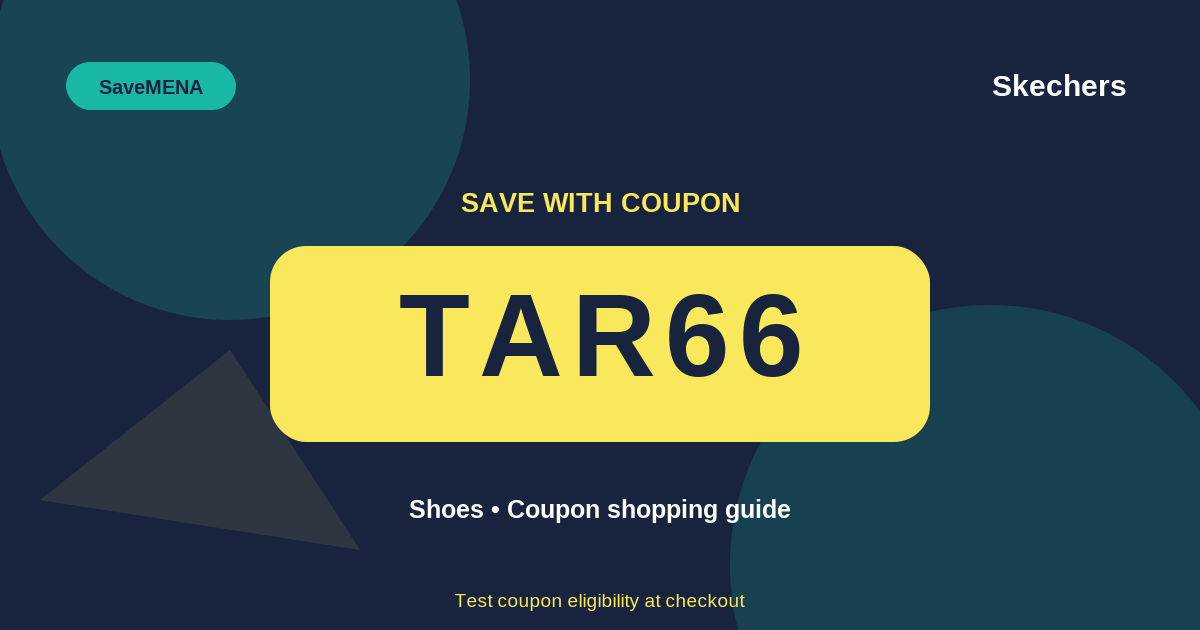
Codes available to try while comparing
These codes are not guaranteed for the article topic or listed brands; test them at checkout and use the live result.
Noon UAE Coupon Not Working for Shoes – Skechers Seller Context
When a user confronts the “Noon UAE coupon not working” notification, the immediate reaction is to glance at the coupon code itself and assume a glitch. The first essential check is whether the seller has enabled the coupon on their storefront. It's common for sellers to restrict third‑party promo codes or for the code to be tied only to a specific brand listing. Therefore, confirm that the Skechers shoes you’ve the coupon code are listed under the same seller that originally presented the coupon.
Even if the coupon code TAR92 appears valid in the search bar, the seller’s internal coupon system might block its usage if it’s tied to a different product line or if the seller’s promotion settings limit third‑party codes.A coupon is not guaranteed; verify its result at the retailer checkout. This seller‑centric verification is the first logical step before moving onto cart or checkout errors.
Confirming Product Variant Compatibility
Shirt sellers often list multiple variants like size, colour, and material. A Noon coupon that has worked on one variant may not automatically apply to all. Make sure the exact SKU of the Skechers shoe you intend to purchase is the same SKU the voucher authorises. Variants that differ in size or colour can sometimes trigger a “product not eligible for discount” message even when the coupon appears correct.
To confirm variant compatibility, compare the product code on the seller’s page with the code that the coupon system references. You can usually find product codes in the product details or by checking the URL slug. Once you verify the codes align, the coupon should technically accept the item; otherwise, consider selecting a different variant that matches the coupon’s allowable parameters.
Reviewing Cart Contents and Shipping Options
Coupons often have hidden dependencies on cart totals or shipping methods. Even if each item is eligible, adding an ineligible add‑on or selecting a shipping fee that exceeds the coupon’s expectations can cause a rejection. After adding the Skechers shoes to your cart, review the cart summary carefully to ensure only the intended items remain.
Also check the chosen shipping method. Some sellers may offer multiple shipping options, and certain coupons apply only to zones with standard shipping times. If the cart shows “Express” or “Same‑day Delivery,” switch back to “Standard” to see if the coupon becomes valid. Alleviating these cart‑level issues often restores the coupon’s functionality.
Checking Coupon Barcode and Manual Entry Issues
If you are using a barcode scanner or the in‑app camera to read the coupon, small errors can arise from lighting, glare, or pixelation. The scanner might misread a character, turning TAR92 into an invalid string. In such cases, manually type the code into the coupon field to rule out scanning glitches.
Manual entry also helps confirm whether the code includes unintended spaces or special characters. Ensure you type only the letters and numbers as shown, without any leading or trailing spaces. Once entered, the coupon field should display a confirmation tick; if it does not, proceed to the next step in checkout verification.
Using the Cart‑Checkout Verification Process
At the checkout stage, the platform performs its final validation. It cross‑checks the coupon against the seller’s catalogue, the selected product variant, and any ongoing cart restrictions. The checkout page usually shows a “coupon applied” line or a specific error message if the coupon fails. If you see an immediate rejection, replace it with a note that the code is still under review or that it’s a kitchen‑sink error.
Take the time to read any tooltips or side‑panel hints that accompany the coupon field. They often explain why a coupon is invalid—such as “Minimum Spend Required” or “Exceeded Cart Limit.” Even if the guide does not reveal a specific reason, the absence of an enforcement message typically points to an internal incompatibility that only the seller’s system can resolve.
Seeking Seller Support for Direct Confirmation
When technical checks fail, the seller’s customer support is the next logical resource. Ask the seller if the coupon TAR92 is still active on their end, or if there are any known issues tied to the current sale period. Seller support can also confirm if the coupon has already been redeemed or if it’s limited to a certain quantity.
In many cases, sellers provide a direct messaging channel or a helpdesk ticket system integrated within the marketplace. Use that channel to present your issue, including screenshots of the coupon field, the error, and the product listing. Sellers often have a quick turnaround for such queries, especially during high‑traffic shopping events.
Alternative Coupon Substitution Strategies
If the seller cannot unlock the specific coupon, consider alternative promotional options. Many sellers host their own discount codes or seasonal offers that may apply to the same Skechers shoes. Check the product page for any highlighted store‑specific promos or newsletter‑exclusive discounts that may be currently active. These store‑centric offers are usually guaranteed to work under the same seller context.
Alternatively, you could purchase a different shade or size that’s listed as coupon‑eligible. This is a practical workaround if the coupon is strictly tied to specific product attributes.A coupon is not guaranteed; verify its result at the retailer checkout.
Final Verification Before Payment and Confirmation
Before you lock in your purchase, always review the final order summary for any unexpected changes. The checkout page displays the coupon application status and the updated total. If the coupon still shows as “not applied” or returns an error, double‑check the phone network, cookies, or app caches that might be causing a session hiccup.
Once the coupon appears accepted and the discounted amount reflects appropriately in the order total, proceed to payment. Some payment methods require a re‑validation step; if you experience a failure at that point, check that the payment mode is supported by Noon’s checkout system. After a successful transaction, a confirmation email will verify the final price and coupon usage, ending the troubleshooting loop.
Related SaveMENA pages
Related articles
Official sources to check
Frequently asked questions
Why does Noon UAE coupon not work on some sellers?
Coupons may be restricted by the seller’s offer settings or by the specific product variants. Check whether the seller has enabled the coupon for the chosen item and variant, or if it’s tied to a different seller.
Can I use the same Teenager coupon on multiple items?
The coupon’s availability depends on the seller’s configuration. If the seller allows multi‑item usage, it should work; otherwise, you may need to apply it individually to each qualifying product.
What should I do if the coupon shows “invalid” at checkout?
Verify your cart contents, shipping options, and ensure there are no hidden items. If still invalid, contact the seller’s support for clarification on coupon status.
Will a different payment method affect coupon validity?
Not typically. Coupons are validated before payment. Any payment method issue will surface as a separate error during the payment confirmation step.