Skincare on Noon UAE: seller context — coupon troubleshooting · TAR92
Finding the perfect skincare routine online can be a breeze when you know how to navigate the platform’s incentive system.
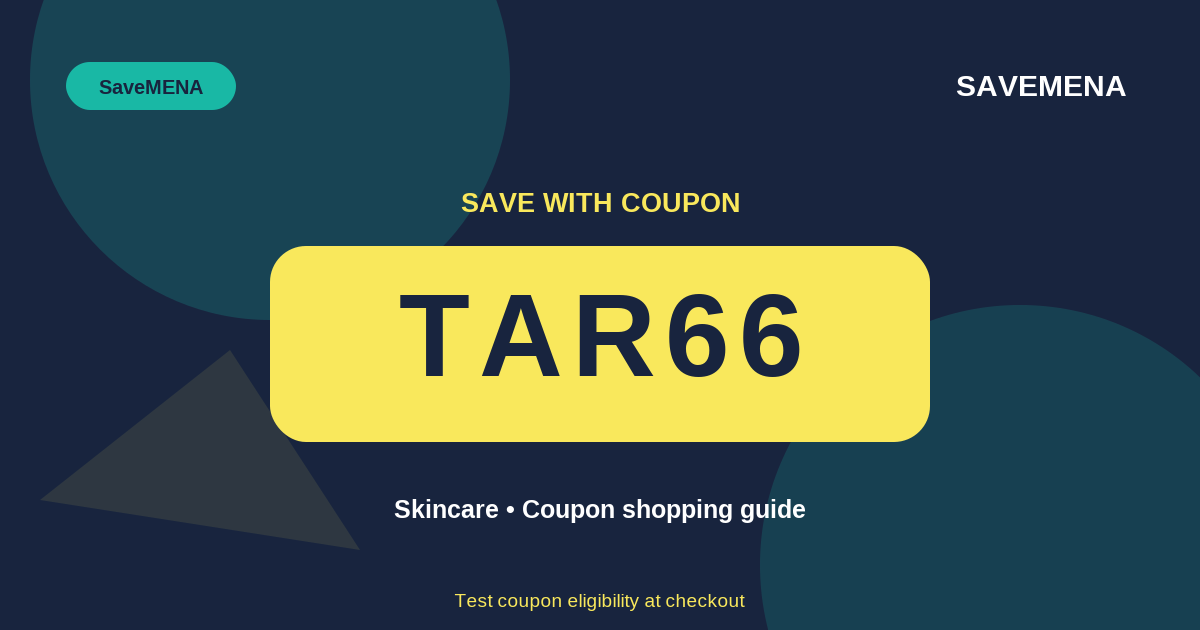
Codes available to try while comparing
These codes are not guaranteed for the article topic or listed brands; test them at checkout and use the live result.
1. Understanding the Coupon Process on Noon UAE
When you enter a coupon code on Noon UAE, the system immediately cross‑references the code against a database of active offers. Each code can be tied to specific criteria such as seller, product category, or purchase threshold. This initial validation is performed in real time; you’ll see whether the code is accepted, rejected, or requires additional action before moving to the next step. For skincare items, the process remains identical to any other product line, but the server must recognize that the chosen product(s) meet the code’s eligibility rules.
If the code flips to “invalid” or remains unchanged after you hit "Apply," it usually means that one or more criteria were not fulfilled. Rather than blame a faulty code, the next logical step is to turn to the seller’s offered conditions. Many sellers run their own discount campaigns parallel to platform coupons, and these can sometimes overlap or override the general coupon logic.
2. Shopping for Skincare Products: Choosing Trusted Sellers
The seller’s identity is a pivotal part of any coupon’s life cycle. On Noon UAE, sellers are flagged as “authenticated” or “non‑authenticated,” and each category of product has its own set of seller guidelines. Skincare sellers, for instance, are often required to provide full ingredient disclosures and adhere to safety standards. When browsing, checking seller ratings and product reviews offers an immediate sense of reliability.
A coupon is not guaranteed; verify its result at the retailer checkout. These sellers typically update their product pages to reflect the current coupon eligibility, making the verification process smoother. If you are open to newer or less‑known sellers, double‑check the product description for any mention of denied coupons or custom discount schemes.
3. Checking Coupon Compatibility Before Adding to Cart
Before you add a skincare item to your cart, tap on the product detail page and scroll to the pricing section. Here you’ll see any applicable seller‑specific promos highlighted in bold. If the TAR92 code is not listed under the “Coupon” dropdown, it indicates that the seller’s terms may not support platform‑wide coupons. In such cases, the code won’t activate, regardless of how well‑matched your cart looks.
Next, confirm that you are logged into a Dutch account on Noon UAE, as some coupons are region‑specific. Check the product’s “Seller” field to verify compliance with the platform’s latest vendor requirements. If the seller has recently updated its name or profile, the code may have collapsed during the policy rollout, which is why frequent checks are recommended.
4. Common Reasons Why TAR 92 Might Fail to Apply
One frequent cause is a minimum spend requirement that the cart hasn’t yet met. While this requirement isn’t declared in the public coupon terms, it is implemented by the seller backend and can be reflected only during checkout. If the cart’s subtotal falls short, the code will remain unapplied until you add more eligible items.
The second common culprit is a mismatch between product categories. Even though TAR92 is a general UAE coupon, some sellers have locked it to certain categories such as face creams or body lotions. If you mix products from non‑eligible categories, the total coupon status will switch from ‘applied’ to ‘invalid.’ Making sure your entire cart consists solely of eligible items prevents this issue.
5. Step‑by‑Step Troubleshooting on the Noon App
Open the Noon app, go to the cart icon, and tap “Apply Coupon.” Enter TAR92 and confirm the code appears in the “Code” section. Let the app process the request. If the code turns grey or a “Code not valid” message appears, that’s your first flag.
On the next screen, scroll to the “Pricing Summary” section. Identify any “Seller Discount” or “Exclusive Offer” notices that might be overlapping. If the platform lists a “Seller coupon” field, the TAR92 code may be superseeded by that local offer. In that case, you will need to either remove the local offer or adjust your cart to align with both discount streams.
6. When the Coupon Stays Unapplied: Seller‑Level Considerations
Once the code has been entered and rejected outright, reach out to the seller via the “Contact Seller” button on the product page. Ask whether the TAR92 code is officially accepted and what conditions might be preventing its application. Some sellers purposely disable the code to prioritize their own loyalty points.
If the seller confirms the code is valid, double‑check the “Payment Method” you are using. Certain payment methods have restrictions on coupon usage, especially for cross‑border purchases. Verify that your chosen payment gateway is compliant with noon’s coupon rules—or switch to an alternative if necessary.
7. Exploring Alternative Savings: Reachable Offers for Skincare
In the event that TAR92 cannot be applied, take a look at separate brand promotions on Noon UAE. Many skincare brands run exclusive discount codes that are valid only within their official Noon storefront. Those codes often remain hidden until you reach the checkout stage, allowing you to salvage savings without the happened at checkout.
Additionally, consider bundling products the seller has explicitly marked as “Coupon Eligible.” Combo packs or gift sets frequently carry a built‑in discount, which can complement or replace the missing platform coupon. Even if the coupon doesn’t apply, the seller’s savings may still bring the total below your budget.
8. Final Verification: From Cart to Checkout Success
When you reach the final “Checkout” screen, verify that the “Coupon” field lists TAR92 and that the system displays “Applied.” If the code is missing, observe the width of the subtotal, shipping fee, and any seller discounts. The final payable amount should reflect all applicable offers. If the code never appears, contact Noon customer service for direct intervention.
After confirming the total price, proceed with payment. Post‑payment, the order confirmation email will recognize whether the coupon factor was counted. If the discount is absent in the receipt, this confirms that the issue lies either in the seller’s policy or platform‑level implementation, and you should notify Noon support with the order ID for further assistance.
Related SaveMENA pages
Related articles
Official sources to check
Frequently asked questions
Why doesn't the TAR92 coupon show under “Apply Coupon”?
If the seller has disabled platform coupons for their skincare listings or set a minimum spend you haven’t met, the code won’t show. Confirm with the seller’s policy or check if a separate brand promo is available instead.
Can I use another coupon with TAR92?
Typically, Noon UAE restricts stacking platform coupons. Seller‑specific offers may override, or they may be incompatible. Check the checkout page for multiple discount options before proceeding.
What if my cart shows a “Code not valid” error after applying TAR92?
Verify the product eligibility, ensure you’re not exceeding the count of items, and confirm there are no exclusive seller discounts conflicting. If still unresolved, reach out to Noon support.
Does the seller need to update settings for TAR92 to work?
Yes, the seller’s backend must permit platform coupons and ensure their category matches the code restrictions. Sellers can adjust these in their Noon seller dashboard, but until then the code remains inactive.