Apple Smart Watches on Noon UAE: seller context — coupon troubleshooting · TAR53
If you’re trying to use a Noon UAE coupon and it keeps saying “coupon not working,” you’re not alone.
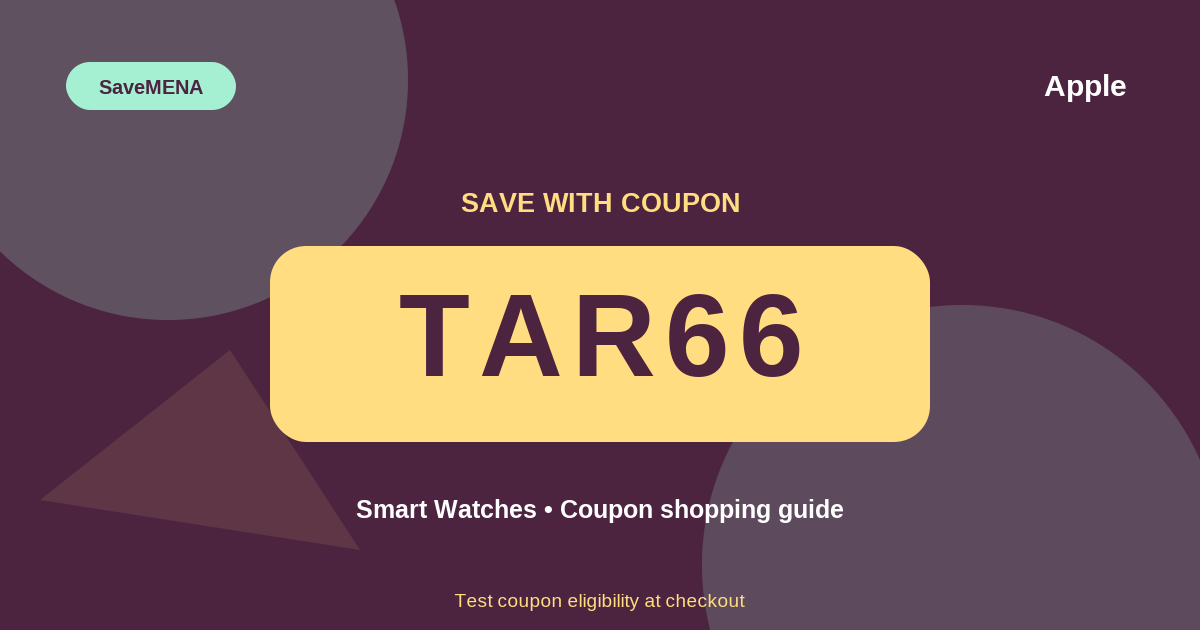
Codes available to try while comparing
These codes are not guaranteed for the article topic or listed brands; test them at checkout and use the live result.
1. Understand the Coupon Mechanics on Noon
Noon’s coupon system operates at the order level, requiring that all items in the cart meet the coupon’s eligibility criteria. A coupon that is posted on a brand or category page will only be applied if the chosen seller’s listings are included. When a coupon appears to “not work,” the first check is to confirm whether the seller of the Apple smartwatch is listed as eligible for the TAR53 coupon.
Store-level restrictions are not disclosed in a public code description, so you must rely on the seller information on the product page. Look for a seller badge or name beneath the watch’s title; if the seller is a third‑party or a licensed Apple reseller that has not agreed to the coupon’s promotion, the code will be rejected at checkout. This is a common reason for a coupon failure even when the same code works for other products.
2. Verify the Apple Smart Watch Product Listing – Seller Context
Before adding the smartwatch to your cart, make sure you are purchasing directly from a seller that supports coupons. Some Apple watch listings are offered by independent sellers who may not honor Noon’s promotions. Scroll to the “Seller” section below the product description; it often lists the seller’s name and sometimes an “Approved for Presale” tag.
If the seller’s name is followed by an “Apple Authorized Seller” icon or a similar trust mark, the likelihood of coupon compatibility is higher. Still, this is not a guarantee— Noon may restrict certain sellers from promotional use. Confirming the seller first prevents wasted attempts to apply the coupon later.
3. Check Cart and Billing Details – Prerequisites for Coupon Use
Most coupons require that the cart contains items from eligible sellers and that the total meets a minimum threshold. Place the Apple smartwatch into your cart and review the subtotal. If the cart only contains the smartwatch, some coupons may require at least two items, but this rule is not specified for TAR53, so it is best to inspect the checkout page for any “minimum spend” notification.
A coupon is not guaranteed; verify its result at the retailer checkout. Using a foreign post‑code or an address that falls outside the UAE can trigger a non‑application status. Always double‑check your delivery details in the shipping section before attempting to apply a coupon.
4. Confirm Coupon Code Case Sensitivity and Spelling
Coupons on Noon are case‑sensitive. The exact code to enter is TAR53; typing “TAR53,” “TAR53,” or any other variation will result in a “not working” error. Enter the code in the exact format; use the mobile app’s coupon field or the “Apply discount” box in the web version. A simple mistype is often the root of a failed coupon.
Also ensure there are no hidden spaces before or after the code. When copying the code from a promotional email or webpage, linger on the end of the string to see if an invisible whitespace sneaks in— Noon will reject the whole entry if such a character is present.
5. Validate Cart Value and Minimum Spend – What to Verify at Checkout
Some Noon coupons have a minimum spend requirement that is only disclosed during checkout. Since the TAR53 code’s requirement is not publicly listed, the safest approach is to review the informational banner at the bottom of the coupon entry box. If a “minimum $” or “minimum AED” note appears, make sure your cart value satisfies it.
If you only have a single smartwatch in the cart, add a small accessory or a second watch to reach the threshold if needed. This adjustment ensures that the coupon will not be flagged for insufficient spend. Run the check on the mobile app or web checkout page—you will see whether the coupon status changes from “not working” to “applicable.”
6. Look for App‑Only or Web‑Only Restrictions
Occasionally, Noon may advertise a promotion that runs exclusively on the mobile app or only on the web platform. Verify whether the TAR53 coupon is tagged as “App Exclusive” by checking the promotion description on the coupon page itself. If it is app‑only, attempts to apply the code on the desktop site will fail even though the same code works on the mobileapp.
Likewise, some coupons are only usable on the website, and they will refuse validation via the app. Use the platform where the coupon was originally displayed, or try both if you’re unsure.A coupon is not guaranteed; verify its result at the retailer checkout.
7. Refresh and Clear Cookies – Session Issues
Noon’s coupon engine sometimes ties the discount to a session that can expire. If the coupon fails repeatedly, close the app or browser, clear stored cookies, and restart the session. This refresh will reset any temporary data that might be blocking the coupon. Afterward, add the smartwatch to the cart again, then re‑enter TAR53 to see if it applies.
Additionally, uninstalling and reinstalling the Noon app can clear corrupt data that interferes with coupon parsing. These steps are preventive and do not alter your cart value or shipping details, so they are safe to test while verifying coupon functionality.
8. Contact Noon Customer Support – Final Resources
If all the above checks confirm that the Apple smartwatch seller is eligible, the cart meets any hidden minimum spend, and you’re using the exact code, yet the coupon still shows “not working,” the next step is to reach out to Noon’s support. Contact them via the chat feature in the app or through the help center on the website. Provide the TAR53 code, order details, and a screenshot of the error message.
Noon’s support team can confirm if the coupon is active or if there are any platform‑wide issues affecting codes. They can also provide a direct link or resignation to your case if the coupon was inadvertently disabled. Interrupting the process early saves time and ensures you get a definitive answer or a workaround.
Related SaveMENA pages
Related articles
Official sources to check
Frequently asked questions
What does the TAR53 code do for my Apple smartwatch purchase on Noon UAE?
The TAR53 code is a promotional coupon that may reduce the total cost of qualifying items. It only works if the smartwatch’s seller is eligible, the cart meets any unseen minimum spend, and the code is entered exactly as shown. Final discount amounts are shown at checkout.
How do I apply the TAR53 coupon at the Noon checkout?
After adding the smartwatch to your cart, go to the cart page, tap or click “Apply discount,” then type the code TAR53 in the box and hit “Apply.” Wait for the confirmation banner; if it says “not working,” verify each troubleshooting step listed above.
Can I use TAR53 on more than one Apple smartwatch or other products?
The coupon’s application is limited to the items and sellers that meet the eligibility criteria. If you add additional compatible smartwatches or Apple products from the same seller, the code can be applied once per order and will reflect the combined cart total at checkout.
What should I do if TAR53 still doesn’t work after all steps?
Contact Noon customer support through the app or website. Provide your order number, the seller details, and the error message. The support team can verify whether the coupon is currently active and offer a solution or a replacement discount if needed.