Apple Tablets on Noon UAE: seller context — coupon troubleshooting · TAR92
If you've encountered a situation where your Noon UAE coupon doesn't seem to work for Apple tablets, here's a step-by-step guide to troubleshoot the issue without
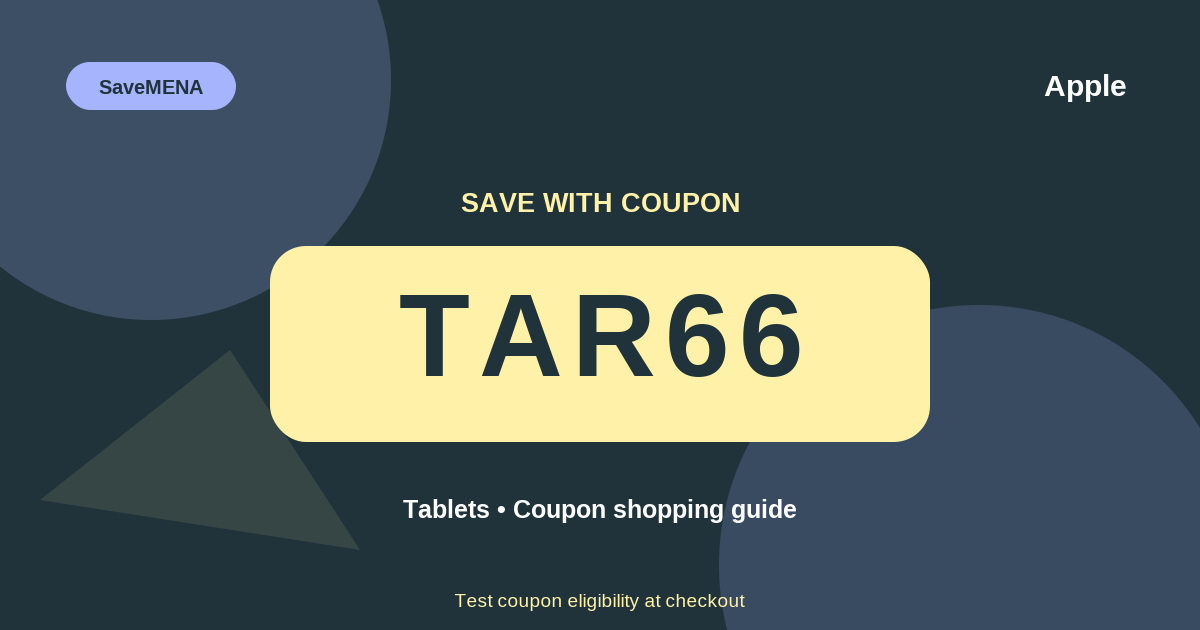
Codes available to try while comparing
These codes are not guaranteed for the article topic or listed brands; test them at checkout and use the live result.
1. Identify the Seller: Why the Seller Matters
When checking coupon validity, the first piece of information you need is the seller of the Apple tablet. Noon’s marketplace hosts multiple merchants, each with their own return policies, discount structures, and coupon compatibility rules. If the tablet is sold by a third‑party vendor rather than Noon’s own store, the coupon code you entered might be restricted to Noon’s direct sellers or to specific storefronts. Ensuring you’re purchasing from a seller that accepts the coupon is a critical first step.
To verify the seller, navigate to the product page and look for the “Sold & Shipped by” section near the bottom of the page. Note the seller’s name and check the vendor page for any listed payment or discount constraints. If your intended tablet is from a vendor that declares no coupon acceptance, consider shifting to a Noon‑direct listing before reinserting the TUR92 code. This step eliminates one major reason for coupon failure at the outset.
2. Check the Apple Tablet Eligibility
Apple tablets come in various models and configurations, and coupons often specify eligibility on a per‑model basis. The TAR92 code, as offered for testing, has not been confirmed to apply to all Apple tablet variants. Look for any product notes or “Eligible for Discount” indicators on the Apple tablet's detail page. If there is no explicit mention, the safest assumption is that the coupon is not guaranteed for that particular variant.
Additionally, consider whether the tablet is pre‑ordered, in limited stock, or part of a bundle promotion. Bundles may be excluded from coupon usage due to the combined pricing structure. Check the product description for any terms such as “Coupon not applicable on bundle deals.” If you discover such restrictions, it’s advisable to select an unbundled unit that may accept the coupon, or reach out to Noon support for clarification.
3. Validate the Coupon Code Format
The structure of the coupon code itself can be a source of error. Noon requires that codes be entered exactly as provided, with uppercase letters and without any hyphens, spaces, or special characters unless they are part of the official code. For TAR92, double‑check that you typed “TAR92” and avoided typos such as “the coupon code” or “TAR 92.” A common mistake is adding a trailing space or line break after the code when pasting into the discount box.
Next, confirm that you are using the coupon in the correct field. Noon has separate boxes for “Coupon Code” and for “Cashback or Reward Points.” Placing the code in the wrong field prevents it from being processed. If you are unsure, look for the placeholder text inside the coupon box; it typically reads “Enter your coupon code” or “Apply discount.”
4. Confirm Account Status and Cart Content
Certain coupons are limited to specific account types, such as registered Noon customers with an active profile or those holding a loyalty membership. Make sure you are signed into your Noon account before applying a coupon. If you’re navigating as a guest, some discount codes will be ignored. Log in using your UAE phone number and verified email to trigger full coupon functionality.
The cart quantity and item total also influence coupon applicability. The TAR92 code has not been advertised with a minimum spend requirement. However, in practice, some codes require at least one item with a base price that meets a certain threshold, even if not stated in the public listing. Verify that the chosen Apple tablet is the sole item in the cart and that its price meets any inferred threshold before applying the code.
5. Understand Noon’s Coupon Application Rules
Noon’s platform processes coupons by matching the code with stored voucher entitlements. If the code was recently deactivated or is not yet active on your selected seller, it won’t apply. The system may also restrict usage to specific payment methods or shipping destinations—in this case, UAE-only deliveries. If your delivery address or currency differs, the coupon may be rejected silently.
In addition, coupons sometimes have a “once per user” limitation. If you’ve attempted to use TAR92 multiple times on previous purchases, the system might block subsequent uses. In such a case, clearing your browser’s cookies or attempting from a new device may help reveal whether the block is user‑specific. Remember that after each failed attempt, Noon may log a failed usage that counts toward a potential usage cap.
6. Refresh Browser and Clear Cache
Programmatic errors can arise from stale cache or expired session data. Begin by refreshing the product page to reload the most recent coupon information from Noon’s servers. If the issue persists, clear your browser cache and cookies for the Noon domain. This action clears any temporary tokens or stored status flags that might be preventing the coupon from registering.
Alternatively, try using a private browsing window or a different browser entirely. Mobile apps have similar cache mechanisms, so if you’re shopping on an app, close the app and reopen it after clearing the device’s cache under Settings > Apps > Noon. Once a fresh session is established, input TAR92 again and observe if it now registers before proceeding to checkout.
7. Engage Noon Customer Support
When all on‑screen checks fail, the next step is to contact Noon customer support. The platform offers real‑time chat, email, and phone support. Explain precisely that the TAR92 coupon is not applying to a single Apple tablet, and provide the product link and your current cart contents. This information allows the support agent to reference the seller’s profile, coupon policy, and your account status without ambiguity.
Support may confirm that TAR92 is inactive for that seller or notify you of a hidden restriction.A coupon is not guaranteed; verify its result at the retailer checkout. Document any conversation or reference number you receive in case further escalation is required, and use this information to adjust your purchasing plan accordingly.
8. Plan for Alternative Offers
While troubleshooting, keep a backup strategy. Identifying other coupons that explicitly state compatibility with Apple tablets or Noon‑direct sellers can save time. Check Noon’s promotional banners, curated list of undisclosed offers, or reputable coupon aggregators specific to the UAE market. Even without guaranteed applicability, some codes may partially reduce the price or be acceptable in exchange for their higher chance of redemption.
Another possibility is to explore complementary financing options such as Noon’s installment plan or December “Buy Now, Pay Later” offers, which can reduce upfront cash outlay even if the coupon does not apply.A coupon is not guaranteed; verify its result at the retailer checkout. This diversified approach guards against potential coupon failures and keeps your tablet purchase on track.
Related SaveMENA pages
Related articles
Official sources to check
Frequently asked questions
Why is my Noon coupon code not applying to the Apple tablet?
Common reasons include a mismatch between the code’s eligible seller and the tablet’s vendor, incorrect entry format, or the code being inactive for that specific product. Checking seller details, ensuring the code is typed accurately, and verifying account status often resolves the issue.
Can I use the TAR92 coupon on multiple Apple tablets?
While the code has not been confirmed for every variant, Noon may impose limits such as one use per account or a need for a minimum cart value. Test booking a single unit first, then confirm extension permissions via your account or support.
What steps should I take if the coupon works in the cart but not at checkout?
In some cases, the coupon may apply in the cart but fail during final payment if the selected payment method is incompatible. Switching to another payment option or clearing the cart and re‑adding the item before checkout can help trigger the discount.
Is there a way to know if a coupon is still active before I try it?
Noon does not publish active status for all codes. The most reliable approach is to apply the coupon during checkout and wait for the confirmation message. If it’s inactive, support will typically notify you, or you can check for a “Coupon expired” notice on the cart.