Women’s Fashion on Noon UAE: seller context — coupon troubleshooting · TAR92
The frustration of a coupon that refuses to work can disrupt an otherwise smooth shopping experience on Noon UAE.
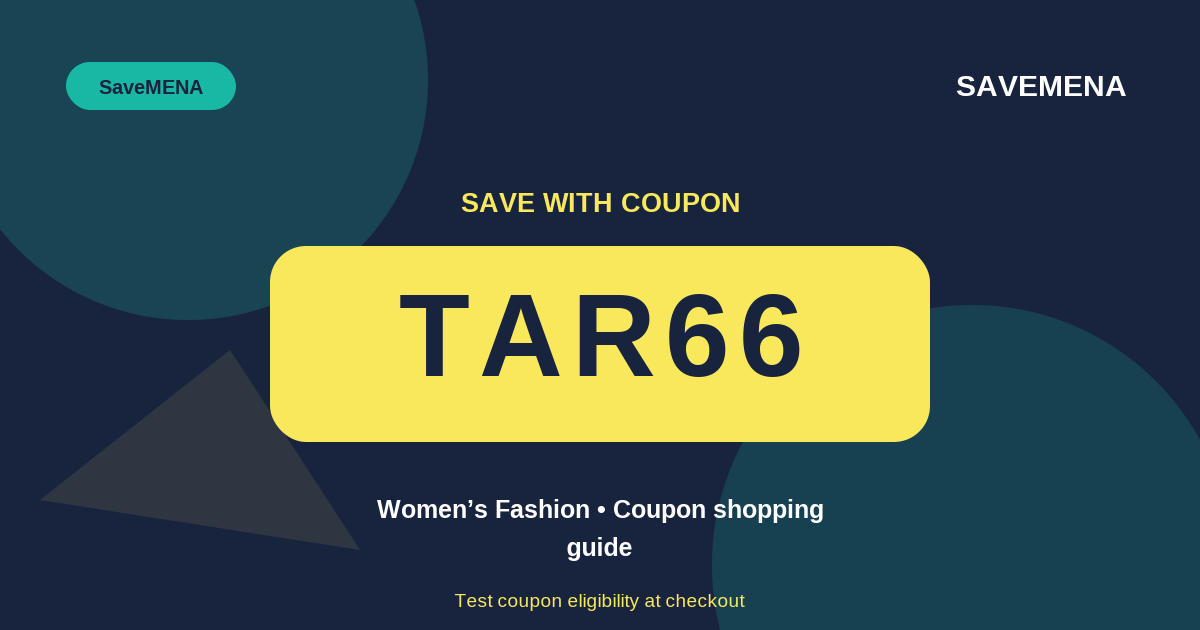
Codes available to try while comparing
These codes are not guaranteed for the article topic or listed brands; test them at checkout and use the live result.
Understanding the Coupon Structure
Coupon codes such as TAR92 on Noon UAE are tied to specific conditions defined by the seller or Noon’s marketing team. These conditions may include whether the coupon can be used on certain product categories, a required minimum spend, or a restriction against combining it with other offers. Without explicit information, it is best to review the coupon description on the product listing page or the promotional banner to confirm which seller(s) are participating. If the description is unclear, checking the seller’s store page for any notes about coupon usage can clarify whether this code is applicable to your selected women’s fashion items.
Ensuring Eligibility: Cart and Item Conditions
Start by confirming that every item in your cart meets the seller’s eligibility criteria for the coupon. Many sellers restrict coupons to certain sub‑categories or exclude accessories, gift cards, or pre‑ordered products. Check each product’s description or note any “excluded items” label on the listing. If an exclusion applies, either remove the item or find a replacement that is eligible. Keep a running log so you can quickly re‑add the original items after the coupon has been successfully applied.
Navigating Seller Standards for Coupons
Seller‑specific settings can alter how a coupon behaves. On Noon, certain sellers may use third‑party checkout integrations that require additional steps to validate a code. For women’s fashion sellers, these integrations may involve an extra security checkpoint or a mandatory developer approval step. If you notice that the coupon field accepts the code but does not reflect a discount, it could be that the seller’s integration hasn’t processed the code yet. In such cases, leaving the page for a few minutes or re‑loading after clearing your browser cache may resolve the lag.
Login and Account Verification Steps
Before attempting to use a coupon, ensure your Noon account is logged in with the correct email linked to any promotional emails you may have received. Some coupons are tied to a specific account, and using a guest checkout or a different user can trigger a “code not valid” message. Verify that your profile details—especially your country and phone number—are accurate, as mismatched information can cause the platform to flag the coupon.
Entering the Coupon Code: Step‑by‑Step
Navigate to the cart page and locate the “Enter Coupon Code” field, usually found beneath the cart subtotal. Type TAR92 exactly, being careful with capitalization as codes can be case‑sensitive. Avoid pressing “Enter” too quickly; unfinished cursor movement sometimes submits the form prematurely.
Detecting Common Technical Issues
Browser or app glitches can be a hidden culprit. Clear your browser cache, disable ad‑blockers, and ensure your app is updated to the latest version. For Android or iOS devices, restarting the app or reinstalling it can resolve memory or synchronization errors that prevent coupon recognition. If the problem persists on multiple devices, switch to a different browser or use the web version to isolate the issue.
When to Reach Out: Seller Support and Noon Help
If after clearing cache, verifying eligibility, and correctly entering the code you still see no discount, it’s time to contact seller support. Many noon sellers provide a chat feature directly on the product page; input a concise query like “Coupon TAR92 not applying to my women’s fashion cart.” Being specific saves time and increases the likelihood of a swift response. Pay attention to any timestamps they provide for a quicker resolution.
Should seller support be unresponsive or inconclusive, reach out to Noon’s customer service via their help center. Provide screenshots of the coupon field, the applied subtotal, and any error messages you encounter. Content that includes the exact time of the attempted application and the seller’s store name will assist the support team in attributing the issue to either a seller or a platform‑wide fault. Keep your communication polite and organized to facilitate a smoother troubleshooting dialogue.
Final Quick‑Check Checklist Before Checkout
Before proceeding to payment, run through a concise checklist: 1) Confirm that all cart items are eligible for the coupon; 2) Verify account login status and any open account restrictions; 3) Ensure the code TAR92 is entered in the exact coupon field; 4) Check that no technical error messages appear; 5) Read the seller’s coupon usage note for any hidden constraints.
Related SaveMENA pages
Related articles
Official sources to check
Frequently asked questions
What if the coupon code still doesn’t work after all the checks?
Reach out to the seller’s support chat or Noon’s customer service with a detailed description and screenshots. They can confirm whether the coupon is still active and whether any platform or seller‑specific issues are affecting its functionality.
Are there restrictions on using the coupon during certain times of the day?
The coupon does not explicitly mention time restrictions, but it may only be valid during Noon’s promotional events. If you try the code outside active marketing windows, it might not apply. Check for any event banners for more context.
Can I combine this coupon with free shipping offers?
There is no guarantee that this coupon can be combined with other promotional offers. Coupons often cannot be stacked with other discounts or free shipping. Verify the discount terms on the seller’s page.
Will the coupon work if I use a different browser?
Switching browsers can sometimes bypass cache or cookie issues that prevent a coupon from applying. Test the code on an incognito window or a different browser to see if it accepts the code.