Noon UAE coupon code: how to troubleshoot a coupon without guessing | Tablets Xiaomi
In the competitive UAE e-commerce landscape, securing savings through promo codes is a strategic move for savvy shoppers.
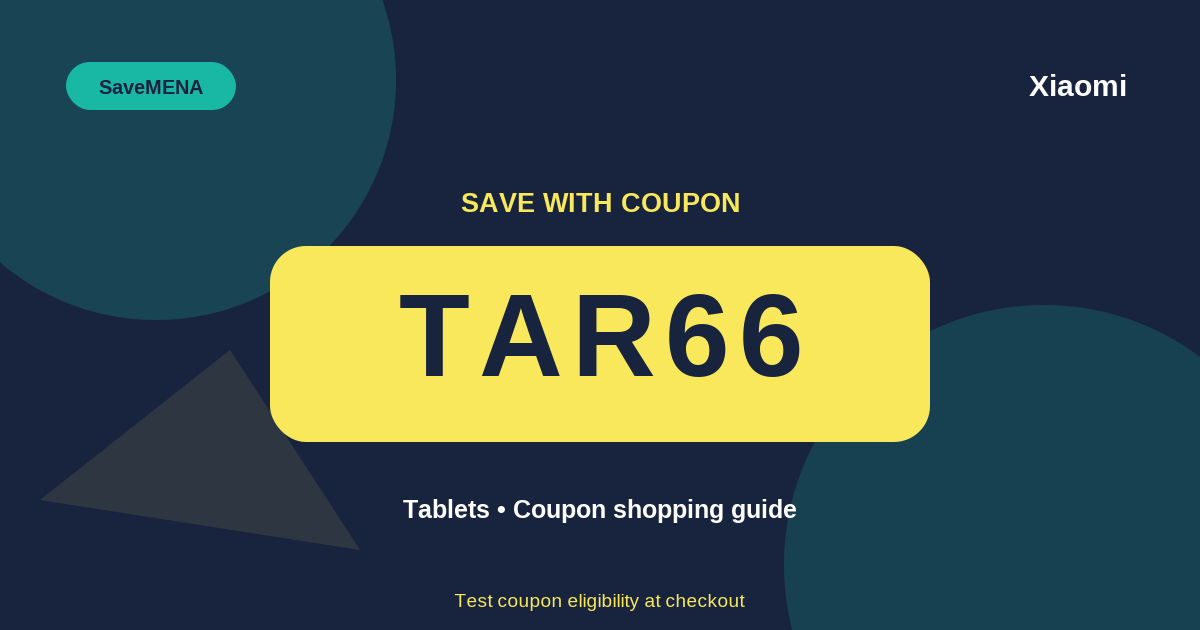
Codes available to try while comparing
These codes are not guaranteed for the article topic or listed brands; test them at checkout and use the live result.
Understanding the Coupon Code Structure
The “Noon UAE coupon code” TAR64 operates as a standardized alphanumeric identifier designed to unlock discounts on eligible products. However, specifics such as discount percentages, expiry dates, or minimum purchase thresholds remain undefined in the provided context. Shoppers should recognize that these parameters are determined by Noon’s internal policies and may vary based on inventory, seller agreements, or regional restrictions. Without explicit details, relying solely on the code’s presence is insufficient—verification at checkout remains critical.
While the coupon’s structure appears straightforward, its functionality depends on alignment with the purchased item’s listing. Factors like product variants, delivery options, or payment methods could influence whether the code applies. For instance, a tablet listed under a third-party seller might not accept the same discount as one sold directly by Noon. Always review the product page for notes on applicable promotions before proceeding to checkout.
Verifying Eligibility Before Purchase
Before attempting to use the “Noon UAE coupon code,” confirm that the the coupon code tablet meets the platform’s criteria. This includes checking if the item is part of a promotional campaign, available in stock, and compatible with the code. Some coupons may exclude high-end models, refurbished units, or items from specific sellers. Additionally, delivery timelines and local regulations could impact eligibility, particularly for international brands like Xiaomi. If uncertainty persists, reach out to Noon’s customer support for clarification prior to adding the product to your cart.
Eligibility also hinges on the buyer’s account status. While no evidence suggests the TAR64 code is restricted to new users or an app-related condition that must be verified at checkout transactions, these conditions are not confirmed here. To avoid surprises, ensure your account is active, payment methods are linked, and delivery preferences are set. Even minor oversights, such as an unverified phone number, might delay the code’s application during checkout.
Steps to Apply the Coupon During Checkout
Applying the “Noon UAE coupon code” typically occurs during the final stages of purchasing. After selecting the desired tablet and proceeding to checkout, locate the designated field labeled “Promo Code” or “Coupon.” Enter TAR64 carefully, ensuring correct capitalization and spacing. Upon submission, the system will validate the code against the selected items. If successful, the discount should reflect immediately in the total amount due. However, discrepancies may arise if the code expires mid-process or if the product list changes post-application.
If the coupon fails to apply, double-check for typos or formatting errors. Some platforms require codes to be entered without spaces or special characters. If the issue persists, refresh the page or restart the checkout flow. In rare cases, technical glitches might prevent the code from registering—retrying later or using a different device can sometimes resolve this. Always retain screenshots of the code and transaction steps for reference.
Common Issues and Solutions
Shoppers often encounter challenges when using the “Noon UAE coupon code,” such as incorrect application or unexpected charges. A frequent issue is entering the code too early, before confirming product details. For example, adding a tablet to the cart and then applying the coupon might not work if the item is removed or replaced afterward. Another hurdle is overlapping promotions—some deals may override the coupon’s effect, leaving the final price unchanged. To mitigate this, review all active offers on the product page before initiating checkout.
Technical difficulties, such as server delays or browser incompatibilities, can also hinder the process. If the code does not appear to take effect, attempt using a different web browser or device. Additionally, ensure that cookies and cache are cleared to prevent loading outdated information. If none of these solutions work, contact Noon’s support team with detailed logs of the attempted application, including timestamps and error messages, to expedite resolution.
Exploring Product-Specific Considerations
When purchasing tablets on Noon, the “Noon UAE coupon code” may interact differently depending on the model and brand. For instance, Xiaomi devices listed on the platform might have unique eligibility rules tied to their specifications or warranty terms. While the TAR64 code is not explicitly tied to any brand or category, its effectiveness could vary based on the seller’s participation in promotional activities. Shoppers should scrutinize the product description for mentions of ongoing sales or bundled offers that might complement the coupon’s value.
Additionally, certain tablets may require additional steps to qualify for the discount. This could involve selecting specific storage capacities, color options, or accessories. For example, a base model Xiaomi tablet might not accept the coupon unless upgraded to a higher tier.A coupon is not guaranteed; verify its result at the retailer checkout.
Navigating Delivery and Payment Details
The interplay between the “Noon UAE coupon code” and delivery options can influence the final price. Some coupons may exclude express shipping or impose minimum spend requirements for free delivery, which could negate the discount’s impact. For example, if the code reduces the tablet’s price but the delivery fee exceeds the saved amount, the overall benefit diminishes. Shoppers should calculate the total cost—including taxes, delivery charges, and payment method fees—to assess the true value of the promotion.
Payment method compatibility is another factor. While most cards and digital wallets function seamlessly, certain payment types might not support the coupon’s application. This is particularly relevant for installment plans or gift card combinations. If the code fails to apply after selecting a payment option, switch to an alternative method and reapply the code. Always confirm the final amount before completing the transaction to avoid disputes later.
Post-Purchase Verification and Refunds
After successfully applying the “Noon UAE coupon code” and completing the purchase, verify the discount in the order confirmation email or within the Noon app. This ensures the code was processed correctly and reflects the adjusted total. If discrepancies arise, such as missing discounts or unexpected charges, contact Noon’s customer service promptly. Provide clear evidence of the applied code and the original price to facilitate a swift resolution. While refunds are subject to the seller’s policies, documenting the issue increases the likelihood of a favorable outcome.
In cases where the coupon does not apply despite following all steps, consider reaching out to SaveMENA’s support team for guidance. Though we cannot intervene directly with Noon’s systems, we aim to provide resources that empower shoppers to advocate for themselves. Remember, the final authority on eligibility and pricing lies with Noon’s checkout process, making proactive verification essential for a seamless experience.
Compare alternatives without guessing
When you compare another option in xiaomi, keep the specifications, quantity and seller as consistent as possible and compare the total shown at checkout. A different coupon does not automatically make a deal better because delivery, fees and the live basket context can change the outcome. Use the final payable total as the practical comparison point.
If the retailer shows a specific condition, rely on that visible message; if it does not, do not turn an assumption into a general rule. Test available options one at a time and note any real change in the total or eligibility message. That creates a verifiable shopping comparison instead of a recommendation built on an unsupported marketing claim.
Related SaveMENA pages
Related articles
Official sources to check
Frequently asked questions
Is the TAR64 coupon valid for all tablets on Noon?
The “Noon UAE coupon code” TAR64 is not guaranteed to apply to every tablet. Eligibility depends on the product’s listing, seller, and current promotions. Verify at checkout for accuracy.
Can I apply the coupon after completing my purchase?
No, the “Noon UAE coupon code” must be applied during checkout. Once the transaction is finalized, modifications to the discount are typically unavailable.
Does the TAR64 code work with other discounts or offers?
It’s unclear if TAR64 overlaps with other promotions. Check the product page for details or contact Noon support for clarification on combined offers.
What should I do if the coupon doesn’t work?
If the “Noon UAE coupon code” fails, double-check for typos, refresh the page, or try a different device. Contact Noon’s support with transaction details for further assistance.