Mobile Accessories on Noon UAE: warranty and support — coupon troubleshooting
Noon UAE coupon not working Mobile Accessories warranty and post-purchase support: When a Noon UAE coupon fails for your mobile accessories order, the frustration
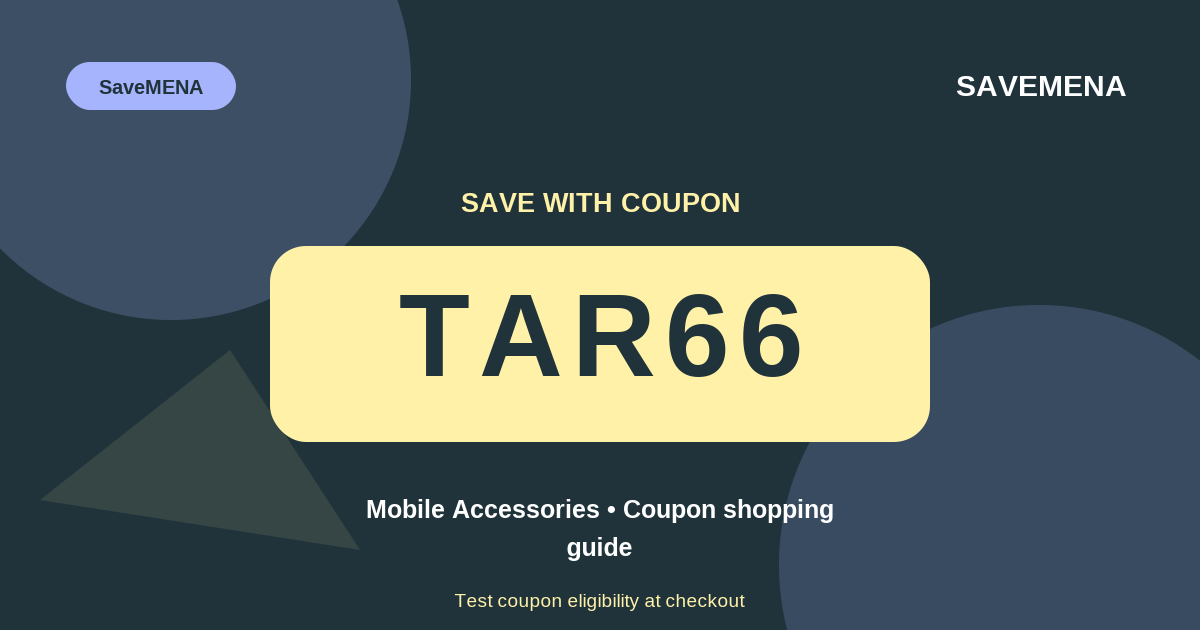
Codes available to try while comparing
These codes are not guaranteed for the article topic or listed brands; test them at checkout and use the live result.
1. Verify Coupon Entry Accuracy
You’ll need to start by double‑checking the exact spelling of the coupon code you’re attempting to use. The the coupon code‐style code TAR66 is case‑sensitive in many systems, so avoid accidental letter‑case mismatches or stray spaces. When posting on the site’s coupon field, ensure no trailing or leading whitespace is entered—simply paste the code as shown. If you still encounter a “coupon not found” or “invalid code” error, use the alternative “Apply” button to reload the validation query.
Once the code appears to validate, record the response message. Even an “applied” note may come with a hidden coupon discount that is capped by other restrictions. Logging these prompts helps you reference the exact status when you later confirm your order volume or warranty details. If you can see a greyed‑out coupon tab after entry, the system may be awaiting additional cart criteria before activating the coupon.
2. Confirm Cart Value Meets Terms
Not every coupon is usable regardless of cart total. For mobile accessories the minimum spend can differ across categories; a clearance phone case may trigger lower thresholds while premium charging docks may pad the balance. After entering a coupon, scroll to the order summary and confirm that the new subtotal meets or exceeds the statutory threshold. If the cart total falls short, a provisional “applicable” bar may still display but the coupon will vanish at checkout.
Also verify that only eligible items comprise the cart during the coupon check. Often accessories like phone screen protectors are excluded when paired with certain cleaning kits or power banks. This omission can enable the coupon briefly, yet still fail upon checkout. Remove or replace any ineligible product, then see if the discount persists. Keeping a shop‑by‑shop record of which items MENA marks as coupon‑friendly preserves warranty support beyond the coupon act.
3. Inspect Mobile Accessories Warranty Details
Coupon validity does not override product warranty ranges. When a coupon is applied, the order routine still records each item’s original SKU and implied warranty period. Most mobile accessories, such as earphones or protective cases, feature a standard six‑month limited warranty that starts at purchase. It’s vital to confirm that the warranty term remains unchanged after the coupon is deducted from the payment total.
Spend a minute to examine the product detail page and locate the “Warranty” tab. If the page lists a seven‑month warranty to align with a brand’s extended guarantee, ensure the coupon does not apply an alternative term. Apply the coupon, then double‑check the warranty description in the order confirmation. A discrepancy here could indicate a promotional rule that bypasses the standard schedule, which may limit post‑purchase support.
4. Review Post‑Purchase Support Options
When using a coupon that trims the price, it’s easy to overlook how support channels adapt. Some mobile accessory warranties require users to register via the brand’s app or submit a service ticket before submitting a return request. After adding a coupon, confirm that all required registration links are still clickable in the confirmation email or order details page. A missing link may result from a dropdown menu shift that occurs after discount recalculation.
Consider that the Noon app may redirect subsequent support queries to a third‑party service portal if the coupon applied to a high‑volume accessory. Test the support “Help” button while still viewing the order confirmation; ensure that any support procedure steps remain active. It’s best to maintain an updated copy of the support flow chart on your phone’s notes to avoid missing a confirmation step caused by a price shift.
5. Test “Apply Discount” in Different Browsers
Browser‑specific rendering glitches can cause legitimate coupons to appear invalid. If your system shows a coupon as “not working” on Safari but not on Chrome, attempt to clear cached data and retry. When clearing, leave cookies intact to preserve your login details, then redo the coupon entry in a fresh tab. A clean review often resolves display‑only errors that sit on top of the retailer’s coupon engine.
Should the issue persist across browsers, check the device screen‑size layout. Mobile‑first layouts on desktop Chrome may not handle fillers in the coupon field uniquely, so test using the native Noon app or the mobile site. The app frequently pulls the central coupon bundle directly from the server, avoiding layout conflicts present in desktop HTML. This step confirms whether the failure originates in the client or server side.
6. Sync Your Noon App for Accurate Promotions
Even the most organized coupon can fail if your background app data is stale. In the Noon app, go to Settings > App Updates, then confirm you’re running the latest release. Outdated versions may miss updated coupon cohorts, especially those added directly after a marketing event. After updating, log out and return to ensure the session token refreshes with the new promotion data.
Once the app is synced, revisit the cart and re‑enter the coupon code. Pay particular attention to the timing of your coupon insertion—applying a discount just before the checkout dialog can skip a sanity check that ordinarily validates the discount voucher against store policy. Keep an eye on the “Discount” line in the cart; if it remains absent after a successful entry, you’ve identified a sync issue that needs further customer support.
7. Reach Out to Customer Service for Coupon Issues
When all troubleshooting steps fail, contacting Noon customer support can clarify whether a coupon error is a temporary data glitch or an intentional policy change. Prepare a concise message that includes the full coupon code, your cart items, and the exact error message seen at checkout. Fixing an issue this way may avoid manual order alteration while ensuring you keep warranty and support privileges intact.
In your message advise whether you’re on the app or web, as this can influence the support engineer’s troubleshooting path. Additionally, mention the wanted warranty side‑check: “I’d also like to confirm that my purchased mobile accessories are still under the standard eight‑month warranty.” This double‑layer request helps Two‑Way Confirmation of discount and guarantee at once, preventing a future service claim rollback.
8. Document and Retain Redemption Records
After a successful coupon use that passes all prior checks, capture a screenshot of the order confirmation, including the applied discount and coupon label. Store this evidence in a cloud folder or a dedicated “Receipt” section in your phone’s file system. Future warranty claims or return requests may reference the discount embedded in the payment line, so having a visual proof protects both your purchase and service support timeline.
If you later notice a discrepancy—such as a missing warranty statement or a service portal that doesn’t reflect the applied coupon—refer back to that documented snapshot. Supply it as part of your claim to Noon support or the accessory’s manufacturer. Consistent evidence ensures that the post‑purchase support process resolves quickly, preserving the integrity of your mobile accessories and the coupon’s financial benefit.
Related SaveMENA pages
Related articles
Official sources to check
Frequently asked questions
Why does the TAR66 coupon keep showing “not working” even after I confirm my cart meets the minimum spend?
Check whether the items in the cart are eligible for the coupon. Some accessories are excluded, especially bundles or accessories paired with specific devices. Remove any ineligible item, then re‑apply the coupon. If the issue still persists, refreshing the browser or clearing cache may resolve a client‑side glitch.
Does using a coupon shorten the warranty period on my mobile accessories?
No. The coupon only adjusts the amount paid; the warranty is tied to the original product and purchase date. The order confirmation will display the warranty length, and this remains unchanged despite the discounted price.
Can I use the TAR66 coupon on multiple items in my cart?
Coupons that appear with a single code typically apply once per order. Attempt to add several eligible accessories to see if the discount remains at one instance. For stackable coupons, the site’s policy will indicate a “multi‑use” label in the order summary.
What should I do if the coupon doesn’t apply after I contact Noon customer support?
Ask for a vendor‑verified status on the coupon and request a manual application if a system bug is confirmed. Also verify your device or browser to ensure the issue isn’t localized. Keep a record of the support ticket reference for any future claim.