Office on Noon UAE: warranty and support — coupon troubleshooting
Noon UAE coupon not working Office warranty and post-purchase support: If you’re still seeing the “Noon UAE coupon not working” message while hoping to use TAR66 on
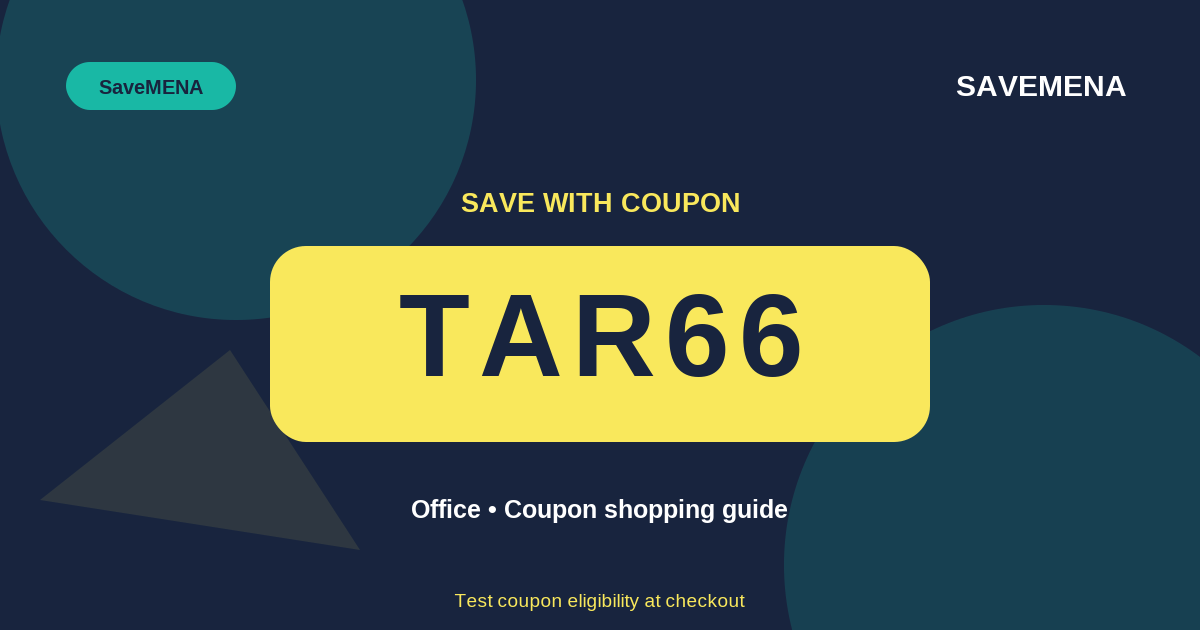
Codes available to try while comparing
These codes are not guaranteed for the article topic or listed brands; test them at checkout and use the live result.
1. Why the Coupon Might Not Apply
Coupons can appear useless if the basic pre‑conditions aren’t met. Check if your cart contains items that qualify for a promotion. Many coupon rules restrict categories, brands, or lists of excluded products. Even a small mismatch—like an office chair being a “custom‑made” variant—can trigger the failure message automatically. The platform usually flags the exact reason, but if you only see a generic error, the next step is to decode the underlying cause systematically.
User experience has shown that the most common causes are generic: a mistyped code, a packing‑list recommendation, or a hidden threshold. Even Office categories can have special conditions on delivery, particularly for heavier items that trigger extra logistics costs. By eliminating each possibility, you narrow the problem from a software glitch to a policy rule, thereby reducing endless “try again” loops.
2. Verify Coupon Code Accuracy
Type the coupon TAR66 directly into the field shown on the checkout page. Pay special attention to capitalization and avoid accidental spaces before or after it. Some platforms treat “TAR66” differently than “TAR66” or “TAR 66”; both variations often return the same error. Align the exact characters exactly as displayed in your promotional item list.
After entry, double‑check if the code appears in the “Applied Discounts” section of the cart. A missing line means the system discarded it automatically. In such cases, clear the cart and re‑add the items, then reapply the code to refresh the session. Using the same coupon that worked on a different purchase often confirms that it was a simple paste error, not a systemic outage.
3. Check Coupon Eligibility Rules
Even the most well‑intentioned coupon can be limited by hidden rules. Examine the coupon description on the frontend, which typically lists eligible categories or excluded brands. For the Office sector, certain products—like refurbished components—might be prohibited. If TAR66 lists “Office” as eligible, ensure your cart items fall into that exact sub‑category; a misclassifying anywhere in the hierarchy blocks the discount.
Another rule is the minimum spend threshold, often written as “requires a total of X or more.” Although the threshold value isn’t disclosed here, the checkout should highlight it. If you’re under the required spend, the code will not apply. In that case, add a small office accessory extra to clear the threshold while still staying within a sensible budget.
4. Confirm Your Account Status and Platform Settings
Some coupons require a verified account, a certain loyalty status, or a set region. Log into Noon using the same device and network you used for the promo links. Verify that your email is confirmed and your shipping address matches the location where the promotion is valid. If you’re a new user or haven’t updated your profile, the platform’s system may block coupon processing automatically.
Additionally, focus on the “Delivery” preferences. For Office items, the shipment may need an adult signature or scheduled pickup. If your selected delivery window is outside the platform’s allowed times, some promotions won’t activate. Align your preference to a standard day and confirm the window before applying the coupon; this small step removes a common source of friction.
5. Explore Compatibility with Office Items
Not every office staple qualifies. Check if the item’s variations—size, color, edition—have distinct SKU identifiers. For example, a basic stationary pack might have a variant that’s ineligible because it includes a non‑standard component. The system treats each SKU uniquely, so a mismatch can prevent TAR66 from being accepted. Look for a “Variant Details” tab to confirm that your chosen configuration is under the coupon’s umbrella.
Many Office categories range from ergonomic chairs to high‑speed printers. Some printers may have an “International Warranty” tag that alters the eligibility of coupons, especially if the warranty extends beyond standard local coverage. Make sure you understand how the product’s warranty terms interplay with the coupon policies before deciding to proceed.
6. Contact Noon Support for Assistance
When systemic troubleshooting fails, reaching out to Noon’s support can clarify ambiguities. Use the live chat or call options; reference the coupon code TAR66 and the exact error message. Note that support will not disclose internal policies but can confirm whether the coupon is active and whether your cart meets the terms. Email support with screenshots of the checkout for evidence, which facilitates rapid resolution.
When contacting support, ask specifically about warranty and material coverage for Office items. Even if the coupon doesn’t apply, you’ll learn whether the product has a standard one‑year warranty or a supplemental coverage option. Clarifying these details in the same conversation saves extra cart reloads later when you decide to re‑attempt the purchase.
7. Inspect Warranty and Post‑Purchase Support
For Office gear, warranty is often the anchor of post‑purchase confidence. During checkout, review the warranty field next to the installments. The platform shows the duration, what it covers, and if there’s a service center nearby. Even if TAR66 is invalid, you can still buy the product with a full warranty, mitigating any future return friction.
If you see a “Free 2‑year warranty” note, double‑check its terms on the product page. Some warranties require you to register the product within 30 days; others extend automatically. Knowing the confirmation steps reduces the risk of losing coverage, especially for high‑value items like office printers or furniture. This step also informs you whether the post‑purchase support channel—mail, phone, or in‑store—will accommodate repair or replacement claims quickly.
8. Make the Most of Future Office Purchases
Once you settle the coupon issue, you can adopt a habit of verifying discount viability before choosing a product. Begin by reviewing a product’s promotional eligibility, then confirm the coupon at the cart stage, and finally assess warranty details. In practice, this workflow means you’ll never face a “coupon not working” surprise while still watching your office budget.
In addition, keep a record of useful codes and their expiration dates in a shared document or notes app. For repeated purchases—like office supplies for a growing team—monitor Noon’s regular newsletters; they often provide new codes that are less restrictive. Pair these codes with a clear warranty plan to create a resilient procurement strategy that balances cost savings and reliable post‑purchase support.
Related SaveMENA pages
Related articles
Official sources to check
Frequently asked questions
What should I do if TAR66 still shows “coupon not working” after I verified everything?
If you’ve checked the code’s spelling, eligibility rules, account status, and item compatibility but it still fails, contact Noon support. Provide them the exact error, screenshots, and your cart details. They’ll confirm whether the code is active or blocked by an unseen policy.
Can award or loyalty status affect whether the coupon applies?
Yes. Some coupons require a minimum loyalty tier or confirmation that your account is verified. If your account is newly created or doesn’t meet the tier, the coupon may be automatically rejected.
Will a failed coupon invalidate the warranty on the purchased office item?
No. Warranty terms and coupon eligibility are separate. Even if the coupon fails, you can still purchase the item with its standard or extended warranty as displayed in the cart.
Is there a way to pre‑check the warranty coverage before finalizing the purchase?
Yes, before checkout, view the product details and the warranty section in the cart. Most platforms list coverage duration, included services, and nearest support centers for your location.