Canon Cameras on Noon UAE: account eligibility — delivery-inclusive price · TAR84
If you're wondering how delivery charges and other fees influence the final total when buying Canon cameras on Noon UAE with an account, this guide provides the
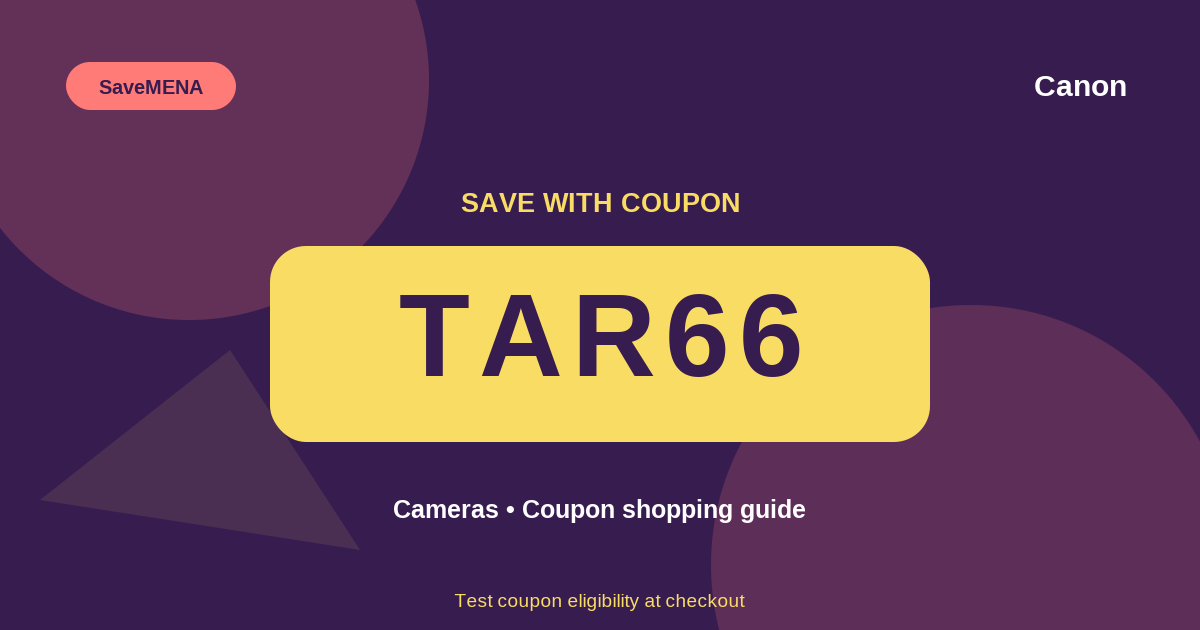
Codes available to try while comparing
These codes are not guaranteed for the article topic or listed brands; test them at checkout and use the live result.
Order Summary Breakdown
When you add a Canon camera to your cart, Noon’s interface displays a composite summary that pairs the product price with a delivery fee and any applicable service charges. This section is the first checkpoint because the summed total is what the system will reduce if you are eligible for account‑based discounts. The detailed breakdown helps you see how the final payable amount is constructed, enabling you to spot any additional fees that might not be obvious until you reach the payment stage.
Before you proceed, confirm that your account is signed in as this can trigger automatic adjustments. Some orders will show a “free delivery” label if your basket surpasses a merchant‑defined threshold; others will list a standard charge. Having an accurate preview of the fee structure eases the decision to either add another product or accept the current total.
Delivery Options Explained
On Noon, delivery options vary by courier, speed, and geographical constraints. For example, express delivery may carry a higher fee than standard delivery, whereas a pickup slot at a local depot often eliminates shipping costs entirely. These options influence the final dollar that is added to your order. Although exact amounts are hidden until checkout, you can anticipate that selecting quicker service will usually cost more, whereas opting for standard or a store pickup can reduce or even waive shipping fees.
Choosing the right delivery mode is especially important for high‑budget items like Canon cameras, where an additional fee might skew your total into a new price bracket. Because fees are applied after the item subtotal, some shoppers misinterpret the impact, assuming that a “free shipping” label covers all store items. Verify at checkout that the fee you see reflects the selected option and your account status.
Account Benefits and Fee Waivers
Being a registered Noon user unlocks several fare‑reducing mechanisms that are not automatically visible in the cart view. These include waived shipping for orders that exceed a certain basket value, loyalty points that can be exchanged for discounts, and periodic account‑only promotions that might apply during checkout. The presence of these benefits can dramatically change the final number, especially when purchasing premium gear like Canon cameras.
A coupon is not guaranteed; verify its result at the retailer checkout. A common mistake is to expect a free‑delivery badge on the product page; however, the official waiver is generally displayed in the payment summary or as a separate line item. Consider logging out and back in if the benefits do not appear, as some updates require a fresh session.
Coupon Integration with Delivery Fees
The TAR84 coupon code is available to try, and you can enter it during the checkout stage. Coupon validity typically depends on a range of factors which could include the total order value, the chosen delivery speed, or the buyer’s account tier. Some coupons are applied before shipping calculations, while others the coupon code only the product subtotal. Knowing how the coupon is expensed can help you guess whether your final total will be affected. Remember, Noon’s system decides the taxonomies; you can’t anticipate them except by observing the breakdown at checkout.
Even if the coupon appears to lower the product cost, it will not automatically reduce the delivery fee unless the merchant has defined it that way. Thus, the overall final total may still contain the full shipping charge. The safest way to verify the coupon’s true effect is to manually uncheck the “apply coupon” box and note the difference in total one last time.
Checkout Verification Checklist
Before confirming payment, run through a quick verification list: 1) Confirm the item price; 2) Verify the selected delivery option and its fee; 3) Check for any auto‑applicable account benefits; 4) Apply the TAR84 code and observe the new subtotal; 5) Ensure taxes or additional charges are displayed; 6) Confirm that the final payable total matches your expectations; 7) Review the selected payment method and any extra card or wallet fees.
Use this check to catch mis‑applied discounts or hidden fees. Because the final amount appears just before “Place Order,” it is easy to miss a change in the number of cents. A simple screen‑capture or note of the last total can help you dispute any discrepancy with Noon customer service afterward.
Common Misconceptions About Fees
Many shoppers mistakenly assume that a “free delivery” tag on the product page ensures no cost at checkout. In reality, the free‑shipping badge only signals a per‑merchant cap, which may not apply to all high‑value items. In the same vein, the “no extra charge” label often refers to the absence of additional admin fees, but shipping or taxes can still surface at the final inquiry.
Another frequent misunderstanding revolves around coupon codes: buyers think a coupon automatically applies to all portions of the purchase. That’s not always the case; some codes the coupon code only the product price, leaving shipping untouched. Knowing whether the code includes shipping, taxes, or both is essential to avoid an unexpected final bill.
Post‑Purchase Support and Adjustments
If your final amount appears inflated after placing the order, Noon’s Customer Support team can review the record to see if any fee was mis‑applied. Disputes are generally solved by confirming which line item was incorrectly calculated and adjusting the total accordingly. Having the checkout receipt as a reference device streamlines the support process.
In a few rare cases, an issue might cause your account to lose a previously granted discount or free‑delivery window. If that happens, the support team can manually re‑apply the benefit or offer a partial refund for the over‑charged amount. However, it’s always better to catch such inaccuracies before finalizing the purchase, because post‑purchase corrections may take several days to reflect.
Related SaveMENA pages
Related articles
Official sources to check
Frequently asked questions
Will the TAR84 coupon apply to the delivery fee on my Canon camera purchase?
The coupon’s effect on delivery depends on Noon’s rule for that merchant. It may only reduce the product price, leaving the shipping fee unchanged. Verify by checking the fee line after applying the code.
Can I use the free‑delivery offer for high‑priced Canon products?
Free‑delivery is granted when your order exceeds a threshold set by the vendor. High‑priced items might still qualify if the total basket, including the camera, meets the required value. Confirm at checkout.
What should I do if the final total appears higher than expected?
Review the checkout summary for each line item. If an unexpected fee appears, contact Noon’s support with the order number, and they will audit the charges and correct any mistake.
Is there a way to preview the full cost before adding items to the cart?
You can enter the delivery city and select a preferred shipping speed early on. Noon will then show the estimated delivery fee that will be added to future purchases, helping you estimate the final total.