Makeup on Noon UAE: account eligibility — delivery-inclusive price · TAR84
The first step toward a transparent final price is the vendor‐provided unit price. When you add eye creams, foundations or setting sprays to your basket, Noon shows
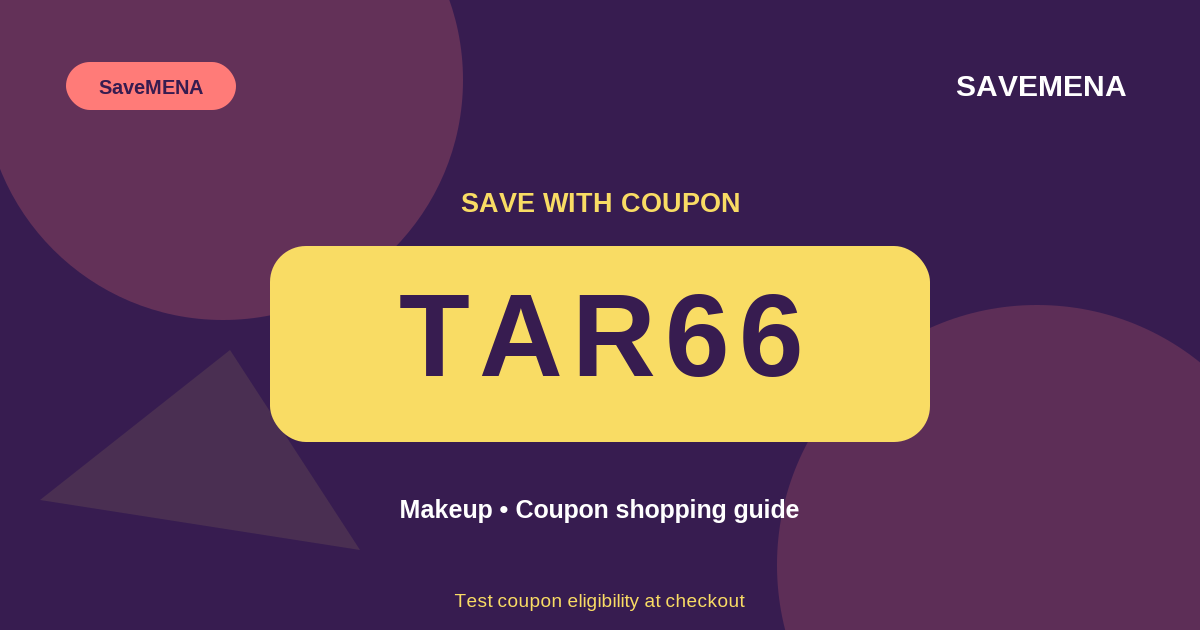
Codes available to try while comparing
These codes are not guaranteed for the article topic or listed brands; test them at checkout and use the live result.
How Noon Calculates the Final Price for Makeup Products
The first step toward a transparent final price is the vendor‐provided unit price. When you add eye creams, foundations or setting sprays to your basket, Noon shows each item’s sticker price alongside any promotional tag displayed by the seller. The system aggregates these numbers, then calculates a subtotal that excludes delivery and tax. Near the bottom of the checkout page, a “Subtotal” line appears, offering a clear window into how the individual product costs mapped onto the overall amount. This subtotal is the pivot around which delivery fees and potential discounts will later swing.
On the same screen, Noon also lists applicable taxes and duty estimations, depending on the product category and destination. For makeup, the VAT is already incorporated into the seller’s displayed price, but a final line may show any additional customs processing if the item comes from overseas shipping hubs. The result is a windowless snapshot: you see the raw product value, the mandatory tax, and a blank space where delivery costs will later be revealed.
Identifying and Adding Delivery Charges to Your Makeup Cart
Delivery fees on Noon vary by distance, weight and the chosen courier service. For makeup items, which are typically lightweight, the fee often falls under a modest bracket, but this can shift if you select expedited shipping or order in bulk. The “Delivery” section appears just below the subtotal and lists the base fee, any weight‑based surcharge, and a small courier markup in some cases. Because these charges depend on the exact weight and dimensions finalized by the seller, the amount might update as you adjust quantities or add accessories.
After the delivery preview updates, the checkout page adds a new row titled “Delivery Charge,” which shows the precise amount that will be deducted from your account once the order is placed. This step ensures that shoppers can see the impact of their chosen shipping speed and that the sum is applied before the payment gateway processes the transaction. A clear delivery figure helps you decide whether postponing a purchase for a slower, cheaper option aligns better with your budget.
The Role of Your Noon UAE Account in Adjusting the Checkout Total
Holding a Noon UAE account can subtly influence the final total through several built‑in conveniences. First, account holders often gain access to preferential delivery options that can reduce or eliminate fees for loyal customers. Second, digital wallets stored within the account might unlock promotional tiers—such as a discount on shipping if you maintain a certain spend frequency. Finally, an account allows the system to remember your preferred addresses, so you can avoid the manual reposting of coupons for each new location, thereby saving time and potential mis‑apply errors.
However, the account’s impact is not automatic. Each order must be reviewed at checkout, where the system displays any available discounts, “Free Shipping” offers, or promotional credits linked to your profile. The formula recurs: Subtotal + Delivery + Taxes – Eligible Coupons = Final Payable Total. By keeping your account active and updated, you maximize the chance that each purchase will benefit from any active promotions or loyalty benefits that Noon may have rolled out for makeup buyers specifically.
Leveraging the TAR84 Coupon on Makeup Purchases
The TAR84 code is listed as available for Noon customers, yet it is sourced from external pages and not confirmed as active on the platform’s landing pages. Shoppers should still attempt to apply it at the coupon entry field within the checkout phase to determine if a discount applies to their makeup selection. Even if the ten‑year‑old coupon fails to grant a reduction, it remains a valid trial, and you will learn whether the code is expired or inapplicable, thereby avoiding frustration later in the payment process.
A failed attempt with TAR84 does not alter the documented “Payable Total.” Conversely, a successful application will show a reduced subtotal in the final review stage, preceding the final “Payable” figure. Importantly, the coupon applies before tax and shipping calculations; thus, your savings may influence the tentative delivery fee if your order dips below a free‑shipping threshold. Double‑checking the coupon status before confirming payment will prevent post‑purchase surprise additions.
Checking the Final Payable Amount: Nuggets from the Checkout Confirmation
The checkout confirmation page provides the most granular breakdown of how your Noon UAE total with delivery Makeup account context was derived. It lists the final number that will be deducted from your chosen payment method, reflecting any applied coupons, final delivery costs, and standardized taxes. It also shows a small “Estimated Arrival” note and a link to view the available courier options again.
Before you hit the “Confirm Purchase” button, scroll through each line item. Verify that the delivery fee is charged correctly based on the shipping method chosen, that the coupon field shows a valid discount applied, and that the final payable total equals the sum of the final subtotal and any fees. If any discrepancy appears, cancel the transaction, adjust the shipping or coupon selection, and re‑check the totals—this is the easiest way to spot a mis‑applied fee before spending your money.
Real‑Time Tracking: Monitoring Your Makeup Order Post‑Purchase
Once the payment has cleared, Noon provides a real‑time tracking portal the same day you’ve been charged. The “Order Summary” indicates a status—“Processing,” “Shipped,” or “Out for Delivery”—and offers a timestamp for each change. Watching the progress gives reassurance that the delivery fee you paid is reflected in the logistics process, and that no additional charges will emerge after shipping.
If a delay in the order status appears, you can use the tracking log to contact Noon’s customer support and clarify whether an unexpected handling fee has been added. Many times, a delay arises from a mis‑reading of delivery dates rather than an extra cost. In case an additional fee does arise, it typically shows up as a new invoice that you can dispute at the very latest before the payment is finalized.
Common Pitfalls That Inflate Your Noon UAE Total
One ubiquitous pitfall is forgetting to verify if the chosen shipping address triggers a different fee. For example, a remote location might incur a higher pickup cost that is not displayed until the checkout page refreshes. Another pitfall is bypassing the coupon code field, which will cause any potential discount to be missed entirely. These oversights can raise the final amount by a modest sum, significantly affecting a tight makeup budget.
A further source of surprise stems from the “Payment Method” window; some payment schemes might accrue a processing fee for specific cards or digital wallets, though this is rare on Noon in the UAE. Because the platform oftentimes updates its fee structure at the start of a holiday season, you should verify any visible payment fee before final submission. Addressing these common errors before the payment button is clicked can prevent a spike in the total you see on the confirmation screen.
Related SaveMENA pages
Related articles
Official sources to check
Frequently asked questions
How do I apply the TAR84 coupon to my makeup order on Noon?
Navigate to the “Coupon” field in the checkout screen, enter TAR84, and hit “Apply.” If the code is valid, a discount line will appear before final total calculations. If it fails, the “Apply” button will indicate that the coupon is inactive or expired.
Does my Noon UAE account affect the delivery fee for cosmetics?
Yes. Certain loyalty tiers may offer reduced or free delivery for makeup purchases. When logged in, the delivery section will display applicable discounts or standard charges based on your account level and chosen shipping method.
Will a coupon applied before taxes reduce my overall payable amount?
A coupon reduces the pre‑tax subtotal, which may lower the tax amount as well because taxes are computed on the discounted subtotal. The final total displayed will reflect both the coupon discount and the recalculated taxes.
What if my printed order receipt shows a higher delivery fee than what I paid?
Check the order summary on Noon’s app; it lists the exact fees charged. If a discrepancy exists, contact the support team immediately for a refund or correction, ensuring the issue is resolved before shipment.