Huawei Mobiles on Noon UAE: account eligibility — delivery-inclusive price · TAR84
When you plan to purchase a Huawei mobile on Noon, the final amount you see at checkout will hinge on a handful of factors that can change quickly—from delivery
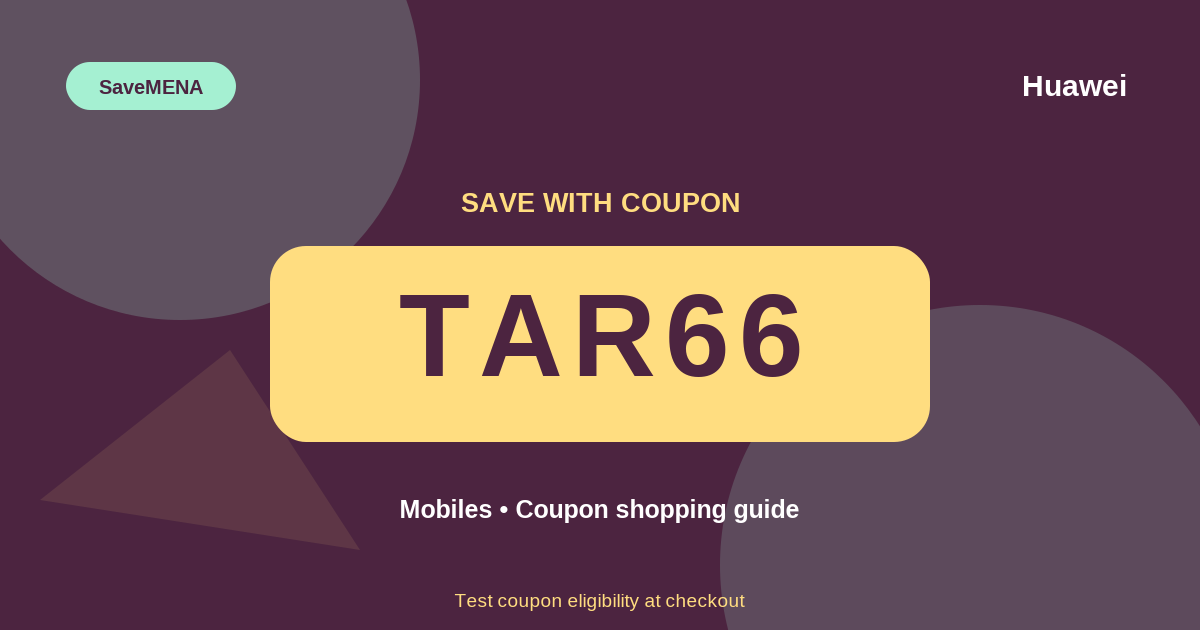
Codes available to try while comparing
These codes are not guaranteed for the article topic or listed brands; test them at checkout and use the live result.
1. Understanding Noon’s Purchase Flow for UAE Shoppers
The process starts when you select a Huawei mobile and add it to your cart. From that point, Noon asks you to confirm your delivery address, which determines the geographic delivery zone that will trigger a specific fee. Once you proceed, the platform takes you through a series of screens where you can review the item, any bundle offers, and shipping. This flow is the same whether you use a personal account, a business account, or checkout as a guest; the key variance lies in the account‑based benefits that appear during the payment step.
Once you reach the checkout summary page, Noon presents you with the net item price, the selected delivery fee, and any applied discounts or coupon codes. It is at this moment you see how the total line updates in real time. Checking boxes such as “apply milestone bonus” or “opt for instant delivery” will immediately shift the total, giving you insight into the exact cost of each option before you commit. Keeping this snapshot at hand ensures you’ll catch any discrepancy before finalizing the transaction.
2. What Delivery Fees Look Like on Noon for Huawei Phones
Noon’s delivery fee is determined by the type of delivery chosen—standard, express, or same‑day—as well as your delivery location within the UAE. The platform calculates the charge during the checkout process, showing it as a separate line item. If you pick an express lane, you’ll often see a slightly higher fee than standard, but the fee will still stay within the limits set for your region and the type of product. Packages like Huawei mobiles may have range restrictions that influence this exact figure.
Because delivery costs can change from promotional periods to normal periods, it is crucial to compare the displayed fee to the one posted on the product page. If a promotion offers zero delivery for a particular zone, it will be automatically applied. However, if you’re switching between pickup points or requesting expedited shipping, the fee may increase. All of these adjustments appear instantly, allowing you to see how delivery influences the total before you confirm payment.
3. Account Features that Can Alter Final Totals
Your Noon account can show different privileges depending on your status—such as regular, Gold, or Platinum membership. These tiers can automatically lower delivery fees or grant access to exclusive price reductions on the item itself. At checkout, a meter displays your current tier status, letting you see whether you qualify for the next upgrade if you commit to a specific spending threshold. This context can directly affect the final Apple.
Besides tiered benefits, some accounts might have letter‑to‑customer coupons or special allowances that trigger only at payment. Checking the “available promos” section before you confirm payment will help you verify whether your account unlocks a delivery discount or a discount coupon for the Huawei mobile. It’s important to confirm that any such benefit has not expired and is still applicable to the selected model, as different phone variants may have different promotional eligibility.
4. Applying Coupon Codes: Using TAR84 on Your Huawei Order
When you initially add a Huawei mobile to your cart, you may also have the option to enter a coupon code. Shipping parity is that you can try in the promotional area during checkout. The application will cause your total to redo itself, often removing a small fraction of the net price. This auto‑apply method is simple: type “TAR84” in the coupon field, hit the check icon, and watch the total decrease. No additional instructions or authentication steps are needed beyond the code itself.
If the code fails to apply, Noon will immediately display a message that indicates it was not accepted. Common reasons include the coupon not matching the product category, regional restrictions, or an expired period. Even when it applies, the reduction only reflects on the final payable total after all other fees have been added.A coupon is not guaranteed; verify its result at the retailer checkout.
5. Payment Methods and Their Impact on Fees
Noon offers several payment options such as credit cards, debit cards, and wallet balances. Each method may incur a different processing fee, usually disclosed just before the final confirmation. For example, a certain card brand might add a small handling charge, or a wallet balance may reduce your exposure to external transaction costs. These fees appear only on the confirmation page, and they shift your total accordingly.
If you choose a split‑payment method that uses both a wallet and a card, the system calculates the combined fees by summing each component’s charge. This calculation can slightly alter the final number, sometimes bumping the total beyond the initial estimation. As a best practice, check the “payment summary” section for a clear list of all fees before finalising. Keep an eye out for any promotional waivers that might remove specific processing charges if your account status qualifies.
6. Comparing Same‑Day vs Standard Delivery Options
The decision between same‑day and standard delivery hinges on both timing and cost: standard delivery typically applies a lower fee, while same‑day delivery offers an accelerated arrival. Noon’s interface allows you to toggle between them and immediately displays the resulting cost differences. The platform loads the performance of each option in real time, so you can weigh the extra convenience against the extra fee.
Keep in mind that the same‑day option may also include an additional delivery charge, which will appear under the “delivery fee” line. When you compare the two, consider how the total cost affects the overall fridge. Sometimes, an extra few dirhams for same‑day service might be worthwhile for urgent needs; other times, the savings on delivery will make standard delivery the more logical choice. Advice is to always weigh the time benefit relative to how much you help price the overall total.
7. Tips to Maximize Savings on Your Huawei Mobile
Once you understand how each component of the checkout increases or decreases your total, you can strategically tweak your cart. One common technique is to wait for a sale that is free of delivery charges, or to combine your Huawei mobile purchase with an item that offers an aggregated free delivery coupon. This allows you to spread the delivery fee across a larger order, effectively lowering the per‑item cost.
Another method is to look at the “best offer” section in your account; Noon often promotes limited‑time bundles that reduce the effective delivery charge for specific models. If you have a Gold or Platinum membership, check the auto‑applied discounts that might apply to a delivery fee. Adding the TAR84 coupon after verifying total costs can further reduce the amount you pay. Even if you are skeptical of coupon validity, applying it and confirming the new total is a simple “no‑risk” step that could yield savings if the coupon is accepted.
8. A Quick Checklist Before Checkout
A coupon is not guaranteed; verify its result at the retailer checkout. Then, in the promotion section, test the TAR84 code and confirm it changes the total. Finally, check the payment summary for any unforeseen processing fees. A single overlooked detail can edge the final amount up by a few dirhams, making the difference feel significant.
Once all those checks are satisfied, proceed to the order confirmation page and confirm that every line item – item price, delivery fee, coupon savings, payment fees – matches your expectations. If they do, the total you see is the amount that will be charged from your chosen payment method. If not, adjust accordingly before finalising. With this check‑list routine, you’ll be confident that Noon's total with delivery reflects what you intended, and no hidden fees will surprise you.
Related SaveMENA pages
Related articles
Official sources to check
Frequently asked questions
What happens if my coupon code doesn’t apply at checkout?
If the coupon fails to apply, Noon will display an error message explaining why it wasn’t accepted. Common reasons include expiration, category mismatch, or regional restrictions. Once you understand the reason, you can either try a different code or proceed without the discount and review the final total accordingly. The checkout will still proceed even if the coupon is not used.
Can I change my delivery option after I’ve entered the coupon code?
You can change the delivery method on the same page before finalising the order. Any fee change will automatically adjust your total, including after a coupon has been applied. Be sure to review the updated total once you switch, as the discount may no longer be relevant to the new delivery fee.
Do account tiers affect the delivery fee for Huawei phones?
Yes, higher-tier memberships can reduce or waive delivery fees for select products, including Huawei mobiles. Check your account tier in the profile or cart summary to see if you qualify for any delivery discounts. If you do, they will appear automatically before you confirm payment.
Will a payment method change alter the total after I’ve committed to a delivery fee?
Different payment options may add a processing fee, which will be displayed in the payment summary. Even if your delivery fee remains the same, the total can increase thanks to the card’s handling charge. Always verify the final figure before clicking the order button.