Logitech Office on Noon UAE: account eligibility — delivery-inclusive price · TAR98
We need to write a long-form shopping editorial about Noon UAE total with delivery, referencing the loan, with account context, category office, optional brand
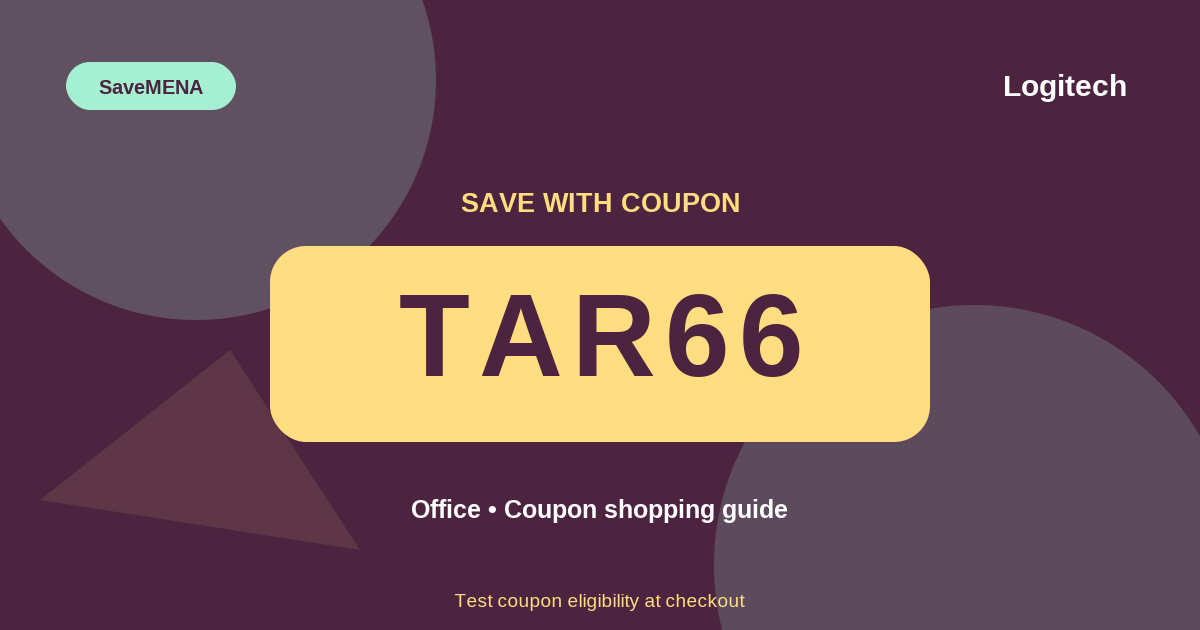
Codes available to try while comparing
These codes are not guaranteed for the article topic or listed brands; test them at checkout and use the live result.
Decoding the Noon UAE Total: How Delivery and Fees Shape Your Bill
When you standardly add a Logitech keyboard or mouse to your cart, Noon clarifies the base cost first. Once you proceed, the platform automatically includes local delivery charges that are linked to your chosen delivery slot. The amount isn’t a flat fee; it is adjusted based on the distance from the seller’s warehouse and the time‑slot selected. These charges therefore feed directly into the overall sum displayed just before you hit the "Place Order" button. UAE shoppers with an account that is recognized during checkout can also benefit from account level benefits such as a waived delivery fee or a free express gate receipt if eligible.
In addition to delivery, Noon shows a tiny “service fee” for every transaction. The fee is largely a fixed percentage of the item’s price and sometimes varies with the payment method you use. It’s visible just after you choose your shipping address, giving you a chance to factor it in when you see the final amount. Because these fees accumulate, it’s critical for shoppers to pause and verify the final charge before confirming the transaction, ensuring that all possible surcharges are anticipated.
The Importance of an Account: Logging In and Payment Options
Having logged into your Noon profile before checkout not only speeds the process, it also unlocks a server of data that automatically populates your delivery, payment, and pickup choices. First, the site registers your saved addresses and payment methods. Therefore, the platform can calculate a true delivery cost based on the chosen location without you having to re‑enter your details. For users in the UAE with a verified account, Noon sometimes offers a reduced delivery fee for expedited shipping or a discount on delivery if you opt for the Noon Plus subscription. Knowing your active account status is vital so you can identify those special rates.
Account context also affects your payment options. Noon provides multiple avenues such as Credit Card, Debit Card, Wallet Top‑Up, and even COD for certain areas. Each payment method carries its own potential fee—some include an additional percentage or a fixed amount, especially for card‑based payments. When you are logged in, the checkout screen typically presents a summary of these payment premiums. Double‑checking that the method you prefer is indeed the chosen one removes the risk of a higher than expected charge.
Evaluating Logitech Offers for Office Essentials
Logitech’s range of office solutions—from ergonomic mice to wireless keyboards—are extensively stocked on Noon UAE. The platform lists each product with its own seller, price, and any special promotions. These promotions may include free shipping, a bundle discount, or an additional small discount that will apply automatically if the right conditions are met. Store front listings display whether a particular offer is for a single item or part of a broader category bundle. For office users who are specifically looking for a dependable brand, reviewing each item's warranty and return policy is essential before plugging it into your cart.
What is crucial for a shopper in this category is understanding that the displayed price and the “final amount” after checkout can differ. That variation is often due to seller‑specific taxes or an added delivery fee for that particular item. Should you notice a discrepancy or a slightly higher terminal value, it may be because the seller has chosen a distinct pricing model. Account holders can check if an alternative seller, possibly offering better inclusions, is available. The key is to keep cross‑referencing until the final sum matches your budget.
Applying the TAR98 Coupon: What to Expect
The TAR98 code is presented as a straightforward means to shave off a small portion of your bill. To activate it, you must enter the code in the “Enter Promo Code” box visible on the checkout screen, right beside the payment method selection. Once entered correctly, Noon recalculates the final total—including any active delivery and payment method fees—showing you the precise amount after applying the coupon. Because the coupon’s effectiveness can be limited by seller rules and your cart contents, you should confirm its acceptance before placing the final order.
Because Noon’s policy does not disclose a blanket discount percentage or expiration date for TAR98, the actual amount saved will not be predictable until you input it into the system. Once applied, the system will deduct the coupon value from the subtotal before fees are added, resulting in a reduced final charge.A coupon is not guaranteed; verify its result at the retailer checkout.
Delivery Channels and Their Impact on Total Price
Choosing a delivery channel on Noon—whether “Standard,” “Express,” or “Pickup at Store”—directly influences the cost added to the cart after your initial item selection. Express options, especially from sellers located further from your pickup point in the UAE, often incur a higher fee, while standard shipping aligns with more neutral ranges. Because delivery pricing is calculated by the system after you input your address, it will appear in real time, letting you gauge what each channel contributes to your final sum.
For office products shipped in packed, secure boxes, some sellers add a separate “handling” fee that can be rolled into your delivery charge. Account holders may discover that occasionally a free handling fee is offered as a promotional addition to spike sales during certain periods. Therefore, watching the preview of the charges before finalizing payment will help you choose the most cost‑effective delivery option—and avoid an unexpected spike in your bill.
Tracking Your Order: From Checkout to Doorstep
Once the final sum is verified and you hit “Place Order,” Noon delivers a summary of all charges along with a unique order number. From that moment, you can access the status of your delivery through the “Track Order” feature. This tool updates the shipment phase and logs any recent changes, such as an increased delivery fee due to traffic or weather conditions. By reviewing these updates, you ensure the final cost remains consistent with the initially displayed amount.
When you log out or return to your Noon account later to review the invoice, you can see a direct recording of each component: item price, delivery fee, payment fee, and any applied coupon. This transparent breakdown confirms whether all expected discounts and fees were applied correctly. If the final amount looks higher than anticipated, you can reach out to Noon’s customer support for clarification.
Common Misconceptions About Delivery Fees on Office Items
Many shoppers think that delivery is always a negligible addition to the total price. While this holds true for low‑cost items, office electronics—especially those with larger dimensions or fragile components—can attract a higher shipping premium. The fee is measured by logistics policies that consider the size, weight, and distance involved, meaning that the same item might carry a different fee for someone buying from a different emirate.
Another misconception is that a discount code will automatically reduce the delivery fee. In reality, coupons usually apply only to the base price of the item, not the shipping or handling charges. Consequently, the checkout summary may still list a delivery fee unchanged after the discount is applied. Mindful shoppers should verify these figures to prevent misassumptions about the total.
Making the Most of Your Noon Shopping Experience
To maximize savings, start by ensuring your Noon account is linked to the most accurate address and a payment method with the lowest possible fee. Use the search filter “Office” to see Logitech products that come with included delivery or special seller offers. Employ the TAR98 code early in the checkout to guarantee it applies before any additional provider fees arm the final sum. Then cross‑check the final amount, mandatory fees, and the applied coupon against what your original budget allows.
Securing the best value also involves verifying any active Noon Plus benefits or other promotional provisions that might lower delivery costs or waive fees for high‑value office purchases. Keep a separate record of the final amount once you have clicked “Place Order.” Doing so provides a reference for any post‑purchase support or disputes that might arise from fee miscalculations. In the UAE market, this diligence is what turns a basic office hardware buy into a completely frictionless transaction.
Related SaveMENA pages
Related articles
Official sources to check
Frequently asked questions
Does the TAR98 coupon also cover the delivery fee on Logitech office items?
The TAR98 coupon generally applies to item prices only; it does not typically reduce the delivery or handling fee. Confirm this detail by verifying the final balance after applying the coupon before you finalize the purchase.
Can I change my delivery method after I’ve already applied the coupon?
Yes, you can switch delivery options before completing the checkout. Switching may alter the delivery fee shown. After a change, re‑enter the coupon to ensure it still applies correctly to the updated subtotal.
Will adding more Logitech items change my total fees?
Adding items can affect delivery charges if the quantity or weight increases. The total fee list updates automatically as you add or remove products; review the final line‑item totals before placing the order.
Is there a limit to how many times I can use the TAR98 coupon?
The platform does not disclose a usage limit for TAR98. To be sure you can apply it again, confirm the coupon status at checkout before you finalize the transaction.