Computer Accessories on Noon UAE: item availability — delivery-inclusive price
The Noon UAE total with delivery Computer Accessories exact item or variant availability at checkout defines the final amount UAE shoppers ultimately pay.
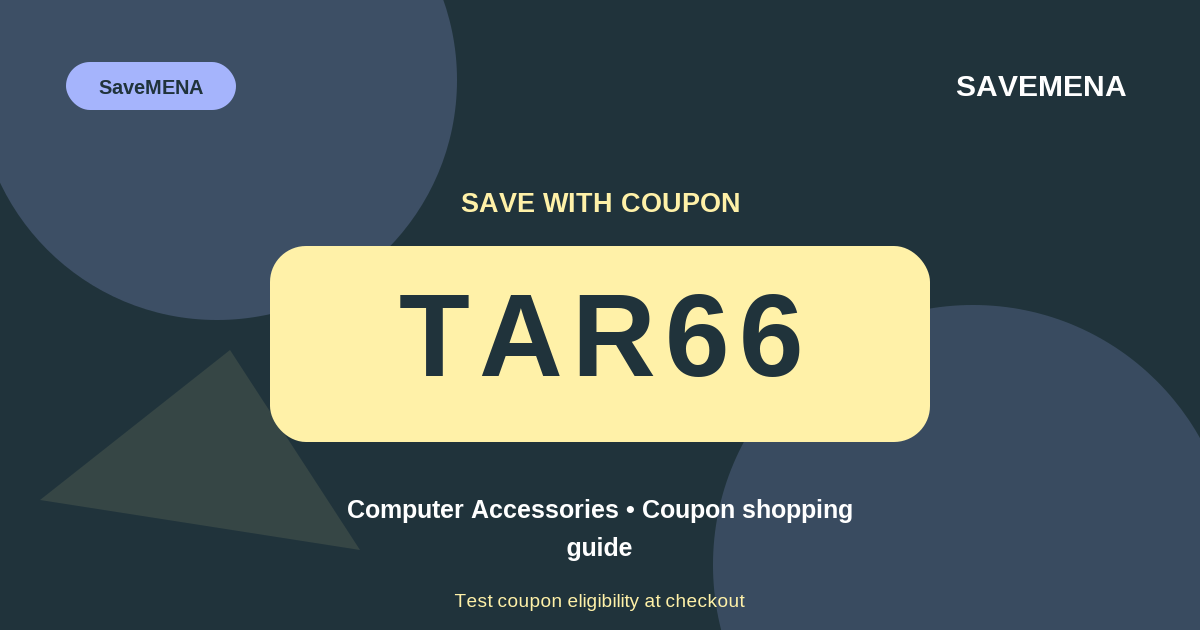
Codes available to try while comparing
These codes are not guaranteed for the article topic or listed brands; test them at checkout and use the live result.
1. Selecting the Right Variant
Start by reading the product title and description carefully. The listing will list the exact variant you are about to add to your cart – for example, a particular model, color, or storage capacity. Pay attention to the variant selector; the default displayed version may not match what you intend to purchase. If you are unsure which variant sits in stock, skip to the next step where you verify availability directly on the product page, as Noon may list multiple variants under one banner. By locking in the correct variant early, you avoid later surprises regarding price changes or out‑of‑stock issues that could affect your delivery fee calculation.
When you choose your variant, also note any additional options such as auto‑extender cables or bundled accessories that can shift the unit price. These optional add‑ons usually appear as checkboxes or drop‑downs near the "Add to Bag" button. Keep an eye on how these options alter the base price shown next to the product; the total will reflect the adjusted price before any delivery charges are appended. This early visibility helps you assess whether your chosen configuration meets your budget, especially since expensive add‑ons can increase the fee tied to larger orders.
2. Checking In‑Stock Status
Hover over or click the "Stock status" indicator on the product page. This field will reveal if the variant is currently available, out of stock, or pending restock. When you see “In stock,” the platform typically displays the exact quantity available, but sometimes it shows a broad “In stock” label. If the exact count is unclear, the next logical step is to contact the seller directly via the contact information provided in the listing. A prompt seller response confirms item availability before you commit to adding it to your bag.
Be aware that Noon’s listings can show “In stock” for a variant that may be partially out of supply. For instance, a variety of colors might be available, while a specific shade is out. In such cases, the checkout total will remain intact if you maintain the selected variant. It is essential, however, to revisit the cart if you plan to swap variants after you add items, as the new variant may carry a different price or different delivery eligibility, which can shift the final base price before fees are added.
3. Comparing Seller Pricing and Delivery Fees
After confirming stock, proceed to the “Seller” section beneath the price display. Noon aggregates offers from multiple merchants; each seller shows its own unit price as well as a list of shipping options at checkout. In some cases, one seller may offer a lower base price but a higher delivery fee, while another may have a slightly higher price but offer free or cheaper shipping. The overall cost ultimately hinges on the combined weight of these two elements.
To make the comparison, copy the price and shipping charges for each seller into a temporary note or spreadsheet. This will clarify, at a glance, which seller delivers the lowest sum of “Base price + Delivery fee.” Keep in mind that some sellers qualify for a delivery waiver if the cart value reaches a threshold, so inspecting the cart’s running total is advisable before finalizing the purchase. Make sure to note that the delivery fee appears only at the checkout step; it can be avoided if you qualify for a promotion or hold a Copper/Platinum membership, so keep that in mind for later sections.
4. Using the TAR66 Coupon at Checkout
When you reach checkout, enter the coupon code TAR66 into the designated box. The platform will attempt to apply the discount before you see the finalized total. However, whether the coupon actually reduces the sum depends on a range of factors — for instance, the coupon may only cover pre‑delivery prices, or it might only apply to specific seller categories.
Since this coupon’s application is not guaranteed, after entering TAR66 the interface will immediately recalculate the “Subtotal – Discount” line. If the coupon can be accepted, the discount will appear as a negative value that reduces the line total. At that point, you will see a new subtotal before the delivery fee is added. The subsequent “Delivery fee” line will then combine with the discounted subtotal to produce the final amount you will pay. If the discount does not apply, Noon will display a brief notification explaining why the coupon was rejected, and the total will remain unchanged.
5. Understanding Gratis vs Paid Delivery Options
In the “Delivery” section, Noon displays two primary options: “Standard Delivery – Free” and “Express Delivery – Paid.” Free delivery typically applies when you have a sufficient cart subtotal or meet a membership tier. Express delivery, by contrast, compensates for expedited shipping and generally carries a higher fee determined by distance and velocity.
To decide which route best fits your bundle, note how the delivery fee is listed before the discount is applied. If the cart meets the free‑delivery threshold after applying TAR66, you can drop the paid option entirely. Conversely, if you prefer a faster shipment, compare the extra cost to the benefit you will receive. Remember that the final checkout summary will sum the discounted subtotal and the selected delivery fee, which will then determine the final payable amount at the end of the process.
6. Applying Payment Method Preferences
Once the “Final Total” line reflects “Subtotal + Delivery fee,” you move to the payment selection. Noon supports multiple methods: credit/debit cards, wallets, and cash on delivery for supported regions. The chosen method may affect not only the ease of payment but also the currency conversion and any hidden transaction fees that some banks impose.
Verify that your payment method is compatible with the local currency – AED or USD – as some options are only available in particular currencies. If you opt for a card with no foreign transaction fee, this can translate into a slight savings that is not shown directly in the checkout total but becomes apparent on your bank statement. The final step before placing an order is to confirm the “Place Order” button fully reflects the exact payable amount inclusive of any last‑minute agent fees or surcharges, ensuring no surprise charges upon receipt.
7. Reviewing the Final Checkout Summary
Before confirming your purchase, the checkout page offers a comprehensive summary: the selected variant, quantity, item price, any applied discount, and the chosen delivery method and its fee. The final line reads “Total payable” and consolidates all these figures. Pay close attention to each element and confirm that the discount code was applied correctly and that the delivery fee matches your expectations.
If you notice any discrepancies, use the offered “Edit” links to correct the item quantity, variant, or delivery option. The page also typically shows an “Estimated arrival” date based on the chosen shipping speed; if the date falls outside your time constraints, you may need to switch to a faster delivery method – this will adjust the fee accordingly. Once you have verified the full prescription, you can confidently hit “Place Order” knowing the displayed total matches what will appear on the receipt.
8. Tracking Order After Purchase
After order placement, Noon sends a confirmation email that includes a unique order number. Use this number on the platform’s “My Orders” page to track the shipment. In the tracking view, you will see the current status: “Preparing for dispatch,” “Out for delivery,” or “Delivered.” If a delivery fee was paid, the invoice will reflect it along with the final amount paid at checkout.
If your shipment is delayed or you suspect an issue, contact Noon’s customer support via the chat or phone numbers listed in the order summary. Providing the order number will expedite responses. Note that the delivery fee is usually non‑refundable – ensure the displayed total at checkout matches the final charge recorded in your bank statement to avoid disputes later. Once the package arrives, you will be able to verify the delivered variant matches the one you paid for, completing the transaction loop.
Related SaveMENA pages
Related articles
Official sources to check
Frequently asked questions
How do I know if a discount coupon has been applied correctly?
After you enter the code, the checkout page recalculates the subtotal. Look for a negative value next to “Discount” that reduces the line total. If no change appears, the coupon was either inapplicable or expired, and the final total remains unchanged.
Can delivery fees differ between sellers for the same product?
Yes, each seller may set its own shipping cost based on distribution networks and fulfillment centers. Compare the “Delivery fee” line for each seller before adding items to ensure the combined cost is optimal.
Is the “Free delivery” option always available?
No. Free delivery often requires the cart subtotal to exceed a threshold or the use of a membership tier. If you don’t meet the criteria, a paid shipping option will appear in the checkout summary.
What happens if I choose a delivery method but later want to change it?
You can edit the delivery option in the checkout page before finalizing the order. Selecting a new method will recalculate the final total, reflecting the different delivery fee. Make sure to review the updated total before placing the order.