Adidas Shoes on Noon UAE: checkout message — delivery-inclusive price
Before adding any pair to your cart, inspect the product's available variants. Some variants list additional shipping restrictions or do not qualify for free
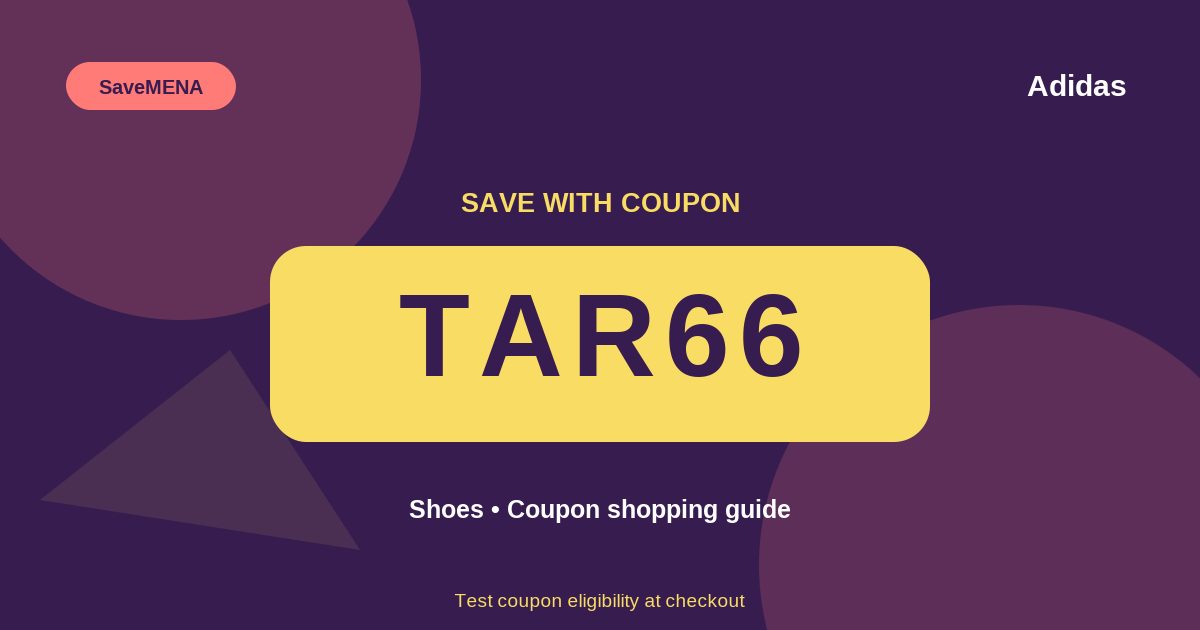
Codes available to try while comparing
These codes are not guaranteed for the article topic or listed brands; test them at checkout and use the live result.
1. Select the Shoe Variant that Supports Your Delivery Preference
Before adding any pair to your cart, inspect the product's available variants. Some variants list additional shipping restrictions or do not qualify for free delivery thresholds. Because delivery fees are applied per product, selecting a variant that aligns with your region or offers standard shipping can reduce unexpected costs. Confirm that the selected option shows a compatible delivery method on the product page itself.
Once you’ve chosen a suitable variant, add it to the cart and check the cart page for any pending delivery fee indicators. A line such as “delivery fee” appears before you proceed to checkout. This visual cue lets you verify that the chosen shoe will not trigger a higher shipping cost due to choice of size or color.
2. Verify the Seller’s Delivery Policy Prior to Checkout
Every listing on Noon displays the seller’s shipping policy, including estimated delivery times and coverage areas. Some sellers may offer free shipping for orders above a certain value, while others charge per item. For shoes, especially branded ones like Adidas, confirm whether the seller ships from local warehouses or abroad, as this impacts both cost and delivery speed.
Navigate to the seller’s profile and look for a “Shipping & Delivery” section. Note any stated fees; if an amount is listed, remember it will be recapped at checkout regardless of the figure shown here. This step prevents missing a higher-than-expected charge that might appear only during final validation.
3. Inspect the Cart Total Before Applying Any Coupon
With items added, entice yourself to glance at the cart without yet applying a coupon. This snapshot shows the subtotal, any taxes or handling fees, and a distinct delivery fee. The live “delivery fee” line may adjust if you switch shipping options, so you can see its effect directly before finalizing.
This intermediary view is crucial because the live coupon message that appears later at checkout will incorporate the deliverable total. If you have added optional accessories, confirm that all related fees appear in this preliminary check to avoid omissions.
4. Apply TAR66 at Checkout and Watch for the Live Coupon Message
Proceed to checkout and locate the coupon entry field. Type in TAR66 and press apply. The system will process the code and immediately display a live coupon message, often stating “Coupon applied” or “Discount applied” alongside a subtraction from the total. This instant feedback confirms whether the code was accepted and how much deduction occurred.
Do not assume the discount is fixed; the live message will reveal the actual amount deducted after all taxes and fees. If the message indicates zero value, double‑check the code’s validity or try a different coupon, as not every promotional code works for every product.
5. Review the Final Payable Amount Thoroughly
Now that the coupon has been applied, the checkout page will sum the subtotal, tax, delivery fee, and any other surcharges, and subtract the discount. This final total is what you’ll actually pay. Open the “Order Summary” section and verify that every line item reflects correct expectations: the shoe price, the delivery fee unchanged, and the deducted coupon amount.
Look for a “You’ll pay” or “Total payable” line. The live coupon message at checkout also appears adjacent or above this figure; it clarifies how much the discount reduced the total. Confirm that the displayed final amount matches your calculations before confirming payment.
6. Confirm Payment Method and Any Related Fees
Different payment methods on Noon UAE can carry varied transaction costs. For example, some credit cards might incur a small processing fee, while credit card points may involve conversion factors affecting the final net. Always review the payment method section before finalizing to see if any additional fees are listed.
In many cases, the payment fee—if any—appears as a separate line item. Ensure that this cost is factored into the live coupon calculation; the live coupon message will only reflect the discount, not additional payment fees. If a fee is present, double-check whether it is transferable or can be waived with a particular method.
7. Assess Credibility and Return Policies Before Final Confirmation
Even after verifying totals, confirm that the seller’s return policy is clear and complies with UAE consumer protection standards. A solid return process can help mitigate unexpected purchase errors, especially since shoe sizes may not always fit upon first try. Look for a “Return Policy” link on the product or seller's page.
Reading the conditions—time limits, items eligible, prepaid return labels—enables you to gauge potential additional costs if you decide to return the item. These details, while not part of the live coupon message, ultimately influence how much you might spend if issues arise post‑purchase.
8. Capture the Checkout Receipt and Keep Your Records
After confirming the purchase, save the printed or email receipt. This document will contain the final total, delivery fee, tax breakdown, and coupon deduction. It serves as a reference in case of discrepancies or if you need to dispute a charge.
Store the receipt digitally or print it out, noting the timestamp and any live coupon confirmation. In case the seller or platform needs to refer to your order, the receipt provides all the precise figures you validated at checkout.
Related SaveMENA pages
Related articles
Official sources to check
Frequently asked questions
What happens if the live coupon message shows no discount?
If the TAR66 code does not function for the selected shoe or seller, the live coupon message may display “No discount applied.” In this case, verify the code’s validity, refresh the page, or try an alternative coupon. If the issue persists, contact Noon support for clarification.
Will delivery fees change after I click “Place Order”?
Delivery fees are locked in during checkout based on the options chosen. If you select a different shipping tier afterward, you will need to return to the cart and adjust. Confirm all fees in the order summary before finalizing.
How can I be sure the final total includes taxes?
On Noon UAE, the final total displayed during checkout aggregates product price, delivery fee, and all applicable taxes. The live coupon message subtracts only the discount amount. If you have doubts, review the “Tax” line in the order summary.
Does using a payment card change the coupon application?
Using a particular payment method may add a processing fee separate from the coupon. The live coupon message will still show the discount applied; any payment fee will appear in the payment method section.