Samsung Electronics on Noon UAE: delivery fees — delivery-inclusive price
When selecting a Samsung television or smart appliance on Noon UAE, the base price displayed on the product page is only part of the equation.
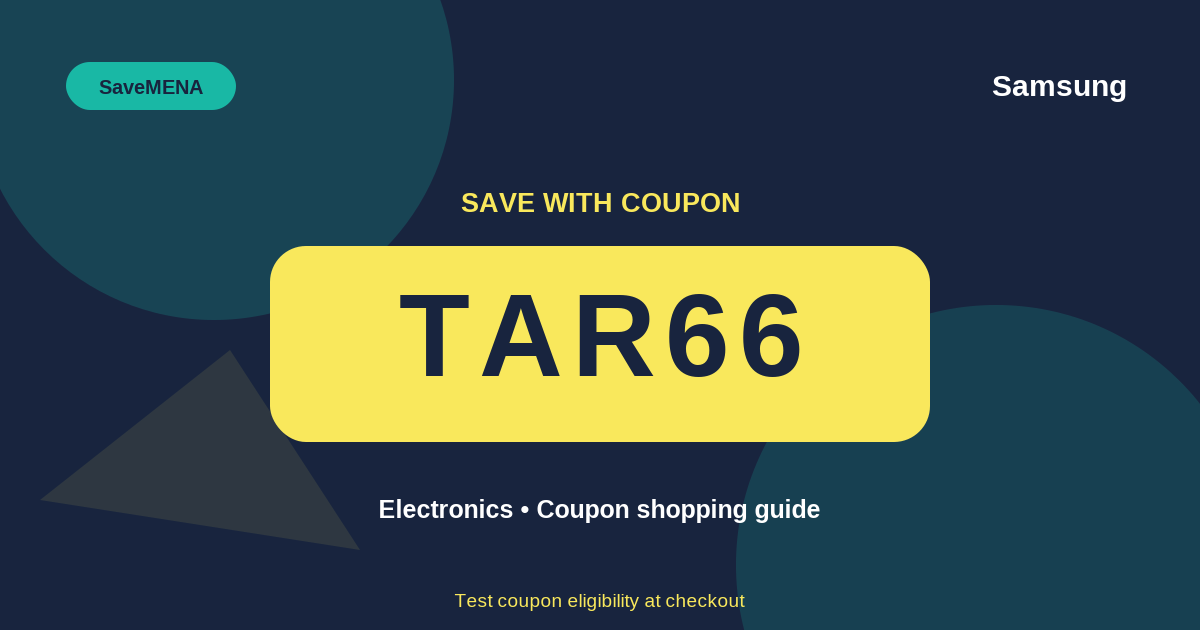
Codes available to try while comparing
These codes are not guaranteed for the article topic or listed brands; test them at checkout and use the live result.
Understanding How Delivery Fees Affect Your Noon UAE Total
When selecting a Samsung television or smart appliance on Noon UAE, the base price displayed on the product page is only part of the equation. As soon as you add the item to your cart, the platform prompts you to choose a delivery option, each of which carries its own fee. These fees can vary depending on the product size, seller reputation, and the delivery zone you occupy. Consequently, the figure you ultimately pay can stretch well beyond the listed price. Understanding the different fee structures is key to accurately estimating your end‑to‑end expenditure.
Customers often overlook hidden service fees that Noon may add after the delivery fee confirms. These include handling charges that vary by seller, service taxes that are automatically included for certain product categories, and in rare cases, a small return‑processing fee if the customer chooses to exchange a faulty device. Each seller on Noon can set its own policy for these supplementary costs within the platform’s guidelines. As a result, even if the delivery fee appears modest, the cumulative charges that show up in your final total could be surprisingly higher. Therefore, before confirming your purchase, you should scrutinize every line item presented during the checkout flow to see exactly what you’re paying for each component.
Choosing the Right Noon UAE Delivery Option for Electronics
Noon provides several delivery options, typically categorized as Standard, Express, and Fast. The Standard option is often the most economical, but it may take a bit longer to arrive. Express provides a quicker turnaround while still being reasonable in cost, and Fast delivery guarantees the product in a matter of hours. For large Samsung televisions or heavy appliances, the chosen option may also influence the required delivery personnel and the type of logistics used, which in turn affects the fee.
Delivery zones also play a role in how fees are calculated. When you enter your address during checkout, Noon automatically selects the zone that applies. Each zone has a predetermined fee structure that takes into account distance from major distribution centers and local dispatch resources. Faster options may have higher zone fees, and some areas may not be eligible for certain delivery times. Checking the zone designation clearly in the order summary helps you mitigate unexpected costs.
Samsung Electronics: Packaging and Size Considerations
Samsung devices vary markedly in size and fragility. A small 32‑inch display will differ in packaging costs compared to a large 75‑inch model. Larger units often require sturdier boxes, protective padding, and sometimes special handling by the delivery crew. Consequently, the associated delivery fee can increase, and some sellers may impose additional handling charges to cover the additional protective materials.
In addition to the delivery fee, some sellers provide optional insurance for high‑value electronics. If you choose the insurance, a small surcharge will appear in your cart. The policy typically covers damage during transit; however, it may not cover internal defects that surface after the product has been installed. Verify that this is included in the final breakdown before you commit, as it adds another layer to your overall cost.
Service and Handling Fees That Add Up
Besides the visible delivery charge, Noon’s checkout line often lists a handling fee. This fee reflects the effort the seller expends in preparing, packing, and coordinating the package. While it’s usually a small percentage of the product price, it can become significant for pricier Samsung items where the base price is high. Check the seller’s policy page or contact customer support for clarification if the fee seems unusually high.
Taxes are another source of additional cost that may appear during checkout. Electronic goods classified under certain the coupon code brackets might be subject to a VAT-like service tax automatically calculated by Noon. This tax is displayed separately and is non‑negotiable. Make sure to review the tax amount in the final order summary; it’s typically a straightforward percentage of the total, but variations can occur depending on changing regulatory guidelines.
Applying the TAR66 Coupon: A Try‑Out Approach
At checkout, you will find a field to enter coupon codes. Entering the code TAR66 and pressing apply registers the coupon’s effect in real time. The discount, if applicable, surfaces as a new line item in the order summary, usually listed under “Coupon Discount.” Please note that the coupon’s impact depends on the store’s current eligibility rules and can vary from order to order.
Because coupon discount calculation may involve specific conditions such as minimum spend or particular sellers, it is best to inspect its application carefully. If you see no change, the coupon may not qualify for that particular item or seller. In that case, it may be worth attempting the checkout again or reaching out to the seller for confirmation of coupon support. Tracking the discount line is the only reliable way to gauge its effect on your final total.
Verifying the Final Total: Where to Spot Any Surprise Fees
After applying the coupon, the checkout page presents a comprehensive review, including product price, delivery fee, handling fee, tax, and the discount amount. Generally, the page lists each component in a clear, vertical format. Pay close attention to the “Subtotal,” “Fees,” and “Total” sections, as the subtotal includes the product and delivery, while the logo fees add handling, tax, and possible service charges. The final “Total” reflects all additions and deductions.
To safeguard against oversight, review the final total against your expectations. If something seems out of place—an unusually high fee or an absent coupon discount—consult the seller’s support or Noon’s help center. It’s also wise to revisit the order summary after each step, as changes to shipping address or delivery option can retroactively alter fees before the purchase is finalized.
Strategic Measures to Keep Delivery Fees Low
Planning ahead can reduce delivery costs. If you have flexibility in when to receive your Samsung device, opting for the Standard delivery option often saves a few disbursements. However, if delivery speed is paramount, a higher fee may be justified. Some sellers offer “free” delivery for larger orders or certain membership tiers; taking advantage of these offers can shield you from additional charges.
Another strategy involves aligning your purchase with Noon’s busy periods. During promotional holidays or seasonal sale events, sellers may adjust their fee structures to accommodate higher order volumes, sometimes offering discounted delivery or waived handling fees. Tracking listings for promotional windows can help you identify moments when total costs dip.
Practical Tips for Samsung Electronics Buyers on Noon UAE
Before finalizing a sale, double-check compatibility specifications such as power supply and local voltage requirements for Samsung electronics. Errors in these specs can lead to returns, which often carry their own handling or restocking fees. Verify that the SKU includes the correct model and region information. Right-sizing your order reduces the probability of such costs.
Keep a copy of the final order confirmation. The receipt will list each component of the total, including delivery, handling, tax, and coupon discount. If any fee appears incorrect after the fact, the receipt provides an essential reference for dispute resolution or refund claims. Saving the printout or email helps keep your purchase transparent from the first glance to return handling.
Related SaveMENA pages
Related articles
Official sources to check
Frequently asked questions
What are the normal delivery fee options available for Samsung electronics on Noon UAE?
Deliveries are generally offered in Standard, Express, or Fast categories, each with its own fee. The costs depend on the seller, product size, and your delivery zone. Check the checkout summary for the specific fee that applies to your order.
Can the TAR66 coupon be applied to all Samsung products?
The coupon can be tried on any Samsung item, but its effectiveness depends on the seller’s eligibility rules. After applying, observe the order summary to confirm if the discount was accepted and how much it reduces your total.
Will there be additional taxes on electronics purchased through Noon?
Yes, certain electronic devices may trigger a tax line during checkout. This tax is calculated automatically by Noon based on regulatory guidelines and appears in the final review before payment.
How can I make sure I’m not paying extra handling fees?
Handling fees appear in the order summary as a separate line. Compare the for‑delivery fee and the handling fee to see if any seem unusually high, and contact the seller for clarification if needed.