Kitchen on Noon UAE: delivery fees — delivery-inclusive price
is a key hurdle for shoppers looking to equip their homes. By understanding each component of the final amount, buyers can avoid unexpected charges and make savvier
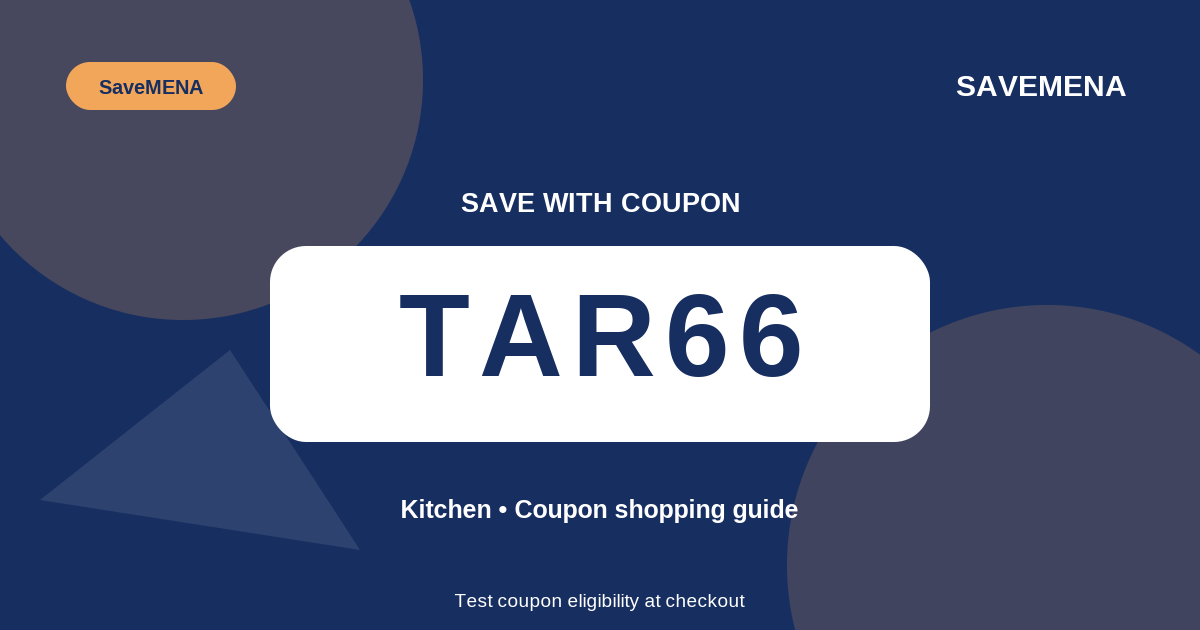
Codes available to try while comparing
These codes are not guaranteed for the article topic or listed brands; test them at checkout and use the live result.
Noon UAE Total with Delivery: Kitchen Delivery and Fees Demystified
When you first add a kitchen appliance to your Noon cart, the platform shows the base price and a provisional subtotal. From there, additional charges such as delivery fees, taxes, and any applicable handling costs are appended. The final figure displayed at the top says “Total,” but it’s still a provisional sum until you reach checkout. At that point, Noon will request final verification from you, often asking for confirmation about selected delivery slots, payment method, and any coupon to apply.
Because the cost of delivery varies with distance, product size, and time of day, shoppers might see a price fluctuation even before paying. Knowing that the final amount may change if you select a different slot or shop during a peak period (e.g., weekend or holiday), helps you plan better. Your best bet is to check the cart totals after each change; if the total jumps, that’s likely a new delivery fee or additional handling cost added to your order.
Building the Kitchen Cart: Optimal Item Selection and Bulk Savings
Your first step is choosing items that meet your cooking needs, whether that’s a blender, rice cooker, or cookware set. For each product, review the seller’s profile, item details, and any shipping notes concerning compatibility with local delivery services. For kitchen items, certain bulk packages can lower delivery fees because shipping costs are calculated per kilogram or per item; combining several items in one order can reduce the per‑item fee, so “buy more, pay less” is a viable strategy.
Do not ignore the standard “delivery fee” mentioned beneath each product. It’s usually a fixed amount, but for oversized or heavy items it can be higher. Consolidating purchases that share the same delivery fee can help spread the cost. Remember, the more products you add, the higher the chance for a discount via coupon, but only if the coupon code is valid for the cart total and the involved items.
Delivery Charges: Key Determinants and Best‑Practice Tips
Delivery charges on Noon are influenced by several factors: distance from the distribution center, volume of the parcel, and requested delivery window. For kitchen appliances, whose dimensions may exceed standard thresholds, vendors often bill a higher “premium delivery” fee. You can ascertain whether the fee is flat or variable by checking product specifications; under “Delivery & Policy”, the fee amount appears as a separate line.
To keep fees manageable, shop during quieter periods – the late afternoon or early morning – when the platform may offer reduced rates. Additionally, opting for shared deliveries (e.g., during a promotional “Saturday Delivery” event) may lower the cost. ALWAYS double‑check the fee at the final checkout; changes in period or seller may switch the fee type.
Hidden Fees That Can Tumble Your Total: Taxes, Handling, and Service Charges
Beyond the visible delivery fee, Noon may attach taxes, customs duties or a handling fee; these usually appear only during checkout. For kitchen products that are classified as “home appliances,” customs duties must be calculated at the time of shipment, and these charges are directly reflected in the order finalization screen.
Handling fees are added when the seller needs extra packaging or special transportation for fragile items. This fee is part of the “service charge” line. If you notice a sudden jump in your total at checkout, consider that these items can change with each seller, so anticipate a variable addition that will only become clear after selecting payment method and confirming delivery.
Applying TAR66 Coupon: How to Lower Your Kitchen Shopping Total
When you have the coupon code TAR66 ready, navigate to the “Apply Coupon” field on the checkout screen. Input the code and watch for the discount to appear under the subtotal. Keep in mind that the coupon will only reduce the final payable total if it meets the minimum buy‑in, if the items in your cart are eligible, and if it applies to the category you are buying (kitchen appliances).
The discount will reflect in a separate line labeled “Coupon Discount.” It will not alter the delivery fee; regardless of how much the coupon lowers the item price, the shipping or handling fees stay constant unless another promotional mechanism applies. So, while using TAR66 can help reduce the overall value, you’ll still have to pay the full delivery and any other charges presented at the final step.
Choosing a Delivery Slot: Balancing Cost, Time, and Convenience
Selecting the delivery slot can affect both the convenience and cost. Noon offers standard slots (e.g., 12-2 pm) that may have a small opex fee, and same‑day or fast‑track slots that could incur a higher surcharge. For bulky kitchen items, you might need a “signature required” slot; sometimes this adds a small fee to ensure the delivery’s safety. Verify whether your chosen time has a surcharge before clicking the “Confirm” button.
When you use a particular delivery window, always review the final ticket before payment. If the chosen slot changes after you input the coupon, Noon may recalculate the fee or even enforce a different handling requirement. That’s why the most accurate fee snapshot appears only after you hit “Proceed to Checkout.”
Checkout Dissection: The Final “Total” and What to Examine
Once you arrive at the checkout, the “Noon UAE total with delivery Kitchen delivery and fees” becomes a transparent list: item prices, subtotal, tax, handling, delivery fee, coupon discount, and any other fees. This is your full audit trail. Inspect each line to ensure no hidden cost appears when you scroll down the page. Remember that the final total will reflect what you actually pay after all adjustments.
Confirm your delivery address, payment method, and any special instructions. If you’re noticing an unexpected charge, reach out through the “Customer Support” chat to clarify. This can help avoid disputes after the order has been physically dispatched.
Final Tips: Avoiding Surprises and Maximizing Savings
Never rely solely on the cart total displayed before checkout; always validate that the number matches the final total once the payment is confirmed. Charge variations are common, especially for high‑value kitchen appliances that trigger extra handling or shipping rates. So institutionalize a habit: before hitting “Place Order,” glance at the Breakdown section and double‑check every line item.
Also, store the barcode or receipt number for future reference. Some sellers permit returns or adjustments only within a certain window, and having the total number on hand speeds that process. In sum, staying vigilant, verifying the total, and understanding how the delivery fee, handling costs, and coupon interaction influence the final amount will help you shop confidently in the UAE’s kitchen market.
Related SaveMENA pages
Related articles
Official sources to check
Frequently asked questions
How can I be sure the courier won’t add extra fees after checkout?
You will see the complete list of all fees at the final checkout screen before confirming payment. If you notice any new charges after placing the order, contact Noon support right away for clarification.
Does using the TAR66 coupon affect the delivery cost?
Coupon discounts only apply to the price of the items. Delivery fees, handling charges, and taxes remain unchanged after you apply the coupon.
What if I choose a faster delivery slot?
Some same‑day or express slots may include a surcharge, visible in the fee breakdown before you complete the order. Review that line before confirming.
Is it possible to have countries‑specific taxes added during shipping?
Customs duties and import taxes, if applicable, are calculated at the time of shipment and will appear on the final total at checkout. They are not included when you first add items to the cart.