Philips Kitchen on Noon UAE: delivery fees — delivery-inclusive price · TAR64
In online kitchens across the UAE, many purchasers wonder how Noon UAE total with delivery Kitchen Philips delivery and fees influence their final bill.
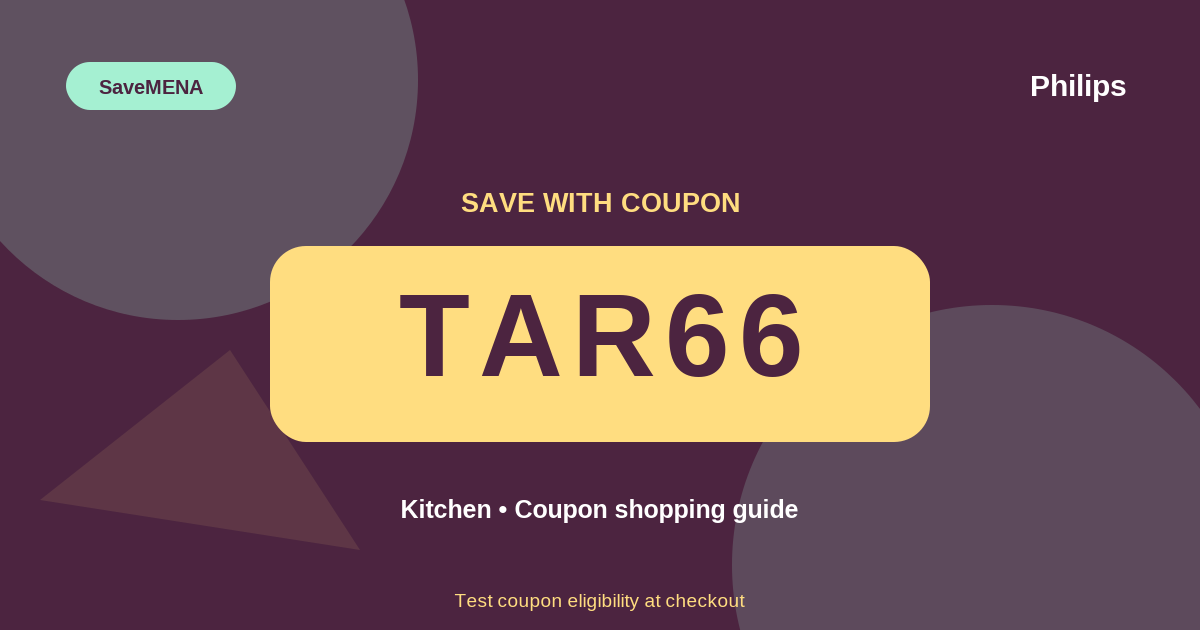
Codes available to try while comparing
These codes are not guaranteed for the article topic or listed brands; test them at checkout and use the live result.
1. Understanding Noon UAE Total with Delivery: A Guide for Kitchen Shoppers
When you add a Philips kitchen appliance to your cart on Noon, the screen first shows the product price. Below this, a separate field lists the delivery fee that will be applied once you proceed to payment. This fee can vary depending on the vendor, the stock location, and the distance to your delivery address. In most cases, the checkout page also displays any potential handling or environmental fees that could be added; these are usually visible before you commit to the order.
Before you confirm the purchase, scroll to the bottom of the checkout page to view the cumulative total. That figure will reflect the product price plus the delivery charge, any processing or service fees, and taxes. Notably, coupons or promotional codes are entered after the total is displayed, so you can see exactly how much you’re paying before the discount is applied. Reviewing this breakdown every time you buy a kitchen item prepares you to compare different products or vendors more accurately.
2. How Delivery Fees Impact Your Kitchen Order
Delivery fees on Noon can differ from one vendor to another. For kitchen appliances, which can be heavier or larger, some sellers may include their own delivery levy or offer free shipping past a certain cart value. If a vendor lists a delivery cost, you’ll see it coupled with the product’s price, so the individual price is not distorted, but the combined cost will reflect that added expense. Understanding this distinction is key to evaluating the true cost of a Philips appliance versus a generic model.
In addition to the standard delivery charge, check whether the vendor imposes a separate packaging or handling fee. Especially for large kitchen gear, some sellers add a small fee to cover safety packaging. These extra payments are typically grouped with the delivery fee on the order summary. By pulling out each fee in the checkout confirmation, you can gauge whether a free‑shipping threshold is worth aiming for with your Philips order.
3. Fees Specific to Philips Kitchen Appliances
Philips appliances are often sold by specialized kitchen vendors on Noon, meaning the vendor’s own fee structure applies. Some Philips retailers include a complimentary delivery fee for selected products, while others charge a flat rate regardless of purchase size. The vendor’s regional location can influence the final fee; items stocked locally usually have lower delivery costs than those shipped from distant warehouses.
Additionally, Philips stores may apply a small incentive fee for premium models. This fee can appear in the order summary on checkout, sometimes tagged as a “special service charge.” Because this fee is vendor‑specific, you should note it in the receipt before confirming the purchase. In many cases, this fee balances lower base prices and helps maintain high service standards for exclusive kitchen devices.
4. Calculating the Real Cost of Your Philips Kitchen Cart
Before finalizing a Philips kitchen product, pull up the “View Summary” section on the checkout page. There you’ll find the naked product price, the listed delivery fee, and any ancillary charges. Summing these gives the amount on the next screen, usually labeled “Total before promotion.” This is the raw figure you will pay after any coupon code is applied.
If you add multiple Philips items, each product will bring its own delivery charge or potential bundling discount. Some vendors aggregate shipping fees for multiple stops, while others apply a separate fee for each item. Comparing the aggregated total with separate orders will reveal which configuration offers the best overall cost for your kitchen gear. Keeping the calculator handy during the process lets you see how shifting items between vendors changes the final figure.
5. Using the TAR64 Coupon: What to Expect
The TAR64 coupon is one of the few promotional codes you can try at checkout. Enter it in the designated field, and the system will check eligibility against the current cart. If the code applies, the system will deduct whatever discount it offers from the “Total before promotion” line and update the final payable amount. This process is built into the checkout flow, so the discount appears automatically in the final total.
Be mindful that the coupon’s applicability can depend on vendor, product category, and your current total. For Philips kitchen items, the discount may or may not activate; the checkout confirmation will alert you if the code is invalid for your cart.A coupon is not guaranteed; verify its result at the retailer checkout.
6. Choosing the Right Payment Method to Manage Fees
On Noon, different payment methods can add or waive extra fees. For instance, a credit‑card transaction may involve a processing charge that is automatically included in the final amount. Cash‑on‑delivery options sometimes have a small surcharge you’ll see on the receipt. When using a digital wallet or store credit, the vendor typically does not tack on extra fees, but the order summary will state it upfront.
To avoid surprises, explore the payment options provided at the checkout stage. If the delivery fee is already high, choosing a payment method without a surcharge can reduce the final cost. The order summary will show the impact of each payment option on the total, allowing you to choose the most economical route to your Philips kitchen appliance.
7. Tracking Your Order: Seeing the Final Total in Real Time
After confirming your purchase, you’ll receive an order summary via email or app notification. This summary restates the final total you paid, including the product price, delivery fees, and any promotions. If you opted for a Vas or special payment service, that summary also notes the associated surcharge. These receipts are the definitive record of the cost you committed to.
If you suspect a discrepancy between what you paid and what you see on your account statement, most e‑commerce platforms, including Noon, allow you to download the receipt or contact support for clarification. Because fees can be dynamic—such as changes to delivery rates due to weather or logistics constraints—the receipt helps verify that the charges applied were consistent with what was shown at checkout.
8. Making the Most of Your Philips Kitchen Purchase on Noon UAE
Shop smart by comparing the total cost across different vendors before finalizing. Pay close attention to the breakdown of delivery and handling fees, as these often differ between sellers. If a vendor’s total + fees exceed another’s for a similar Philips appliance, you might find a better overall value elsewhere. Remember to apply the TAR64 coupon where applicable, and double‑check that the final total reflects any discount you expect.
Finally, keep your order receipts handy and review the final total against your budget. With careful attention to delivery charges, ancillary fees, and payment‑method surcharges, you can confidently purchase Philips kitchen gadgets on Noon UAE without hidden costs or budget surprises. By making the total cost explicit at checkout, the shopping experience becomes transparent and rewarding for every kitchen enthusiast in the UAE. Knowledge of the fee structure turns a simple transaction into an optimized, cost‑effective investment in your home.
Related SaveMENA pages
Related articles
Official sources to check
Frequently asked questions
How do I check which delivery fee applies to my Philips kitchen order?
On Noon, the delivery fee is displayed in the cart summary before you proceed to checkout. During checkout, the page also shows any additional handling or packaging fees so you can see the exact fee that will be added to your Philips appliance price.
Will the TAR64 coupon always reduce the final price?
The TAR64 coupon may or may not apply depending on the vendor, product category, or purchase amount. After entering the code, the system will automatically update the final total if the coupon is valid for your Philips kitchen items.
Does my payment method affect delivery or processing fees?
Yes. Some payment methods, like credit cards or cash on delivery, can have additional processing charges that appear in the final total. Digital wallet or store credit transactions often do not add extra fees.
Can delivery fees change after I place my order?
No. Once you place your order and confirm the final total, the fees are locked. If any changes occur, they would be reflected in a new order summary or notified by customer support.