ASUS Laptops on Noon UAE: delivery fees — delivery-inclusive price · TAR64
Delivery and fees are the primary factors that shape the final total when ordering an ASUS laptop on Noon UAE.
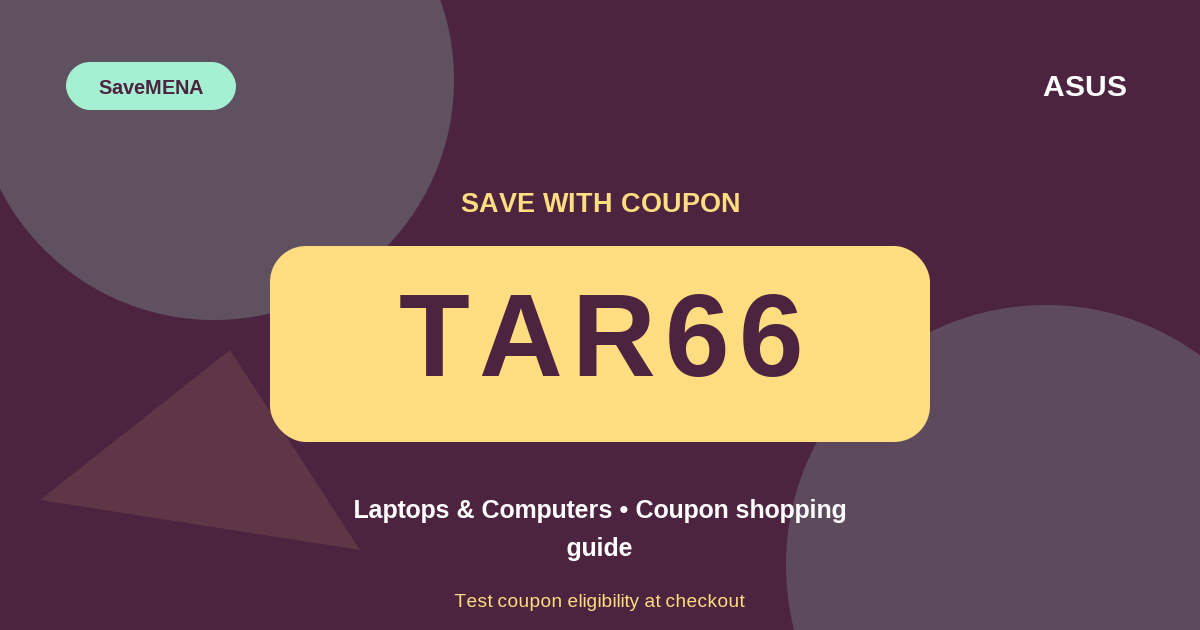
Codes available to try while comparing
These codes are not guaranteed for the article topic or listed brands; test them at checkout and use the live result.
1. How Delivery Fees Shape Your Noon UAE Total
When you add an ASUS laptop to your cart on Noon, the first line item you see is the product’s base price. Beneath that, a separate “Delivery & Handling” fee appears, which can range widely based on the seller, the chosen delivery speed, and your location within the UAE. For a customer living in Dubai, the fee might be lower than for someone in a remote area, yet both could still be higher if the seller offers a premium express option. Crucially, this fee is fixed per order and is added after any discount from a coupon, so understanding its placement in the price calculation is key. In other words, your final amount equals the product price plus delivery charges minus any applied coupon value.
Because Noon separates the delivery fee from the product price, each time you add a new item that triggers a different seller or shipping category, the overall fee can shift. If you’re buying multiple laptops or accessories from different sellers, each may bring its own fee, which cumulates in the cart. This stacking effect means the total payable amount tends to increase unevenly, making it impossible to predict a single “delivery fee” until you reach the checkout page. Therefore, shoppers should audit the cart at every step, noting that some sellers may waive fees for bulk orders or membership perks, while others impose flat or percentage-based charges.
2. Base Prices of ASUS Laptops on Noon UAE
The ASUS lineup on Noon offers everything from ultra-portable ZenBook series to powerful ROG gaming rigs. Each model’s baseline price varies based on specifications such as CPU, RAM, storage, and graphics capability. For example, a standard 15‑inch laptop with an Intel i5 processor sits at a different tag than a ProBook the coupon code at professionals. The price you see on Noon is the full retail price before any applied coupon, and it is displayed prominently each time you view the product page. Knowing the exact base price helps you calculate the contribution of the delivery fee to the final total.
In addition to the base price, some ASUS models may include bundled software or accessories that also influence the cost. These add-ons typically show up as separate items in the cart, each with its own delivery fee if sold by a different vendor. Consequently, shoppers should review each line item, verifying whether the seller offers free shipping or charges extra. Some ASUS laptops are sold by Noon directly and thus often come with lower overall fees compared to third‑party vendors, but this is not guaranteed across all variants. Ultimately, the clearer you are about the product’s base price, the easier it becomes to spot how the delivery fee compounds the total cost.
3. Computing the Noon UAE Total with Delivery
To estimate your final payable amount, start by adding the base price of the ASUS laptop to any additional accessories or warranties you choose. Next, locate the “Delivery & Handling” line items in your cart. These figures will be summed up and appended to the product subtotal. No matter how many items you add, the delivery fee is calculated per seller and not per product; however, buying multiple items from the same seller can sometimes reduce the cumulative fee if the seller offers free shipping thresholds.
After establishing the subtotal (product price + delivery fees), apply any coupon code at the checkout field. The TAR64 code, when entered, reflects a direct discount that is taken from this subtotal. Because Noon applies coupon discounts after delivery fees, the order of operations matters: the delivery fee remains intact until the final deduction; only the remaining subtotal is reduced by the coupon value. This means that the fee’s presence can lessen the effective savings from the coupon, because you are subtracting the discount from a higher figure that includes fees. The final line in the checkout will show the payable total, which you should verify before confirming the purchase.
4. How Delivery Fees Vary by Region and Seller
One of the most influential variables affecting delivery fees on Noon UAE is your address. Shipping to major cities such as Abu Dhabi or Dubai generally commands lower fees than remote emirates or rural zones, due to shorter delivery routes and higher vendor density. Noon displays a predicted delivery cost at the cart level based on the chosen shipping address, giving you an immediate sense of whether the fee is high or low for your location.
Seller policies are another major driver. Noon’s platform hosts both Noon‑owned warehouses and independent merchants. Some vendors are contractually obligated to provide free or discounted shipping on certain products, while others impose flat rates or even a percentage of the product price. Whenever you select an ASUS laptop listed by a third‑party seller, read the seller’s shipping section on the product page; it will state whether free delivery is available or if a fee will apply. Often, large brand authors like ASUS partner with Noon for official sale channels that include reduced delivery charges, but verifying this at the product page is critical before proceeding to checkout.
5. Using the TAR64 Coupon on ASUS Laptops
The TAR64 coupon is a promotional code that can be entered during the Noon checkout process. While the exact discount the code offers can vary, the key point for shoppers is that it can be applied to ASUS laptop orders. To use it, simply find the “Coupon Code” entry box in the cart or checkout flow, type TAR64, and click “Apply.” If the code is accepted, the discount will be deducted from the subtotal after delivery fees.
Because the coupon is applied after the delivery charges have been added, you should be aware that the observed savings might look smaller than expected compared to a scenario where the fee was waived. For instance, if you pay the amount shown at checkout in delivery and receive a the amount shown at checkout discount from the coupon, the net reduction to your final bill is only the amount shown at checkout, not 250. Therefore, it is crucial to check how the code affects your total in the “Order Summary” section before finalizing the purchase. Always confirm that the code is accepted and reflect the exact negative amount shown in the summary, rather than relying on pre‑checkout estimates.
6. Timing Your Purchase for Best Delivery Rates
Noon periodically modifies its delivery policies, especially during peak shopping seasons. For example, during special nationwide sales or festive promotions, the platform may introduce free shipping thresholds or reduce delivery fees temporarily. Paying close attention to the timing of your purchase can therefore help you lock in a lower final total.
Additionally, some sellers offer exclusive promotions that combine free delivery with bulk order thresholds. If you plan to buy multiple ASUS laptops or accessories simultaneously, look for bundle offers that waive per‑item delivery charges. Keep in mind that Noon’s “Buy One Get One” or “Lowest price” policies sometimes include delivery perks. When you’re ready to check out, review the delivery options presented, and if a lower tier of shipping is available for the same price, consider opting for it to reduce the overall fee. Always re‑evaluate the cart at each step to capture any new delivery rates that may appear as you add or remove items.
7. Verifying Fees at Checkout: Practical Checklist
Before you hit the “Confirm Order” button, scroll through the checkout page to confirm every figure displayed. Check the “Product Total” line for the sum of ASUS laptop and accessory costs, the “Delivery & Handling” line for the exact fee, and the “Coupon” section to confirm the amount subtracted. Make sure the final “Payable Total” matches your expectations. If any number seems out of place, click on the individual line items to see detailed calculations or revise your cart.
Also, review the seller information near the top of the checkout page. This section lists the vendor’s name, shipping policy, and estimated delivery window. Ensuring you are purchasing from a seller with a favorable shipping rate can save you money. If the fee is unexpectedly high, consider removing an item or selecting a different seller. Finally, don’t assume that a price displayed on the product page accurately predicts the final cost; shipping fees are added after the fact, so confirm them every time you proceed to checkout.
8. Making the Decision: Value vs Fees
When deciding whether to purchase an ASUS laptop on Noon UAE, weigh the product’s intrinsic value against the net cost after delivery and coupon application. If a high‑performance model with an expensive base price still yields a favorable overall total once the delivery fee and TAR64 discount are considered, the decision leans toward purchase. Conversely, if the delivery fee significantly erodes savings, even a technically superior laptop may not justify the spend.
Use the data gathered at checkout to compare alternative buying routes, such as other e‑commerce sites or physical stores, which might offer different fee structures or free delivery options. Often, local electronics retailers waive shipping altogether, but may charge a higher in‑store price. Weigh these factors carefully: the cheapest product on paper may not be the cheapest when all costs included. If you find that the fees on Noon UAE outweigh the benefits, you could explore additional promotions or wait for a sale that offers lower delivery rates, ensuring you get the best overall deal.
Related SaveMENA pages
Related articles
Official sources to check
Frequently asked questions
How does Noon's delivery fee affect the coupon discount?
Delivery fees are added before coupons are applied. Thus, the discount from a code like TAR64 will reduce the subtotal that already includes delivery costs. The final payable total is calculated as base price + delivery fee – coupon discount.
Can I combine free delivery offers with the TAR64 coupon?
Yes, if you qualify for free delivery from the seller or Noon’s promotion, the coupon will still be applicable. The discount will subtract from the base price alone, not from the delivery fee, since the fee is zero in that case.
Will the TAR64 code be valid for all ASUS laptop models?
While the code can generally be entered for ASUS laptops, its effectiveness depends on Noon’s current promotions. The code’s acceptance and the discount amount must be verified during checkout; if it isn’t applicable, the system will alert you.
Do I need to pay extra for delivery if I buy multiple ASUS laptops from different sellers?
Delivery is calculated per seller. If you’re ordering from different sellers, each will have its own charging structure, and the fees will sum to reflect those differences. Confirm each fee on the cart page before checkout.