Dell Computer Accessories on Noon UAE: model specifications — · TAR73
When searching for Dell computer accessories on Noon, shoppers often wonder how delivery costs and seller fees will influence the final amount they pay.
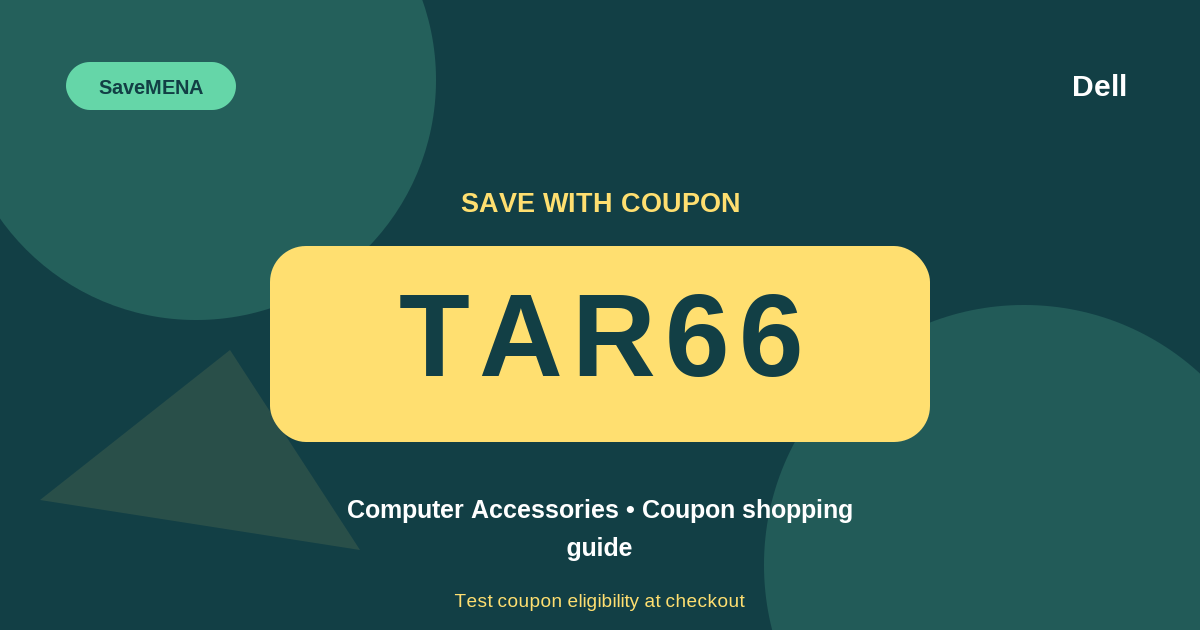
Codes available to try while comparing
These codes are not guaranteed for the article topic or listed brands; test them at checkout and use the live result.
Knowing Your Dell Model and Specs: Why the Right Fit Matters
The first decision you face is selecting a Dell model that aligns with your performance needs. Dell’s range spans from high‑end gaming keyboards to ergonomic mice, each with distinct specifications such as DPI settings, connectivity options, and back‑lighting levels. It is crucial to read the product description for each model, noting any firmware updates, compatibility requirements, or included software that may influence your choice. This fundamental step ensures that you’re not simply buying an accessory for the sake of brand; you’re investing in a piece that will serve your workflow or gaming experience the way you intend.
Once you’ve confirmed the specifications you need, use the “Compare” feature on Noon to evaluate different Dell accessories side‑by‑side. Pay close attention to how the models differ in build quality, supported standards (e.g., USB‑C vs. USB‑A), and battery life for wireless options. By comparing features before you hit “add to cart,” you’ll prevent the later need to reorder or return items because they don’t meet your requirements, which could lead to hidden handling fees at checkout.
Decoding Noon’s Delivery Options for Computer Accessories
Noon offers a variety of delivery selections tailored to the type of product and the shopper’s urgency. Broadly, the platform presents options such as standard shipping, expedited delivery, and in‑store pickup or pickup from partner warehouses. The chosen method directly influences the total displayed during checkout, and sometimes the calculation is applied only after you’re ready to finalize the purchase. Energy users in the UAE appreciate the convenience of same‑day delivery for essential accessories, but it typically carries a premium over standard resh.
To accurately gauge how a specific delivery choice will affect your Noon UAE total, you can preview the “Shipping” section before adding the item to the cart. Different sellers may also list their own delivery policies, which can include free shipping thresholds or mandatory local pickup. Since the total changes when you select a delivery method, it’s advisable to test each option in real time during checkout, especially if the price difference could change your budget allocation for the accessory itself.
The Role of Seller Fees in the Final Total
Noon aggregates products from multiple sellers, each of whom may charge a seller fee separate from the product price. These fees appear as a distinct line item during checkout, and they vary based on the seller’s logistical arrangements, handling charges, or special promotions. If a Dell accessory is sold by a Dell‑authorized seller, prices and fees might be transparent. However, third‑party vendors may add additional handling or service costs that only become visible at the final step.
Because seller fees are not always disclosed until the last moment of the transaction, savvy shoppers should keep an eye on the “Review Order” section. It offers visibility into every charge—including potential customs duties for imported items, though these might not apply to locally sold Dell accessories. By noting the seller’s postcode and reputation rating on Noon, you can estimate the likelihood of extra fees and decide whether to settle with a higher‑priced but lower‑fee seller or vice versa.
How to Apply the TAR73 Coupon and Its Real‑World Impact
Noon occasionally assigns coupon codes that can be entered at the point of checkout. The TAR73 code is offered as a coupon you can try, but its specific discount value is not guaranteed. The impact of applying it will show as a separate deduction on the payment summary page, which will then adjust your final payable total accordingly. The ease of applying the coupon is usually straightforward: you enter the code into the promo‑code box before completing payment.
Since the coupon’s effect depends on the order total, applicable categories, and any minimum spend conditions that Noon may enforce, it is essential to verify the real‑world savings only after you’ve selected the delivery option and confirmed all fees. Without knowing the exact discount amount, you may need to re‑calculate your final total manually if you anticipate a threshold-based benefit.
Comparing Dell Models on Noon: Features vs Price
When the lead is on the specific Dell accessory rather than price alone, you should align the model’s specifications with your usage scenario. Category‑filtered listings on Noon allow you to set parameters such as RGB lighting, connectivity, and weight class. Checking customer reviews on each Dell product can also provide insight into durability and performance in real‑world settings, which may mitigate potential post‑purchase returns that could add unforeseen costs.
To accurately contrast price and features, note the product’s listed value for each specification, often highlighted in a bullet list. Some Dell accessories come with manufacturer’s software or optional accessories like mouse grips; if these cost extra, you will see them as separate line items in the cart. This approach ensures transparency and helps you make a truly informed decision before any delivery or fee stampings occur.
Managing Expectations: Variations in Total Due to Delivery and Fees
The Noon UAE total is a composite of product cost, delivery charges, seller fees, and any applied promotion. Because the order of calculations can differ—sometimes fees being applied before delivery—you should anticipate warning flags in the review screen that reflect any sudden jumps in the subtotal. Variation is normal, especially when switching between standard and expedited shipping, or when adding additional accessories that trigger service fees.
Meanwhile, if you reserve multiple Dell products, Noon may batch certain fees or apply tiered shipping, which can reduce overall cost. Inspect the detailed cost breakdown for each item, and keep an eye on the order summary to catch any “additional charges” that will push the final number higher. The accuracy of details at checkout is the most reliable way to avoid post‑payment surprises.
Practical Tips for Order Confirmation and Checkout Transparency
After selecting the desired Dell accessory and confirming delivery preferences, review the payment screen carefully. The subtotal will reflect product price inclusive of any seller charges, while the shipping segment will show the chosen option’s fee. An app‑only notice might also appear, indicating that a particular coupon or discount is valid solely via the Noon app, which could restrict the TAR73 code usage.
If the final number appears inconsistent with your expectations, a common practice is to clear your cart, restart the process with a single item, and watch each step incrementally. Once you’re satisfied with the clear breakdown, complete the payment. Keep the order confirmation email as a receipt of the exact charges applied, including the “VAT,” “seller fee,” and the resulting total.
Final Thoughts: Adding Dell Accessories to Your UAE Tech Arsenal
Selecting the correct Dell model by carefully reviewing specifications and understanding how delivery nuances influence the Noon UAE total is vital for a smooth purchase. You’ll be better positioned to balance convenience with cost by validating delivery methods, seller fees, and coupon applications on the checkout page. Adopting a systematic approach ensures that the final amount you pay reflects the accessory’s true value without hidden surprises.
Now that you know the links between model choice, shipping, seller fees, and coupon usage, you can confidently navigate Noon’s marketplace to secure Dell computer accessories that fit both your technical needs and your budget. Delight in the confidence that you’ve unraveled the delivery dynamics, and leave the rest of your tech purchasing to the shine of your new Dell gear.
Related SaveMENA pages
Related articles
Official sources to check
Frequently asked questions
What does the Noon UAE total include when I add a Dell accessory to my cart?
The final amount displays the item’s price plus any seller handling fee, delivery charge for the selected shipping method, and any applicable discount after the coupon is applied before payment is processed.
Will the TAR73 coupon reduce my delivery or seller fees?
The coupon only applies to the product’s listed price; it does not directly alter delivery or seller fee amounts. Its impact will show as a discount on the subtotal before the final total is calculated.
Can I get a breakdown of fees before I complete my purchase?
Yes, Noon provides a detailed order summary on the checkout page where each fee—product cost, seller handling, delivery, and discount—are displayed separately for transparency.
Do Dell accessories sold on Noon have guaranteed free shipping?
Free shipping might be offered for certain Dell items or when crossing a minimum spend threshold. Verify the shipping policy in the product listing or during checkout, as it may vary by seller.