Logitech Gaming on Noon UAE: model specifications — delivery-inclusive price · TAR73
When you’re excited to add a new gaming peripheral to your setup, the headline price is only one piece of the puzzle.
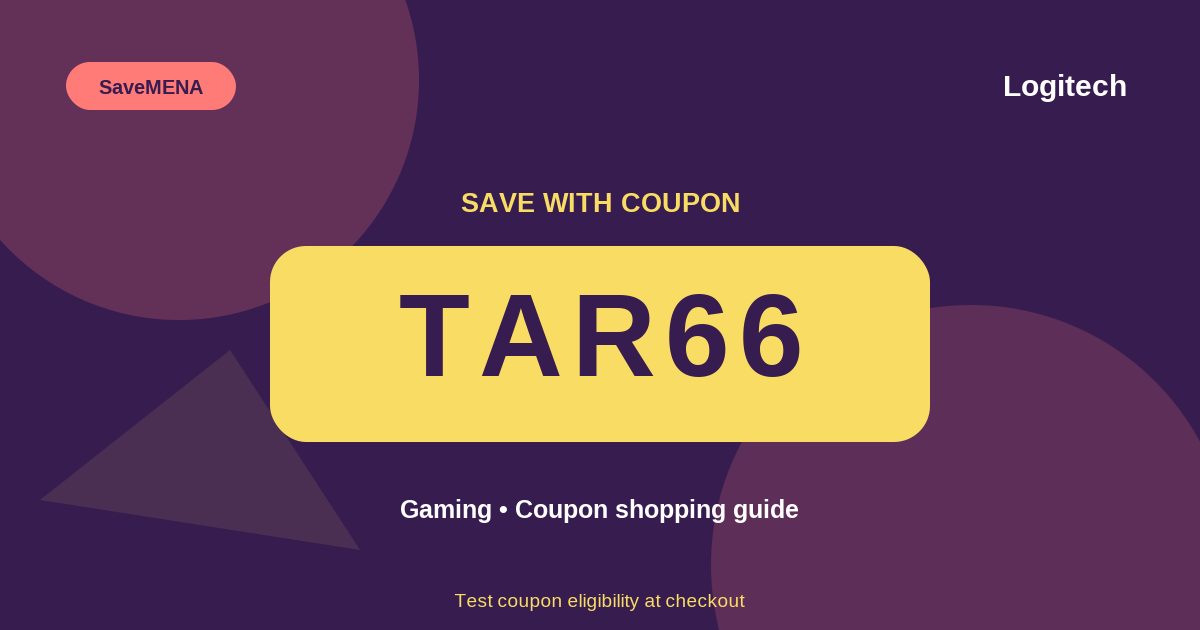
Codes available to try while comparing
These codes are not guaranteed for the article topic or listed brands; test them at checkout and use the live result.
Understanding the Model Landscape: Pick the Right Logitech Gaming Mouse
Logitech offers a diverse range of gaming mice, from entry‑level models like the G502 Hero to high‑end options such as the G Pro Wireless. When you sift through Noon’s listings, look for the model number (e.g., G502 HERO, G Pro Wireless) and the key specs that matter most – DPI range, sensor type, weight, button layout, and battery life. These details determine how the device will perform in your preferred games, so start with a clear idea of what features are non‑negotiable for your play style.
Verification at checkout is essential: some variants may appear under different templates (with color or accessory bundles). Make sure the listed specifications match the fine print on the product page. If the model’s details change—such as an extra programmable button or a new sensor—this could affect both price and final totals once delivery comes into play.
Weighting Specs Against Price: Balancing Performance and Value
Logitech’s high‑performance mice tend to be priced higher, but they can offer incremental jitter reduction and enhanced ergonomics. Compare the optical sensor (like HERO 25K or HERO 16K), adjustable weight packs, and the type of RGB lighting. A lightweight wireless model may cost more initially but save you on battery replacements or charging accessories. Reflect on your gaming strategy: intense multiplayer sessions demand precision, whereas casual play may not.
When you check out, hover over the “Technical Specs” section for each listing. Note any additional software support or firmware updates, which could influence future functionality. If a variant’s price seems out of line with its specs, double‑check for special editions or bundled items that might explain the difference before deciding on final total inclusion.
Package Size and Delivery Distance: What Drives Courier Costs?
Noon’s delivery fee structure often depends on package size and the distance to the delivery hub. A lightweight mouse may carry a nominal fee, whereas larger bundles or those shipped from overseas may incur higher charges. This fee can sometimes be waived if you cross a minimum spend threshold—verify whether the policy applies to gaming peripherals or only general merchandise.
See the “Shipping Policies” tab on the product’s details page for a breakdown of any per‑item delivery cost. During checkout, the total will update automatically to reflect the chosen delivery option (standard, express, or pickup). Keep an eye out for any “Fast Delivery” toggles, as they might push the fee up but shorten wait times, which could be worth the cost depending on your schedule.
Cash on Delivery vs. Online Payment: How Fees Vary
Choosing a payment method on Noon can subtly alter the final sum. Some sellers add a small surcharge to cash-on-delivery (COD) orders to cover terminal processing fees, and this lives in the final checkout total. If you prefer COD for security or convenience, compare that figure with the treatment for e‑wallet or credit card payment options.
On the last step before confirming your order, note the “Payment Method” section and the associated fee adjustments. If the pricing increases for COD, factor that into the “Noon UAE total with delivery” calculation. If you’re uncertain, toggle the payment method to see the total change; this knits clarity into your final decision.
Utilizing Coupons: Where (and When) TAR73 Applies
Only the voucher code TAR73 is available in this context; it can be entered during checkout to potentially reduce the subtotal or total. Since coupon application rules can vary by seller, product category, or order size, you should test the code in the basket before confirming payment. This practical test will show you whether the discount lands on the item price, the delivery fee, or the entire bill.
Even if the total decreases, remember that the final amount payable will still include the updated delivery fee and any payment‑method surcharge. If the coupon doesn’t apply or triggers an error, be prepared to adjust your expectations for the final sum, and double‑check the code’s validity and any usage limits directly on the checkout page.
Cross‑Verifying Seller Reputation and Shipping Reliability
When calculating the final checkout total, the seller’s credibility can influence ancillary costs: some vendors offer free or discounted shipping as a loyalty perk. Wider independent sellers may also charge a package handling fee. By comparing seller ratings on Noon, you can anticipate whether the order’s shipping portion is being subsidized or included at a different rate.
During checkout, look at the “Seller Details” section. If the seller provides a “Free Shipping Threshold” but the item alone doesn’t meet it, the fee shown is the accurate figure to use when evaluating the total. Note any special shipping partners marked by icons, as they might indicate expedited logistics that could drive cost differences.
Finalizing with Legislation: VAT and Customs Duties
In the UAE, standard Value‑Added Tax (VAT) usually applies to online purchases. Noon’s checkout automatically adds the applicable VAT to the product price before shipping. This calculated tax can be seen as a line item labeled “VAT at the discount shown at checkout” or similar. Paying attention to this detail will give you a correct estimate of the turnkey cost of your Logitech mouse.
For ultra‑rare or imported models, customs duties can also apply. These duties are displayed at checkout if relevant, under a label such as “Customs Duty.” Verify that the duty rate is present and that the total accordingly reflects the new charge to fully comprehend the “Noon UAE total with delivery.”
Reviewing the Checkout Summary: The Final Truth of Your Total
The checkout screen is the definitive reference for all calculations. Here you’ll see the product price, any discount from TAR73, the distance‑based delivery fee, the payment‑type surcharge, VAT, and any customs duty. All these are summed into the final payable amount shown. This stage is non‑negotiable; once the button is pressed, the sum cannot change, unless the seller updates it before the order is processed.
Before confirming, scroll through each line item. If anything seems off—such as a delivery fee that appears higher than expected—contact Noon’s support or revisit the product listing. You can also compare different sellers or product variants that have similar specs to see which offers the most balanced final total when factoring in all fees.
Related SaveMENA pages
Related articles
Official sources to check
Frequently asked questions
How do I know which delivery option will give me the best price?
During checkout, Noon will list any delivery cost next to the shipping method. Compare the cost of standard versus express options right there, plus any mention of free shipping thresholds. The lower total in the summary will show the best price for your case.
Can I apply multiple coupons on the same order?
Noon typically allows only one coupon code per transaction. If TAR73 does not apply or you want to try another, you need to cancel the order and create a new one with a different vaccine code.
Will I be charged VAT after the checkout?
Noon includes the VAT calculation in the checkout summary, so you only pay the final displayed amount. If you ever doubt, double‑check the “VAT at the discount shown at checkout” line before confirming.
What if my selected Logitech model has a different specification than listed?
Always verify the spec table on the product page before adding to cart. At checkout, glance at the “Tech Specs” snippet to ensure they match. If mismatched, contact the seller or remove the item before proceeding.