Anker Mobile Accessories on Noon UAE: model specifications — delivery-inclusive · TAR71
The public curiosity about how delivery and fees influence the final cost when shopping for Anker mobile accessories on Noon UAE is growing.
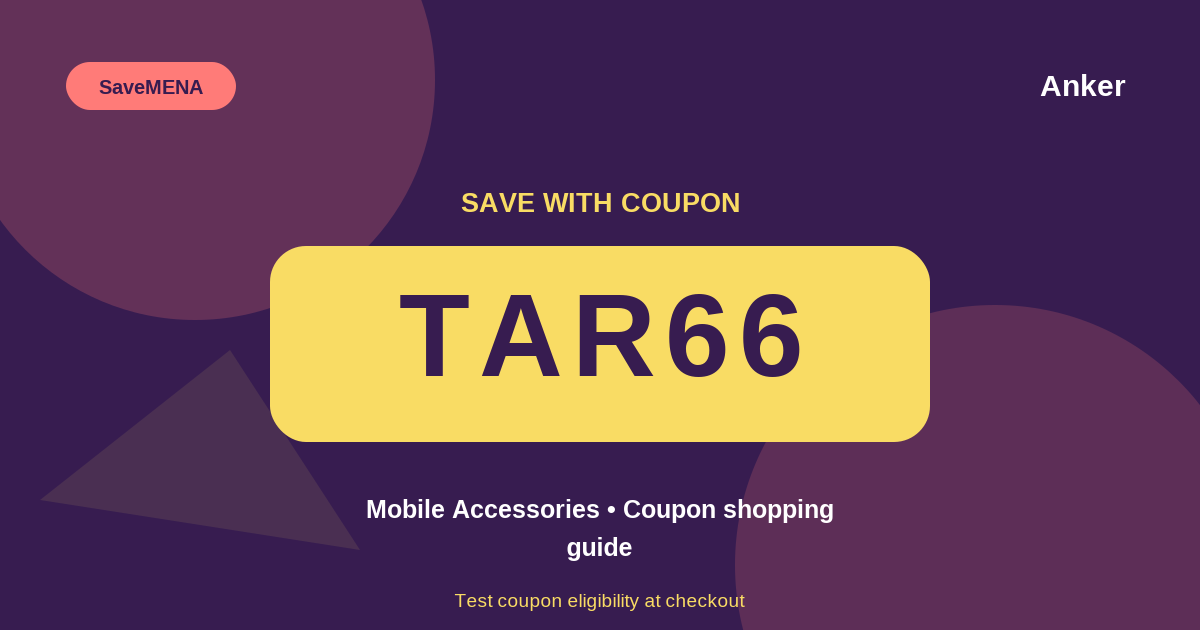
Codes available to try while comparing
These codes are not guaranteed for the article topic or listed brands; test them at checkout and use the live result.
Understanding Anker Mobile Accessories on Noon UAE
Noon’s platform hosts a range of Anker mobile accessories, from power banks to wireless chargers and cables. Each listing typically displays the product title, key specifications, and available variants. When you examine an Anker item, note the model number and any unique features—such as charging speed or battery capacity—that differentiate it from similar products. This information not only helps you compare models but also informs you whether the accessory meets your device’s requirements, which is essential before you even consider the delivery cost.
UAE shoppers should browse the mobile accessories category for Anker products, which may appear in dedicated brand filters or search results. Checking the “Specifications” section on each listing gives you a quick snapshot of technical details like chip type, power output, and connectivity standards. Making sure the information matches your needs prevents later returns or extra shipping due to wrong purchases, thereby keeping the final total on track.
Exploring Anker Models and Specifications
Anker offers several series of mobile accessories, each catering to distinct use cases. For charging solutions, the PowerCore line emphasizes portability and capacity, while the Nano series focuses on slim, high‑speed output. For cables, the M-DATA lineup delivers durability through reinforced construction. By understanding each model’s specifications, you can pick an accessory that truly fits your usage patterns without overpaying for unnecessary features, which directly impacts the main product price before delivery is added.
When comparing specifications, check battery capacity in milliampere‑hours, output voltage and current ratings, and compatibility with fast‑charging protocols. Also, consider the build material and cable length for cables or the shape and size for portable chargers. These details help you decide if a higher‑priced model offers real added value or if a more modest specification would suffice, keeping the base price—and therefore the final total—as low as possible before shipping fees.
Checking Delivery Options and Fees
Delivery information is only revealed after you add an Anker accessory to your cart. Noon UAE typically lists standard and expedited options, each influencing the final payable amount by adding or omitting a fee. Selecting a delivery method will adjust the subtotal displayed in real time, so you can see how the fee changes the overall cost with the selected Anker model.
The delivery fee can vary based on your pickup location, the weight of the accessory, and any promotional free‑shipping thresholds. It is recommended to review the “Delivery & Return” section during checkout, which always reflects the accurate fee applicable to the chosen shipping address. If the fee is waived for orders over a certain amount, verify that the cart total before applying other deductions meets that threshold to keep the final amount stable.
Applying the TAR71 Coupon Effectively
Coupon codes like TAR71 are introduced as a potential discount, though their applicability can differ from order to order. After you have verified the product and delivery fee, you may apply the coupon during checkout or in a promotional code box. The system will then decide whether the code is accepted and calculate any reduction to the final total.
It is important to note that a coupon’s effect will not alter the delivery fee or the base price of the Anker accessory; it only subtracts from the subtotal. Therefore, applying TAR71 after reviewing the delivery fee ensures you understand the exact amount being discounted and how much you’ll ultimately pay.A coupon is not guaranteed; verify its result at the retailer checkout.
Calculating the Final Noon UAE Total
At the checkout stage, Noon displays a consolidated breakdown: the selected Anker model price, applicable delivery fee, any coupon discount, and the overall total. This final figure will be the amount you agree to pay via your chosen payment method. It is the sum of the product cost, adjusted delivery charge, and reduced by whatever percentage or flat amount the coupon offers, all of which are confirmed on the screen before submission.
To ensure accuracy, scroll through the entire checkout summary and cross‑reference each line item with the values shown in your cart earlier. Pay special attention to sudden changes that might arise if the delivery address changes or if a new promotional rule applies. Once you confirm the final total matches your expectations, you can proceed to payment, giving you confidence that delivery and fees were correctly factored in.
Comparing Anker Models for Value
Value assessment goes beyond raw price; it includes specification relevance, brand reputation, and trade‑offs between performance and cost. When comparing two Anker models, begin by listing their key specs side by side—such as output capacity, charging speed, and build quality. Use this side‑by‑side approach to determine which accessory delivers the desired performance at a price that aligns with your final budget after adding delivery and potential coupon discounts.
Additionally, check warranty terms and customer reviews for each model. A model that is marginally higher in price but offers extended warranty or better durability could represent better long‑term value, which may justify a slightly higher final total. Keeping a mental or written comparison helps you prevent overspending on features you will not use, thereby maintaining a lean final cost before shipping fees.
Tips for Maximizing Savings Without Guarantee
While checkout displays the definitive fees and discounts, you can still optimize your shopping path beforehand. First, use the search bar to add multiple Anker accessories to your cart, then review the combined cart total before choosing a delivery method. This can sometimes reveal a free‑shipping threshold that applies only to multi‑item purchases.
Second, consider timing. Noon occasionally runs promotional periods or offers auto‑applied discounts that can reduce costs. However, because promotions change, it’s prudent to check the cart’s final total during checkout. If you find a discrepancy from earlier estimates, verify whether the promotion was applied correctly before confirming payment, ensuring no hidden fees emerge beyond the advertised total.
The Checkout Experience in Noon UAE
The checkout interface on Noon is designed to present all charges clearly, allowing shoppers to make final adjustments before payment. After you confirm delivery details and apply any coupon like TAR71, the system recalculates the total in real time. This shows whether the coupon has been accepted and how much it reduces the cart total, leaving the delivery fee unchanged.
Finally, confirm your payment method and any saved addresses, then submit the order. Once submitted, the phone will receive a confirmation showing the final amount paid, which matches the breakdown displayed during checkout.A coupon is not guaranteed; verify its result at the retailer checkout.
Related SaveMENA pages
Related articles
Official sources to check
Frequently asked questions
What should I verify before applying the TAR71 coupon?
A coupon is not guaranteed; verify its result at the retailer checkout. A coupon is not guaranteed; verify its result at the retailer checkout.
Can delivery fees be waived for Anker accessories?
Delivery fees on Noon UAE might be free for orders that exceed a certain amount, but the threshold varies. Check the cart total and delivery options before applying the coupon to see if free shipping applies.
Will the Anker model specifications affect the delivery fee?
The delivery fee mainly depends on the product’s size and the chosen shipping option. However, larger or heavier Anker accessories can incur higher shipping costs, so reviewing specifications helps anticipate possible fee differences.
What happens if the checkout total differs from what I saw earlier?
If the displayed total changes unexpectedly, double‑check your delivery address, chosen shipping method, and any applied coupon. The checkout page re‑calculates fees and discounts, so ensure no additional charges have appeared before confirming payment.