Guess Perfumes on Noon UAE: price changes — delivery-inclusive price
Noon UAE total with delivery Perfumes Guess rechecking after a price change: When shopping for Guess perfumes on Noon UAE, the final payable amount is shaped by
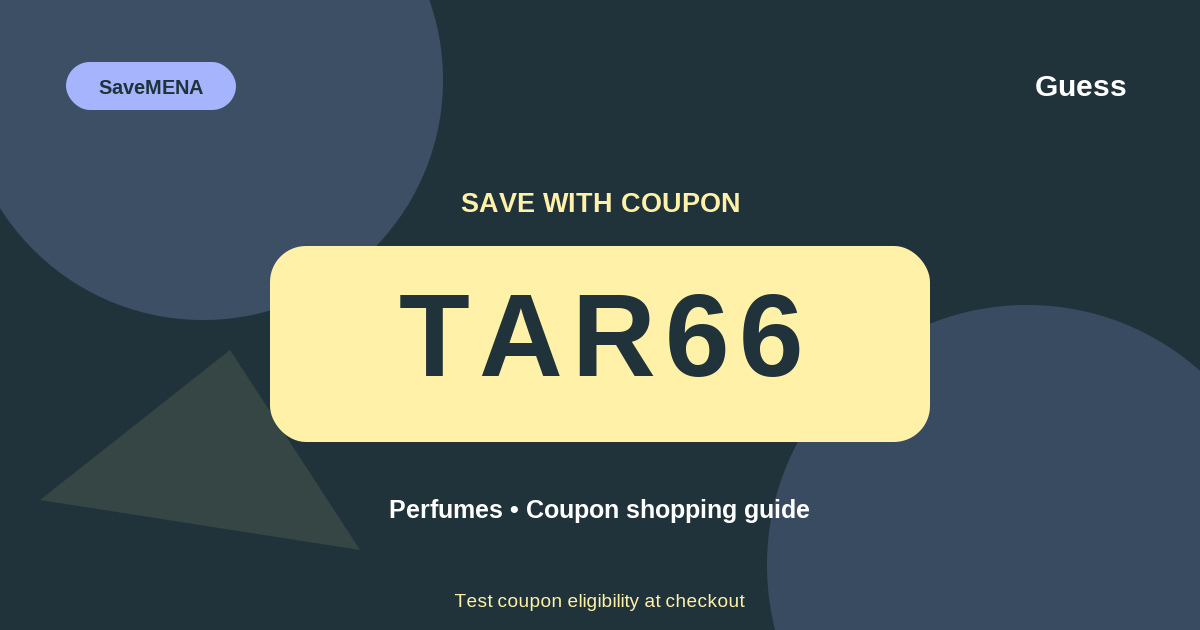
Codes available to try while comparing
These codes are not guaranteed for the article topic or listed brands; test them at checkout and use the live result.
1. Detecting Price Changes Before Adding to Cart
Once you locate the Guess perfume you desire, glance at the price tag shown in the listing. Since Noon’s interface refreshes every few minutes, a recent price drop might appear at the moment you click “Add to Cart.” Be sure to note the figure immediately, as there is no audit trail on the site to compare previous amounts. Shipping and tax calculations are calculated after you are in the cart, so any alteration at this stage will directly affect the final payable total for those items. Confirm the price by repeating the search or checking the product page again to avoid the risk of adding a higher‑priced variant inadvertently.
Another early warning signals include a visible “Price dropped” badge or a comparison bar showing the previous price. Verification at this point is key—you want the carton’s subtotal to mirror the exact amount that will carry through to the delivery fee and the final payment panel. If you suspect a typo in the displayed price, use the email or notifications from Noon to confirm that the stated price is active. Doing this ahead of time takes a minute and keeps you from investing in a bottle that will later appear pricier once it moves to the checkout screen.
2. Calculating Delivery Fees Precisely
On Noon UAE, delivery charges are added after the cart subtotal but before tax and coupons are applied. Delivery takes into account the shipment method, item weight, and destination, so the fee can vary widely across the same perfume if you choose express delivery versus standard. Because shipping costs may shift if Noon adjusts its fee structure, always double‑check the “Delivery Summary” section in the cart before proceeding. This summary lists the exact rate that will be charged for your chosen delivery option and is recalculated in real time whenever you alter quantity or switch from one seller to another.
To ensure the fee remains unchanged, lock your delivery choice by proceeding to the shipping address step without leaving the cart open. Once you hit “Continue to delivery,” Noon shows the final shipping amount and parentheses any applicable free‑delivery thresholds. Keep an eye on that figure; if you are close to the threshold, adding an inexpensive accessory could push you into a free‑delivery zone and lower your total. Therefore, asking: “Did the delivery cost remain constant after any recent price update?” is a critical checkpoint right before you head to payment.
3. Utilizing the Cart as a Dynamic Price Monitor
After a price evolution on a Guess perfume, the cart is the first place to confirm the new figure’s effect. The item line in the cart shows the current sale price, so simply scrolling to the bottom reveals the professional subtotal and any adjustments to the total. Notice that the displayed subtotal equals the price per unit multiplied by the selected quantity. If the line price shifts unexpectedly, Noon indicates the change with a “Price updated” notice. This immediate visual cue ensures you’re not paying full price by mistake.
Because the cart recalculates automatically, keep it open while you trade other items or coupons. If you see a discrepancy between what’s shown and the added free shipping threshold, update the cart quantities accordingly. Refreshing the cart page often triggers a fresh price validation, especially if the platform has recently updated discounts or bulk pricing. This step gives you a second chance to notice a price change or a difference in delivery calculation before it locks into the final payment summary.
4. Reviewing the Payment Summary for Final Totals
When you reach the payment summary on Noon UAE, you experience the culmination of all previous steps. The summary lists the cart subtotal, the chosen delivery fee, the applicable tax, and any discount from coupon codes, including whether TAR66 is accepted. A noteworthy feature is the “See details” link that expands hidden fees—such as handling charges—so you catch anything that might have slipped into the final price bin.
Do not accept the “Place Order” button until you confirm each line item matches your expectations. Cross‑reference the breakdown: the unit price of the Guess perfume, the quantity, any price adjustment notice, the delivery fee, and the total tax. A mismatch at this stage could indicate a delivery fee shift or a price rise that Noon registered after you confirmed the cart. Checking these items right before you finalize also gives you the chance to cancel or modify the order if the number does not align with your budget or if the coupon fails to apply.
5. Testing Coupon Applicability Early
TAR66 is a coupon code that shoppers can try during checkout with the Final Payment Summary. Putting the code in the “Use a coupon” field initiates a quick server check that displays whether the discount can be granted for the chosen Guess perfume and delivery option. Although the code is available for experimentation, Noon does not guarantee its validity; if the notice says the coupon does not apply, you must decide whether to add another product, drop the current perfume, or push through with the net price displayed.
Apply the code and watch the subtotal adjust in real time, particularly after any price modification on the Guess item itself. If you notice a difference in the final line after the coupon is entered, double‑check that the discount has been applied correctly and that no additional hidden fees appear. The coupon field will also show the exact amount that will be deducted from the payable total. This instant feedback is vital for shoppers who rely on the rechecking after a price update to stay within a strict budget.
6. Adjusting Quantity and Variant After Price Updates
Suppose the Guess perfume sees a one‑pound price hike due to stock changes. If you already have the item in your cart, the system will usually prompt you to confirm the new price before proceeding. At this juncture, consider adjusting the quantity: buying a single bottle might now trigger a higher unit cost, while purchasing two or more could unlock a bundle discount that Noon may automatically line up.
Switching to a different variant—like a different bottle size—can also mitigate a price increase. Calling the "Change variant" button reveals all available versions and their current prices. This allows you to re‑evaluate whether the higher price for the base fragrance is worth the extra. unction or use a different variant that might be on sale. Always confirm the new subtotal after such adjustments because delivery fees can rise if the package weight changes. Keeping an eye on the cart ensures you don’t end up paying more than expectations.
7. Monitoring Currency Conversion Factors
When Noon’s payment system consolidates totals, it may convert AED to other currencies for international sellers. If the Guess perfume is sourced from a vendor outside the UAE, subtle differences in the conversion rate may influence the final display of the total. Shipping, taxes, and discount amounts are typically still reported in AED, but the price display for the perfume unit might reflect this conversion, subtly altering the cart subtotal.
Check the “Currency” selector near the payment heading to confirm the rate applied. If you notice the final payable figure differs from what you would expect using the base AED rate, there may be a local transaction fee applied by Noon. Be sure to factor this into your total when you re‑check the price after any update, so you’re not caught off‑guard by a small but persistent surcharge.
8. Final Verification Before Confirmation
Once you have verified the price, delivery, tax, and coupon, the last safeguard is to revisit the “Place Order” pane. Open the confirmation pop‑up; this page includes the final Apex totals, a clear list of discount codes that were applied, and a document for your purchase receipt. Double‑checking the items listed—especially the unit price of the Guess perfume—ensures no last‑minute discrepancies have appeared due to Noon’s backend recalibration or a delayed shipping fee update.
If every line matches your expectations, you can safely proceed. If anything remains out of the ordinary, contact Noon’s customer support via the chat or phone options before finalizing. Always keep a screenshot or print the confirmation page to confirm that the recorded totals match your financial records. Closing with this final step upholds the rechecking mindset that is essential whenever dealing with price changes, thereby preventing anywhere from a ten‑dirham slip to a bigger surprise later on.
Related SaveMENA pages
Related articles
Official sources to check
Frequently asked questions
What happens if the TAR66 coupon does not work at checkout?
When a coupon code fails to apply, Noon will display an error notice. You can then choose to remove the perfume, add another product that satisfies the coupon’s requirements, or simply accept the current total. There is no guarantee that the code will work for every listing, so be prepared to proceed without it if necessary.
Can delivery costs change after I confirm my order?
Typically, delivery fees are locked in once you’ve entered the delivery details and moved to payment. However, sudden seller changes or logistic adjustments at Noon can trigger an update. If this happens, Noon will notify you during the payment process, allowing you to reassess before finalising.
Do I need a special account to use TAR66 on Noon?
No, any registered Noon UAE user can try the TAR66 code during checkout. There is no evidence that the coupon requires a new‑user status or specific credit card. Test the code during the final payment step to confirm its applicability.
How often do Guess perfume prices change on Noon?
Price adjustments on Noon can happen at any time, often coinciding with stock refreshes or promotional cycles. Since Noon updates listings automatically, checking the price right before you add the item to your cart is the best practice to catch any recent changes.