ASUS Laptops on Noon UAE: offer combinations — delivery-inclusive price
Before locking in an ASUS laptop on Noon, scroll the product page for any icons or text that denote an existing discount.
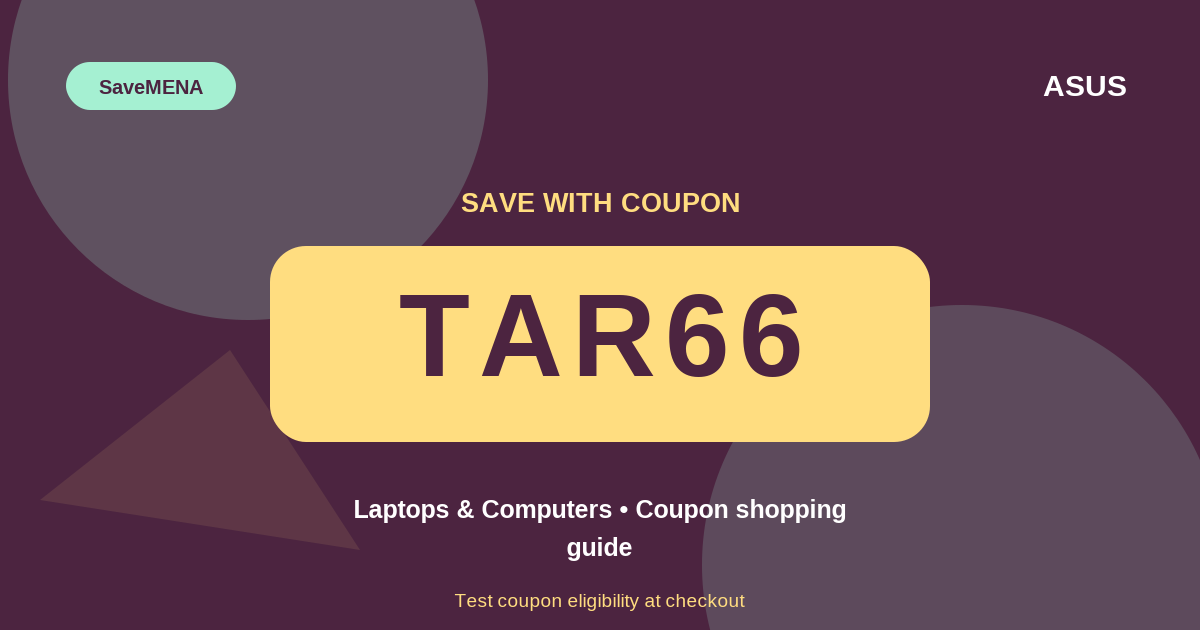
Codes available to try while comparing
These codes are not guaranteed for the article topic or listed brands; test them at checkout and use the live result.
1. Spot Visible Laptop Deals Before Adding to Cart
Before locking in an ASUS laptop on Noon, scroll the product page for any icons or text that denote an existing discount. These could be a badge labeled “the discount shown at checkout off” or a crossed‑out original price beside the current one. Note the percentage or fixed amount because these visible promotions are typically honored when you check out, regardless of any extra coupon you may have. Ensure you capture the promotional code or item ID to bring into later steps.
Keep in mind that the “Amazon to Noon” interface may not always reflect every seller’s promotion. If a seller uses a clearance icon, that is the price you will see before the cart loads. Don’t assume a new coupon will replace that discount; instead, verify whether the platform’s promotion system allows stacking before proceeding.
2. Confirm TAR66 Coupon Compatibility with the Selected Laptop
While TAR66 is listed as a valid coupon on the Noon website, it does not automatically guarantee an application to the chosen ASUS model. On the product detail page, look for any “Coupon available” labels or tooltips that reference the code. These will tell you if the coupon is applicable to that item or if there are exclusions such as “not welcome on discounted stock.”
If no specific compatibility notice appears, copy the item’s product ID, then navigate to the coupon input field on the cart page. Enter TAR66; the system will then reveal whether it meets the product’s eligibility criteria. The response will clarify eligibility rules, whether the coupon can be stacked with visible promotions, and whether any minimum spend is required.
3. Understand Delivery Options and Associated Fees
Delivery charges appear only once you add the laptop to the cart and proceed to checkout. Noon’s interface displays each shipping method with its cost and estimated delivery window. The fee can vary based on the seller’s location, product size, and whether you opt for standard or fast delivery.
Because the delivery fee can alter the total arbitrarily, capture the fee shown at checkout. If you find two comparable laptop listings with identical specs but different fees, the cheaper delivery may offset a higher sticker price. Compare against the<|reserved_200969|>-cost differences to ensure the final total is truly advantageous.
4. Add Laptop to Cart and Assess the Subtotal Before Discounts
With the laptop chosen, click “Add to Cart.” Noon’s cart page will re‑calculate the subtotal, showing the full intended price before tax or shipping. That subtotal is what the seller is selling the laptop for, including any displayed promotion.
Verify the subtotal matches the amount in the product listing. If a visible promotion is applied, the subtotal will already reflect that discount. If it appears unchanged, double‑check that the promotion is genuinely active or that a “coupon” is not the only discount mechanism available.
5. Apply TAR66 Coupon and Observe Immediate Pricing Changes
On the cart page, before finalizing delivery, locate the coupon field and input TAR66. The system will instantly recalculate the new subtotal if the coupon applies. Note whether the safe‑drop or noted discount reduces the subtotal further or if the coupon is rejected due to incompatibility.
Incorrect coupon entries or expired codes will prompt an error message. At that point, the cart’s subtotal remains unchanged and the delivery fee is still part of the hidden costs that will be added later. Document any error text for later reference, especially if you need to adjust your order strategy.
6. Review Combined Discount Visibility and Remaining Fees
After applying the coupon, scroll to the “Fees & discounts” section on the cart. Here Noon lists the adjusted item price, the coupon amount (if any), delivery charges, and tax. If the coupon value appears alongside another promotion, both line items should exist in separate rows.
Check that the voucher was applied to the intended laptop. If there are other items in the cart, confirm no cross‑product fee or discount is mistakenly credited. This final check ensures the student of the total is accurate before payment decisions.
7. Final Check of Total Payable Amount Including Delivery
Below the fee breakdown sits the definitive “Total Payable” number. This figure accounts for the modified subtotal after applying any applicable coupon, plus the calculated delivery fee and taxes. If the total does not match your expected budget, revisit the coupon input or choose an alternative shipment option.
Once you confirm the total matches your financial plan, proceed to payment. If the cart shows a custom coding line that applies a voucher, take note that the coupon’s verified usage will only appear on the payment summary screen.
8. Secure Payment and Order Confirmation Tips
Choose your preferred payment method—credit card, debit card, or stored wallet—and enter the corresponding details. Noon will process the payment and, upon success, generate an order confirmation email. Capture the order number for future reference or assistance.
In the event the coupon applied earlier disappears after payment, contact Noon support with your order number to resolve the discrepancy. The confirmation screen will list the final amount paid, ensuring you have a reliable record of the actual deliverable cost for the ASUS laptop.
Related SaveMENA pages
Related articles
Official sources to check
Frequently asked questions
What if the TAR66 coupon does not apply to the ASUS laptop during checkout?
The coupon code may not be compatible with the selected SKU or associated promotions. Check the eligibility notice on the cart page; if it fails, consider removing the laptop or contacting Noon support for clarification.
Will the delivery fee change after I apply the coupon?
The delivery fee is calculated after the cart totals update. Applying a coupon will only affect the item price; the shipping charge remains the same unless Noon offers a free‑deliver promotion.
Can I combine the TAR66 coupon with other discount offers on Noon?
Stacking depends on the platform’s rules. If the website indicates the coupon can be combined with existing promotions, you’ll see both discounts listed separately in the cart. Otherwise, only one discount is allowed.
How do I confirm the final price before payment?
Before clicking pay, review the ‘Total Payable’ line on the cart page. It will include the discounted item price, the coupon deduction, the delivery fee, and applicable taxes. Ensure this matches your budget.