Makeup on Noon UAE: offer combinations — delivery-inclusive price
Almost every order on Noon’s UAE site begins with an unseen layer—delivery fees. These charges are calculated after your cart is formed, reflecting factors such as
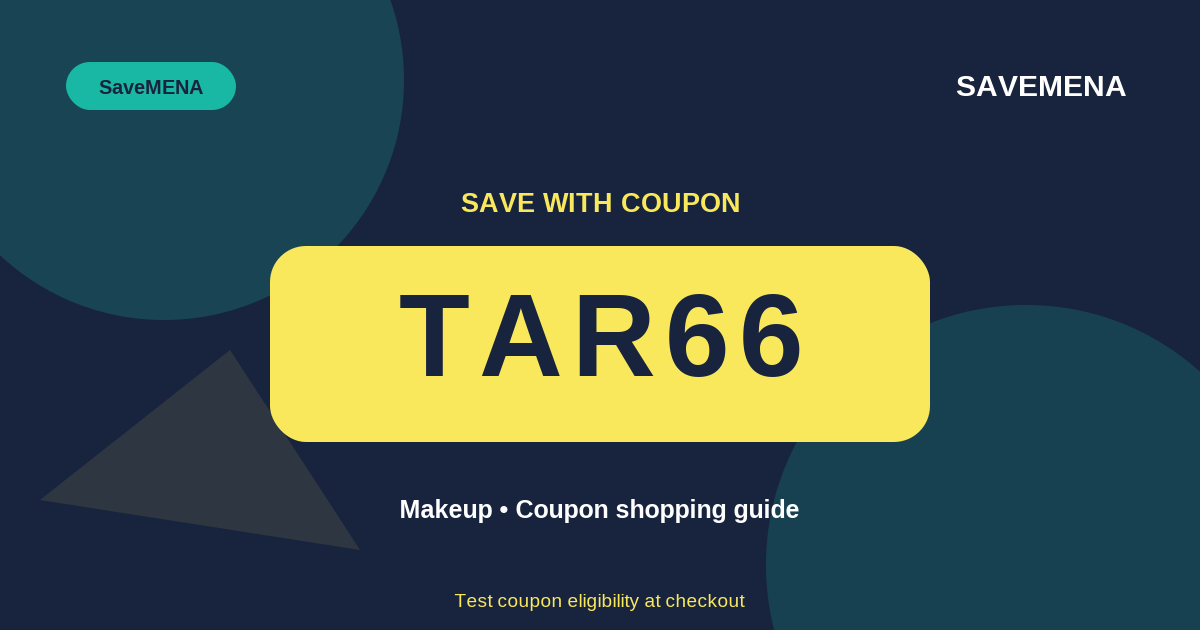
Codes available to try while comparing
These codes are not guaranteed for the article topic or listed brands; test them at checkout and use the live result.
Step 1: ...
Almost every order on Noon’s UAE site begins with an unseen layer—delivery fees. These charges are calculated after your cart is formed, reflecting factors such as your address, chosen delivery window, and the total volume of items. From the product page you can sometimes glimpse a “Shipping Estimate” icon; clicking it opens a quick calculator that refreshes as you add or remove makeup staples. By consulting this preview before the buy button is pressed, you gain a clear idea of how the fee will impact your eventual bill.
Because delivery costs can shift with promotions that waive fees for a minimum spend, it’s smart to consider grouping items. If adding a foundation and a color palette together pushes the subtotal past the free‑delivery threshold, the fee disappears, potentially making the overall spend lower than buying separately. Note that this threshold is visible only at the cart page, not on individual product screens, so once your bag is full you will see the exact amount that will be added to the final checkout total.
Step 2: Apply the TAR66 Coupon Early
When you decide on your makeup haul, the next logical move is to input any coupon code you possess. In Noon’s UAE shopping flow, there’s a dedicated field beside the subtotal where you can type TAR66. Entering the code before you proceed to payment allows the platform to pre‑calculate whether the discount is accepted. This pre‑validation step also tells you if the code conflicts with any ongoing promotional banner that is already applied to the purchase.
Still, no single platform guarantees a match ahead of final payment. Even after the system shows a discount line, the amount may adjust when the payment gateway processes the credit card or wallet transaction. Therefore, after applying TAR66 yet before you hit ‘Proceed to Pay’, check the updated subtotal to confirm the reduction is reflected. If the line disappears or resets, you’ll see the default total again, signalling that the code was either expired or inactive for the items selected.
Step 3: Check Visible Promotions and Coupon Stackability
The core of the “Noon UAE total with delivery Makeup coupon interaction with visible promotions” lies in how the system quarter‑weekly updates. On many product listings, at the top you may notice a banner highlighting a time‑limited discount, say “the discount shown at checkout off on all eyeshadow palettes”. These banners are separate from coupon codes and often sit in a distinct cell of the price section. When both a TAR66 coupon and the banner apply, the platform usually favors one over the other, but the exact prioritisation can shift from order to order.
Therefore, before finalizing your cart, use the mini‑calculator that appears after you press ‘Add to Bag’ for each item. It shows two labels: ‘Discount Applied’ and ‘Promo Code Applied’. By toggling the promo code field, you see whether the banner remains visible or is replaced by the coupon discount. If you’re aiming for the best total, it can be worthwhile to reorder items, remove a heavily discounted product, and then apply the coupon again to test which yields a lower final balance.
Step 4: Calculate Subtotal with Selected Makeup
Your subtotal is the raw sum of each makeup product’s advertised price before delivery or tax. It’s displayed at the top of the cart, usually under the product thumbnails. Because prices can differ by region or seller, the subtotal updates in real‑time when you adjust quantities or switch between variants such as matte or satin finishes. This dynamic figure is what the system uses to decide eligibility for free send‑through or to apply tiered discounts.
To understand how this figure translates into your final spend, mentally note it as the baseline: the price you would pay if delivery was free and no coupons or banners interfered. When you later apply TAR66 and any visible promotions, the system will subtract those deductions from the subtotal, then add the delivery fee. Having a clear mental picture of the baseline helps you spot how much each discount truly reduces your bill.
Step 5: Verify Free Delivery Thresholds
Many Noon UAE shoppers find that a certain spend unlocks free delivery. This threshold is often announced near the shipping estimate or kept hidden until you reach the cart page. It can change daily based on inventory, promotions, or regional demand. Since the policy is static only during the shopping session, you should click on the ‘Cart’ icon after adding items to see whether the free‑delivery bar is active. If it is not, the site will list the next required amount to qualify.
Once you identify the threshold, you can reduce or increase your makeup order to push past it. For example, if seats a the amount shown at checkout threshold and your current subtotal is the amount shown at checkout after all discounts, adding a single the amount shown at checkout mascara can lift the bag beyond the cutoff, eliminating the shipping fee. This small adjustment can sometimes create a better value than using the same amount of money to purchase a higher‑priced product.
Step 6: Compare App vs Website Delivery Options
Noon’s interface offers two primary shopping avenues: the official site and the dedicated mobile app. While the product display and coupon input fields differ slightly, the delivery fee calculation logic is fundamentally identical. However, the app may display additional temporary promotions, such as a “Buy 2 Get 1 Free” banner that the website does not reveal until you log in. Because these app‑only offers can alter the final total, check both platforms if you’re unsure whether your order can benefit.
Additionally, mobile app users often see a push notification asking whether they want to receive expedited courier service. Opting for a “Same‑Day” or next‑day slot can add a surcharging fee that the website does not automatically charge. In contrast, the desktop version defaults to a standard 2‑day window, usually without extra charges. By reviewing the total on both interfaces, you can confirm whether the delivery fee remains consistent before selecting your preferred pay path.
Step 7: Review Payment Method Influence on Total
The payment method you choose can subtly influence the final price. Noon often integrates with credit card processors that apply transaction fees for certain cards or wallet services. These fees, if applied, may be shown on the final payment screen as a separate line or folded into the subtotal. While the platform generally informs the customer beforehand, variations can still happen during the gateway handshake, especially if a shopper uses a promotional card that offers cashback or rewards.
Before confirming the order, scroll to the bottom of the checkout summary where payment options are listed. Here you should look for any “Processing Fee” indicators. If you notice an unexpected line, double‑check your card details or consider switching to an alternative payment method, such as the Noon wallet or a local bank card that is free of extra charges. This final check can prevent a hidden surcharge from erasing the savings you achieved earlier in the process.
Step 8: Final Pre‑Payment Verification
On the last step before the payment button is activated, Noon displays a granular breakdown: subtotal, applicable coupon discount, visible promotion deductions, delivery fee, and any processing charges. Each line is clickable, often leading to a tooltip that explains the calculation. This is the only time you can see whether the TAR66 code has been fully applied, whether the free‑delivery threshold was met, and whether the visible promotion actually contributed to the reduction.
If, at this stage, any line appears missing or altered—such as a coupon discount that disappeared or a delivery fee that was higher than initially estimated—do not proceed. Navigate back to the cart or the previous step to adjust quantities, re‑enter the coupon, or wait until any notice of valid promotions surfaces. The goal is to commit the order only when every number on the review page matches the expectations you set at the beginning of the shopping session.
Related SaveMENA pages
Related articles
Official sources to check
Frequently asked questions
Does the TAR66 coupon work on all makeup products sold on Noon UAE?
The TAR66 coupon generally applies to items listed under the standard pricing tier, but it does not guarantee coverage for every beauty product. Certain limited‑edition palettes or exclusive collaborations may be excluded, as the coupon’s eligibility rules are set by Noon and can vary across the platform.
Can I use TAR66 together with another discount banner on a makeup item?
Noon typically allows only one form of discount per product. If TAR66 is applied, any visible banner displaying a separate percentage or fixed‑amount discount will either be overridden or may not stack. You can test by removing the banner or entering the code again, then checking the updated subtotal.
Will the delivery fee change after I hit checkout?
Delivery charges are calculated in real time during checkout. If you add or remove items or shift your delivery time slot, the fee may adjust. For any changes that affect the total, Noon will refresh the summary before you finalize payment.
How can I confirm the final total before I pay?
Once you reach the payment screen, scroll to the bottom of the order summary. Here you’ll see a line‑by‑line breakdown of subtotal, discounts, delivery, and processing fees. Tap any tooltip for detail, and if everything is as expected, hit confirm to complete the purchase.