Sony Electronics on Noon UAE: seller context — delivery-inclusive price · TAR84
When you browse Sony electronics on Noon UAE, the price shown next to the product reel is only the starting point.
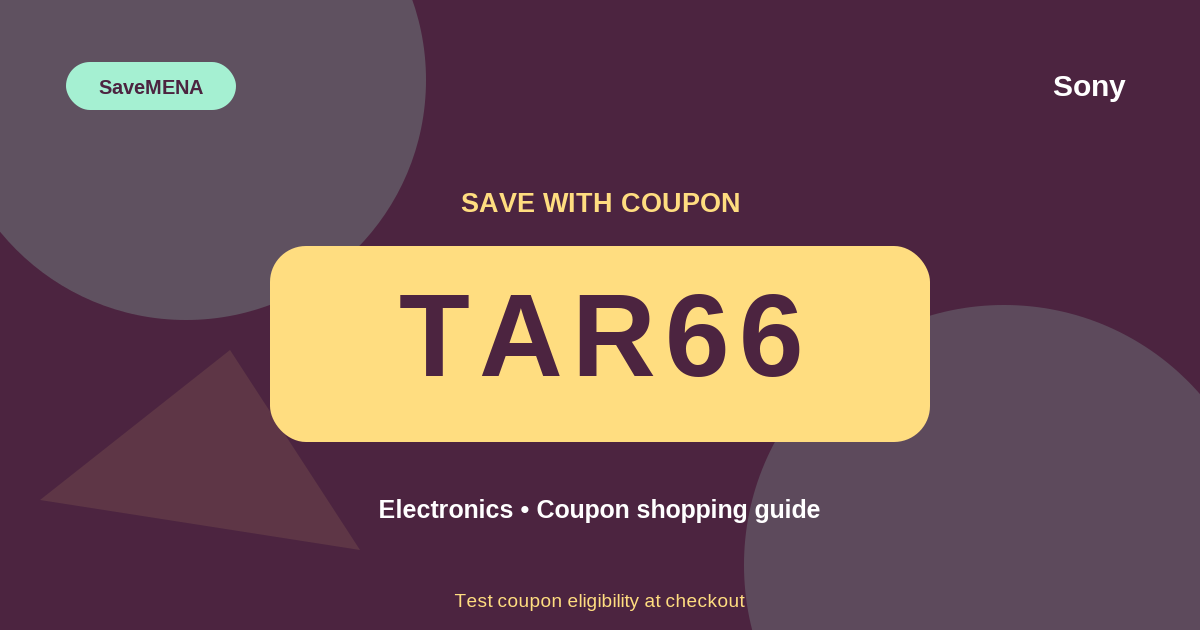
Codes available to try while comparing
These codes are not guaranteed for the article topic or listed brands; test them at checkout and use the live result.
1. Decoding Sony Electronics Pricing on Noon UAE
On Noon, every Sony product listing pulls its base price from the seller’s pricing engine. This base price appears as the “final price” before any additions, and it reflects the seller’s margin, taxes, and any retailer‑specific discount they have chosen to give to Noon shoppers. By default, the "Deal of the Day" mark‑up that some sellers apply is not mandatory, so the base figure can differ across vendors despite showing the same model.
To get a clear picture, compare the Sony item across multiple sellers on Noon: note the listed price, any OEM warranty offers, and the “seller” badge (e.g., official Sony partner, trusted electronics retailer, or local marketplace seller). The differences become especially notable when some sellers include the first‑year extended warranty in the price, while others add it as a separate line item that can shift the final total. Always bookmark the product page so you can return to the specific seller’s listing before you decide to purchase.
2. How Delivery Fees Impact Sony Purchases
Delivery charges on Noon are calculated on a tiered basis that blends order value, item weight, and shipping location. For Sony electronics, which are usually heavier items like soundbars or camera kits, the fee can be higher than for smaller accessories. These fees are displayed during the cart process, but if your purchase crosses certain thresholds, they may drop to free shipping.
When adding a Sony product to your cart, note whether the delivery fee is listed separately or tucked into the “Total” line. Some sellers exempt their products from the standard fee as part of a promotion, while others charge a flat rate that remains regardless of how many Sony items you buy. Double‑check the fee at the cart before moving to the “Checkout” stage, since this is the only place you’ll see the fee in its final form and see how it’s applied to your personal order.
3. Sony Seller Types on Noon – Official Partners vs Marketplace
Noon hosts a range of sellers for Sony electronics, from officially licensed distributors to independent artisans listing their own tech. Official partner sellers often have dedicated warranty and return policies that match Sony’s global standards. They may also provide a guarantee of authenticity and a longer warranty period with integrated support.
Marketplace sellers, while sometimes cheaper, may lack these guarantees. They might charge a separate warranty fee or offer a shorter return window. The seller badge is your first indicator: look for “Sony Authorized” or a high‑rating seller score. Check the seller’s FAQ on Noon, and if possible, read reviews from other UAE buyers to see how they handled support or return issues for Sony products.
4. From Cart to Checkout – Final Price Calculation
The calculation that Noon performs at checkout pulls together the product's base price, optional warranty add‑ons, discounts, the delivery fee, and any applicable service taxes. The sequence is standardized: first the base price, then any coupons or promotional offers, followed by shipping costs, and finally taxes applied to the adjusted subtotal.
Because taxes and delivery fees sit atop the subtotal, a small difference in shipping can sometimes tip the total above or below a threshold that triggers free delivery or a coupon’s applicability. Therefore, pay close attention to the screen that lists each line item. If the delivery fee appears as a zero line item, it is effectively free; if not, it is a tangible cost that will build into your final payable amount.
5. Applying the TAR84 Coupon – What to Expect
The TAR84 code is listed as a promotion you can try during checkout. To activate it, simply type the code in the designated “Coupon” field before finalizing the payment. Make sure to hit “Apply” and watch the line item for “Coupon Discount” update in the summary. The discount, if accepted, will reduce the subtotal before delivery fees are added.
Because coupons on Noon can be conditional on new‑user status, subscription, or a minimum-spend condition, if the retailer shows one is active on your cart. If the code is rejected, proceed without it, or search the Noon help section for clarification. Don’t assume a fixed value; instead confirm the adjusted subtotal after the coupon is applied, before seeing the delivery fee.
6. Why Stock Levels and Warranty Options Matter
When you view a Sony product on Noon, the listed stock level can influence whether the item ships immediately or requires a wait time. A “Low Stock” flag may trigger an earlier delivery fee, especially if the seller ships from a central hub instead of a local store. If the product is out of stock, the vendor may redirect you to a nearby seller with a different pricing structure.
Warranty offers also can change the final sum. Some sellers bundle a 24‑month warranty into the product price; others let you add it separately. In many cases, extended warranties are added in the cart as an extra line item and may or may not be exempt from the coupon code or delivery fee. Check the warranty section of the cart to see how it’s treated in the final calculation.
7. Selecting the Best Sony Seller on Noon
Choosing a seller is more than picking the lowest headline price. Look at the seller’s performance rating, average delivery time, return policy, and whether they offer dedicated Sony support. A higher rating seller with a generous return window may save you future hassle even if their price is marginally higher.
Use the “Filter by Seller” option on Noon to view Sony products sorted by seller velocity and customer reviews. Pay particular attention to any seller‑specific shipping notes, such as “Ships within 48 hours” or “Freight shipping only.” These notes will shape the delivery fee and ordinal urgency, impacting the final total before you confirm the purchase.
8. Final Checklist Before You Checkout
A coupon is not guaranteed; verify its result at the retailer checkout. Check that the delivery fee matches what you expect for your address, and confirm that warranty invoices, if any, are shown correctly.
If any line item looks suspiciously high—such as an unexpected delivery charge or a warranty fee—contact Noon support or the seller directly. Once satisfied, proceed to payment, select your preferred payment option, and finalize the order. The amount shown on the final confirmation screen is the definitive total you will pay.
Related SaveMENA pages
Related articles
Official sources to check
Frequently asked questions
Does the TAR84 coupon apply to all Sony electronics on Noon?
The coupon’s applicability is determined during checkout. If it is accepted, you’ll see a discount line item before delivery fees are added. If not, the cart will remain unchanged. Always verify at checkout.
Will a Sony item with a free delivery fee still show a fee during checkout?
If the seller or Noon provides a free delivery promotion, the delivery fee line will read zero or be absent. If you see a non‑zero amount, it’s a charge that will add to your final total. Check the cart summary before confirming.
Can I choose a different seller after adding a Sony product to my cart?
You can. Enter the product’s SKU page, select a new seller, and the cart will update with new pricing and delivery details. Always review the new cart summary before proceeding.
Do extended warranties affect delivery charges for Sony items?
Usually warranties are separate from delivery. They appear as an upfront line item and do not alter the shipping fee. Confirm the final cart summary to see each component individually.