Apple Headphones on Noon UAE: seller context — delivery-inclusive price · TAR98
When shopping for headphones on Noon UAE, the final price you pay isn’t just the sticker price. Delivery fees, seller‑specific charges, and the application of any
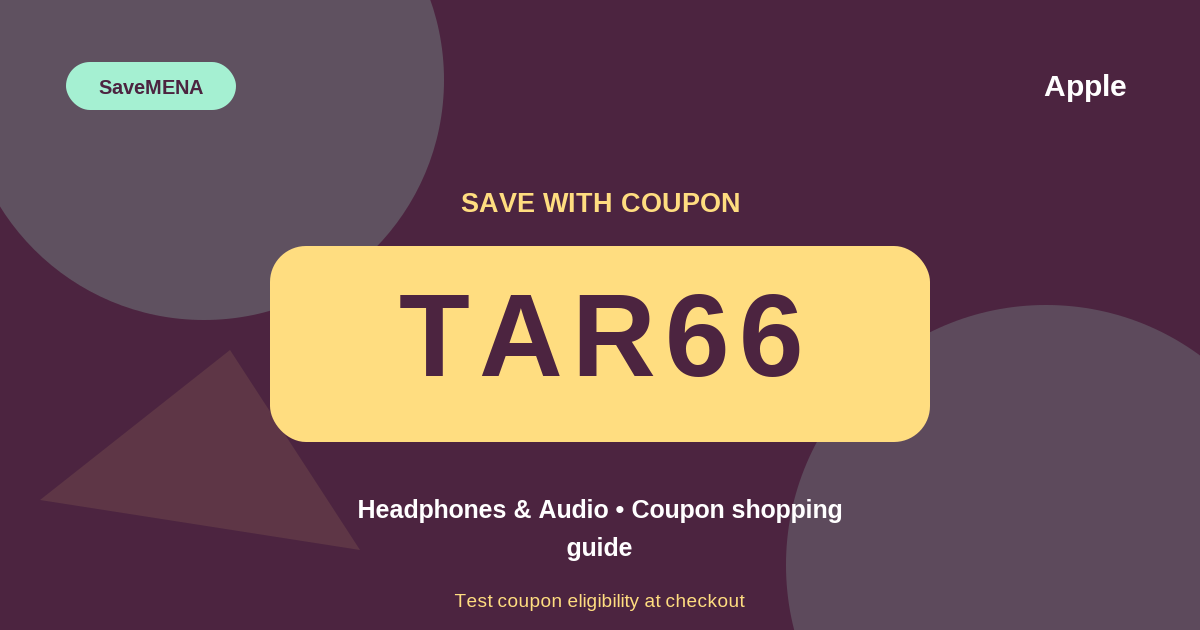
Codes available to try while comparing
These codes are not guaranteed for the article topic or listed brands; test them at checkout and use the live result.
Understanding Noon UAE Total: Delivery and Fees Explained
On Noon, the “total with delivery” appears in the cart just before you proceed to payment. It aggregates the product price, any applicable delivery fee, and sometimes additional seller fees. These charges are displayed separately so you can see the base price of your headphones and the extra cost you’ll pay for shipping. Checking this total early lets you confirm that no hidden fees—such as restocking or handling—are creeping in, which could change the final amount you owe.
The delivery fee itself varies depending on the seller, the delivery method chosen, and the destination ZIP code. Sellers can set higher fees for expedited shipping, or offer free shipping on larger orders. Because Noon aggregates the cost, you’ll always see the exact fee on the cart page before you click “Proceed to Checkout.” If you want to lower the fee, consider selecting a slower shipping option or combining multiple items in a single order from that seller.
Choosing the Right Seller for Headphones: Impact on Fees
Every headphone listing on Noon displays the seller’s name and link to their profile. Some sellers offer free shipping, while others charge a flat fee. The seller’s choice can profoundly affect your final total. For example, an Apple‑brand headphone might be listed by a dedicated Apple reseller with a shipping fee, whereas a generic brand might be sold by a marketplace retailer with no shipping cost. Comparing these options early in the search process saves you money at checkout.
When you click on a seller’s profile, you’ll find their overall rating, customer reviews, and sometimes notes on shipping speeds. Sellers with higher ratings often streamline their logistics, potentially leading to lower or more predictable fees. Conversely, lower‑rated sellers may have longer processing times or higher delivery charges. Her checking the seller’s shipping policies is a key part of the decision lens, ensuring you understand where the cost originates before adding the headphones to your cart.
Apple Headphones on Noon: Seller Profiling Tips
Apple’s headphones are usually offered by authorized resellers, who may provide exclusive warranties or bundle offers. These sellers typically set a delivery fee that reflects the premium status of the product. When browsing an Apple headphone listing, pay close attention to the seller’s name and their “Seller preferences” section. This area often indicates whether free shipping is available for Apple devices and if any special handling procedures apply.
Because Apple headphones come in multiple variants—wireless, wired, high‑end audio—checking the seller’s inventory depth can also inform your choice. A resale store with a wide range of Apple products might offer a marketing benefit, such as a promotional discount via a coupon code. Even if there is no guaranteed rate, verifying the delivery fees and seller reputation before applying the coupon can help you gauge whether the potential discount outweighs the shipping cost for your specific order.
Delivery Options: Speed vs Cost for UAE Shoppers
Noon offers several delivery options: standard, express, and sometimes a local pickup. Each tier comes with a distinct fee. Standard delivery tends to be the cheapest but can take several days, while express offers faster arrival at a Premium cost. If you’re purchasing a headphone that you need immediately, the express option may justify the extra fee.
Because UAE shoppers often face variable courier costs—especially for remote locations—a single seller may add a surcharge for standard delivery beyond certain ZIP codes. These localized fees will appear when you select the delivery method in the cart. Always reconfirm the final amount after choosing your preferred speed: the cart updates automatically, reflecting the new shipping cost and what your total will be. This step guarantees you’re not surprised by a fee at payment.
How to Calculate Your Final Payable Total Before Checkout
Before you even hit the “Proceed to Checkout” button, you can review the cart’s full breakdown. The subtotal shows the headphone price, a line for the delivery fee, any additional seller charges, and the potential application of a coupon. By inspecting each of these components, you gain a clear view of what each dollar is buying, whether it’s the product itself or the service of getting it to your home.
To verify the accuracy of the selected coupon, search for the “Apply coupon” field in the cart. If you want to try the TAR98 code, enter it there. The system will confirm whether the code can be accepted for that product and seller. If it cannot, the cart will revert to the original total. If it can, the discount appears as a subtraction from the subtotal. Check again that no delivery fee rises through the process before confirming the final total.
Applying the the coupon code Coupon Effectively for Headphone Purchases
When you want to explore a coupon before locking in a purchase, you can input TAR98 in the cart’s coupon field. The system will attempt to apply the code and will notify you of the title and value of the discount if the coupon is valid for the chosen product and seller. Since the coupon’s effectiveness can depend on the seller’s policy, confirm that the headphone’s listing’s seller accepts that code before completing the purchase.
If the coupon is invalid for the headphone, Noon will either show an error or remove the discount line. In this case, proceed using the standard checkout flow without the coupon. The final total will then only include the product price and delivery fee. Remember, the “TAR98” attempt does not guarantee savings; it’s simply a trial to see if the discount applies.
Monitoring Seller Ratings and Customer Feedback to Avoid Extra Charges
Seller ratings and customer reviews play a pivotal role in your shopping experience. A highly rated seller is more likely to provide accurate delivery information and transparent fee structures. Before adding a headphone to your cart, glance at the seller’s overall rating—usually displayed in stars—and read a few recent reviews. These insights can signal whether the seller’s delivery fee is standard or inflated.
Some sellers explicitly note shipping timeframes or extra handling fees in the product description or seller’s Q&A section. If a seller emphasizes “free fast shipping” while others do not, the cost advantage is immediately evident. Comparing a few sellers side‑by‑side ensures you select the one that offers the best balance of reasonable delivery charges, high customer satisfaction, and a reliable checkout process.
Final Checklist: Verifying Fees, Delivery, and Coupon Before You Pay
Before you finally hit “Place Order,” conduct a three‑step verification. First, confirm the product price matches the head designation in the cart. Second, review the delivery cost shown next to the shipping option—free, standard, express, or other.A coupon is not guaranteed; verify its result at the retailer checkout.
After confirming each component, look for any notices about additional charges that might appear only at payment—such as a mandatory “booking fee” or “processing fee.” If you see any unexpected line items, you can always remove the product and search again. Only when the checkout screen displays a clean, consolidated amount should you proceed. This final check protects against hidden fees, gives you confidence in the final total, and ensures your headphones reach you exactly as agreed.
Related SaveMENA pages
Related articles
Official sources to check
Frequently asked questions
What happens if my chosen seller does not support the TAR98 coupon?
When you try to apply TAR98, the cart will either accept it, showing the discount, or it will display an error message indicating the code is not valid for that seller. You can then decide to proceed without the coupon or look for another seller that accepts the code.
Will I be charged an extra handling fee after I confirm my order?
Noon displays all fees—including handling and delivery—on the cart page before checkout. If an extra fee appears only at payment, it usually pertains to a service like gift wrapping, which you can opt out of. Verify the final total before confirming the order.
Can I change my delivery method after I’ve added headphones to my cart?
Yes. In the cart, you can select a different shipping option—standard, express, or pickup—and the delivery fee updates immediately. The new total reflects any change in fee before you proceed to payment.
What if the seller’s rating is low but the delivery fee is free?
Low ratings might hint at inconsistent service or slower processing times, which could offset the free delivery advantage. It’s wise to read recent customer reviews and confirm that the seller’s delivery times meet your expectations before ordering.