Mobiles on Noon UAE: seller context — delivery-inclusive price · TAR98
Understanding how delivery charges and seller handling fees shape the final checkout total on Noon when buying mobiles is essential for UAE shoppers.
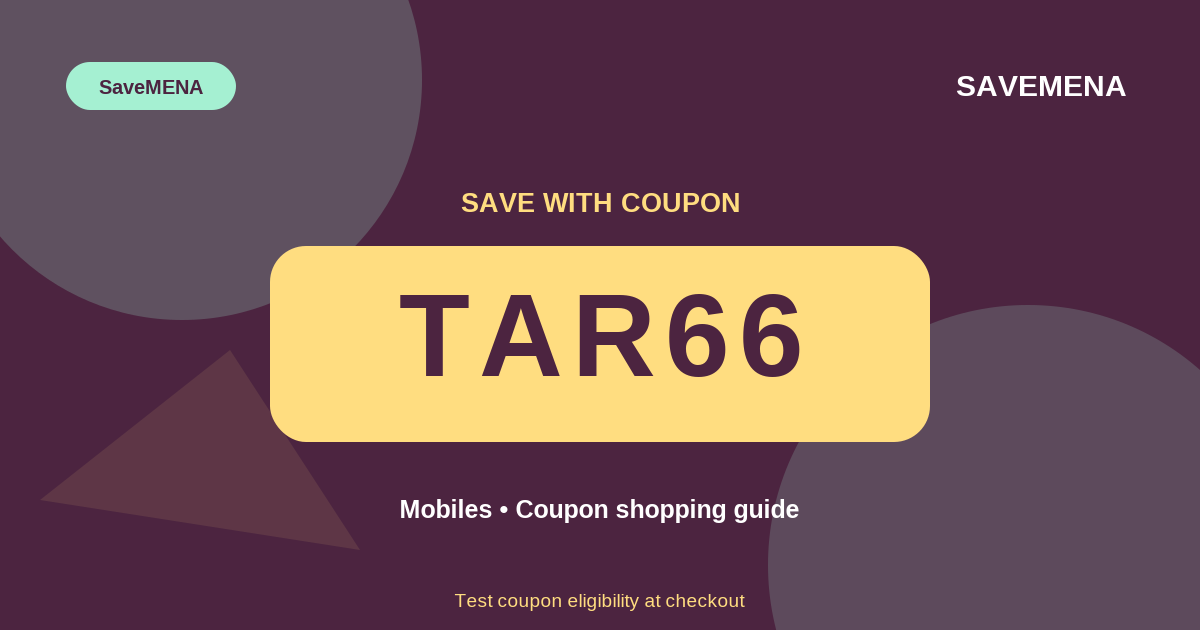
Codes available to try while comparing
These codes are not guaranteed for the article topic or listed brands; test them at checkout and use the live result.
Choosing the Right Seller: Delivery and Fee Transparency
When browsing Noon for smartphones, the first decision is which Seller’s catalogue to open. Not all sellers apply the same delivery fee structure; some offer free shipping only when the item price passes a threshold, while others charge a flat rate from the outset. Sellers in UAE marketplaces often display a “Delivery fee” field on the product page, immediately letting you know what to expect for that specific unit. If the fee is not displayed, check the seller’s store banner or “Seller Information” tab for shipping policy details.
Seller reliability also influences the final cost. A store that boasts excellent ratings may provide a more consistent delivery experience, but the trade‑off could be a higher fee. Conversely, a lower‑priced seller might offer free delivery but lack the same level of customer support. Comparing these factors before adding a phone to your cart enables you to predict the final total more accurately and sidestep surprise fees later.
Vendor Rating vs. Delivery Charge: Where to Draw the Line
In Noon’s marketplace, seller ratings visibly reflect past buyer satisfaction. This score indirectly signals how likely the seller is to honour promised delivery times and avoid hidden fees. A 4.5‑star seller, for example, typically reserves a modest delivery fee that is clearly listed upfront. If you’re buying a high‑end phone, you may want to lean into a higher rating even if the delivery fee is slightly elevated, because the likelihood of an on‑time arrival and smooth refund process is higher.
The cost‑benefit ratio becomes clearer when you compare the seller’s rating with the advertised delivery fee. A lower‑rated seller might offer free shipping, but their track record on delays can cost you more in the long run via added service charge or extra costs you face if the phone arrives damaged. Before finalising, scrape the review section for any comments on shipping delays or fee discrepancies to ensure your selection aligns with your budget expectations.
Timing Your Purchase: Do Summer Sales or Black Friday Change Fees?
Seasonal promotions in the UAE rarely alter delivery fees but occasionally extend free‑shipping windows or reduce platform‑level handling charges for spike‑period sales. During Black Friday or Jumeirah Festival weeks, Noon sometimes partners with sellers to waive delivery charges on high‑volume mobile categories, effectively lowering the final checkout total. However, such changes tend to be promotional and may only apply to specific product listings, so cross‑checking the “Deals” tab is advisable.
Another factor is the seller’s internal inventory management during peak times. High demand can lead to an increased cost per unit for the seller, which might be transferred to the consumer through a slightly higher item price rather than the delivery fee. Refreshing your cart after the peak period can help you capture the best total, especially if the seller previously marked their phone with a promotional discount but left the delivery fee untouched.
Applying Coupons Like TAR98: What to Expect
When you come across the coupon code TAR98, you’ll note that it is listed as a general promo for the Noon store. Because its validity and impact are not guaranteed, party to the coupon trial and see if it submits to the cart. Some codes may apply to the entire order including delivery, while others affect only the product price. The platform will display the adjustment during the “Order Summary” step before you place the final order.
Given that the coupon is available for try‑out, you should capture any discount details—whether it’s a “% off” or a fixed amount—on the screen at the checkout. Keep an eye out for any hidden restrictions like a minimum spend requirement that could render the coupon ineffective for a single phone purchase. After applying, compare the old total with the new total to quantify the coupon’s effect, and remember you can always attempt to re‑apply if the code is redeemed the first time.
Order Review: Calculating the Total Before You Pay
Before you hit the final “Confirm Order” button, Noon presents you with an itemized breakdown: the base price, the applied discount (if any), the delivery fee, and a small commission cut by the marketplace. This is the moment to review whether each line item matches what was advertised at the product page. Closing attention to the delivery fee line is crucial because it represents the cost solely for the courier‑service that brings the phone into your home.
When you double‑check these figures, also confirm the total computation considers any potential service charges not reflected elsewhere. Note that the delivery fee is usually independent of the coupon: some vendors apply the discount before calculating shipping, so you’ll see a lower base price but an unchanged shipping cost. Add the numbers together to benchmark against the “Noon UAE total with delivery Mobiles seller context” displayed in the summary. This ensures there are no surprises once the payment gateway lights up.
Seller Promises vs. Real‑World Delivery: Customer Feedback
Customer reviews provide a candid view of how a seller’s promises translate into actual delivery experience. Posts that detail “delayed delivery” or “extra fee after pickup” often reveal that the seller’s displayed fee was not applied until the dispatch confirmation phase. In such scenarios, the final total may change post‑order if, for instance, the courier charges higher than the seller anticipated.
When browsing seller profiles, locate threads where buyers discuss “price after delivery” or “hidden costs.” These real‑world anecdotes help you gauge whether the final “checkout total” you see is trustworthy or likely to shift. If you notice any pattern of fee adjustments, consider choosing another seller even if the product price is slightly higher, because the predictability of the total stays constant.
Locked in Times: Delivery Slot Availability and Costs
Most UAE customers prefer a specific delivery slot that fits their schedule. Noon allows you to choose between same‑day, standard, or express delivery options, each typically imposing a different fee. The selected slot appears in the order summary, adding to the overall charge. Some sellers provide “early‑morning” free slots for pre‑orders, but this is not guaranteed.
The fee for a particular slot may vary by region within the UAE; for instance, neighborhoods farther from physical distribution centers may attract a premium. When you select a slot, the platform will show the updated total right away. This dynamic is essential for shoppers who need to budget for the exact amount they’ll pay on the day you have the phone in hand.
Final Steps: Final Checkout Checklist for Mobiles
Before confirming the purchase, run through a quick checklist: Confirm the product variant, seller rating, and shipping policy. Verify that the coupon code was accepted and its impact on the final number. Make sure the delivery fee behaves as expected under your chosen schedule. Confirm that the total shown matches the “Noon UAE total with delivery Mobiles seller context” you’ve calculated earlier.
Once you hit “Purchase,” a confirmation screen shows you the final amount payable, including any currency conversion notices if you’re using a third‑party payment method. Keep a copy of the payment receipt; it’s your evidence for any future disputes regarding unexpected fees. With this process in place, you’ll always know exactly how delivery and seller fees shape your final charge on Noon.
Related SaveMENA pages
Related articles
Official sources to check
Frequently asked questions
What if the coupon TAR98 doesn’t apply to my mobile purchase?
If the code fails to accept, verify that it is still active, check if it requires a minimum spend, or if it is limited to certain sellers. You can also re‑enter the code in the final payment screen to ensure it’s processed.
Will the delivery fee change after checkout?
Once you confirm payment, the delivery fee is locked. Any subsequent changes would only occur if you cancel or modify the order before it’s dispatched from the seller’s warehouse.
Are there additional service charges on top of the delivery fee?
On Noon, most service fees are included in the delivery charge shown at checkout. Expenses like taxes are usually added in a separate line during the payment step.
Can I cancel my order to avoid a high delivery fee?
Order cancellation policies vary by seller. If you act quickly and cancel via the app, you may avoid paying the delivery fee; otherwise, the fee might still be deducted.