Huawei Mobiles on Noon UAE: seller context — delivery-inclusive price · TAR98
The checkout journey on Noon begins with selecting a mobile and at that point the price you see is just the base cost of the product.
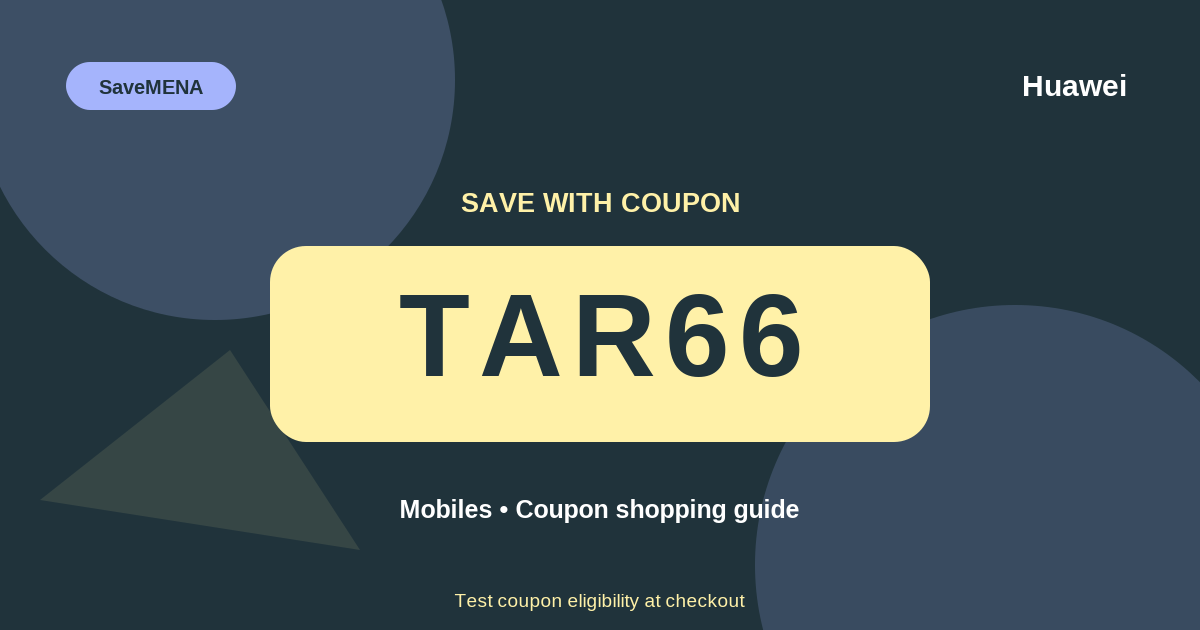
Codes available to try while comparing
These codes are not guaranteed for the article topic or listed brands; test them at checkout and use the live result.
Understanding Noon UAE Total with Delivery: The Mobile Buying Journey
The checkout journey on Noon begins with selecting a mobile and at that point the price you see is just the base cost of the product. Once you enter your delivery address, the platform calculates the specific delivery fee that applies, which can vary by region, courier, and the seller’s chosen shipping method. This fee is added under the “Shipping” section before the total is displayed, giving you a real‑time view of the combined amount you’ll owe. Knowing this process helps you decide if you want to wait for a free delivery threshold or accept a small charge to speed up delivery.
To see the accurate total, you need to check the “Cart” and “Summary” screens carefully. They will list each component separately: item price, any applied discounts, the delivery fee, plus applicable taxes and other charges. The final amount displayed before payment, however, is the one that will actually be debited from your chosen payment method, so double‑checking every line is a must for UAE shoppers who want confidence in their purchase.
Pillars of Seller Context: Why the Seller Matters More Than the Screen Size
On Noon, each mobile can be sold by multiple sellers, and the seller influences delivery speed, return terms, and warranty coverage. An experienced seller may offer a promotion, free local pick‑up, or faster shipping that even delays a lower listed price. Checking the seller’s rating, response time, and buyer reviews is essential because a high‑rated seller reduces the risk of delays or faulty product returns. These factors directly affect the final total if, for instance, a delayed delivery triggers a reshipment fee.
Seller context also shapes post‑purchase support. A reputable dealer often provides extended warranty options for Huawei devices and clear communication channels for service issues. Before adding a mobile to your cart, view the seller’s store profile, read recent buyer feedback, and confirm that the chosen seller supports the device’s official warranty. This contextual check is key to ensuring the total you pay corresponds to a reliable experience.
Destination & Delivery Dynamics: Fees, Times, and What They Mean For Your Wallet
The delivery fee on Noon is calculated based on the distance between the seller’s warehouse and your delivery address, as well as the courier selected. In the UAE, urban centers may have lower shipping costs than remote areas. Moreover, Noon offers options such as standard, express, or even same‑day delivery, each with a different fee structure. While the platform displays the fee at checkout, it’s wise to look at previous orders for similar items to gauge typical costs.
Timing of delivery can also influence your final total in subtle ways. For instance, a delay might trigger a waiting fee or, if you’re out of the country, could affect currency conversion rates. Sellers sometimes waive the delivery charge for a specific quantity purchase or if you meet a minimum spend threshold, but such conditions must be verified at checkout. Carefully reviewing the delivery terms ensures you’re not surprised by an extra charge that could tip your total beyond budget.
Decoding Huawei in Noon’s Ecosystem: Warranty, Software, and Support
Huawei phones sold on Noon come with manufacturer warranties that usually cover hardware defects for a set period. However, the actual coverage can depend on the seller’s policy. Some sellers bundle additional spare‑parts or extended warranty options, often at an extra cost that will appear in the cart totals. Confirming these details as you add a device will adjust your final payable amount accordingly.
Software upgrades for Huawei devices are typically free, but you may need to download the latest updates from the manufacturer’s portal. Check whether the seller explicitly mentions that the device is freshly updated or that it benefits from the latest EMUI version. While the update itself doesn’t alter your checkout total, a pre‑updated phone can save you troubleshooting time and, indirectly, avoid unexpected service fees later.
Coupon Play: Spotting the TAR98 Opportunity and How It Interacts With Delivery
The TAR98 coupon is the only discount code that can be applied to the checkout of university‑supplied mobiles, including Huawei models. It functions as a straight‑forward reduction that appears in the cart after you input the code. The coupon does not influence the delivery fee directly; it simply subtracts from the product price line before taxes and shipping are added.
Because the coupon is “available to try,” it’s essential to apply it and then re‑view the cart totals. If the code is invalid or has expired, the platform will notify you immediately, and the total will remain unchanged. In that case, you’ll need to rely on the seller’s own discounts or free‑delivery thresholds to lower your payable amount.
Payment Pathways: Choosing the Right Method for the Final Total
Noon supports multiple payment methods, each potentially affecting your final total through processing fees or promo credits. For instance, using a credit card might unlock a cash‑back offer, while a direct bank transfer could give you a small discount. When you add a mobile to your cart, it’s wise to review the available payment options and the cost or benefit associated with each before proceeding.
Some payment methods also allow you to split payments or use a loyalty points system. These options might shift the effective price you pay, especially if you can cancel or refund overcharge mistakes quickly due to an instant payment notification. Make sure to understand how each payment pathway modifies the final payable amount at the checkout screen.
Checkout Confirmation: The Final Step to Avoid Surprises
The moment you reach the “Confirm Cart” or “Place Order” screen, you’ll see a breakdown that lists the product price, any coupon reduction, delivery fee, applicable taxes, and the grand total. If the coupon is accepted, the reduction will already be reflected. If there’s a mismatch or new delivery fee appears, this screen is your last chance to address it before the order is processed.
Cross‑checking the displayed total with the “Order Summary” details ensures that you are paying what you expect. If you spot an off‑price, you can either re‑enter the code, change the seller, or adjust the delivery option. Verifying each line here is essential for UAE shoppers aiming to prevent hidden charges that could alter the final amount.
Post‑Purchase: Tracking, Returns, and Reading Your Receipt Carefully
Once the order is confirmed, Noon will provide a tracking number linked to the courier. Tracking updates are usually available via the Noon app or your email. Monitoring the package progression helps you anticipate any additional charges that could arise due to late delivery claims or damaged goods, which might reflect in a separate service fee on your subsequent receipt.
The receipt you receive will reiterate the total paid, itemized charges, and any credit applied. Reviewing it for discrepancies with your earlier cart total ensures that the final amount you’re billed matches what you approved. Keeping this receipt saves a lot of confusion should you need to file a return or claim warranty support.
Related SaveMENA pages
Related articles
Official sources to check
Frequently asked questions
What happens if the TAR98 coupon is invalid at checkout?
If TAM98 does not apply, Noon will immediately notify you, and the cart total will revert to the full price. You can then look for alternative seller discounts or free delivery options to reduce the final cost.
Will the delivery fee change even after I place the order?
Delivery fees are typically fixed at checkout. However, late delivery or parcel issues can sometimes trigger an extra fee or a refund, which Noon will communicate via the app or email accordingly.
Can I cancel my order to avoid a delivery fee?
Neezer you want to cancel, check the Noon policy for your selected seller. Some sellers allow cancellation before processing while others might deduct a fee or charge the delivery cost if the process is already underway.
Are there additional charges for Alibaba‑style warranties?
If you opt for an extended warranty or spare‑part package from the seller, those will appear as separate items in your cart and adjust the final total. They do not impact the delivery fee directly.