Apple Tablets on Noon UAE: seller context — delivery-inclusive price · TAR84
etc. Ensure each has and two tags. Ensure 8 sections. Then 4 FAQs. The system may not verify word length precisely but we can approximate
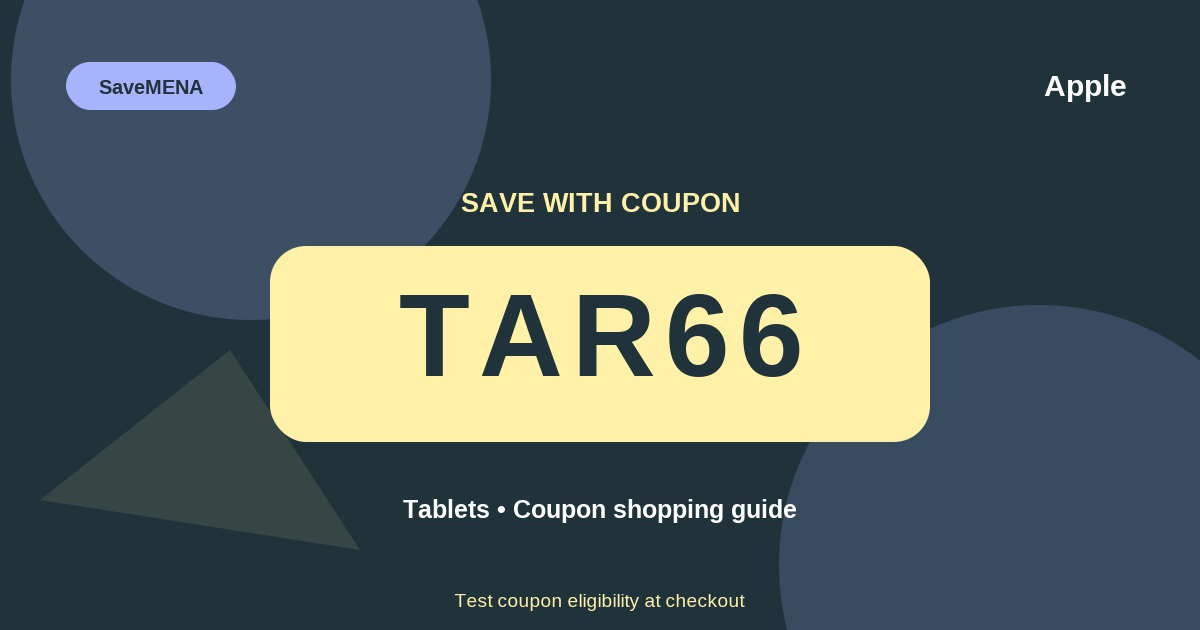
Codes available to try while comparing
These codes are not guaranteed for the article topic or listed brands; test them at checkout and use the live result.
Seller Specific Delivery Charges: Who Sets the Rules
In Noon’s marketplace, each seller is free to establish their own delivery policy. Some prominent retailers offer free shipping above a certain subtotal, while others apply a fixed delivery fee regardless of the total. Recognizing these distinctions is essential because a seller’s offering often shapes the initial perception of value on a product’s page. If a seller advertises a “No Delivery Fee” promotion, the the coupon code typically activates only when the cart meets a predefined spend threshold.
Moreover, sellers might have different handling or processing fees that appear later in the checkout flow. These extra charges are not always visible until the final review step. Therefore, always cross‑check the seller’s conditions listed in the product description or in the seller’s profile to avoid surprises that could inflate the final amount.
Calculating the Final Payable Amount: Step‑by‑Step
The checkout journey on Noon typically starts with the subtotal: the sum of all selected Apple tablet units. From there, the platform introduces the seller‑driven delivery fee, followed by any applicable service charge. Each of these components is displayed, but they may be updated dynamically as you input shipping details or change your delivery method. Keeping a live eye on the running total helps you spot sudden increases before you hit the final “Place Order” button.
When you add the postcard‑style coupon code TAR84, the discount amount—if eligible—is applied after the delivery and service fees have been calculated. This sequence ensures that the percentage reduction (or fixed amount, if that were ever offered) reflects the actual purchase price after all mandatory overheads. Understanding this ordering is critical when you manually estimate savings or decide whether to adjust your cart contents.
Using the TAR84 Coupon: When and How to Apply
On Noon, coupon codes are entered at the final payment screen, just before you confirm the order. The code TAR84 is available for you to try during this step. However, its applicability hinges on specific checkout criteria—such as the presence of a qualifying product, seller, or total amount. It is not dedicated to tablets or Apple products, so you’ll need to verify that your chosen item meets the code’s constraints.
Once you input TAR84, the platform immediately recalculates the subtotal and displays the discount, if any, in the order summary. If the coupon does not apply, Noon will show a clear notification explaining why the discount cannot be processed. This real‑time feedback helps you decide whether to keep the coupon or remove it and proceed with a different payment planning strategy.
Apple Tablets on Noon: Comparing Seller Offers
Several sellers list Apple tablets on Noon, each with distinct pricing structures and support terms. A high‑profile retailer might present a competitive price but add a non‑zero shipping fee, while a smaller vendor could offer free delivery on a lower base price. Evaluating these trade‑offs is vital; a lower price may be offset by higher shipping or a stricter return policy imposed by the seller.
Beyond price and shipping, sellers often provide varying warranty information and customer service support. Some may integrate their own return policies, while others delegate that process to Noon’s standard framework. Understanding these nuances ensures that the final total after delivery and service fee calculations truly reflects your desired value proposition.
Choosing Shipping Options and Delivery Timeframes
Noon typically offers a range of shipping choices, from standard delivery to express or same‑day options, depending on the seller’s capabilities and your location. Each choice comes with a separate fee that directly influences the final payment amount. Selecting a faster option immediately raises the delivery charge, while standard shipping may keep costs lower but prolong waiting time.
When evaluating options, consider that some sellers might provide a free promotional shipment only for standard delivery. Express options may still incur an additional surcharge even if the base delivery is free. Make the choice that aligns with your urgency and cost priorities, ensuring you factor the resulting fee into your total before proceeding.
Secure Payment Choices and What to Watch For
Noon UAE supports a variety of payment methods, including credit/debit cards, cash on delivery, and in‑app wallets. Each payment option may trigger a different processing fee, especially if the platform partners with third‑party payment providers. The exact fee structure, while not disclosed up front, is added automatically in the interim step before final confirmation.
In addition, certain payment methods may qualify for instant discount adjustments or promotional sales, similar to how coupon codes apply. Checking the payment section for any maker‑specific transaction fee notifications helps you avoid an unexpected increase in the total that might otherwise surprise you at checkout.
Reviewing Your Checkout Summary: Avoiding Unexpected Fees
The final review screen on Noon presents a detailed breakdown: item subtotals, seller delivery fees, processing charges, coupon reductions, and the ultimate payable amount. It is crucial to scrutinize each line, as any omitted fee—such as a hidden handling charge—can inflate the final figure. Re‑checking the seller’s profile for policy changes improves confidence that the displayed total truly matches what you will pay.
If the final total is higher than anticipated, you can optionally go back to the cart to remove items or select a different seller offering lower delivery or processing fees. Using the “Edit” button allows adjustments before the order is locked, giving you a safeguard against last‑minute surprises.
Related SaveMENA pages
Related articles
Official sources to check
Frequently asked questions
What factors influence delivery charges on Noon for tablets?
Delivery fees on Noon are set by each seller and can vary with order value, product category, or specific promotions. Some sellers waive delivery for higher totals, while others charge a flat rate. Consulting the seller’s page for shipping policies clarifies the charge structure before adding items to the cart.
Will the TAR84 coupon reduce the delivery fee or only the product price?
Coupon codes on Noon are applied after the delivery and processing fees have been added to the subtotal. If the coupon is eligible, it will deduct from the final amount that includes all charges. The code itself has no direct effect on the delivery fee but can lower the overall payable sum.
Is there a risk of additional fees when choosing different sellers on Noon?
Yes. Different sellers may add separate handling, processing, or service charges that appear only at checkout. Checking each seller’s terms and the final cost breakdown can help identify any extra fees before confirming the purchase.
How can I ensure I don’t pay more for shipping after placing the order?
Before finalizing the order, review the checkout summary that lists the selected shipping option and its fee. If the total seems higher than expected, revisit the cart to alter the shipping method or switch to a seller with a more favorable delivery policy.