Philips Electronics on Noon UAE: warranty and support — delivery-inclusive price
Noon UAE total with delivery Electronics Philips warranty and post-purchase support: When shopping for Philips electronics on Noon UAE, you want to know exactly how
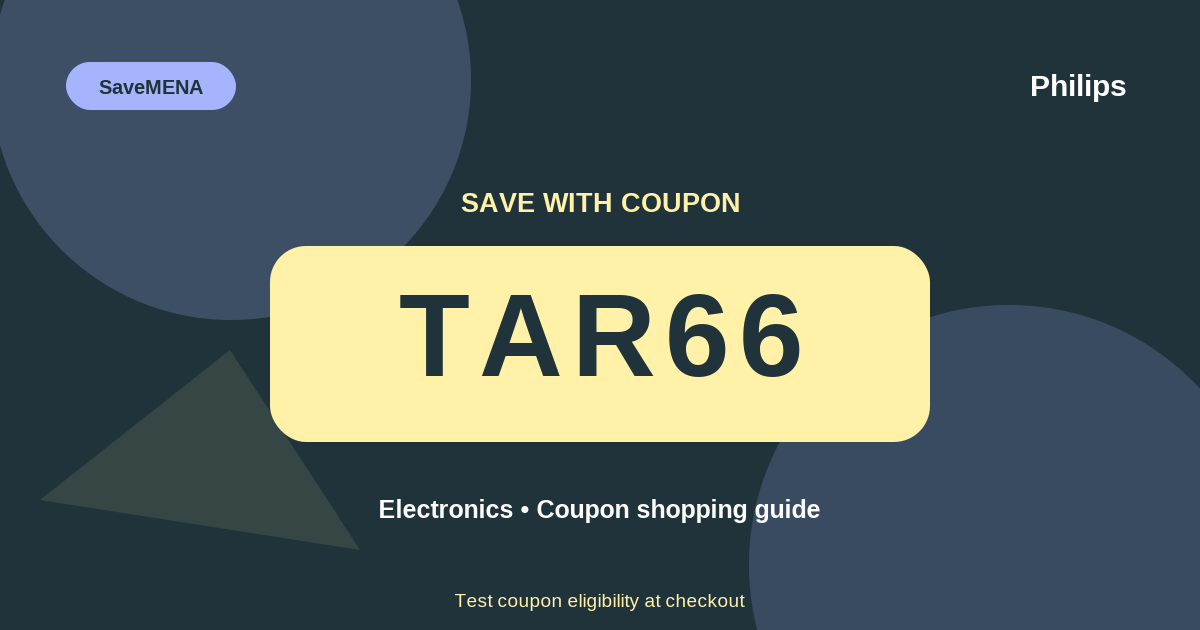
Codes available to try while comparing
These codes are not guaranteed for the article topic or listed brands; test them at checkout and use the live result.
Step 1: Select the Philips Electronics That Fit Your Needs and Verify Seller Credibility
Start by narrowing your Philips choices to the specific model that meets your functionality and budget requirements. Look for product listings that list the full model name, key features, and any available warranty details. The more transparent the description, the easier it will be to confirm what you’re paying for. Keep an eye on the seller information; a reputable vendor’s profile often includes a rating, return policy, and customer reviews—all indicators of how they handle warranty claims.
Before adding a product to your cart, note how many Philips items have active warranty extensions listed. A comprehensive warranty can offset the cost of future repairs and reduce the net value of any post‑purchase support fees. Verify that the listed warranty timeframe and coverage terms match what the manufacturer promises. A detailed warranty list reduces the risk that you'll need to pay a separate repair fee that could later impact your Noon UAE total with delivery.
Step 2: Understand Delivery Options and Estimate Associated Fees
Noon UAE offers several shipping choices, typically green light for free delivery or a small standard fee, depending on product size and location. When the product page lists “delivery fee,” write that figure down—this is the base before any shipping schedule is selected. Some listings may also show an “express” tier that adds a surcharge, but exact amounts vary by courier partner and customer address.
Check the delivery estimate to know how many days the item will take to arrive. A longer wait may be acceptable for a high‑value Philips device, but if you need quick access for warranty or early support, choose the fastest available option. Add the guaranteed delivery charge to the item price: that sum becomes the first component of your Noon UAE total with delivery. Remember, this total only reflects the theoretical cost; final numbers may change after drivers cancel or upgrade options.
Step 3: Confirm Warranty Coverage and Its Effect on Long‑Term Costs
Philips electronics often come with a factory warranty ranging from one to five years, but the extent of coverage can vary by model. Inspect the warranty card or the product page for a clear description of what parts and services are included. Pay attention to exclusions—some wavers omit accidental damage or battery replacement, which may incur extra post‑purchase fees down the line.
Gather the warranty letter or purchase receipt; these documents are essential when you file a claim. If the warranty lists a service center or support hotline, note that this is a built‑in cost saver—you’ll avoid paying for repairs that the manufacturer already covers. A solid warranty can directly reduce future financial exposure, making the upfront cost in your Noon UAE total with delivery more worthwhile.
Step 4: Evaluate Post‑Purchase Support Options and Potential Fees
In addition to the factory warranty, Philips sometimes offers extended support packages that may involve a monthly or annual fee. These packages might cover accidental damage, battery swaps, or comprehensive service plans. Review any “add‑on warranty” listings on the appraisal page; they often come tagged with a price or recurring charge.
When you add an extended service plan, calculate its impact on the end‑of‑purchase total. Compare the flat fee to the possible cost of a single repair—for high‑value devices, the plan could offer savings that lower the aggregated Noon UAE total with delivery. Be sure to factor in the plan’s duration; a yearly fee spread over three years can look cheaper per month than paying for a one‑time repair later.
Step 5: Compute Your Midnight Checkout Total Before Applying Any Coupons
At checkout, you’ll see a breakdown: item price, delivery fee, tax (if applicable), and any optional service plan fees. Add each element, and you’ll get a snapshot of the real-time Noon UAE total with delivery. This reflection should include the base cost plus any shipping surcharges, ensuring you’re not overlooking a hidden fee.
Leave the VAT or sales tax aside for the moment; this tax will lean into your final payable amount, but it’s separate from how delivery affects the overall aggregate. Instead, focus on confirming that the listed delivery fee matches your earlier estimate, as miscalculations here are the most common cause of surprise charges on your final bill.
Step 6: Attempt to Apply the TAR66 Coupon Safely and Verify Its Effect
Enter the coupon code TAR66 in the dedicated field on the checkout page. Because we cannot guarantee the coupon’s applicability, it’s a good idea to note whether the field accepts it before proceeding. Some codes apply only to specific categories or items; if the software rejects it, double‑check the code spelling or look for a discount notification on the product page.
Assuming the code is accepted, an instant deduction will appear next to your purchase total. Record the new figure; compare it with your first checkout total. Even if the coupon doesn’t give the full value you hoped for, you’re still paying a slightly lower noon UAE total with delivery. Document the result—this helps you decide whether to keep the code for future use or search for alternative savings.
Step 7: Final Verification of Total Payable Amount and Payment Method Impact
Before confirming payment, review the final payable total: item price, delivery fee, warranty and support charges, tax, and any coupon discount. Verify that each component reflects your latest choices—especially if you swapped a delivery tier or added an extended support plan. A misaligned figure could signal a pending fee not yet shown.
Choose a payment method that doesn’t introduce additional hidden costs. Some cards or wallets apply fee brackets based on transaction size; note whether these fees will be added after you finalize the order. The final NEC UAE total with delivery should match what appears just before you hit “Confirm Order.”
Step 8: Plan for Returns, Exchanges, and Warranty Claims After Delivery
Once you receive your Philips device, play the “read the manual” role—especially the warranty claim process. Most returns or exchanges require a certain timeframe, often 14 or 30 days from delivery. Confirm the return policy linked to your exact model on Noon’s order page, as this will dictate answer time and shipping costs.
When a repair or replacement is needed, the warranty card and poster guarantee a cost‑free rescue, but you’ll still need to cover any shipping or pickup logistics. Keep the receiver’s confirmation, a copy of the collector’s receipt, and the specific fault description handy. These items can streamline the “post‑purchase support” step, reducing downtime and potentially avoiding a future fee that would affect your next Noon UAE total with delivery.
Related SaveMENA pages
Related articles
Official sources to check
Frequently asked questions
Does the TAR66 coupon always apply to Philips electronics on Noon UAE?
No. The coupon code TAR66 may be limited to certain categories, sellers, or times. Try applying it at checkout, but it is not guaranteed to give a discount on your Philips electronics order. Verify its impact before finalising payment.
Can I use a delivery surcharge to get a lower Netto UAE total with delivery?
Choosing a free delivery option will not automatically reduce the overall cost; sometimes a lower fee can be offset by other cheaper shipping tiers, but it depends on the exact fee structure offered at checkout. Compare each tier’s rate before selection.
Will adding an extended warranty change my Noon UAE total with delivery?
Yes. Extended warranties add a service fee to your purchase, which is summed with the item price, delivery fee, and tax. Before adding a plan, calculate the new total to ensure it fits your budget and that the warranty covers the aspects you need.
How often should I check the Warranty status after receiving my Philips product?
Immediately upon unpacking, compare the warranty card received with the details listed on Noon’s product page. Confirm that the coverage period and terms match, especially for high‑value items where an error could affect future repair costs.