ASUS Laptops on Noon UAE: warranty and support — delivery-inclusive price
Noon UAE total with delivery Laptops ASUS warranty and post-purchase support: When you shop for a laptop on Noon, the catalog price is only the starting point.
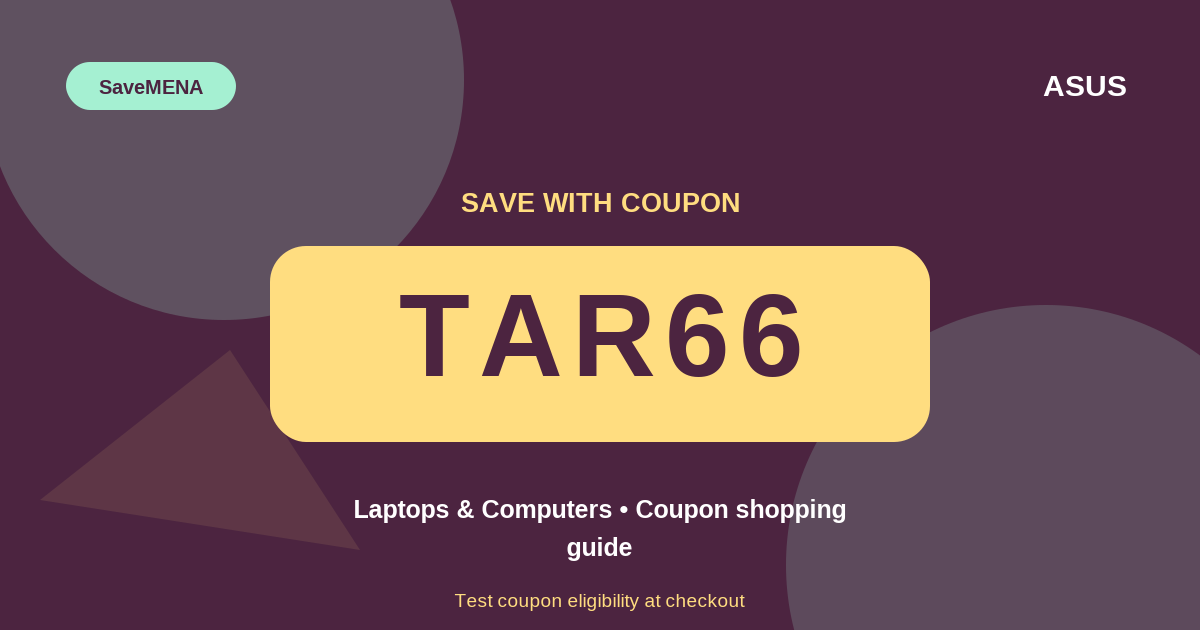
Codes available to try while comparing
These codes are not guaranteed for the article topic or listed brands; test them at checkout and use the live result.
1. Understand the Noon UAE Total: How Delivery and Fees Shift the Final Price
On Noon, every laptop has an associated delivery fee that can vary by region, quantity, and the chosen delivery speed. Grand totals are recalculated at checkout, often adding a small service charge even when free shipping is advertised. This adjustment is the main way the total you see before payment differs from the listed price.
To guard against unexpected increases, make sure you observe the “Estimated total” box during checkout. Note any extra line items such as “Delivery fee” or “Service fee”; these will be your points of verification. If it looks higher than you expected, confirm whether your purchase qualifies for any promotional free‑delivery threshold.
2. Gauge the Warranty: What ASUS Offers Through Noon and What to Verify
Many ASUS laptops sold via Noon come with a manufacturer warranty that covers defects for a set period, often one to two years. The warranty itself is not reflected in the price, but its terms can influence your total if you opt for extended or premium coverage sold on the site.
When reviewing the warranty, read the “Return & warranty” section on the product page and look for links to the detailed policy. Confirm that the warranty is valid in the UAE, how long it lasts, and what processes apply if you need a repair. This information ensures you’re not only paying for an item but also for the support that follows.
3. Phoning the Post‑Purchase Support: How to Enlist Help After Delivery
Post‑purchase support differs between the OEM, the seller, and Noon’s own service center. Knowing which channel to contact for repairs, activation, or dispute resolution is essential for preventing hidden costs later on.
To determine the correct support route, check the seller’s contact details listed in the product description and also the “Customer Service” link on Noon. If your purchase came from a marked grocery seller, they may have more limited support; the OEM warranty remains your safety net in those cases.
4. Testing the TAR66 Coupon: Where and How It Can Impact Your Checkout
The TAR66 coupon is a discount tool that shoppers can try to apply during checkout. Its effect on the final price is subject to the store’s policy, and the discount magnitude is not disclosed in advance; it only materializes after cart validation.
For it to work, keep the coupon in your browser or phone’s notes and paste it in the “Enter coupon code” box when you reach the payment screen. If the discount isn’t applied, note the reason listed in the cart tooltip—occasionally it could be due to the product not qualifying or the coupon not active.
5. Inspecting Seller Credibility: Ensuring a Reliable Source for Your ASUS Laptop
Seller reputation can affect warranty claims and support responsiveness. A verified seller name or a trusted brand label often signals that the laptop is a genuine ASUS product and that after‑sales processes are streamlined.
Before finalizing, read any seller reviews on the product page and confirm profile badges you see, such as “Verified Seller.” If you encounter an unfamiliar seller, check for contact information and ask about support policies before proceeding.
6. Choosing the Right Delivery Window: Balancing Speed and Added Charges
Different delivery windows can shift the price due to variable premium shipping or different carrier fees. Selecting a standard delivery slot can sometimes keep the fee lower, while Express options add to the total.
Verify the chosen delivery slot in the “Delivery options” section on the payment page. If you’re flexible, selecting “Standard delivery” may reduce the extra service charge, a small but notable saving that adds into the overall Noon UAE total.
7. Tracking the Order: What to Sign Up For If You Want Real‑Time Status
Once your laptop is dispatched, Checkout will provide a tracking number linked to the courier. Tracking itself doesn’t alter the purchase price but can reduce post‑delivery frustrations that might require you to use support services.
Enable notifications through the Noon app or website. These alerts can inform you of any delays or additional pickup requests, allowing you to plan and avoid potential returns that could trigger extra fees.
8. Final Checklist Before Hitting Pay: The Last Safeguards on Your Total
Before you confirm payment, re‑open the cart and double‑check the breakdown. Watch for any hidden line items, and confirm that the applied coupon, if any, has been reflected in the reduced subtotal.
Also, read the checkout confirmation note for any last‑minute changes—sometimes a shipping centre may alter the invoice. Once satisfied, you can place your order knowing every charge in the Noon UAE total has been verified.
Related SaveMENA pages
Related articles
Official sources to check
Frequently asked questions
Does the TAR66 coupon apply to all ASUS laptops on Noon?
No, the availability of the TAR66 coupon may vary. Its applicability depends on product eligibility and platform promotions. Always check during checkout.
Will the ASUS warranty cover damage from incorrect assembly at Noon?
The ASUS manufacturer warranty covers defects specified in its terms. It generally does not absorb assembly errors, but you may lodge a claim with Noon’s customer service if the laptop arrives damaged.
Can delivery fees change after I place my order?
Delivery fees are fixed once you select a delivery option at checkout. Any changes after shipment are rare and usually noted in a store notification.
How can I confirm that my laptop is an authentic ASUS product?
Verify the seller status, check the product description for genuine ASUS branding, and review authenticity indicators listed on the product page before buying.