Lenovo Laptops on Noon UAE: warranty and support — delivery-inclusive price
Noon UAE total with delivery Laptops Lenovo warranty and post-purchase support: How delivery and fees affect the final total is the first hurdle every UAE shopper
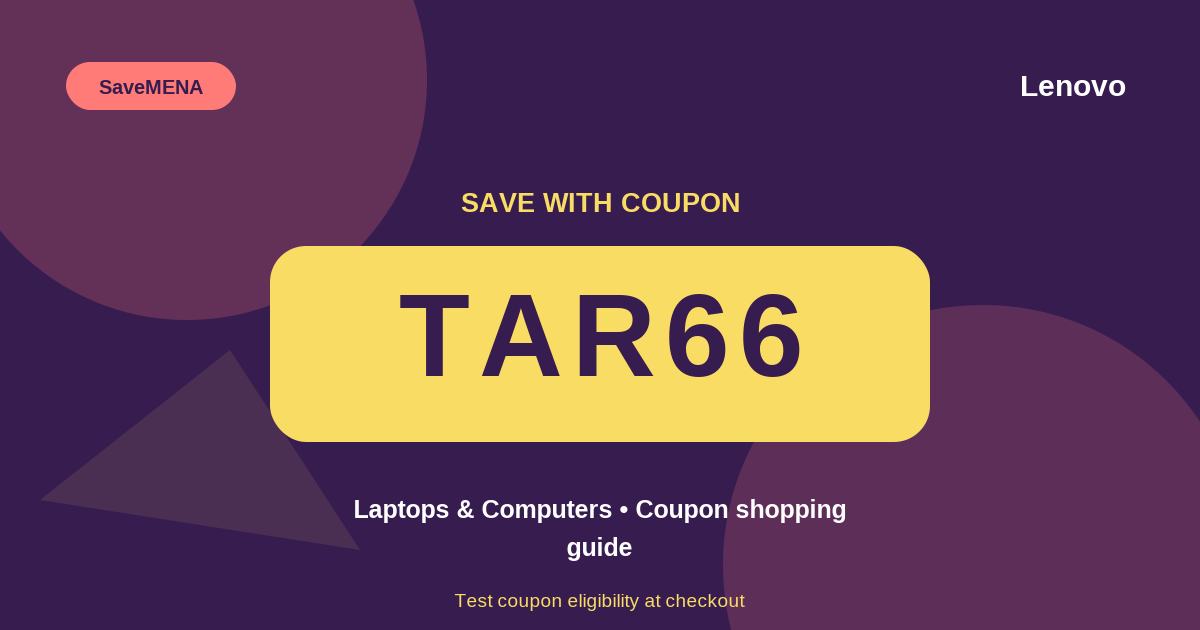
Codes available to try while comparing
These codes are not guaranteed for the article topic or listed brands; test them at checkout and use the live result.
Understanding the Base Price Before Adding Delivery
When you first locate a Lenovo laptop on Noon, the base price displayed will be your starting point. This figure represents the retail cost of the device alone, without any delivery fee or extra service charges. Knowing this baseline is essential because every other cost will be added on top of it. For UAE shoppers, double‑checking the base price against other e‑commerce sites can give you a rough idea of the market value and help you judge whether Noon’s offer is competitive.
From there, it is important to confirm that the warranty you are offered is indeed the standard Lenovo warranty that comes with the laptop. Noon’s listings may show a default “Included Warranty” badge; however, the terms can differ between sellers. You should verify the coverage limits—such as the period of protection, whether it covers accidental damage, and the process for a claim—before proceeding to the next step.
Spotting and Calculating the Delivery Charge
As soon as you add your chosen Lenovo laptop to the cart, Noon will pause the checkout flow to reveal the delivery fee. This fee is calculated based on the seller’s location, the weight of the item, and your pickup or delivery address throughout the UAE. The amount is displayed only after you proceed to the next screen, so you won’t know the final price until the cart is prepared for payment. The fee could either be a flat rate or a variable amount, so inspect it carefully.
If the delivery fee is listed as “Free” at this point, that is only provisional; Noon may impose an exact fee later if you do not meet a threshold for free shipping. The safest approach is to note the figure shown now—unless it says “Free”—and re‑check it during the final review step right before you pay.
Experimenting with the TAR66 Coupon Code
Should you wish to explore potential savings, Noon allows you to enter the coupon code TAR66 on the cart page. Enter it where the platform prompts for coupon codes and watch for a confirmation that it has been accepted or rejected. At this point, you do not know if the code will shift the total because it may not be valid for laptop purchases, or it may only apply to certain sellers or models.
Even after your attempt to use TAR66, double‑check the order summary. If the code is accepted, the new total will reflect the discount—otherwise, the original total remains unchanged. This trial run is purely to test applicability; it does not guarantee that you will finally see the discount when you finalize your purchase.
Choosing the Right Extended Warranty for Your Laptop
Lenovo offers optional extended warranties that can be added to your laptop during Noon’s checkout process. These include coverage beyond the standard period, often extending a few years, but the exact terms are listed in a separate section. When you add a warranty, Noon will add the corresponding fee above the base price but below the delivery cost.
Because extended warranties can differ by seller, it is essential to read the fine print on the product page and confirm that the warranty attaches to the device’s serial number. Some sellers might bundle warranty purchase with delivery, while others require a separate transaction. Checking both options in the cart ensures you know what you are paying for.
Assessing Post‑Purchase Support Channels
After a laptop is purchased, the next key factor is post‑purchase support. Noon’s order page will list a contact number or chat service for handling any issues related to the device. If a Lenovo laptop is shipped with a local repair center, the address and phone number for the nearest facility are typically featured in the order confirmation email.
In addition, Lenovo often provides an online support portal that is accessible from the warranty card printed inside the package or through their website using the device’s serial number. Rather than relying solely on Noon’s support, connecting directly with Lenovo’s technical team can expedite troubleshooting and repairs for hardware or software problems.
Comparing Seller‑Specific Costs Before Finalizing
Multiple sellers can offer the same Lenovo laptop on Noon. While the product name and specifications may be identical, each seller can set a varying base price, delivery fee, and warranty options. The best practice is to open several seller pages side‑by‑side and add each to a separate cart. This will give you a clear view of how each seller’s cost structure compares.
In this comparison exercise, pay special attention to total pricing after the cart is fully populated: base price, delivery, coupon acceptance, and extended warranty. Adobe Frame The Exact Final Total Screen. This allows you to pick the seller that offers the lowest cost while still meeting your warranty and support requirements.
Identifying Potential After‑Purchase Service Fees
Occasionally, sellers attach add‑on services such as a prepaid software bundle, in‑person technical audit, or an expedited repair service for an additional fee. These services appear only after the product is added to the cart and usually under a separate “Optional Services” section. They can shift the total significantly if the fee is higher than expected.
To avoid surprises, open the “Optional Services” area and read about each service inclusions and pricing. If you do not need a particular service, simply uncheck it. The overall total will update immediately, reflecting any changes in the final cost before you proceed to checkout.
Verifying the Final Total Before You Pay
Once you have incorporated every variable—base price, delivery fee, coupons, warranties, optional services—your next step is to review the final total displayed just before the payment button. This screen is where Noon provides a last‑minute opportunity to adjust any item or service to ensure the total matches your expectations.
At this point, re‑confirm the warranty coverage, that your chosen coupon code has been applied if applicable, and that the delivery info is correct. If everything looks consistent, proceed to the payment gateway. If any element looks wrong, you may need to revisit the cart or contact Noon’s customer support for clarification.
Related SaveMENA pages
Related articles
Official sources to check
Frequently asked questions
What fees can affect my Noon UAE total with delivery for Lenovo laptops?
Besides the device’s base price, you’ll see charges for delivery, optional extended warranties, guaranteed pickup fees, and any selected add‑on services. Noon may also apply a small handling fee; all these appear in the cart summary before checkout.
How can I verify if the TAR66 coupon applies to my laptop purchase?
Insert TAR66 in the coupon field on the cart page. If the discount appears next to the price, the code is accepted; otherwise, the total remains unchanged and the code will not apply at final payment.
Does Noon offer extended warranty options for Lenovo laptops?
Yes, sellers on Noon sometimes list extended warranty packages. They appear in the cart as separate items, and you can choose the duration or coverage level that best fits your needs before finalizing the purchase.
What post‑purchase support channels are available for Lenovo laptops bought on Noon?
Post‑purchase support typically includes Noon’s customer service chat or call line, as well as Lenovo’s official support portal accessed with the device serial number for repairs, software updates, and troubleshooting.