Puma Sports on Noon UAE: warranty and support — delivery-inclusive price
Noon UAE total with delivery Sports Puma warranty and post-purchase support: How delivery and fees affect the final total is a common question for UAE shoppers
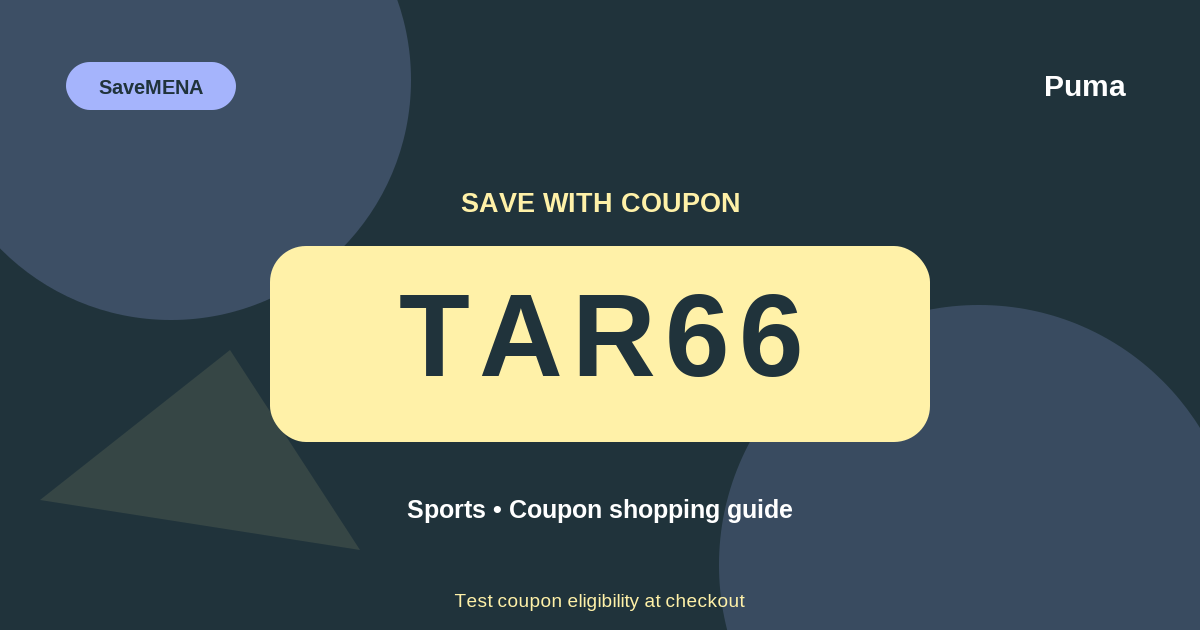
Codes available to try while comparing
These codes are not guaranteed for the article topic or listed brands; test them at checkout and use the live result.
1. Break Down the Core Price, Delivery Fee, and Tax at Noon UAE
When a sports product is listed on Noon, the base price displayed reflects the manufacturer’s cost plus any retailer markup. That number is only the beginning of your total. At checkout, the platform will add a local tax component that applies to most apparel and footwear items. The amount will be shown separately, so you can see exactly how the tax contributes to the grand total before any coupons or additional services are applied.
After tax, you’ll reach the delivery fee line item. Noon offers several shipping options, each with its own cost structure, and the fee can depend on factors like delivery speed and your order value. The exact charge will be revealed right before you confirm payment, allowing you to decide if the chosen delivery method aligns with your budget before the purchase is finalized.
2. Choose the Puma Warranty That Covers You After Delivery
Sports gear, especially brands like Puma, often comes with a standard manufacturer warranty. If you want extended protection, Noon may offer optional warranty add‑ons during checkout. These options usually cover defects in materials or workmanship for a set period after delivery. To assess value, compare the cost of the warranty add‑on against the potential repair or replacement fees you might otherwise incur. The warranty price will be displayed next to the performance‑based coupon codes, so you can evaluate all discount and protection options in one view.
Make sure the warranty selected aligns with your sports usage goals. For high‑impact items such as running shoes, a warranty that covers sole wear and structural defects can be worthwhile. Read the warranty terms carefully—particularly the coverage limits and time frames—to confirm that it matches your needs before adding the option to the cart.
3. Apply the TAR66 Coupon Safely and Observe Discount Eligibility
The TAR66 coupon is a promotional code that shoppers can try during checkout. Inputting it into the coupon field will trigger Noon to evaluate its applicability. Only items that meet the coupon’s eligibility criteria, such as brand and category, will see a discount applied. Because the platform calculates the discount after the base price, tax, and delivery fee are summed, you’ll see how much the coupon reduces the final amount in real time.
The checking process will also confirm whether the coupon can be combined with other offers, like a sale or the Puma warranty. Once the application is confirmed, note how the discount reflects on the final total. If the coupon does not apply, the interface will usually display a brief explanation. This transparency helps you decide whether to proceed with the coupon or to explore other savings.
4. Inspect the Full Post‑Purchase Support Terms Before Finalizing
Noon’s post‑purchase support varies by seller and product. For top‑tier sporting goods, support typically includes a dedicated helpline, an online chat service, and a returns window. Before completing the purchase, review the product’s support page to understand how to file a claim, the required documentation, and the estimated resolution time. These details influence how confident you feel about troubleshooting or returning an item, and they factor into the overall value proposition beyond the purchase price.
If the sports item has an optional warranty, the claim process will often be integrated with the warranty’s service portal. This means you may need to submit a request through a specific channel and follow instructions for diagnosis or repair. Understanding these steps beforehand can save time and hassle when you need to resolve post‑delivery issues, aligning the support experience with your expectations.
5. Confirm the Seller’s Return Policy and Warranty Claim Process
Seller‑specific return policies are displayed beside each product listing. They outline the time window, condition requirements, and whether the seller covers return shipping. The policy also details whether returns need to be initiated through Noon’s platform or directly with the seller. By confirming these rules early, you can ascertain whether the cost of returning a sports item is as low as you expect, thereby influencing the effective purchase price.
Alongside the return policy, vendors often provide a warranty claim protocol that may require an initial inspection or proof of defect. Accessing a secure link to the claim portal typically requires your order number and may involve uploading photos or documentation. Tracking the steps ahead of time ensures the warranty claim process will be smoother, which is particularly important for sports equipment that may develop wear after a short usage period.
6. Verify Payment Method Choices and Associated Fees
Noon accepts multiple payment methods, each with its own fee structure. Credit or debit cards may incur a small processing fee, while certain wallets or payment apps might offer fee‑free transactions. Before finalizing, confirm that your chosen payment method aligns with your budgeting needs. The payment detail will appear in the checkout summary, allowing you to compare if a higher‑fee method offers added benefits like reward points or extended financing options.
For seniors or customers preferring installments, Noon offers a “Buy Now Pay Later” segmentation that can spread the total over several months. While this option can improve cash flow, it may also generate interest or service charges. Inspect these particulars in the payment options section so you can assess whether the benefits outweigh the hidden costs before clearing the final total.
7. Record the Final Checkout Total and Compare It to Expectation
At the final stage of checkout, Noon consolidates every cost: product price, tax, delivery, warranty add‑on, and any coupon discount. The totalling engine will display a single, definitive amount along with a line‑item breakdown. This overall figure reflects what will be charged once you confirm the order. Taking a moment to cross‑check this total against your prior calculations confirms there are no unexpected charges lurking in the summary.
Keep a note of the final amount and the checkout URL if you need to revisit the order. The platform also sends a confirmation email that contains the same breakdown. By comparing the email details with the on‑screen summary, you can verify that the price and shipping details reported differ by more than they should, catching errors early and preventing post‑delivery disputes.
8. Keep the Order Confirmation and Warranty Documentation for Future Reference
After confirming the purchase, Noon will deliver a confirmation email that lists all relevant data: product details, shipping address, payment method, and the full cost breakdown. An extra copy of the selected warranty paperwork will also be attached if you opted for a coverage add‑on. Save these documents in a dedicated folder or a cloud‑based storage for easy retrieval. Whether you need to file a return or report a warranty claim, having the documentation at hand streamlines the process.
Maintain in‑app or email records for a minimum of a year or the warranty period, whichever is longer. This period typically covers the home warranty warranties, warranty claims, and any return policies, ensuring you can enforce your rights without confusion. By preserving the confirmation, you protect yourself against potential ambiguities that may arise later in the product’s lifecycle.
Related SaveMENA pages
Related articles
Official sources to check
Frequently asked questions
What are the typical delivery options on Noon for sports items?
Noon usually offers standard, expedited, and same‑day delivery where available. The expected delivery time and associated cost appear during checkout, letting you choose the option that best fits your schedule and budget.
Is the TAR66 coupon applicable to all sports products?
Coupon eligibility depends on product category and brand. When you apply TAR66 during checkout, the platform will confirm whether the sports item qualifies; otherwise it will show a brief eligibility note.
How long does a standard Puma warranty last after purchase?
Typically, a Puma warranty covers defects in materials or workmanship for a set period after the delivery date. Check the specific warranty terms provided at checkout for exact coverage duration.
Can I combine the TAR66 coupon with the warranty add‑on?
Yes, but only if the platform confirms they are combinable during the checkout process. If the system allows it, you’ll see the discount apply alongside the warranty cost.