Computer Accessories on Noon UAE: account eligibility — coupon eligibility
Answering the question “how to check coupon eligibility before payment” can be a stumbling block for many Noon UAE shoppers, especially when you’re shopping for
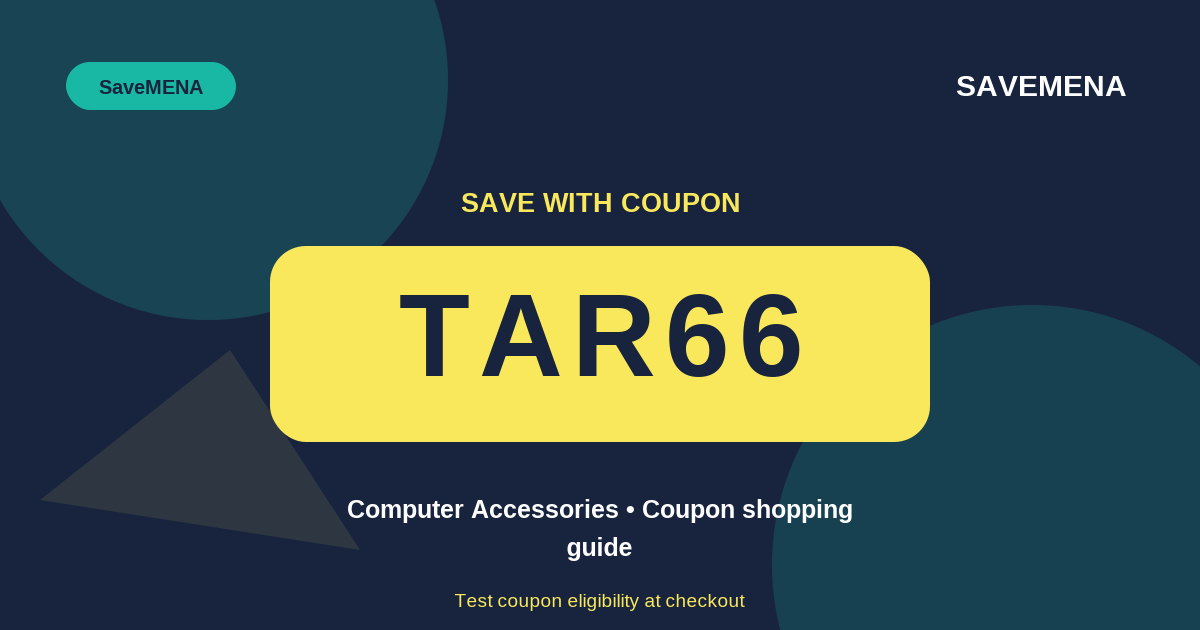
Codes available to try while comparing
These codes are not guaranteed for the article topic or listed brands; test them at checkout and use the live result.
1. Understanding Coupon Eligibility for Noon UAE
Coupon eligibility on Noon UAE depends largely on the UPC code you enter, the item category, and how your account has been set up. The user is prompted early on at the cart stage to see a preview of any applicable discount. This preview reflects whether the internal rule for the bonus code (TAR66) applies to the current combination of items in the basket. If the code is functional, the preview will show a reduced amount, otherwise a notice will appear indicating that it is not valid for this cart.
As a rule of thumb, you will only see the discount preview if the code passes Noon’s internal validation checks. These checks include a look‑up of membership status, purchase history, and confirmation that the account exists and is verified in the Noon system. If any condition is not met, the coupon will not appear, so you should double‑check your account status before adding items to the cart.
2. Account Context First: Verify Your Noon Profile Settings
The first step in ensuring coupon eligibility is to confirm that your Noon profile contains the necessary verification details. A previously unverified or incomplete profile can trigger a blocks on discount codes. You should navigate to the “Account” section and review the “Profile” tab for any pending actions such as email confirmation or phone number verification. Noon will only allow coupon trials on accounts with a fully set up profile.
In addition, your account’s geolocation must match the UAE region, as Noon’s coupon engine operates per market. Even if you are browsing from a UAE IP address, a stored address off‑country can cause eligibility issues. Make sure your delivery address field is accurately populated with a UAE address to maintain the local customer context required for the TAR66 code.
3. Syncing Your Cart: How Product Choice Impacts Eligibility
Once your account context is verified, the next step is to add the desired computer accessories to your cart. The product selection can influence the code’s status because some items may belong to restricted categories or are part of promotional bundles that exclude coupon use. Noon’s system automatically flags items that break the eligibility wall, preventing the code from applying.
To avoid surprises, keep your cart focused on the specific accessories you intend to buy and occasionally remove optional extras that may belong to a different category. If the cart contains a mix of eligible and ineligible items, the discount may only apply to a subset, which Noon will notify you at the detailed basket view before proceeding to checkout.
4. Timing Matters: When to Apply the Coupon Before Checkout
The timing of when you enter the coupon code can be critical. Noon’s checkout flow typically requires you to input the code just before the payment step, on a dedicated “Apply” field. Entering the code too early can trigger a pop‑up that cancels its application if the cart changes thereafter.
Therefore, keep the cart unchanged after the code is applied. This means no additional items, no removal of accessories, and no update to shipping preferences. Once the “Apply” button confirms the code is active, a status icon should show that the coupon is ready for use. The final pre‑payment screen will display whether the code remains eligible.
5. Confirmation Step: Reading the Eligibility Notice at Pay‑Page
When you reach the Pay‑page, Noon presents a summary of your purchase, including any discount codes that are active. The eligibility notice—usually a small banner or a line in the order total—states if the code has been successfully applied.
If the banner reads “Code not valid for selected items” or a similar message, it indicates that your cart does not meet the eligibility requirements. At this point you should pause, revisit the cart items, or adjust your account details to satisfy the conditions. Once the code appears correctly, the final total will reflect its application.
6. Handling Exceptions: When the Coupon Fails to Apply
Occasionally, the code may not run due to temporary system glitches or maintenance windows. Noon usually displays a concise error message allowing you to retry later. If you are certain all criteria are met, try refreshing the page, clearing the cache, or using a different browser to see if the code re‑activates.
Should the problem persist, you may want to contact Noon customer support. When you call, provide them with your account ID, the exact item SKUs in the cart, and the timestamp of the attempt. This information will help expedite a troubleshooting routine and clarify whether the code is temporarily blocked.
7. Leveraging SaveMENA for Further Discounts
SaveMENA is an independent platform that aggregates deals and coupon codes for Noon UAE shoppers. While the site does not claim to provide exclusive Noon coupons, it can be useful for locating validated codes—including TAR66—that have worked for other buyers in real-time. However, be cautious: SaveMENA does not guarantee success, and the final decider remains Noon’s checkout.
To effectively use SaveMENA, enter your Noon cart details into the site’s coupon search area, then test the code in a separate browser window. The site will indicate whether the coupon appears to be active; always confirm this result on Noon’s own payment screen before finalizing the purchase.
8. Final Checklist: Before You Hit Pay
Before pressing the “Pay” button, cross‑check the following: (1) Your account information is fully verified and flagged as UAE‑resident; (2) Your cart contains only eligible accessories under the discount; (3) The code TAR66 is visible on the order total with no error banners; and (4) No additional promotional banners are overlapping the discount warning.
Only after these checks should you proceed. If anything is unclear, revert to a simpler cart composition or adjust your account details. Using this methodical sequence will give you confidence that the coupon is indeed eligible, safeguarding you from a potential last‑minute rejection.
Related SaveMENA pages
Related articles
Official sources to check
Frequently asked questions
How can I confirm my Noon account is considered a UAE profile?
On Noon’s website, go to your “Account” settings and review the “Profile” section. Your verified email, phone number, and delivery address should all indicate a UAE location. A missing or foreign address signals that the account may not be treated as local for coupon eligibility.
What if the TAR66 code shows ‘not valid’ on the Pay‑page?
When the code reads ‘not valid,’ it usually means either a restricted item is in the cart or your account setup lacks a critical detail. Review your cart for any bundle or brand that falls under the restriction, and verify your profile’s completeness before re‑applying the code.
Does saving the cart before entering the code affect eligibility?
Yes, Noon’s system evaluates eligibility after all cart elements are finalized. If you add or remove items after applying a coupon, the code may be invalidated. Keep the cart static between the “Apply” step and the final payment screen to preserve eligibility.
Can other coupon codes work alongside TAR66?
Typically Noon allows a single coupon code per transaction. If you try to stack codes, the system will often reject them or not apply any. Focus on TAR66 for the intended discount and avoid adding other coupons unless Noon explicitly states it supports combinations.