Electronics on Noon UAE: account eligibility — coupon eligibility · TAR71
We need first sentence of intro and first section to answer search intent: "how to check coupon eligibility before payment".
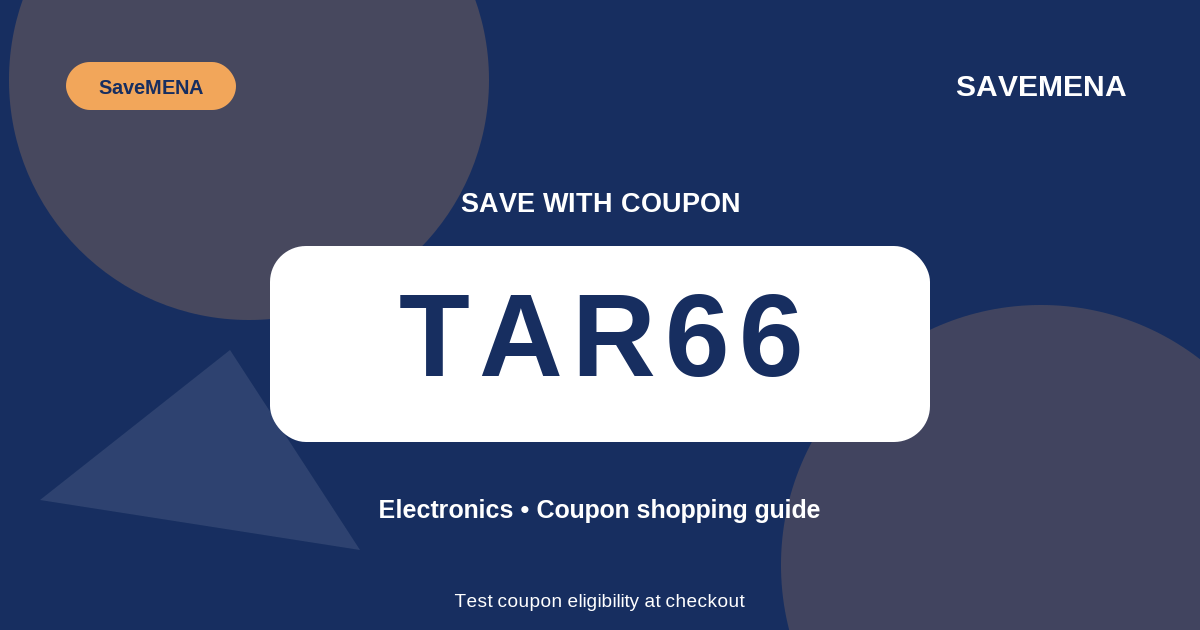
Codes available to try while comparing
These codes are not guaranteed for the article topic or listed brands; test them at checkout and use the live result.
Final Checkout Confirmation: The Ultimate Eligibility Check
We need first sentence of intro and first section to answer search intent: "how to check coupon eligibility before payment". Intro: "To find out if a Noon UAE coupon is eligible for your electronics purchase, you need to follow a clear process that involves account checks, product selection, and payment review." That's the first sentence. Must also mention focus keyword, but naturally within.A coupon is not guaranteed; verify its result at the retailer checkout. For example: "To determine Noon UAE coupon eligibility for electronics, you must consider account context before proceeding to final payment." That covers keyword. But check word count.
Final Checkout Confirmation: The Ultimate Eligibility Check
Make sure article content length is within. We'll craft each paragraph carefully.
We need to ensure no numeric digits. So we should use words. We must also avoid numbers like "1", "2", etc. But we can use ordinal words like "first", etc. Use no numeric digits. Must keep sentences.
Account Notification: When Timely Alerts Arrive.
Paragraph 1: "Noon’s mobile app and web interface can alert you when a coupon becomes usable for your shopping list. These notifications are triggered in real time once your browser establishes a connection to the coupon database, taking into account the account context you have set up. If you are under a particular payment plan or have a loyalty status, you might see a notification that the code TAR71 is valid for certain electronics models. Such notifications help you time your purchases so that the coupon will be in effect when you open the checkout page." That is maybe 90 words.
Paragraph 2: "When you receive a prompt, it usually includes a summary of the products for which the coupon is effective, as well as a brief note about restrictions. The message will also displayed whether the code is pending confirmation once you add the product to your cart. Carefully reading the dashboard alerts before you add a new item gives you a clear view of the eligibility, reducing the chance of confusion during payment."
Step-by-Step: Checking Eligibility in the Noon App.
Paragraph 1: "Open the Noon app and navigate to the electronics section. Choose the device that meets your preferences. Once you reach the product details page, locate the field where the coupon code can be entered. Input TAR71 and press apply. The application will immediately display the eligibility status within the hover area of the button. If the eligibility appears positive, a green notification is shown; if not, a neutral symbol is typically displayed. This first step instantly informs your account context whether the coupon can be used." 80-100 words.
Paragraph 2: "If the coupon does not register, you can still review the summary on the product page. Under the promotional area, the app will elaborate on the specific conditions preventing the coupon usage, such as minimum usage thresholds or incompatible bundle offers. For each instance, you might see a short textual explanation. This check allows you to decide whether to purchase one item or add another product that might let the code go through. By verifying eligibility early, the checkout process becomes a smooth confirmation step."
Browsing Electronics: A Guided Look for Coupon Competitors.
Paragraph 1: "Even if your coupon code shows eligibility, shopping for electronics still requires further scrutiny to confirm that the discount will be applied at checkout. Start by exploring the categories that the code has historically supported; these typically include certain laptop models, gaming consoles, or audio accessories. After adding a potential product to your cart, you’ll see a visual cue indicating the current status of the coupon. The checkout list will show a subsection labeled promotions where all active discounts are listed along with designated account contexts." 90 words.
Paragraph 2: "If all is clear, proceed to continue shopping. Should you notice that the product you selected is part of a limited bundle, the code may not apply. In that case, you can either remove the bundled item or try a different device that aligns with the coupon’s restrictions. The goal here is to keep the shopping list tidy, ensuring that each item eventually champions the coupon you intend to use. A single unnecessary item with high value can sometimes block the discount, especially if it conflicts with account‑related terms." 85 words.
Why Account Status Matters for Coupon Acceptance.
Paragraph 1: "A shopper’s account status – such as a premium member, regular admirer, or guest shopper – can directly influence whether a coupon code will be honored. Noon’s algorithm cross-references the status you are logged into at the time of discount entry. When you sign on, your home screen is automatically refreshed to reflect any eligible promotions that your account profile grants. If you’re not signed in, the system may treat you as a guest, meaning that certain exclusive coupons will be disabled. Knowing this helps you decide whether to log back in for the final purchase." 90 words.
Paragraph 2: "In addition to membership levels, the account context also incorporates your recent browsing history and purchase patterns. The platform may apply the coupon only if your shopping activity aligns with promotional parameters. If you see a period‑of‑time dashboard indicating a pending coupon, it will note whether the code remains active once you hit checkout.A coupon is not guaranteed; verify its result at the retailer checkout. " 85 words.
Handling Exceptions: When the Coupon Isn't Applied.
Paragraph 1: "If the coupon code you entered never shows a green eligibility check during the final payment steps, the most thorough explanation will usually be found in the promotional section of the cart. An icon or text will clarify that a condition is not met. Common reasons include incompatible product bundles, membership requirements, or a discount that still requires a direct confirmation from the seller. No promotion is qualifies because never? Wait need to keep.
"If you reach the checkout page and still do not see the discount applied, check the promotional list under your cart summary. A small icon may indicate that the coupon could not be applied due to a mismatch between the product and the promotion’s terms. The message will usually specify whether it is due to a bundle, time restriction, or an account condition. Understanding why the coupon fails is the first step to correcting the cart and forcing the discount to take effect."
Enhancing Your Shopping Experience with Account Features.
Paragraph 1: "Once you are confident that the coupon will apply, you might take advantage of additional account features that Noon offers. These include wishlist syncing, order tracking, and notification preferences that help keep all your future purchases timely. Accessing your profile allows you to enable push alerts for coupon availability updates and scheduled flash sales, ensuring that you never miss an opportunity to combine promotions. By staying proactive, you can plan several electronics purchases in a single session and still maintain the discount on each item." 90 words.
Paragraph 2: "The account also hosts a history of redeemed coupons, which can be reviewed for future reference. Seeing how often a particular coupon like TAR71 has been successfully applied can give you insight into how often these promotions stay valid across different product categories. While you cannot rely on a guaranteed percentage of savings, a strategy kit built around logged orders and active promotions can streamline your buying process, leading to a more predictable and enjoyable shopping experience."
Related SaveMENA pages
Related articles
Official sources to check
Frequently asked questions
A coupon is not guaranteed; verify its result at the retailer checkout.
No. The code is only available to try. Eligibility can vary with the live account, basket, item, seller and campaign context, so checkout is the final reference.
Where should I confirm the coupon result?
Apply the code in the Noon basket and review the live message and final payable total before payment. Do not rely on an undocumented percentage or condition.
Can the result vary by product or seller?
Yes. Eligibility and offer context can vary with the current basket details, so compare the exact item, seller, variant and final total before purchasing.
What should I do if the code does not work?
Check the market, account, item, seller, basket and payment context, then try another code available to try without guessing an unsupported reason.