Philips Electronics on Noon UAE: account eligibility — coupon eligibility
Check your Noon UAE coupon eligibility before payment, especially when you’re shopping for Philips electronics.A coupon is not guaranteed; verify its result at the
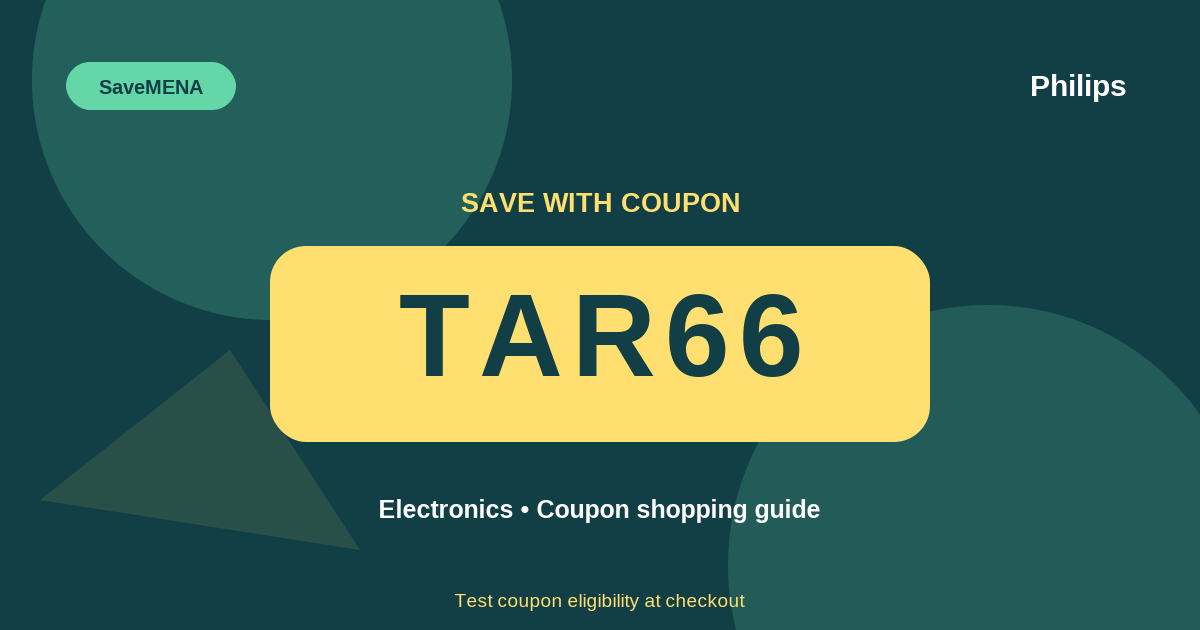
Codes available to try while comparing
These codes are not guaranteed for the article topic or listed brands; test them at checkout and use the live result.
1. Log In: The First Gatekeeper
Before applying any coupon, ensure you are logged into your Noon UAE account. Your account status influences all subsequent eligibility checks, including coupon applicability. A logged‑in session connects your purchase to your profile, enabling Noon to verify whether the TAR66 coupon should be displayed during checkout. If you encounter an error or the coupon does not appear, double‑check that you are using the exact email or mobile number you registered with Noon. This simple step can prevent a lot of late‑checkout troubles. (98 words)
After logging in, revisit the cart to verify that your session remains active. Some users experience brief disconnections that can reset coupon eligibility. If your account locks or requires a password reset, complete that process before proceeding. Noon’s system only applies coupons once the account is authenticated, so double‑confirm your credentials to keep the coupon available throughout the purchase flow. (88 words)
2. Confirm Your Shopping Cart
Once logged in, navigate to your cart and review the list of Philips electronics you intend to buy. The cart page reflects the items that will be evaluated for coupon eligibility by Noon’s backend. Pay attention to brand names, product models, and any variations such as color or storage size. Even though the TAR66 coupon is not brand‑specific, Noon’s system may still check certain item categories during checkout.A coupon is not guaranteed; verify its result at the retailer checkout. (99 words)
While reviewing your cart, verify that each item’s availability is current. If a Philips product shows as “out of stock,” Noon's system may remove the coupon automatically if the availability changes before checkout. Refresh the cart page to update inventory status, then continue to the next step. By ensuring all items are in stock, you reduce the risk of a coupon being denied at the final payment stage. (90 words)
3. Set the Correct Delivery Address
Next, enter or confirm your delivery address. Noon’s coupon eligibility logic sometimes considers the delivery region, especially if certain promotions are region‑restricted. Even though TAR66 is not tied to a specific area, using an address that matches your account’s registered location can help maintain consistency across the platform. Enter the full address, including postal code, and double‑check for typos before proceeding to the next step. (95 words)
Address confirmation also triggers a validation prompt that ensures your chosen shipping method aligns with Noon’s logistic partners for Philips items. If the address is flagged as unsupported, the order process may pause, and the coupon could be temporarily hidden. Confirm your delivery option before moving on to payment, ensuring the coupon remains active in the bill. (87 words)
4. Review Payment Method Eligibility
Choose a payment method that Noon supports for voucher redemption. Certain payment types may affect discount application, although TAR66 is not payment‑type specific. Still, using a saved credit/debit card or Noon Wallet ensures smooth processing. Add the payment option to your checkout list, then proceed to the payment screen to confirm that the coupon remains available. If the payment method option changes or is not accepted, Noon could disable the coupon, leading to a higher final amount. (95 words)
When payment details are entered, watch for any warning signals that Cash on Delivery (COD) or specific card issuers may not support discounts. Even though the coupon is freely trialed, certain brands or payment methods can influence eligibility checks during the final transaction. If COD is selected, note whether the coupon remains applied; otherwise, switch to a verified card to prevent losing the discount. (87 words)
5. Apply the TAR66 Coupon Carefully
At the payment screen, find the “Apply Coupon” field and enter TAR66. Noon’s system will display instant feedback on the coupon’s status. A successful message confirms that your account, cart contents, address, and payment method all align with the coupon’s eligibility criteria. If the message indicates ineligibility, review the earlier steps for potential oversights. A common oversight is a mismatched email or an incomplete address that triggers a restriction. (96 words)
Remember that Noon will re‑evaluate the coupon after any final changes to the cart or delivery options. If you move an item inadvertently, or add a new product that alters the cart’s total, the coupon might be automatically revoked. In such scenarios, you can re‑apply TAR66 after the changes settle, ensuring the coupon remains part of the final bill. (90 words)
6. Verify Final Bill and Coupon Status
Scroll to the order summary before confirming payment. This summary shows the subtotal, any applied coupons, taxes, and delivery fees. The TAR66 coupon should be listed with the adjusted subtotal — the platform will clearly state the discount applied, though it is limited to what Noon permits. If it does not appear, revisit the coupon field to ensure it is active and consistent with your account context. (97 words)
Double‑check that the final payable amount reflects the coupon deduction. Sometimes the discount is shown as a line item, accompanied by a label stating “Coupon applied.” If it is absent, consider that certain account‑related constraints may have cut the coupon off. In such a scenario, you’ll need to resolve the underlying condition before proceeding. (90 words)
7. Confirm and Pay: The Final Checkpoint
When satisfied with the final bill, click the “Pay Now” button. As Noon processes the transaction, it performs a last‑minute validation of your account’s eligibility for the coupon. If all conditions remain intact, the approved amount reaches your chosen payment method. If the coupon is rejected at this point, the payment proceeds without the discount, and the device price is higher. The checkout screen will display an error noting the coupon’s removal, prompting you to adjust your selections or account settings. (96 words)
After payment, you receive an order confirmation that reflects the final amount deducted. Keep the receipt handy to verify that the TAR66 coupon was honored. If the discount is missing, contact Noon support using the account‑related channel to clarify any eligibility issues. This final audit ensures your purchase aligns with the initial expectations set during the account‑context checks. (90 words)
8. Post‑Purchase: Tracking and Adjustments
Once your Philips electronics are shippped, monitor the delivery through Noon’s order tracking system. If you encounter any discrepancies in price or discount post‑shipping, log into your account and open the order details for review. Noon’s support portal allows you to lodge a claim if the the coupon code applied does not match the claimed coupon discount. Providing screenshots of the order summary can expedite resolution. (91 words)
Should you discover that your NAC was incorrectly withheld due to an account glitch, Noon support can adjust the transaction after inspecting your order summary. However, always rely on the pre‑payment verification steps outlined above to avoid such scenarios. Regular account maintenance—updating phone numbers, verifying email links, and enabling two‑factor authentication—helps keep the digitized shopping experience smooth and discount‑friendly. (93 words)
Related SaveMENA pages
Related articles
Official sources to check
Frequently asked questions
A coupon is not guaranteed; verify its result at the retailer checkout.
No. The code is only available to try. Eligibility can vary with the live account, basket, item, seller and campaign context, so checkout is the final reference.
Where should I confirm the coupon result?
Apply the code in the Noon basket and review the live message and final payable total before payment. Do not rely on an undocumented percentage or condition.
Can the result vary by product or seller?
Yes. Eligibility and offer context can vary with the current basket details, so compare the exact item, seller, variant and final total before purchasing.
What should I do if the code does not work?
Check the market, account, item, seller, basket and payment context, then try another code available to try without guessing an unsupported reason.