Samsung Electronics on Noon UAE: account eligibility — coupon eligibility
Checking whether a Noon UAE coupon is eligible for your purchase before you hit the “Buy” button is essential for a smooth checkout experience.
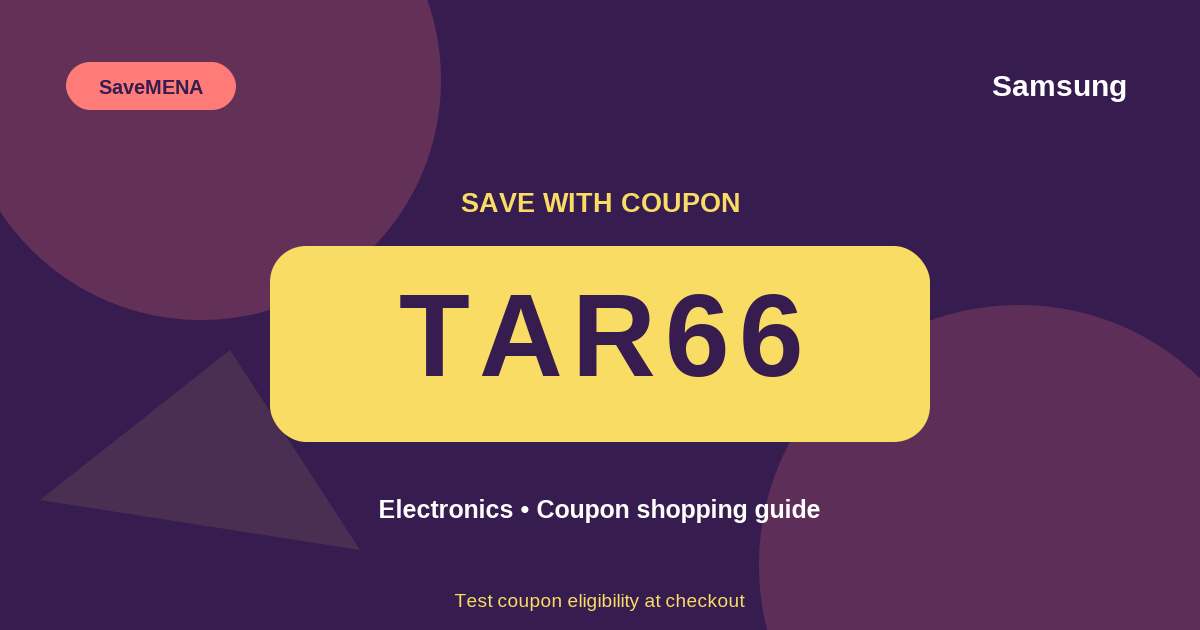
Codes available to try while comparing
These codes are not guaranteed for the article topic or listed brands; test them at checkout and use the live result.
Understanding Noon UAE Coupon Eligibility in Your Account
Coupon eligibility on Noon UAE depends largely on the state of your own account. Whether you are using a personal profile or a family or business wallet, the system checks your account type, payment methods and previous purchase history to decide if a coupon like TAR66 can be applied. It’s essential to review your profile settings before adding items to your cart so you know which types of vouchers may be accepted for the devices you are eyeing.
The key point is that the coupon’s applicability is evaluated against the current account context. If your account is newly created or has undergone recent changes—such as a switch from a guest checkout to a registered user—the coupon might not be automatically granted. Checking the “My Account” section for any pending verifications or restrictions will help you anticipate whether the TAR66 voucher will be recognized during checkout.
Preparing Your Electronics Wishlist for Coupon Verification
When you start building your electronics cart, aim to include items that fall within the general price ranges where Noon’s coupon engine operates. In this phase, you can inspect each product’s detail page to confirm that there are no brand or model-level exclusions flagged. Note that Samsung devices are usually categorized under a broader electronics group, which is fine because the coupon is not brand‑specific.
Before moving to the cart, double‑check that your chosen Samsung gadget is still available and that the seller’s listing is active. An inactive or out‑of‑stock item will prevent any coupon from being evaluated. Keep an eye on any manufacturer or seller notices, and if you notice a mention of “special conditions”, you might need to adjust your selection or account settings.
Logging In: The First Step to Confirm Coupon Availability
The initial test for eligibility begins with signing into your Noon UAE account. Once you are authenticated, the system refreshes your session and any associated data, which includes eligibility flags for coupons. If you’re using a guest cart,’ll have to switch to an account before the TAR66 voucher can be assessed.
During login, Noon may prompt you to complete missing profile information—such as mobile number verification or address confirmation. The completion of these fields is part of the account context that influences whether the coupon is deemed eligible. If you’re redirected to a verification screen, completing those steps may unlock the voucher at checkout.
Adding Samsung Devices: Examining Account-Based Coupon Conditions
A coupon is not guaranteed; verify its result at the retailer checkout. The system will automatically recalculate coupon eligibility as soon as an item is added. Watch for any notification badges that might appear next to the product price or within the cart summary—these badges often indicate compatibility status.
If a Samsung gadget appears with an eligibility notice that says “Coupon not applicable” or similar, it means your account context—perhaps due to a recent change or a restriction on the vendor—does not meet the criteria for TAR66. In that scenario, you’ll need to review your account settings or remove and re-add the item to refresh the eligibility check.
Navigating the Cart: Spotting Eligibility Flags Before Checkout
Before you do a final push to the Checkout screen, inspect each line item in your shopping cart. Noon’s cart page typically lists a small icon next to the subtotal area, signaling whether a voucher can or cannot be applied. If the icon indicates “eligible,” you can be confident the system recognizes TAR66 as usable.
Should the cart display a warning that a coupon is unavailable, it’s a strong sign that your account context is limiting the offer—this might include factors such as a non‑standard payment method or a specific seller requirement. At that point, you can decide whether to replace the item, adjust your payment plan, or switch to a different vendor that allows coupon usage.
Applying TAR66: What Your Account Says About Coupon Applicability
On the Checkout page, you’ll find a field to enter the voucher code. Input TAR66 and watch for an automatic response. Noon will immediately validate the code against your account context and all cart items. If the code is accepted, you’ll see a confirmation pin or similar indicator that the discount has taken effect.
If the code is rejected, the message will provide a general reason—such as “voucher not applicable to this item” or “invalid voucher”. This rejection means that the coupon cannot be applied given the current account status and selected items. Check your account for any pending verifications or read the general coupon policy for guidance before taking further action.
Reviewing the Final Payable Total: The Account Lens in Action
Even after a successful coupon application, Noon may adjust the final payable amount based on delivery options, payment method, or additional service fees. The final payoff displayed before confirming payment should reflect all applicable discounts, including TAR66, if the coupon was valid for your account. Verify that the total matches the expected deductions.
If the final total doesn’t change after entering the code, double‑check that you are on the correct checkout step—sometimes the system requires you to re‑enter the code after choosing a delivery method. The amount displayed at this point is the definitive reference for coupon eligibility, and you should treat it as a confirmed reflection of your account context.
Tips for Maximising Coupon Success with Your Noon UAE Account
To keep your cart ready for coupon eligibility, keep your Noon account education sanitized. This includes ensuring your phone number, delivery address and preferred payment method are all up‑to‑date. Many coupons trigger only when the system can confirm these details, which is a core component of the account context.
When shopping for electronics, especially Samsung items, try adding the product to a temporary cart first. This allows the system to process the eligibility flags without committing to a purchase. Once you confirm that the coupon will apply, you can proceed to checkout and lock in the savings dictated by your account conditions.
Related SaveMENA pages
Related articles
Official sources to check
Frequently asked questions
Why isn’t my TAR66 coupon applying to my electronics purchase?
Check that your Noon account is fully verified and that you’re using a registered profile. Some coupons only become active after account checks, and sellers may restrict voucher usage. If the code still won’t apply, review the general coupon policy or contact Noon support.
Can I use TAR66 on Samsung devices if they are sold by a third‑party vendor?
Eligibility depends on the seller’s integration with Noon’s voucher engine. The coupon isn’t brand‑specific, but some third‑party vendors may restrict discounts. Confirm on the cart page—an eligibility flag will appear if the vendor allows the use of TAR66.
Will I see a discount while adding an item to the cart before I reach checkout?
On most product pages, a subtle indicator will tell you if a voucher may apply, but the final confirmation occurs at checkout. If the cart shows a warning that the coupon is unavailable, you’ll need to resolve account or item incompatibilities first.
Do I need to apply the coupon code before I choose my delivery option?
Yes, you should enter TAR66 before selecting delivery. Some delivery fees affect voucher eligibility, so enter the code first, confirm the discount, then pick the delivery method to ensure the final price reflects all applicable savings.