Headphones on Noon UAE: account eligibility — coupon eligibility
To check whether a Noon UAE coupon is eligible for a particular headphones purchase before you hit payment, follow the steps outlined below.
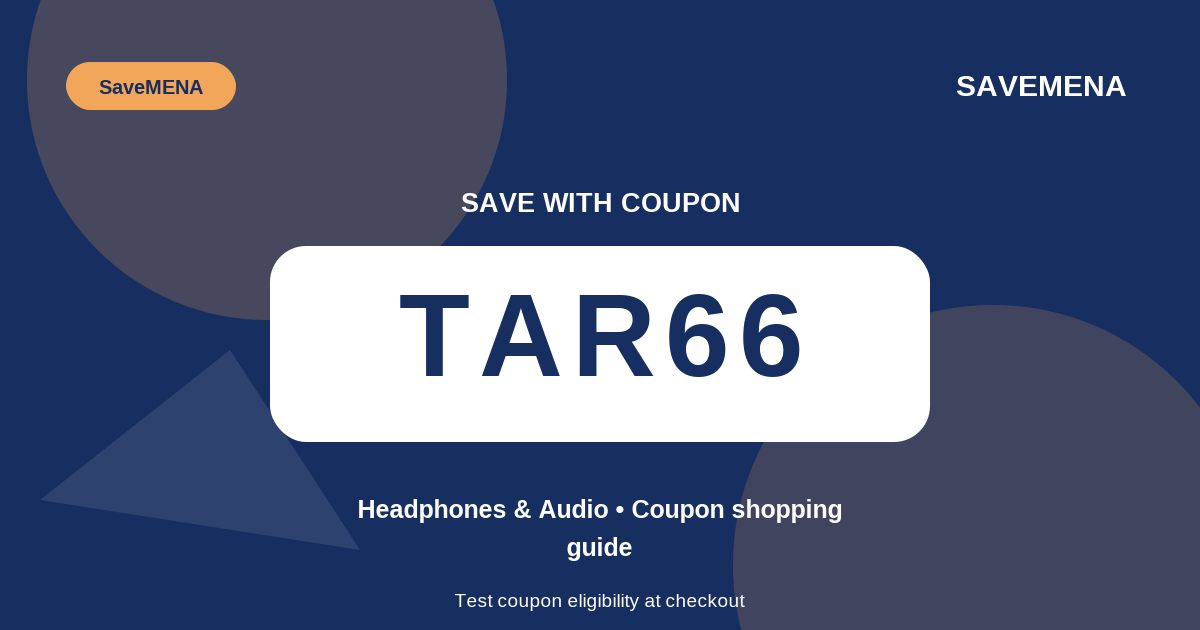
Codes available to try while comparing
These codes are not guaranteed for the article topic or listed brands; test them at checkout and use the live result.
1. Understanding Noon UAE Coupon Eligibility for Headphones
Coupon eligibility on Noon is governed mainly by the product category, the shopper’s account status, and any special restrictions set by Noon. For headphones, typical restrictions involve discount codes that only work on marked‑down items or specific brands. Since the focus is on account context, you must confirm that your account—whether it’s a personal, business, or university-affiliated profile—matches the code’s intended audience. In many cases, a standard coupon will apply only to personal accounts, and may not function if the account is a business or corporate profile.
In addition, prerequisite factors such as delivery addresses and membership tiers can influence eligibility. Noon sometimes limits promotional codes to certain cities or to members of Noon Gold and Noon Prime. By double‑checking that your address is within the supported region and that your membership level aligns with the offer, you avoid the common pitfall where a coupon disappears just before you complete payment.
2. Setting Up Your Noon Account: The Key to Smooth Coupon Use
Your Noon account acts as a gateway that validates coupon eligibility. If you haven’t logged in, Noon treats you as a guest, which can restrict access to many discount codes. Signing into a registered account ensures that your purchase history, loyalty status, and demographic data are considered during checkout, allowing the system to recognize whether the TAR66 code applies to your head‑phones order.
When creating or editing your account, double‑check fields such as email address, phone number, and postal code. These details are automatically compared against Noon’s coupon rule database; a mismatch can cause the coupon to be deemed ineligible. Updating your profile with accurate, active contact information supports smoother transactions and reduces the likelihood of payment delay caused by transaction eligibility checks.
3. Browsing Headphones and Building the Cart
Start by selecting headphones that fit your audio needs—whether it’s gaming, music, or travel. Add each item to your cart, but pause to inspect the product page for any discount notes. Noon often displays “Available Savings” at the top of the product layout, indicating whether a coupon like TAR66 will have any effect.
Once all desired headphones are in the cart, the next step is to view the cart summary. This step effectively locks the product’s price and availability; any down‑priced items will be marked and ready for coupon application. Without this step, a coupon might be skipped because the cart wasn’t refreshed after adding the product.
4. Applying and Verifying TAR66 Before Checkout
On the cart page, there is a field labeled “Enter coupon code.” Input TAR66 and wait for the system to validate it. The page will update to reflect any reduction—if the code is applicable—or will display a message stating why it cannot be used. This is the first live test of coupon eligibility in the account context.
During this verification, pay attention to any notification that mentions “Minimum Spend” or “Required Cart Total.” If these thresholds are not met, Noon will not apply the coupon, and you’ll have to either add more products or adjust your cart before proceeding to payment.
5. Checking Eligibility at the Checkout Step
After confirming the code, advance to the checkout page. Noon’s system performs a final eligibility check that considers cart contents, shipping address, payment method, and your account profile. The checkout total will explicitly show the applied discount, the original price, and the net amount payable. This actographic snapshot ensures transparency before any money leaves your bank.
If the discount disappears at this stage, the explanation will appear as a brief notice. Common reasons include a cart total dropping below the required threshold after shipping fees or the customer’s address being outside the coupon’s eligible region. By inspecting this message, you can immediately determine whether the issue is account‑related or product‑related.
6. Common Pitfalls That Affect Coupon Eligibility for Headphones
One frequent mistake is overlooking the presence of blocked items. Noon marks certain headphones as “Non‑Discountable” if they are part of promotional bundles or new‑arrivals that remain subject to their own sale terms. If any such item is in the cart, the entire coupon may become invalidated at checkout.
Another error involves using a digital storage‑code that’s linked to a specific payment method. Noon sometimes restricts codes to be used exclusively with a pre‑selected card type, or with the Noon wallet. Double‑checking your chosen method before payment prevents a last‑minute coupon failure that could trigger a higher total.
7. Alternatives if Coupon Eligibility Fails
If TAR66 fails to apply due to the aforementioned reasons, consider removing the non‑discountable headphone from the cart and replacing it with an equivalent model that supports coupons. Alternatively, you can reach out to Noon’s customer support for clarification on the coupon’s terms; they can provide guidance tailored to your account context.
Should you still be unable to apply the coupon, you may pause the order and resume later after adjusting the cart or your account settings. Sometimes adding a carry‑over promotion—such as a loyalty reward—beyond the coupon can offset the saving lost by a failed discount, ensuring you still benefit from promotional incentives.
8. Final Confirmation: The Absolute Saving Check
Before you click “Pay Now,” review the final summary screen one more time. Confirm that the price shown matches what you expect, including shipping fees, taxes, and the coupon discount. Check for a green check or tick in front of the discount line, indicating that the code has been accepted.
Once the payment button is pressed, the transaction lock is in place, and the coupon’s eligibility has officially been endorsed by Noon’s system. Save the receipt to your download folder for future reference, and archive it under “Headphones Purchases” to track your savings over time—thereby closing the loop on account context and coupon knowledge.
Related SaveMENA pages
Related articles
Official sources to check
Frequently asked questions
How do I know if my Noon account is the right type for using a headphone coupon?
Your account type matters if the coupon is restricted to personal or business profiles.A coupon is not guaranteed; verify its result at the retailer checkout.
Will shipping fees affect the application of the TAR66 coupon?
Yes. Some coupons require the cart total before shipping to meet a minimum threshold. If fees push the total over this threshold, the coupon may not apply, so review the pre‑shipping subtotal closely.
What should I do if the coupon disappears after I apply it?
Check for exclusion notices like non‑discountable items or region restrictions. Removing such items or adjusting the shipping address often restores coupon eligibility.
Can I combine TAR66 with other promotions?
In most cases, Noon does not allow stacking multiple coupon codes. However, combining a coupon with store‑wide markdowns or loyalty discounts—if the coupon’s terms allow—is possible. Always verify at checkout.