Home Appliances on Noon UAE: account eligibility — coupon eligibility · TAR71
, then 8 structures each with heading and 2 paragraphs. Then 4 FAQs with Q and A. Word count: must be 1250-1650 before FAQs
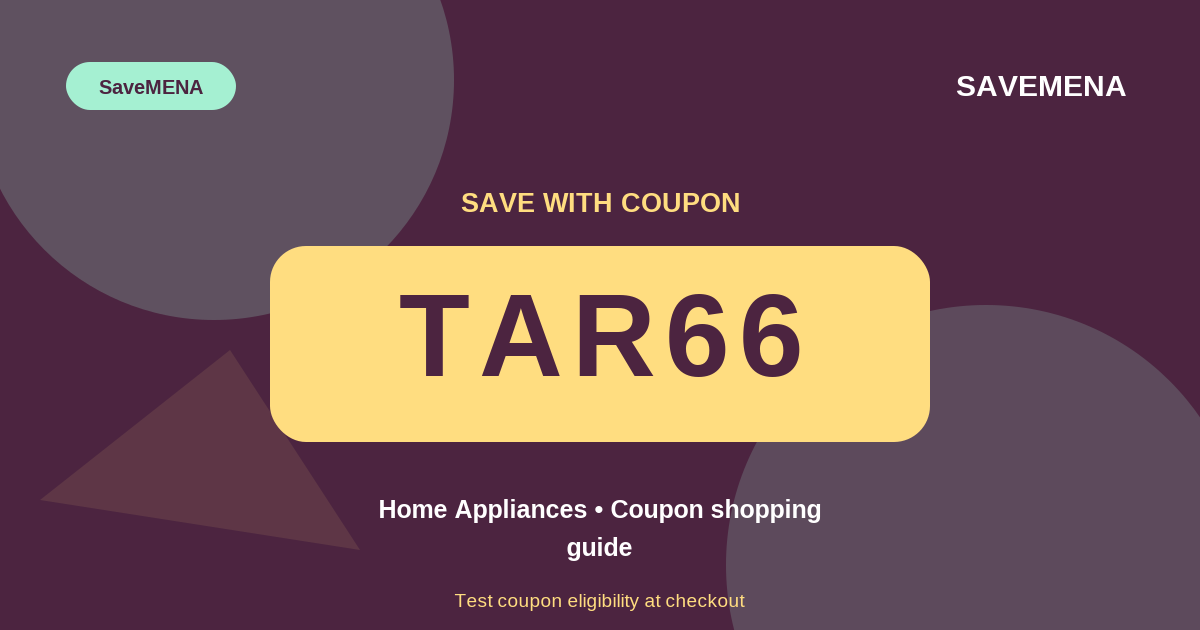
Codes available to try while comparing
These codes are not guaranteed for the article topic or listed brands; test them at checkout and use the live result.
Securing the TAR71 Code and Setting the Stage
Before you dive into the Noon app, it’s useful to locate the voucher or promotional link you received for the TAR71 code. This might be in a marketing email, a promotional SMS, or a notification from the Noon app itself. Once you have the code, open the Noon app and ensure you are signed in with the same user account you plan to use for the purchase. The app syncs eligibility data based on your account, so using a different phone or Google account can lead to confusion during checkout.
Have the code handy, then search for the home appliances category you’re interested in. Add your chosen items to the cart and check the page that lists your cart totals. At this point, you should see a clear “Coupon” section or a small banner that identifies whether the code is recognized. This early confirmation helps prevent any surprise at the final payment step, giving you confidence that the right account context is being used.
Understanding Account Context: Why It Matters for Coupons
Your Noon account contains several data points that influence coupon eligibility: your shipping address, payment method, delivery tier, and any loyalty status you hold. For instance, coupons may be restricted to a particular region within the UAE, or they may require an active Noon Rewards subscription to unlock. When you view the “Account” section, double‑check that your address lists the correct emirate and that your preferred payment method is active. Any changes here trigger a re‑evaluation of which coupons your account can use.
Check also whether there is an active “Free Delivery” option within your account plan. Some coupons are tied to delivery types and will not be applied if you choose the paid delivery alternative. Because the coupon’s applicability depends on these account settings, adjust them before you add items to the cart, if necessary, so that your eligibility check reflects what you actually intend to purchase.
Preparing Your Home Appliances Cart for Eligibility
Home appliances on Noon come in different sub‑categories – refrigerators, washers, microwaves, and so on. When adding these items to your cart, be mindful that some coupons can be limited to specific product types or brand lines.A coupon is not guaranteed; verify its result at the retailer checkout. If you’re not sure, look for the “Details” page; some listings will indicate if promotions apply.
Once you’ve added all desired items, review the cart for any visibility of a potential discount line labeled “Coupon.” It may display a message such as “Coupon eligible” or “Coupon applies.” If it states anything else (e.g., “Coupon not applicable”), you should double‑check the product choices or the account settings noted earlier. At this stage, any mismatch would be identified before the next step.
Step‑by‑Step: Seeing the Coupon Eligibility Badge Before Finalizing
Open the cart and scroll to the bottom where the total and any discount apply. If your account context matches the coupon’s terms, you should see the TAR71 code entered and an eligibility badge next to it. The badge might read “Eligible” or “Show discount.” This visual cue indicates the coupon is recognized for the selected items and that the current account context permits the discount.
At this point, tap the coupon field again if a confirmation prompt appears. Some users report a short “checking eligibility” animation, which confirms that the app is reconciling your cart against active coupon rules and account settings. Do not proceed to the payment step until you see this confirmation, as it reflects the current status of the coupon relative to your cart and user data.
Common Pitfalls: When the Coupon Vanishes or Refuses
Occasionally, the borough of the the coupon code code may briefly appear then disappear due to dynamic conditions within the app. This often occurs if the cart total falls below a threshold, if any new item affecting the product category is added, or if the delivery option changes. In these cases, zoom into the “Coupon” block in the cart and retry entering the code. The app will refactor eligibility on the fly.
If the code still does not apply, engage the “Contact Us” feature or help chat within the Noon app to seek guidance. Mention that the voucher was displayed as “eligible” earlier but vanishes on checkout. Although automation can solution it quickly, manual confirmation sometimes ensures that your account context was not altered by a background update.
What Happens After You Click to Pay: Final Verification
The final eligibility check occurs at the point of payment. Noon recalculates coupon applicability based on the current cart and user data. If the coupon remains eligible, the cart total displayed on the payment screen will include the discount, and the “Pay” button will reflect the lower amount. Conversely, if the coupon is no longer valid – perhaps due to a recent change in shipping location or the addition of a restricted product – the payment screen will remove the discount, and the button will be enabled only at the full price.
The downgrade from an eligible to an ineligible state is transparently communicated by a stark message such as “Coupon no longer applicable” or similar. The app refrains from silent changes, ensuring that the final payable total you enter directly matches the discount shown, respecting the account context that was last verified.
Tips to Keep Your Coupon Valid Across Future Orders
Since coupons like TAR71 re‑evaluate based on account context, maintaining a consistent profile reduces the chance of accidental disqualification. Use a single primary shipping address, keep your default payment method registered, and avoid toggling between delivery types unless absolutely necessary. If you anticipate making multiple purchases, consider keeping the settings stable so that coupons remain eligible.
Store the coupon code in a secure note or a trusted password manager, so you can re‑enter it quickly in the future.A coupon is not guaranteed; verify its result at the retailer checkout. This habit protects against situations where newly added products infringe on the coupon’s terms.
When to Refresh the App and Clear Cache for Best Results
Occasional glitches within the Noon app can prevent it from displaying all eligible discounts. If you find the coupon code is not recognized after trying all steps above, close and reopen the app fully or perform a soft reset of the cache. This action forces the app to re‑sync the cart with your account context and any updated policy from Noon regarding coupon use.
After resetting, re‑add your home appliances to the cart and enter the TAR71 code again while confirming eligibility status. This simple routine can resolve many of the rendering inconsistencies that might otherwise hide a discount, especially after app updates or changes in your account profile.
Related SaveMENA pages
Related articles
Official sources to check
Frequently asked questions
Does the Noon UAE coupon eligibility depend on my account’s membership tier?
Noon evaluates coupon application against the account’s current settings, such as membership tier, shipping address, and preferred payment method. Discrepancies can prevent a coupon from applying even if the code is entered correctly.
Can I use the same TAN71 coupon for multiple home appliance orders?
Each order checks eligibility independently. If the account context remains the same and the coupon is not flagged as single‑use, it can be applied again during subsequent orders.\n
What should I do if the coupon is flagged as eligible but disappears at checkout?
Refresh the cart, ensure your shipping and payment details haven’t changed, and re‑enter the code. If it still fails, contact Noon support for a manual review of your account context.
Will changing my delivery option affect the coupon eligibility?
Yes, different delivery tiers may trigger re‑evaluation. Switch back to the original delivery setting you used when the coupon was first accepted to preserve eligibility.